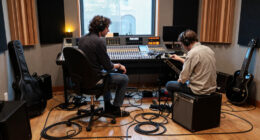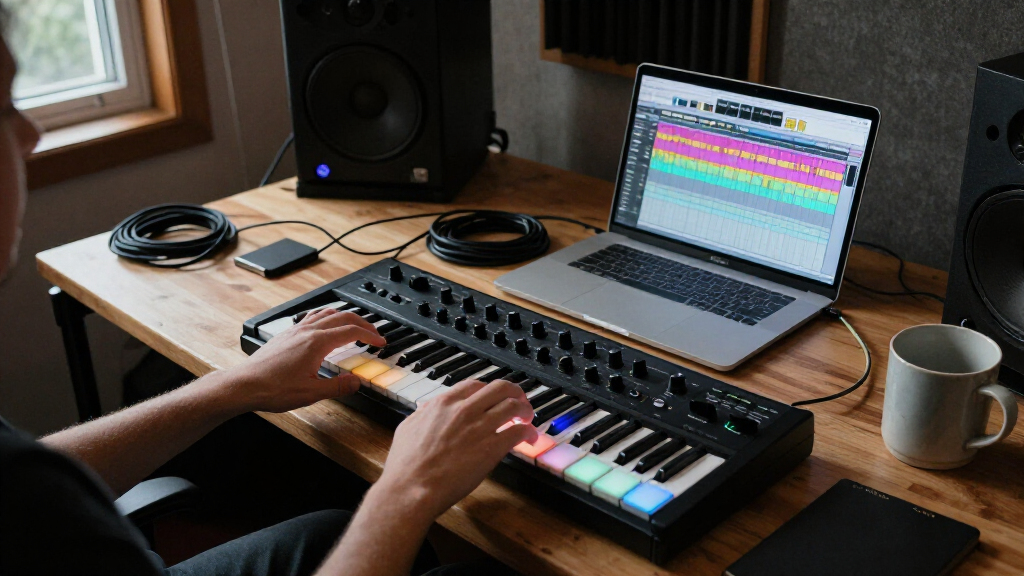
Music production controllers range from compact keyboards and drum pads to hands-on DAW surfaces, so the right pick depends on how you make music. I name the Akai MPK Mini Plus my best overall for its blend of playable keys, pads, and expanded controls, while the PreSonus ATOM stands out for pad-based production and the SSL UF1 for focused DAW mixing. The main tradeoff is between an all-in-one layout and a controller built to do one job well. Portability, DAW integration, and how much hands-on control you actually need should shape the choice. Read on for the full breakdown of all 12 options and the buyers each one suits.

Get audio and creator gear delivered free with Prime
- Fast, free delivery on millions of items
- Prime Video, Amazon Music and more included
- Member-only deals all year
Complete the kit


Key Takeaways
- The MPK Mini Plus leads as the most balanced choice: its 37 keys and performance controls cover more musical ground than the smaller MPK Mini models without turning into a dedicated mixing surface.
- Dedicated pad controllers suit different workflows: the PreSonus ATOM is a strong fit for Studio One-centered production, while the APC Mini MK2 and APC40 MKII emphasize Ableton Live clip launching.
- Compact keyboards trade range for desk space: the MPK Mini MK3, MPK Mini IV, and Komplete Kontrol M32 are easier to place in a small setup, but their smaller key ranges can limit two-handed parts.
- DAW control is not the same as instrument performance: the SSL UF1 and Behringer X-Touch Compact prioritize mixing and parameter access rather than playing notes or drum parts.
- More controls do not automatically mean better value: the Fender Motion 32 and APC40 MKII suit broader performance setups, while buyers with a narrow workflow may get more use from a simpler, focused controller.
| PreSonus ATOM MIDI Pad Controller with Studio One Artist and Ableton Live Lite |  | Best for Expressive Pad Performance | Connectivity: USB | Pads: 16 full-size, velocity- and pressure-sensitive RGB pads | Assignable pad banks: 8 | VIEW LATEST PRICE | See Our Full Breakdown |
| Akai Professional MPK Mini MK3 25-Key USB MIDI Keyboard Controller |  | Best Compact All-Rounder | Keys: 25 velocity-sensitive keys | Connectivity: USB | USB interface: USB 2.0 Type B | VIEW LATEST PRICE | See Our Full Breakdown |
| Akai Professional APC Mini MK2 USB MIDI Pad Controller |  | Best for Ableton Clip Launching | Connectivity: USB | Pads: 64 RGB-backlit pads in an 8-by-8 matrix | Faders: 9 assignable faders | VIEW LATEST PRICE | See Our Full Breakdown |
| Behringer X-Touch Compact MIDI Controller |  | Best for Hands-On DAW Mixing | Connectivity: USB | Controls: 9 motorized faders and 16 rotary controls | Fader length: 100 mm | VIEW LATEST PRICE | See Our Full Breakdown |
| Native Instruments Komplete Kontrol M32 MIDI Controller Keyboard |  | Best for Compact Instrument Control | Keys: 32 | Connectivity: USB 2.0 | Power: USB bus-powered | VIEW LATEST PRICE | See Our Full Breakdown |
| Akai Professional MPK Mini Plus 37-Key USB MIDI Keyboard Controller |  | Best for Hybrid Studio Setups | Keys: 37 velocity-sensitive mini keys | Connectivity: USB, MIDI I/O, CV/Gate | Drum pads: 8 RGB MPC pads | VIEW LATEST PRICE | See Our Full Breakdown |
| Solid State Logic UF1 Advanced DAW Controller |  | Best for Display-Rich DAW Mixing | Displays: Two, including a 4.3-inch TFT LCD | Connectivity: USB; XLR is also listed in the product data | Control functions: Pans, sends, plug-ins, virtual instruments, and up to four track volumes | VIEW LATEST PRICE | See Our Full Breakdown |
| Fender Motion 16 Production and Performance Controller |  | Best Compact Pad Controller | Pads: 16 RGB polyphonic FATAR pads | Connectivity: USB | Controller type: MIDI percussion controller | VIEW LATEST PRICE | See Our Full Breakdown |
| Akai Professional MPK Mini IV 25-Key USB-C MIDI Keyboard Controller, Black |  | Best for Portable Keyboard Sketching | Keys: 25 velocity-sensitive mini keys | Connectivity: USB-C | MIDI output: Full-size MIDI Out | VIEW LATEST PRICE | See Our Full Breakdown |
| Fender Motion 32 Production and Performance Controller |  | Best for Expanded Pad Performance | Pads: 32 RGB polyphonic FATAR pads | Connectivity: USB | DAW compatibility: Works with any DAW | VIEW LATEST PRICE | See Our Full Breakdown |
| Donner STARRYPAD USB MIDI Pad Controller |  | Best Value for Flexible Pad Control | Pads: 16 backlit silicone pads | Assignable pads: Up to 48 across 3 banks | Controls: 2 faders, 2 knobs, 3 buttons | VIEW LATEST PRICE | See Our Full Breakdown |
| Akai Professional APC40 MKII USB MIDI Pad Controller |  | Best for Ableton Live Performance | Clip-launching grid: 5 × 8 RGB pads | Faders: 9 channel faders | Knobs: 8 control knobs | VIEW LATEST PRICE | See Our Full Breakdown |
| music production controller | Connectivity | Included software |
|---|---|---|
| PreSonus ATOM MIDI Pad Control | USB | Studio One Artist, Ableton Live Lite, Studio Magic Plug-In Suite |
| Akai Professional MPK Mini MK3 | USB | — |
| Akai Professional APC Mini MK2 | USB | — |
| Behringer X-Touch Compact MIDI | USB | — |
| Native Instruments Komplete Ko | USB 2.0 | KOMPLETE KONTROL, MASCHINE Essentials, Ableton Live 10 Lite |
| Akai Professional MPK Mini Plu | USB, MIDI I/O, CV/Gate | MPC Beats |
| Solid State Logic UF1 Advanced | USB; XLR is also listed in the product data | — |
| Fender Motion 16 Production an | USB | Perpetual Fender Studio Pro license |
| Akai Professional MPK Mini IV | USB-C | Virtual instrument collection and music software |
| Fender Motion 32 Production an | USB | Perpetual Fender Studio Pro license |
| Donner STARRYPAD USB MIDI Pad | USB-C, MIDI in/out | Cubase LE and Melodics courses |
| Akai Professional APC40 MKII U | USB 2.0 Type B | Ableton Live Lite, effect racks, instruments, and sample packs |
More Details on Our Top Picks
PreSonus ATOM MIDI Pad Controller with Studio One Artist and Ableton Live Lite
The PreSonus ATOM is the strongest fit here for players who want to perform drum parts and samples from pads rather than enter notes on a mini keyboard. Its 16 velocity- and pressure-sensitive RGB pads offer more room for expressive playing than the eight pads on the Akai MPK Mini MK3, while eight assignable pad banks give you room to organize different sounds. Twenty buttons and four encoders add hands-on control, and the included Studio One Artist and Ableton Live Lite make it easier to start producing without sourcing a DAW first. Compared with the Akai APC Mini MK2, the ATOM is less focused on an 8-by-8 clip-launch grid and more suited to pad performance and software-dependent workflows. Its main limitation is that many controls depend on compatible applications, and it has no keyboard for melodic parts.
Pros:- Sixteen velocity- and pressure-sensitive RGB pads support expressive performances.
- Eight assignable pad banks help organize sounds and performance setups.
- Twenty buttons and four encoders provide additional hands-on control.
- Includes Studio One Artist, Ableton Live Lite, and the Studio Magic Plug-In Suite.
Cons:- Many control functions depend on the DAW or application being used.
- Pad-focused layout provides no keyboard for conventional melodic playing.
Best for: Beatmakers and live performers who prefer expressive drum pads, want multiple pad banks, and need included production software.
Not ideal for: Keyboard players who need piano-style note entry or buyers seeking a controller whose controls work consistently across every DAW.
- Connectivity:USB
- Pads:16 full-size, velocity- and pressure-sensitive RGB pads
- Assignable pad banks:8
- Assignable controls:20 buttons and 4 rotary encoders
- Included software:Studio One Artist, Ableton Live Lite, Studio Magic Plug-In Suite
- Power:USB bus-powered
- USB interface:USB 2.0
- Compatible platforms:Windows, macOS, iOS, Android
Our verdict“Choose the ATOM if expressive pad performance and bundled software matter more than having keys or a large clip-launch grid.”
Akai Professional MPK Mini MK3 25-Key USB MIDI Keyboard Controller
The Akai Professional MPK Mini MK3 combines a small keyboard, drum pads, and assignable knobs, making it the most balanced portable controller in this group. Its 25 velocity-sensitive keys handle short melodic phrases, while eight MPC-style pads and eight knobs cover basic beat programming and software control. The built-in arpeggiator, Note Repeat, and pitch/modulation joystick add performance options without requiring a larger instrument. Compared with the 32-key Native Instruments Komplete Kontrol M32, the MPK Mini MK3 gives up some keyboard range but adds dedicated drum pads and a joystick in a compact format. That tradeoff suits producers who move between beats and simple keyboard parts, but the plastic construction and short key range are limiting for players who need expressive, two-handed keyboard work.
Pros:- Combines 25 velocity-sensitive keys with eight velocity-sensitive drum pads.
- Eight assignable 360-degree knobs support hands-on software control.
- Arpeggiator, Note Repeat, Full Level, and pitch/modulation joystick expand performance options.
- Compact USB-powered design includes production software and sound content.
Cons:- The 25-key range restricts two-handed playing and wider arrangements.
- Plastic construction may feel less substantial than larger controllers.
Best for: Mobile producers and beginners who want one compact controller for basic keyboard parts, drum programming, and hands-on knob control.
Not ideal for: Keyboard-focused players who need more than 25 keys, or producers who want a sturdier metal-bodied controller.
- Keys:25 velocity-sensitive keys
- Connectivity:USB
- USB interface:USB 2.0 Type B
- Drum pads:8 backlit, velocity-sensitive MPC-style pads
- Knobs:8 assignable 360-degree knobs
- Additional controls:Four-way pitch and modulation joystick
- Performance features:Arpeggiator, Note Repeat, Full Level
- Compatibility:Windows and Mac
- Material:Plastic
Our verdict“Pick the MPK Mini MK3 if portability and a mix of keys, pads, and knobs matter more than a wider keyboard range.”
Akai Professional APC Mini MK2 USB MIDI Pad Controller
The Akai Professional APC Mini MK2 is built around a specific production workflow: launching clips and managing a session in Ableton Live. Its 64 RGB pads in an 8-by-8 grid give a clear visual map of clips, while nine faders let you adjust mixer levels or device parameters without reaching for a mouse. Drum and Note modes add ways to play samples and melodies, but this is still a pad-and-fader surface, not a substitute for a keyboard. Compared with the PreSonus ATOM, the APC Mini MK2 devotes far more space to clip launching and less to pressure-sensitive pad performance and broad software flexibility. That focus is an advantage for Ableton users and a real drawback for anyone working mainly in another DAW. It also requires a USB connection, so it is not a standalone performance device.
Pros:- Sixty-four RGB pads provide a visual 8-by-8 clip-launch layout.
- Nine assignable faders support hands-on mixer and device control.
- Drum and Note modes provide options for playing samples and melodies.
- Compact, lightweight design connects through USB.
Cons:- Designed around Ableton Live, limiting its appeal for users of other software.
- USB cable is required, with no battery or power-adapter operation.
Best for: Ableton Live producers and performers who want a visual clip-launch grid and physical faders for session mixing.
Not ideal for: Producers using other DAWs as their main environment, or players seeking a keyboard or pressure-sensitive performance pads.
- Connectivity:USB
- Pads:64 RGB-backlit pads in an 8-by-8 matrix
- Faders:9 assignable faders
- Modes:Drum mode and Note mode
- Compatible software:Ableton Live
- Supported platforms:Mac and Windows
- Hardware interface:USB 2.0 Type B
- Power:USB-powered
Our verdict“Choose the APC Mini MK2 if Ableton clip launching and fader control are your priority, rather than general-purpose MIDI input.”
Behringer X-Touch Compact MIDI Controller
The Behringer X-Touch Compact is the control-surface choice for producers who want to adjust a mix with physical faders instead of relying on a mouse. Its nine touch-sensitive motorized faders can follow parameter changes, while 16 rotary controls give you additional access to instruments, effects, and other DAW functions. The dual-layer mode lets one surface serve both DAW and instrument control, and Mackie Control emulation supports compatible software. Compared with the Akai APC Mini MK2, the X-Touch Compact favors motorized mixing controls over a large, color-coded clip grid; it is less suited to launching many Ableton clips at a glance. The tradeoff is a heavier, more desk-oriented setup at 8.2 pounds, plus a power adapter rather than simple USB bus power. The supplied details list Mac and PC compatibility but do not specify broad DAW support.
Pros:- Nine 100 mm touch-sensitive motorized faders support hands-on mixing.
- Sixteen rotary controls add access to software and instrument parameters.
- Dual-layer mode switches between DAW and instrument control.
- Mackie Control emulation supports compatible music production software.
Cons:- At 8.2 pounds, it is less convenient to carry than compact pad controllers.
- Requires the included power adapter rather than USB bus power alone.
- The supplied compatibility details are less specific about supported DAWs than those for the Ableton-focused APC Mini MK2.
Best for: Home-studio producers who mix with physical faders and want a dedicated surface for controlling DAWs, instruments, and effects.
Not ideal for: Traveling performers seeking a lightweight, USB-bus-powered controller, or Ableton users who need a large clip-launch grid.
- Connectivity:USB
- Controls:9 motorized faders and 16 rotary controls
- Fader length:100 mm
- Compatibility:Mac and PC
- Supported software:Ableton Live
- Control protocol:Mackie Control emulation
- Included power:Power adapter
- Materials:Metal and plastic
- Weight:8.2 pounds
Our verdict“Choose the X-Touch Compact for motorized DAW mixing at a studio desk, not for portable clip launching or keyboard performance.”
Native Instruments Komplete Kontrol M32 MIDI Controller Keyboard
The Native Instruments Komplete Kontrol M32 is a compact keyboard for producers who want more than a basic MIDI keybed but still need a small footprint. Its 32 keys offer a little more playing range than the 25-key Akai MPK Mini MK3, while touch-sensitive knobs and an OLED display support instrument and effect control. That screen makes parameter feedback easier to follow without keeping every adjustment on a computer display, and the included KOMPLETE KONTROL software, MASCHINE Essentials, and Ableton Live 10 Lite provide a useful starting set of tools. Unlike the MPK Mini MK3, the M32 does not list dedicated drum pads, so beatmakers who want pad-based finger drumming may prefer the Akai. The M32 remains limited for wide or two-handed parts, and its software-centered controls make it a more natural match for compatible instruments and effects.
Pros:- Thirty-two keys provide more range than the 25-key Akai MPK Mini MK3.
- OLED display and touch-sensitive knobs support direct instrument and effect control.
- Includes KOMPLETE KONTROL, MASCHINE Essentials, and Ableton Live 10 Lite.
- USB bus-powered design weighs 1 kg.
Cons:- The 32-key range still restricts wide and two-handed keyboard parts.
- No dedicated drum pads are listed, unlike the Akai MPK Mini MK3.
- Its control features are most useful with compatible software instruments and effects.
Best for: Producers with limited desk space who want a 32-key controller, on-device parameter feedback, and an included software instrument collection.
Not ideal for: Players who need a full-range keyboard or dedicated drum pads for finger drumming and clip-based beat creation.
- Keys:32
- Connectivity:USB 2.0
- Power:USB bus-powered
- Display:OLED
- Controls:Touch-sensitive knobs
- Dimensions:6.57 × 18.7 × 1.96 inches
- Weight:1 kg
- Included software:KOMPLETE KONTROL, MASCHINE Essentials, Ableton Live 10 Lite
- Warranty:1 year
Our verdict“Pick the M32 if you want a compact keyboard with instrument-focused controls and screen feedback, rather than a dedicated pad controller.”
Akai Professional MPK Mini Plus 37-Key USB MIDI Keyboard Controller
The MPK Mini Plus is the most connection-flexible keyboard here: alongside USB, it offers MIDI I/O and CV/Gate for linking hardware synths or modular gear. Its 37 mini keys give you more room to play than the MPK Mini IV’s 25, while staying compact enough for a crowded desk. The 64-step sequencer can run a drum track plus a melody or chord track without a computer, making it useful for sketching ideas away from a full DAW setup. Eight pads and eight knobs cover basic beat and parameter control. The tradeoff is key feel and range: mini keys won’t suit players who want a full-size keyboard, and the compact control surface is less pad-focused than the Fender Motion 16. It also lists only one USB port.
Pros:- 37 mini keys provide more playing range than a 25-key controller
- USB, MIDI I/O, and CV/Gate support computer and hardware connections
- Built-in 64-step sequencer can sketch parts without a computer
- Eight RGB pads, eight assignable knobs, and MPC Beats support varied production tasks
Cons:- Mini keys may feel cramped for players accustomed to full-size keys
- The listed single USB port limits direct USB expansion
Best for: Producers who want a compact keyboard for controlling a DAW while also connecting MIDI or CV/Gate hardware
Not ideal for: Keyboard players who need full-size keys or producers whose workflow centers on a large pad grid
- Keys:37 velocity-sensitive mini keys
- Connectivity:USB, MIDI I/O, CV/Gate
- Drum pads:8 RGB MPC pads
- Rotary knobs:8 assignable
- Sequencer:64-step; one drum track and one melody or chord track
- Supported platforms:Mac, Windows
- Included software:MPC Beats
Our verdict“Choose the MPK Mini Plus if you need a compact keyboard that can also sequence and connect to external MIDI or CV/Gate gear.”
Solid State Logic UF1 Advanced DAW Controller
The SSL UF1 is the lineup’s dedicated DAW control surface, not a keyboard or beat pad controller. Its two displays, including a 4.3-inch screen, put track information, parameters, and SSL Meter visuals in view while you adjust a mix. V-Pots can handle pans, sends, plug-ins, virtual instruments, and up to four track volumes, giving it a different job from the Akai MPK Mini Plus, which is better suited to playing parts and connecting instruments. The included SSL Meter plug-in license adds a monitoring tool to the control setup. This format makes the most sense for producers who spend time balancing sessions; it offers little for finger drumming or playing notes. Compatibility details are limited in the supplied listing, and its XLR connectivity entry is unclear alongside USB, so check interface requirements before purchase.
Pros:- Two displays provide visual feedback for track details and parameters
- V-Pots control pans, sends, plug-ins, and virtual instruments
- Can control up to four track volumes at once
- Includes an SSL Meter plug-in license
Cons:- No keys or drum pads for playing parts or finger-drumming
- The supplied connectivity listing includes XLR, which is unclear for this USB controller
- Operating-system compatibility is not fully specified in the provided product data
Best for: DAW-focused producers and mix engineers who want visual feedback and hands-on control of tracks, sends, and plug-ins
Not ideal for: Beatmakers or keyboard players seeking pads, playable keys, or clearly documented broad operating-system support
- Displays:Two, including a 4.3-inch TFT LCD
- Connectivity:USB; XLR is also listed in the product data
- Control functions:Pans, sends, plug-ins, virtual instruments, and up to four track volumes
- Software:SSL 360 software and SSL Meter plug-in
- Included component:SSL Meter plug-in license
- Material:Stainless
- Warranty:1 year
Our verdict“Pick the UF1 if your priority is controlling and monitoring a DAW mix rather than playing notes or triggering beats.”
Fender Motion 16 Production and Performance Controller
The Fender Motion 16 gives pad-based producers more expressive options than a basic drum grid: its 16 RGB polyphonic FATAR pads support drums, melodies, and chords, with illuminated encoders adding hands-on parameter control. Compared with the larger Motion 32, it takes up less desk space and is easier to fit into a portable setup, but offers half the pads and lacks the touch strips listed for its bigger sibling. It’s a better match for pad performance and songwriting than the keyboard-led Akai MPK Mini IV, which provides keys and an arpeggiator instead. USB connection and support for Fender Studio Pro or other DAWs keep the setup straightforward, and the perpetual Studio Pro license is a useful inclusion. The main compromise is that it has no keyboard, so note entry depends on the pads or another controller.
Pros:- Sixteen RGB polyphonic FATAR pads support drums, melodies, and chords
- Illuminated encoders provide hands-on control
- Works with Fender Studio Pro and other DAWs
- Includes a perpetual Fender Studio Pro license
Cons:- No keyboard for conventional piano-style note entry
- Smaller pad grid offers less space than the Fender Motion 32
- USB is the only listed connection type
Best for: Producers who want a compact, expressive pad surface for drum programming, melodic parts, and chord performance
Not ideal for: Players who need a keyboard for conventional melodic input or a larger pad layout for complex live sets
- Pads:16 RGB polyphonic FATAR pads
- Connectivity:USB
- Controller type:MIDI percussion controller
- Compatible devices:PC, Mac
- Dimensions:12 x 7 x 1 inches
- Weight:2.1 pounds
- Included software:Perpetual Fender Studio Pro license
- Warranty:2 years
Our verdict“Choose the Motion 16 if you want expressive pad performance in a smaller format and don’t need a keyboard or the Motion 32’s expanded layout.”
Akai Professional MPK Mini IV 25-Key USB-C MIDI Keyboard Controller, Black
The MPK Mini IV is the most compact keyboard choice in this group, combining 25 velocity-sensitive mini keys with eight RGB MPC pads and eight assignable knobs. Its Chord and Scale modes and arpeggiator can help turn a short idea into a playable part without requiring a wide keyboard range. Compared with the MPK Mini Plus, it gives up 12 keys, CV/Gate, and a built-in sequencer, but gains a listed USB-C connection, full-size MIDI Out, and compatibility with mobile setups. That makes it a practical pick for laptop or mobile producers who value portability over hardware sequencing. The small key count can restrict two-handed playing, and USB-powered operation means a connected device is required. It suits sketching and compact performance better than extended keyboard parts.
Pros:- Compact layout combines mini keys, RGB pads, and assignable knobs
- Arpeggiator, Chord mode, and Scale mode support quick idea building
- Full-size MIDI Out connects to external MIDI hardware
- Supports Mac, Windows, and mobile setups
Cons:- Twenty-five keys limit playing range compared with the 37-key MPK Mini Plus
- USB-powered operation requires a connected device
- No built-in sequencer or CV/Gate connectivity is listed
Best for: Mobile producers and beginners who want a compact keyboard with pads, chord tools, and straightforward DAW control
Not ideal for: Players who need more than two octaves, computer-free sequencing, or CV/Gate connections for modular gear
- Keys:25 velocity-sensitive mini keys
- Connectivity:USB-C
- MIDI output:Full-size MIDI Out
- Assignable knobs:8
- Drum pads:8 velocity- and pressure-sensitive RGB MPC pads
- Compatible platforms:Mac, Windows, and mobile setups
- Performance features:Arpeggiator, Chord mode, Scale mode, digital display
- Included software:Virtual instrument collection and music software
Our verdict“Choose the MPK Mini IV for portable keyboard sketching and performance tools, but move to the MPK Mini Plus if you need more keys or standalone sequencing.”
Fender Motion 32 Production and Performance Controller
The Fender Motion 32 is the pad-focused option for producers who want room to move beyond a compact drum grid. Its 32 RGB polyphonic FATAR pads cover drums, melodies, and chords, while illuminated encoders and touch strips add control for sequencing and performance. Compared with the Motion 16, it offers twice the pads and a larger surface, which can make complex parts easier to lay out; the tradeoff is a wider footprint and a little more weight. It also takes a different approach from the Akai MPK Mini IV: the Fender is built around pad input, while the Akai includes playable keys and an arpeggiator. The perpetual Fender Studio Pro license and compatibility with other DAWs broaden its use, but a keyboard player will still need another controller for piano-style input.
Pros:- Thirty-two RGB polyphonic FATAR pads support expressive drum and melodic performance
- Illuminated encoders and touch strips provide hands-on control
- Works with any DAW on PC or Mac
- Includes a perpetual Fender Studio Pro license
Cons:- Larger footprint than the Fender Motion 16
- No keyboard for conventional piano-style playing
- USB is the only listed connection type
Best for: Pad performers and beatmakers who want a larger surface for drums, chords, melodies, and live sequencing
Not ideal for: Keyboard-led producers with limited desk space or anyone who needs keys and a full-size MIDI output on the controller
- Pads:32 RGB polyphonic FATAR pads
- Connectivity:USB
- DAW compatibility:Works with any DAW
- Compatible devices:PC, Mac
- Controls:Illuminated encoders and touch strips
- Dimensions:15 x 7 x 1 inches
- Weight:2.5 pounds
- Included software:Perpetual Fender Studio Pro license
- Warranty:2 years
Our verdict“Choose the Motion 32 if an expanded, expressive pad layout matters more than keyboard input or compact size.”
Donner STARRYPAD USB MIDI Pad Controller
The STARRYPAD suits beatmakers who want more than a basic clip or drum-pad surface without moving to a larger workstation controller. Its 16 velocity-sensitive pads expand across three banks, giving you up to 48 assignable pad slots for switching between sounds or functions. Two faders and two knobs add a small layer of hands-on mixing and parameter control, while tap tempo and note repeat support rhythmic input. Compared with the Ableton-focused Akai APC40 MKII, Donner is more compact and flexible for pad assignments, but it lacks the APC40 MKII’s 5 × 8 clip grid and nine channel faders. It also needs DAW software to make sound, and mobile users may need to buy an adapter. Included Cubase LE and Melodics courses give newcomers a starting point, though this is still a controller rather than a standalone instrument.
Pros:- Three switchable banks provide up to 48 assignable pad slots.
- Velocity-sensitive, backlit pads support expressive playing and clear visual feedback.
- Faders, knobs, and buttons add control beyond pad triggering.
- Cubase LE and Melodics courses are included.
Cons:- Requires DAW software to produce sound; it is not a standalone instrument.
- Connecting to an iPhone or iPad requires a separately purchased adapter.
Best for: Beatmakers and first-time MIDI controller buyers who want velocity-sensitive pads, multiple banks, and basic mixer controls for a DAW setup.
Not ideal for: Performers who need a large Ableton clip-launching grid, or iPhone and iPad users who want a direct connection without buying an adapter.
- Pads:16 backlit silicone pads
- Assignable pads:Up to 48 across 3 banks
- Controls:2 faders, 2 knobs, 3 buttons
- Connectivity:USB-C, MIDI in/out
- Compatibility:Android, iOS, Mac, Windows
- Included software:Cubase LE and Melodics courses
- Material:Silicone pads
Our verdict“Choose the STARRYPAD for flexible beat programming and basic DAW control in a compact pad controller, but pick the APC40 MKII for Ableton clip launching and fuller mixer access.”
Akai Professional APC40 MKII USB MIDI Pad Controller
The APC40 MKII is the strongest fit here for performers who build sets around Ableton Live clips and want the mixer close at hand. Its 5 × 8 RGB grid gives visual feedback on clip status, while nine channel faders, eight knobs, and an assignable crossfader make it easier to shape a live set without relying only on the computer screen. Compared with the smaller Akai APC Mini MK2, the APC40 MKII adds more dedicated mixer controls and crossfader access; that extra surface takes up more room, measuring 16.68 inches wide and weighing 1.8 kg. Its main limitation is its focus: it is designed primarily for Ableton Live, so producers seeking broad DAW flexibility may prefer a more general controller. USB power keeps setup simple, but there is no separate power supply. Ableton Live Lite and additional production software are included.
Pros:- The 5 × 8 RGB clip grid provides clear visual feedback for Ableton sessions.
- Nine channel faders and eight knobs offer substantial hands-on mixer control.
- Assignable A/B crossfader supports live transitions and performance mixing.
- USB-powered setup and included Ableton Live Lite simplify getting started.
Cons:- Designed primarily for Ableton Live, limiting its appeal for other DAW workflows.
- Its 16.68-inch width and 1.8 kg weight require more desk or performance-bag space than the APC Mini MK2.
Best for: Ableton Live DJs and electronic performers who want clip launching, channel mixing, and crossfader control on one surface.
Not ideal for: Producers working mainly in other DAWs, or musicians who need a compact controller for small desks and travel.
- Clip-launching grid:5 × 8 RGB pads
- Faders:9 channel faders
- Knobs:8 control knobs
- Crossfader:Assignable A/B
- Connectivity:USB 2.0 Type B
- Power:USB-powered
- Platforms:Mac, Windows
- Dimensions and weight:9.96 × 16.68 × 1.8 in; 1.8 kg
- Included software:Ableton Live Lite, effect racks, instruments, and sample packs
Our verdict“Choose the APC40 MKII if Ableton clip launching and mixer control are central to your performance; skip it if you need a smaller or more DAW-neutral controller.”
How We Picked
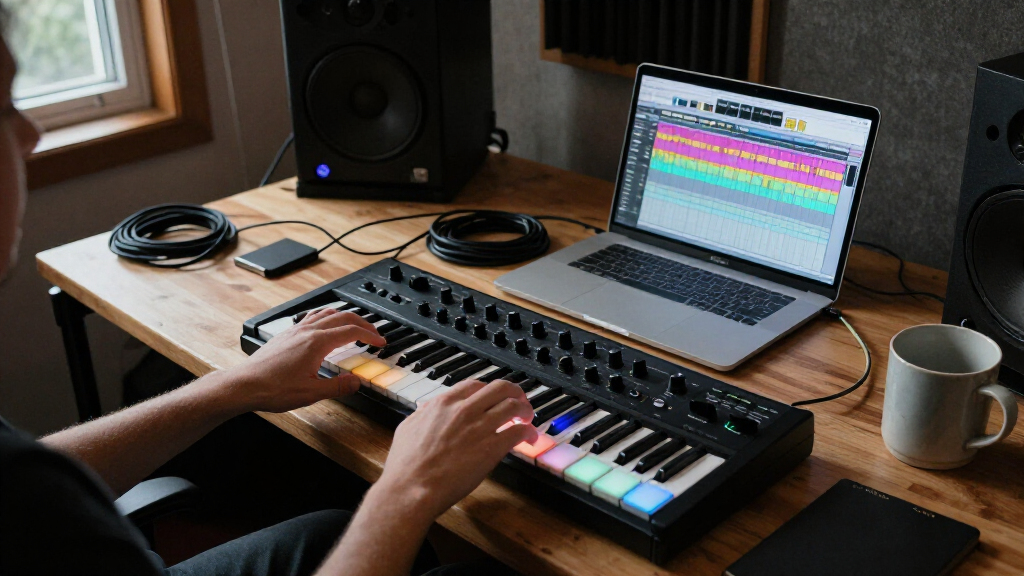
I compared these controllers by the jobs they help a producer do: play notes, program beats, launch clips, or control a DAW mix. I gave more weight to workflow fit, useful control layout, and DAW compatibility than to control count alone, since an expansive surface can add complexity without speeding up a specific workflow. Portability, build and connection practicality, included software, and the amount of setup required also shaped the evaluation.
The order reflects how broadly useful each controller is for its intended role, not a claim that every buyer needs the same kind of hardware. The MPK Mini Plus ranks first for its balance of keyboard and production controls; specialized picks rank highly when their focus provides a clear advantage. I placed more niche or workflow-dependent options lower when they are harder to recommend without knowing a buyer’s DAW, desk space, or performance style.
Factors to Consider When Choosing Music Production Controllers
Before choosing among music production controllers, start with the task you want to do more quickly. A keyboard, pad grid, and DAW control surface solve different problems, even when all connect over USB. These broader factors can help narrow the field before you compare individual models.
Choose the Main Job Before the Feature List
Decide whether your first priority is playing melodies, triggering drums, launching clips, or adjusting a mix. A keyboard controller can make composing more immediate, but its knobs may not replace a surface designed for mixer control. A pad grid can speed up beat entry and clip launching, though it offers little help with expressive keyboard parts. Buying a hybrid controller is useful when you genuinely move between tasks; otherwise, it can leave you with controls you rarely touch. Write down the two actions you want to perform most often, then favor a layout that puts those actions within easy reach.
Check DAW Integration Before Counting Controls
Controller integration can shape how much setup stands between you and a working session. A device mapped for your DAW may provide transport, mixer, or instrument control straight away, while a less-specific controller may require manual assignments. Confirm the supported software and operating-system requirements on the manufacturer’s current documentation before buying, especially if you rely on a particular DAW version. Do not assume that a controller advertised as MIDI-compatible will automatically offer deep integration; basic note transmission and DAW surface control are different things. If you switch between multiple DAWs, flexible MIDI mapping may matter more than a tightly tailored preset for one program.
Match Keyboard Size to the Parts You Play
Mini keys save space and make a controller easier to carry, but they can feel cramped for detailed two-handed playing. A short key range is often enough for bass lines, leads, and sketching ideas, yet it may force frequent octave changes when arranging fuller parts. If you mainly enter notes with a mouse or draw MIDI in the piano roll, a smaller keyboard can be a sensible compromise. Before choosing a compact model, check both key count and key size; those are separate limits. Buyers who perform live or practice technique should prioritize comfortable playability over a smaller footprint.
Treat Pad Layout and Clip Launching as Different Needs
Many controllers include pads, but similar-looking grids can serve distinct purposes. Velocity-sensitive pads are useful for finger drumming and dynamic note input, while clip-launching grids are organized around triggering scenes and clips in a DAW. A grid’s size, pad response, and access to bank or scene controls can affect how practical it is during performance. Check whether the layout matches your software’s workflow rather than assuming any pad controller will behave like an Ableton-focused surface. If your work is mostly studio-based beat programming, portability and pad feel may matter more than extensive live-launch controls.
Plan for Desk Space, Connections, and Setup
Measure the space where the controller will sit, including room for cables and for your hands to move. A larger control surface can reduce screen switching, but it may crowd a compact desk or compete with a keyboard and audio equipment. Check the connection type, power needs, and whether a USB hub or adapter will be part of your setup. Also factor in setup time: custom mappings, templates, and software registration can affect how quickly a device becomes useful. A smaller controller that stays connected and accessible may earn more use than a feature-rich unit that is awkward to place.
Pay More for a Workflow Gain, Not a Bigger Spec Sheet
Additional controls are worth paying for when they remove repeated steps from your sessions, such as reaching for a mouse to adjust levels or switching screens to launch clips. They matter less if you rarely use those functions or if your DAW already provides a comfortable keyboard-and-mouse workflow. Compare what the hardware adds against what you can already do with your existing setup. Software bundles can be useful, but check that the included applications fit your DAW and that you are not valuing tools you will not use. A focused controller often makes a better purchase than a larger one when it fits a specific, frequent task.
Frequently Asked Questions
Should I buy a keyboard controller or a pad controller first?
Choose a keyboard first if you regularly compose melodies, chords, or bass lines by playing them rather than drawing notes. Choose pads first if beat programming, finger drumming, or clip triggering is the part of your workflow that feels slow. If you do both, compare hybrid layouts by whether their secondary controls are genuinely useful, not simply present. The MPK Mini Plus offers a more balanced keyboard-and-pad approach, while the ATOM and APC models lean toward pad-centered work. Your DAW and the way you enter ideas should settle the choice.
Will a MIDI controller work with any DAW?
Most MIDI controllers can send notes and control data to DAWs that support MIDI, but the amount of ready-to-use integration varies. A controller may need custom mapping before its knobs, faders, or transport buttons control the functions you want. Check the manufacturer’s compatibility information for your DAW and version, then look for details about control-surface support rather than only MIDI support. If you use multiple DAWs, a flexible mapping system can be more useful than a preset tailored to just one. Plan for setup time even when basic connectivity is straightforward.
Are mini keys suitable for learning piano or playing live?
Mini keys can work for sketching ideas, playing short parts, and performing when portability matters, but they feel different from full-size keys. Their reduced size may make precise fingering less comfortable, especially for players used to a piano-style keybed. A compact controller can still be a useful learning tool, though it is not a substitute for checking whether the key feel suits regular practice. For live playing, try to match the key range to the parts you need to cover and consider how often octave changes will interrupt performance. If piano technique is a priority, a larger keyboard is usually the safer direction.
Do I need a DAW control surface if I already have a MIDI keyboard?
Not necessarily. A MIDI keyboard helps you play or enter musical notes, while a DAW control surface is designed to manage tasks such as mixing, transport, and parameter adjustment. If you rarely change levels or plugins by hand, a keyboard and mouse may already suit your workflow. A surface such as the SSL UF1 or X-Touch Compact is more relevant when repeated screen-based adjustments slow you down. Before adding one, identify the specific task you want to move away from the computer screen.
Is a larger clip-launch controller worthwhile if I make music mostly at home?
It can be worthwhile if you build songs from clips, perform arrangements live, or want direct access to many launch controls. For a mostly linear studio workflow, a large grid may take up desk space without changing how you work. Consider how many clips or scenes you need to see at once and whether your DAW uses that layout naturally. The APC40 MKII and APC Mini MK2 are more appealing for clip-oriented Ableton workflows than for producers who mainly record linear tracks. A smaller keyboard or focused pad controller may be a better match when clip launching is occasional.
Conclusion
For the broadest mix of note input and production controls, I recommend the Akai MPK Mini Plus as the best overall. The PreSonus ATOM is my best value-oriented pick for pad-based work, especially for producers whose sessions center on Studio One; the Akai MPK Mini MK3 is a practical beginner choice for a compact, approachable keyboard-and-pad setup. For a premium, mix-focused workflow, choose the SSL UF1 when hands-on DAW control matters more than playing notes. Pick the APC40 MKII for Ableton clip performance, or the Komplete Kontrol M32 for a small keyboard footprint. The best fit is the controller that makes your most frequent production task easier, not the one with the longest feature list.