
TL;DR

Get audio and creator gear delivered free with Prime
- Fast, free delivery on millions of items
- Prime Video, Amazon Music and more included
- Member-only deals all year
To test a camera in the shop before you buy it, bring your own memory card, shoot the same scene in several modes, check autofocus on still and moving subjects, inspect images at 100%, and handle the camera long enough to notice discomfort. Prioritize the features you will use every week: grip, controls, viewfinder, low-light files, lens options, battery setup, and return policy.
The wrong camera often feels wrong in your hands before it ever makes a bad picture. I have watched photographers fall for a spec sheet, then struggle with a stiff dial, a shallow grip, or a viewfinder that makes every frame feel like work.
This guide shows you how to test a camera in a real shop, under real pressure, without pretending the sales counter is a lab. You will learn what to check, what to ignore, and how to leave with confidence instead of a box full of second guesses.
Bring your own memory card and shoot RAW plus JPEG so you can inspect real files at home.
Spend at least five minutes handling the camera because grip, weight, and control placement affect every shoot.
Test autofocus on a moving subject, not only a static display shelf.
Check image quality at low, medium, and high ISO, then review focus and noise at 100%.
Ask about return policy, warranty, firmware, and lens options before you buy.
How to Test a Camera in the Shop Before You Buy It
TL;DR: Bring your own memory card, shoot the same scene in several modes, check autofocus on still and moving subjects, inspect images at 100%, and handle the camera long enough to notice discomfort. The wrong camera often feels wrong in your hands before it ever makes a bad picture.
Twenty focused minutes beat an hour of menu wandering.
Test handling, autofocus, image quality, stabilization, and workflow fit in a repeatable order before the sales-counter pressure starts steering the decision.
Start With a Test You Can Actually Finish
A practical shop test is not a lab. It is a fast sequence that tells you whether the camera suits your hands, your subjects, your light, and your weekly workflow.
Hold it like a real shoot
Raise it to your eye repeatedly, change ISO and aperture, and check whether your fingertips naturally find the shutter, dials, and AF joystick.
Make your own samples
Shoot one still subject, one moving subject, and one dim corner. Use RAW plus JPEG so you can inspect real files at home.
Ask before you buy
Confirm return policy, warranty, firmware status, battery setup, charging options, and whether the lens system has room to grow.
The Shop Counter Sequence
Move through the same order for every camera you compare. That keeps the decision grounded in use, not spec-sheet sparkle.
Grip
Five minutes in hand, one-handed hold, dials without looking.
View
Check EVF or OVF clarity, screen tilt, touch focus, and lag.
Focus
Test single AF, continuous AF, eye detection, and tracking.
Files
Shoot ISO 100, 1600, and 6400, then zoom to 100%.
Fit
Confirm lenses, battery plan, firmware, warranty, and returns.
Test What Matters for Your Photography
A camera can be excellent and still be wrong for you. Match the in-shop test to the pictures you actually make every week.
| What you shoot | Test this first | Shop scenario | Good sign | Warning sign |
|---|---|---|---|---|
| Family and travel | Grip, face AF, low-light JPEGs | Photograph a person near a dim shelf | ✓ Sharp faces and relaxed handling | ✗ Soft faces or awkward one-hand hold |
| Sports or wildlife | Continuous AF and burst depth | Track someone walking toward you | ✓ Focus stays on the subject | ✗ Focus jumps to the background |
| Street photography | Start-up speed and quiet shutter | Power off, raise, and shoot fast | ✓ Fast wake-up and discreet sound | ~ Delay or loud shutter slap |
| Portraits | Eye detection and skin tones | Shoot a face under mixed lighting | ✓ Eye AF lands where intended | ✗ AF grabs glasses or lashes inconsistently |
| Video | Stabilization, audio, heat limits | Record a short handheld clip | ✓ Smooth footage and clear controls | ~ Jerky clip or confusing record setup |
Inspect Image Quality Without Fooling Yourself
Small rear screens can make files look sharper, cleaner, or brighter than they really are. Use repeatable scenes and keep the files for a proper monitor review.
Low, medium, high
Shoot ISO 100 or 200, ISO 1600, and ISO 6400 if available. Compare noise, color, shadow detail, and highlight recovery.
Still plus moving
A static box proves little. Track a person walking across the aisle or toward you, then zoom into eyes or lettering.
Bright and dim corners
Pan slowly across shelves and faces. Watch for shimmer, lag, color shifts, or a cramped view that makes framing feel tiring.
The Questions That Save Regret Later
Recent cameras lean heavily on mirrorless systems, AI autofocus, wireless apps, firmware updates, and advanced video modes. Test the features you will actually use, then verify the ownership details.
Is it current?
Ask whether the body is running the latest firmware, especially when testing autofocus, subject detection, stabilization, or app connectivity.
Can it grow?
Check the kit lens, but also look at the lenses you may need next year: fast primes, travel zooms, macro, telephoto, or stabilized options.
What if home files disagree?
Your own monitor may reveal focus misses, noise, or workflow friction. Confirm the return window and warranty before payment.
From Shop Test to Confident Purchase
The best decision connects feel, focus, files, and support into one clear answer: will this camera make you want to keep shooting?
Start With a 20-Minute Test Plan You Can Actually Finish
How to test a camera in the shop comes down to a simple order: handle it, shoot it, review the files, test the features you care about, then ask about support. A focused 20-minute check beats wandering through menus while the battery icon blinks and the salesperson hovers.
- Bring your own memory card so you can inspect the files later at home.
- Set the camera to RAW plus JPEG if the shop allows it, because JPEGs show processing and RAW files show file flexibility.
- Shoot one still subject, one moving subject, and one dim corner of the shop.
- Review at 100% on the rear screen to check focus, blur, and noise.
- Ask about returns, warranty, firmware, and lens compatibility before you decide.
For instance, I usually photograph a price tag, a shelf edge, and a person walking across the aisle. Those three tiny tests show me sharpness, autofocus behavior, and low-light handling faster than any brochure.
camera memory card SD card for testing
As an affiliate, we earn on qualifying purchases.
As an affiliate, we earn on qualifying purchases.
Feel the Camera Like You Will Use It for Three Hours
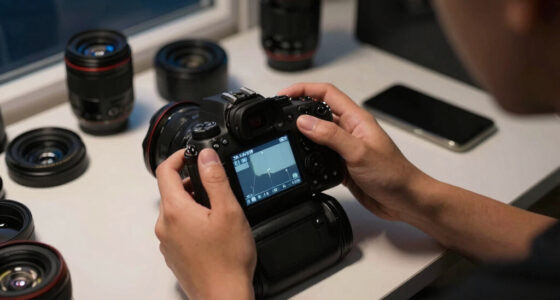
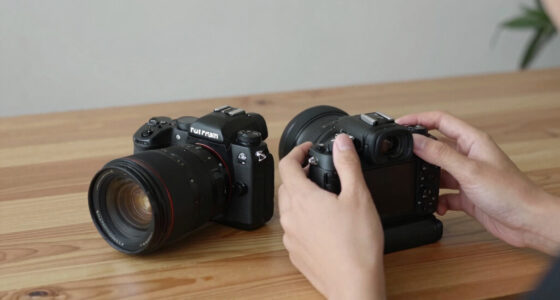
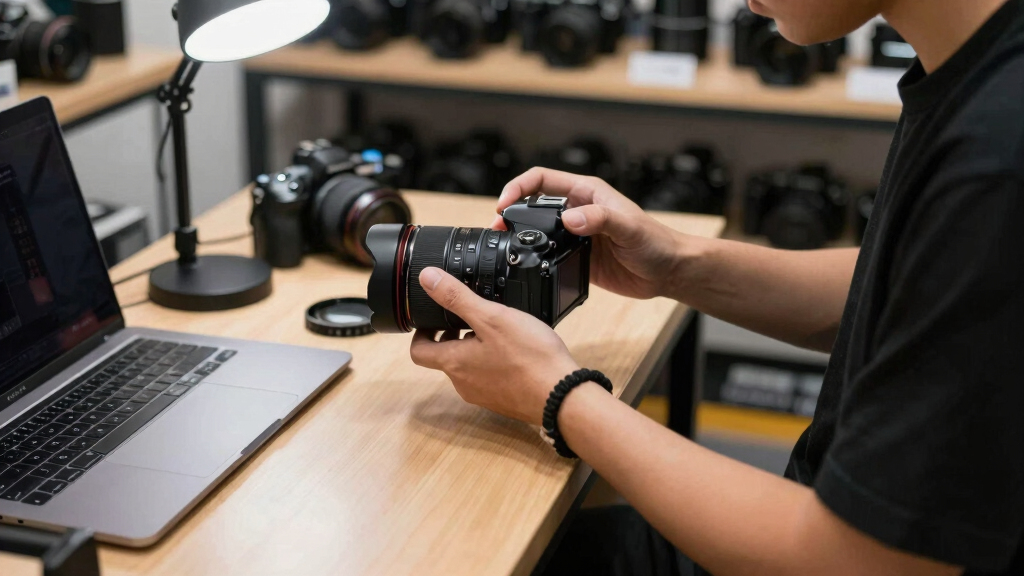
How to test a camera in a shop starts with your hands, because comfort decides whether you will carry it. Hold it for at least five minutes, raise it to your eye repeatedly, and change settings without looking down every time.
A camera should feel like a well-balanced tool, not a brick with buttons. Check whether your fingertips land naturally on the shutter, front dial, rear dial, and AF joystick. If your thumb has to hunt for every control, that irritation grows on long shoots.
- Grip depth: Can you hold the camera securely with one hand while changing aperture?
- Weight: Would you carry it on a city walk, wedding day, hike, or family trip?
- Button spacing: Can you use it with cold fingers or light gloves?
- Menu speed: Can you find ISO, drive mode, autofocus mode, and format card without a treasure hunt?
I once tested a small mirrorless body that looked perfect for travel. Lovely files, beautiful design, but after ten minutes my little finger floated under the grip like it had nowhere to live. That camera would have stayed at home, which makes any image-quality advantage meaningless.
As an affiliate, we earn on qualifying purchases.
Check the Viewfinder and Screen Before You Trust the Files
The viewfinder and rear screen tell you how clearly you can compose, focus, and judge exposure in the field. Test both under bright shop lights and in a darker corner, because a screen that looks punchy indoors can wash out when you step outside.
Look through the electronic viewfinder or optical viewfinder and pan slowly across shelves, signs, and faces. Watch for shimmer, lag, color shifts, or a cramped view that makes framing feel like peering through a keyhole.
Then tap the screen if it has touch control. Move the focus point, swipe through images, pinch to zoom, and check whether the screen tilts or flips in a way that suits your shooting. A street photographer may care about waist-level tilt; a video creator may need a fully articulating screen.
A camera screen is your shop window into the file. If it makes exposure or focus hard to judge, you will second-guess yourself when the light changes fast.
As an affiliate, we earn on qualifying purchases.
Test Autofocus on Something That Actually Moves
Autofocus is ready for real work when it locks quickly, stays on the subject, and gives sharp frames more often than soft ones. Test single AF, continuous AF, and subject tracking, because modern cameras can behave very differently across these modes.
Ask a friend or salesperson to walk toward you at normal pace. Use burst mode for two or three seconds, then zoom into the eyes or lettering on a shirt. If the first frame is sharp but the rest drift, that tells you the tracking may not match your needs.
For instance, if you photograph children, pets, sports, or events, do not judge autofocus by shooting a static box on a shelf. Aim at a person crossing the aisle, a hand reaching for a lens cap, or traffic through the shop window. Movement reveals the truth.
Modern mirrorless systems often include AI-assisted subject detection for eyes, faces, animals, vehicles, or birds. Treat those modes like helpful assistants, not magic. Turn them on, then see whether the camera follows your intended subject or grabs the nearest contrasty object instead.
As an affiliate, we earn on qualifying purchases.
Use This Quick Table to Spot the Tests That Matter Most
A good shop test compares features against the photography you actually do. This table gives you a practical overview for a blog article reader who wants including important aspects without wasting time on specs that will not affect daily shooting.
| What You Shoot | Test This First | Shop Scenario | Warning Sign |
|---|---|---|---|
| Family and travel | Grip, face AF, low-light JPEGs | Photograph a person near a dim shelf | Soft faces or awkward one-hand handling |
| Sports or wildlife | Continuous AF and burst depth | Track someone walking toward you | Focus jumps to the background |
| Street photography | Start-up speed and quiet shutter | Power off, then raise and shoot fast | Slow wake-up or loud shutter slap |
| Portraits | Eye detection and skin tones | Shoot a face under mixed lighting | Eye AF misses lashes or grabs glasses |
| Video | Stabilization, audio input, overheating limits | Record a short handheld clip | Jerky footage or confusing record settings |
I use this kind of comparison when helping beginners choose their first serious camera. It stops the conversation from drifting into sensor bragging and brings it back to your pictures, your hands, and your patience.
Inspect Image Quality Without Fooling Yourself
Image quality should be tested by shooting the same scene at several ISO settings, then checking sharpness, noise, color, and highlight detail. In a shop, use ISO 100 or 200, ISO 1600, and ISO 6400 if the camera allows it.
Photograph something with fine detail, like a printed label, woven camera strap, or textured wall. Then shoot a darker corner with a bright sign in the frame. That one scene tells you how the camera handles shadow noise, bright highlights, and small details.
Do not panic if high-ISO files look grainy on the rear screen. Small screens sharpen and brighten previews in odd ways. Your own memory card matters here because you can open the files later on your monitor, where the picture stops whispering and starts telling the truth.
According to CIPA testing standards, camera makers use repeatable procedures for ratings such as battery life and image-related performance claims [1]. Your shop test has a different job: it shows whether the files match your taste and your normal light, not whether the camera wins a lab chart.
Find Out Whether Stabilization Helps Your Real Shooting
Stabilization is useful when it lets you handhold slower shutter speeds without turning fine detail into mush. Test it by shooting the same static subject at 1/60, 1/30, and 1/15 second, with stabilization on and off.
Choose a subject with hard edges, like a barcode, shelf label, or lens box typography. Stand normally, breathe out, and press the shutter gently. Review the files at full zoom and look for letters that smear like wet ink.
Camera and lens makers often advertise stabilization in stops, but your grip, coffee intake, lens length, and stance all matter. I have seen one photographer handhold a slow shutter beautifully while another needed twice the speed with the same camera. Bodies are not tripods.
If you shoot video, walk three slow steps while recording. Watch the clip back and look for micro-jitters, warped corners, or that floating look some systems create. Smoothness matters, but natural movement matters too.
Make Sure the Lens System Fits the Photographer You Are Becoming
A camera body is only half the purchase; the lens system decides what you can shoot next year. Before buying, test the kit lens, ask about compatible lenses, and think about portraits, wide landscapes, macro, or low-light work.
Mount and remove the lens yourself if the shop allows it. Feel the focus ring, zoom ring, and lens release button. A gritty zoom ring or stiff mount may simply be a shop demo issue, but it is still worth noticing.
For instance, a beginner may start with a compact kit zoom and later want a bright prime for indoor family photos. A 35mm or 50mm equivalent field of view often feels natural for people, meals, and everyday scenes. Ask whether that kind of lens exists for the system and whether it balances well on the body.
Also check third-party lens support. Some systems give you a wide shelf of native and third-party choices; others feel more locked down. The body may be the front door, but the lenses are the rooms you get to live in.
Test Video Only If You Will Really Use Video
Video features matter when you plan to record more than occasional clips, so test the camera as a filming tool, not as a still camera with a red button. Record 30 to 60 seconds handheld, refocus during the clip, and listen for lens or handling noise.
Check whether the camera offers the frame rates and resolutions you need, such as 4K for crisp family films or client clips. Many recent cameras include 4K, but the real questions are crop, rolling shutter, heat behavior, stabilization, and menu clarity.
Open the microphone, headphone, and HDMI covers. They may seem like tiny rubber doors, but they affect rigging. If you plan to film interviews, a microphone input can matter more than another still-photo burst mode.
According to SD Association speed-class guidance, a V30 card is rated for a minimum sustained write speed of 30 MB/s, which is why card choice can affect video reliability [2]. Bring a card you trust so the camera test does not become a card test by accident.
Check Connectivity Before You Need It in a Hurry
Connectivity is worth testing if you want phone transfers, remote shooting, GPS tagging, or fast sharing. Pair the camera with your phone in the shop if allowed, then send one full-size JPEG and one smaller preview.
This is where many otherwise lovely cameras become annoying. Some apps connect cleanly; others ask you to switch Wi-Fi networks, approve Bluetooth, open a second menu, then wait while a thumbnail crawls across the screen. That may be fine at home and maddening at a birthday party.
If you shoot for social media, check whether the camera can send images while powered down or in the background. If you shoot paid work, ask about wired tethering, USB-C transfer, and whether the camera charges over USB-C. Small workflow details save real time.
- Phone transfer: Try it with your own phone, not the shop demo phone.
- Remote control: Tap to focus from the app and take one frame.
- USB-C charging: Ask whether it charges from a power bank.
- Firmware: Ask the shop to check the installed version before purchase.
Ask These Questions Before the Box Is Sealed
The final shop test is not a photograph; it is the conversation before payment. Ask about return windows, warranty handling, included accessories, firmware updates, and whether the exact camera in your hand is the one going home with you.
Open the battery door, card slot, and port covers. Check that the strap lugs are clean, the hot shoe is not scratched, and the sensor looks clean if the lens is removed. Do this calmly. You are not being difficult; you are buying a precision tool.
I also ask whether the shop has a short outdoor test option. Even stepping to the doorway can change what you see: daylight color, screen visibility, and autofocus on people walking past the window. Store light can be as flattering as a fitting-room mirror.
Buy the camera that makes you want to shoot tomorrow. A spec advantage you dislike using is not an advantage in your bag.
Frequently Asked Questions
Should I bring my own SD card when testing a camera?
Yes. Bring your own formatted memory card so you can review files at home on a proper screen. A shop screen can hide noise, missed focus, and color quirks that show up clearly on your monitor.
How long should I spend testing a camera in the shop?
A focused 20-minute test is usually enough for handling, autofocus, image quality, stabilization, and menu feel. Spend longer if you plan to shoot video, paid work, or fast action.
Can I judge battery life during an in-store test?
You cannot measure real battery life accurately in a short shop visit. Ask for the CIPA-rated battery figure, then remember that video, cold weather, high screen brightness, and constant Wi-Fi use can drain a battery faster [1].
What is the biggest mistake beginners make when testing a camera?
The biggest mistake is judging only image quality and ignoring comfort. A camera with sharp files but poor grip, confusing controls, or a dim viewfinder becomes tiring fast. You need a camera you will actually carry.
Should I test every camera mode before buying?
No. Test the modes you will use most, such as aperture priority, manual exposure, continuous autofocus, or video. A wedding shooter, travel photographer, and family beginner all need different answers from the same camera.
Conclusion
The best camera in the shop is the one that feels steady in your hands, focuses on what you care about, and gives you files you trust. Test it like you shoot: a moving person, a dim corner, a fine-detail label, a quick phone transfer, and a few minutes of honest handling.
Do that, and the decision gets quieter. The right camera stops shouting specs and starts feeling like a tool already waiting for its first frame.
Columbus Day / Indigenous Peoples' Day Picks
long weekend sales
As an affiliate, we earn on qualifying purchases.