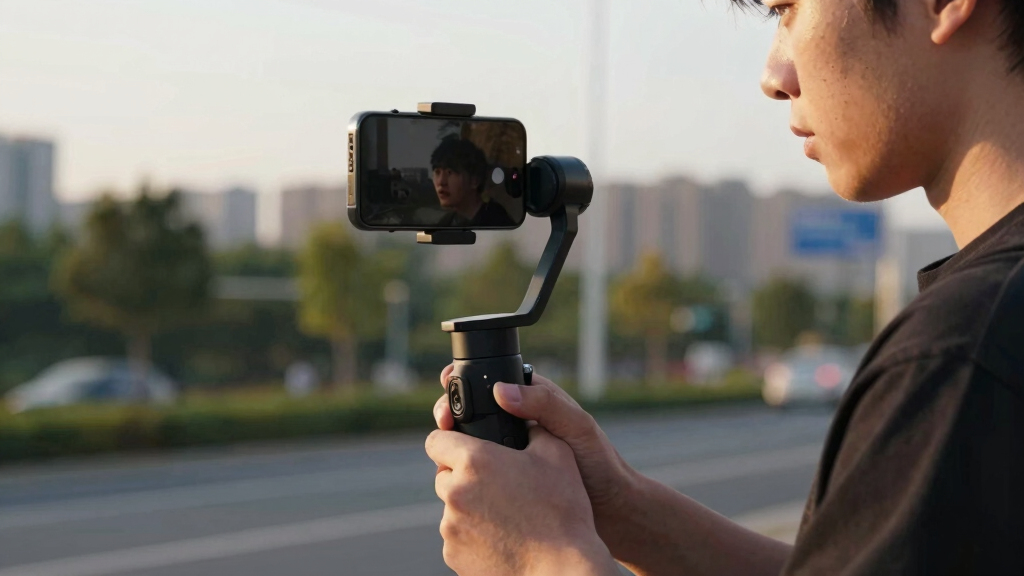

The Insta360 Flow 2 Pro Creator Bundle is my best overall smartphone gimbal because it combines portable stabilization, flexible tracking, and useful creator accessories in one package. The DJI Osmo Mobile 7 is the stronger value choice for buyers who want dependable everyday filming without paying for a loaded kit, while the DJI Osmo Mobile 8 Advanced Tracking Combo is better suited to solo creators who place subject tracking above price and simplicity. The main tradeoffs are app compatibility, bundled accessories, folded size, and whether tracking works in the camera and social apps a buyer actually uses. Several listings share the same core gimbal, so package contents and warranty coverage matter more than similar product names suggest. Continue reading for the full breakdown of the nine best smartphone gimbals and the buyer each one suits.
Complete the kit



Key Takeaways
- The Insta360 Flow 2 Pro Creator Bundle ranks first because it offers the strongest balance of portability, tracking flexibility, shooting tools, and included accessories rather than winning on one feature alone.
- The DJI Osmo Mobile 7 is the value leader; moving to the OM 7P makes more sense for creators who will regularly use its added hardware and package extras.
- DJI’s Osmo Mobile 8 listings target different workflows: the standard package covers current-generation basics, the Advanced Tracking Combo favors solo filming, and the Mic Mini bundle prioritizes cleaner spoken audio.
- A renewed Osmo Mobile 7P can beat the new model on price, but only when the warranty, battery condition, return window, and included accessories are clearly documented.
- The two Insta360 Flow 2 Pro Creator Bundle listings appear to share the same core hardware, so I would choose between them by verified package contents, seller support, and final price rather than marketing wording.
| Insta360 Flow 2 Pro Creator Bundle Grey |  | Best Overall | Compatibility: iPhone 12 or later and Android devices | Stabilization: 3-axis | Battery Life: Up to 10 hours | VIEW LATEST PRICE | See Our Full Breakdown |
| DJI Osmo Mobile 7 |  | Best Current-Generation Value | Compatibility: iPhone and Android | Stabilization: 3-axis | Tracking: ActiveTrack 7.0 | VIEW LATEST PRICE | See Our Full Breakdown |
| DJI Osmo Mobile 8 with Tracking, Lighting, and Accessories |  | Best Premium Creator Kit | Compatibility: Smartphones | Stabilization: 3-axis | Rotation: 360-degree pan | VIEW LATEST PRICE | See Our Full Breakdown |
| DJI Osmo Mobile 7P Renewed |  | Best Renewed Upgrade | Condition: Renewed | Compatibility: iPhone and Android | Stabilization: 3-axis | VIEW LATEST PRICE | See Our Full Breakdown |
| DJI Osmo Mobile 3 |  | Best for Simple One-Handed Shooting | Compatibility: iPhone and Android smartphones within supported dimensions | Stabilization: 3-axis | Tracking: ActiveTrack 3.0 | VIEW LATEST PRICE | See Our Full Breakdown |
| DJI Osmo Mobile 7P Gimbal Stabilizer for iPhone & Android |  | Best Everyday All-in-One | Gimbal type: 3-axis phone gimbal | Maximum operating time: 10 hours | Phone compatibility: iPhone and Android | VIEW LATEST PRICE | See Our Full Breakdown |
| DJI Osmo Mobile 8 Advanced Tracking Combo Gimbal Stabilizer for Phone |  | Best for 360° Tracking | Stabilization: 3-axis | Battery life: 10 hours | Pan rotation: 360° | VIEW LATEST PRICE | See Our Full Breakdown |
| DJI Osmo Mobile 8 + Mic Mini Transmitter Gimbal Stabilizer for Phone |  | Best for Solo Vlogging | Color: Infinity Black | Stabilization: 3-axis | Battery life: 10 hours | VIEW LATEST PRICE | See Our Full Breakdown |
| Insta360 Flow 2 Pro Creator Bundle Grey |  | Best Creator Bundle | Gimbal type: 3-axis phone gimbal | Compatibility: Supported iPhone and Android smartphones | Battery life: Up to 10 hours | VIEW LATEST PRICE | See Our Full Breakdown |
| smartphone gimbal | Stabilization | Battery Life | Tracking | Compatibility |
|---|---|---|---|---|
| Insta360 Flow 2 Pro Creator Bu | 3-axis | Up to 10 hours | Active Zoom, multi-person, and 360-degree pan tracking | iPhone 12 or later and Android devices |
| DJI Osmo Mobile 7 | 3-axis | Up to 10 hours | ActiveTrack 7.0 | iPhone and Android |
| DJI Osmo Mobile 8 with Trackin | 3-axis | Up to 10 hours | ActiveTrack 7.0 | Smartphones |
| DJI Osmo Mobile 7P Renewed | 3-axis | Up to 10 hours | — | iPhone and Android |
| DJI Osmo Mobile 3 | 3-axis | — | ActiveTrack 3.0 | iPhone and Android smartphones within supported dimensions |
| DJI Osmo Mobile 7P Gimbal Stab | — | — | Native intelligent tracking | — |
| DJI Osmo Mobile 8 Advanced Tra | 3-axis | 10 hours | AI native tracking | — |
| DJI Osmo Mobile 8 + Mic Mini T | 3-axis | 10 hours | Native tracking | — |
| Insta360 Flow 2 Pro Creator Bu | — | Up to 10 hours | — | Supported iPhone and Android smartphones |
More Details on Our Top Picks
Insta360 Flow 2 Pro Creator Bundle Grey
I rank the Insta360 Flow 2 Pro Creator Bundle first because it combines capable stabilization with the broadest set of creator tools in this group. Its zoom, multi-person, and 360-degree tracking suit solo presenters, moving groups, and orbiting shots better than the more conventional DJI Osmo Mobile 7. Compared with the DJI Osmo Mobile 8, it places greater emphasis on flexible tracking and iPhone capture features, while the DJI bundle offers a stronger audio-led package. The built-in tripod, selfie stick, spotlight, and teleprompter reduce the amount of separate gear I would recommend carrying. The tradeoff is cost and mounting flexibility: MagSafe-based attachment favors newer iPhones, and casual users may pay for tools they rarely open. Android support remains useful, but the cleanest setup is geared toward iPhone owners.
Pros:- Tracks zoomed subjects, multiple people, and full 360-degree movement
- Combines a gimbal, tripod, selfie stick, spotlight, and teleprompter functions
- Ten-hour battery supports long filming days
- Works with Dolby Vision and Apple ProRes capture on supported iPhones
Cons:- Its premium bundle price is difficult to justify for occasional filming
- Magnetic mounting is most convenient with an iPhone 12 or later and MagSafe
- The large feature set creates more setup and learning than a basic gimbal
Best for: iPhone-based creators who film themselves, groups, live streams, and moving subjects without a camera operator
Not ideal for: Casual Android users or buyers without a MagSafe-compatible iPhone who want the simplest low-cost setup
- Compatibility:iPhone 12 or later and Android devices
- Stabilization:3-axis
- Battery Life:Up to 10 hours
- Tracking:Active Zoom, multi-person, and 360-degree pan tracking
- Shooting Mode:Free Tilt Mode
- Built-in Supports:Tripod and selfie stick
- Editing:AI-powered editing
- Included Accessories:Magnetic phone clamp, spotlight, USB-C cables, and protective pouch
Our verdict“I recommend this as the most versatile choice for serious mobile creators who will use its advanced tracking and bundled production tools.”
DJI Osmo Mobile 7
The DJI Osmo Mobile 7 occupies the practical middle of this lineup: it delivers modern three-axis stabilization, ActiveTrack 7.0, and a built-in tripod without the accessory-heavy price of the DJI Osmo Mobile 8. At 300 grams, its lightweight folding body is better suited to walking tours and day trips than bulkier creator kits. I also favor its ten-hour battery and phone-charging function for long sessions, since both reduce mid-shoot interruptions. Buyers lose some versatility compared with the DJI Osmo Mobile 7P Renewed, which adds an extension rod and multifunctional lighting and microphone module. The standard Mobile 7 also needs an extra Tracking Kit for certain expanded tracking functions. For Android owners, DJI Mimo availability is the main drawback, because installing the app outside Google Play adds friction to setup and updates.
Pros:- Three-axis stabilization and ActiveTrack 7.0 handle everyday moving shots well
- A 300-gram foldable body is comfortable to carry
- Built-in tripod speeds up stationary filming
- Ten-hour battery can also supply power to a phone
Cons:- DJI Mimo is not distributed through Google Play
- The Tracking Kit and other expanded accessories cost extra
- It lacks the built-in extension rod and multifunctional module of the Mobile 7P
Best for: Travel vloggers and everyday creators who want current DJI tracking and stabilization without paying for a full accessory kit
Not ideal for: Android users uncomfortable installing DJI Mimo outside Google Play or creators who need integrated lighting and audio support
- Compatibility:iPhone and Android
- Stabilization:3-axis
- Tracking:ActiveTrack 7.0
- Weight:300 grams
- Battery Life:Up to 10 hours
- Built-in Tripod:Yes
- Charging:USB-C with phone-charging support
- Design:Foldable ergonomic grip
Our verdict“I would choose the Mobile 7 for portable, current-generation stabilization when the premium creator extras are unnecessary.”
DJI Osmo Mobile 8 with Tracking, Lighting, and Accessories
I place the DJI Osmo Mobile 8 in the premium slot because this package pairs 360-degree panning and ActiveTrack 7.0 with an extension rod, tripod, wireless microphone, charger, and wall adapter. That makes it more production-ready than the standard DJI Osmo Mobile 7, particularly for presenters who need stable framing and cleaner audio from one purchase. Its control wheel also gives hands-on access to camera adjustments, while ShotGuides and automatic editing can shorten the path from recording to sharing. The Insta360 Flow 2 Pro remains the stronger choice for multi-person and active zoom tracking, but the Mobile 8 package is better aligned with audio-supported solo production. I would not recommend it to a first-time buyer seeking simplicity: the controls and accessory workflow take time to learn, and its higher price brings little benefit to occasional family-video users.
Pros:- Three-axis stabilization and 360-degree panning support varied camera movement
- ActiveTrack 7.0 keeps a moving presenter framed
- Built-in extension rod and tripod broaden shooting positions
- Bundle includes wireless audio and charging accessories
Cons:- Advanced controls and shooting modes create a steeper learning curve
- Premium pricing is excessive for casual video capture
- Some specialized workflows may still call for added accessories
Best for: Solo presenters, live streamers, and mobile filmmakers who want stabilization, tracking, lighting, and wireless audio in one package
Not ideal for: First-time or occasional users who will not learn the advanced controls or use the bundled production accessories
- Compatibility:Smartphones
- Stabilization:3-axis
- Rotation:360-degree pan
- Tracking:ActiveTrack 7.0
- Battery Life:Up to 10 hours
- Phone Charging:USB-C output
- Controls:Pro camera control wheel
- Creative Features:Automatic editing, ShotGuides, timelapse, and panorama
- Included Accessories:Extension rod, tripod, wireless microphone, charger, and wall charger
Our verdict“I recommend this premium kit to creators who need an audio-ready mobile production setup rather than a basic stabilizer.”
DJI Osmo Mobile 7P Renewed
The renewed DJI Osmo Mobile 7P is the lineup’s feature-focused alternative for buyers willing to accept refurbished hardware. Compared with the standard DJI Osmo Mobile 7, it adds a built-in extension rod and a multifunctional module that combines tracking, lighting, and microphone reception. Those additions matter for solo filming: I can recommend the longer reach for wider selfie framing, while the module reduces dependence on separate lighting and audio adapters. Magnetic mounting, a built-in tripod, and ten-hour battery life also keep setup quick. Its renewed condition is the decisive compromise, since warranty coverage and cosmetic consistency may fall short of a new Mobile 7P. The module also introduces extra controls, and full operation depends on DJI Mimo. Against the newer DJI Osmo Mobile 8, this pick trades the latest package for potential savings rather than greater capability.
Pros:- Three-axis stabilization provides smooth handheld footage
- Built-in extension rod and tripod support more shooting positions
- Multifunctional module adds lighting and microphone reception
- Magnetic mounting enables fast phone attachment
Cons:- Renewed condition may bring shorter warranty coverage or cosmetic wear
- DJI Mimo pairing is needed for the complete feature set
- The multifunctional module can feel complicated to new users
Best for: Budget-aware creators who want extension, lighting, and microphone features and are comfortable buying renewed equipment
Not ideal for: Buyers who require full new-product warranty coverage, pristine condition, or a minimal app-independent setup
- Condition:Renewed
- Compatibility:iPhone and Android
- Stabilization:3-axis
- Battery Life:Up to 10 hours
- Mount:Magnetic phone mounting
- Built-in Supports:Extension rod and tripod
- Multifunctional Module:Lighting and microphone receiver
Our verdict“I would pick this renewed 7P when added creator tools matter more than new-product condition and warranty certainty.”
DJI Osmo Mobile 3
The DJI Osmo Mobile 3 earns its place as the simpler legacy choice, built around folding portability, one-handed controls, and gesture activation rather than a large accessory system. Compared with the DJI Osmo Mobile 7, its ActiveTrack 3.0 is older and less capable, yet the straightforward control layout makes more sense for occasional vlogs and family clips. Creative modes add variety without pushing buyers toward the premium DJI Osmo Mobile 8 package. I would check phone dimensions carefully before buying: the clamp accepts devices from 62 to 88 millimeters wide and no more than 9.5 millimeters thick, so large phones and bulky cases can be poor fits. Compatibility also affects access to its tracking features. This is not the model for demanding subject tracking, but its compact, direct approach suits buyers who value basic stabilized footage over newer automation.
Pros:- Foldable design is easy to pack for casual filming
- One-handed controls keep common functions within reach
- Gesture activation supports solo recording
- Creative shooting modes add variety to basic stabilized footage
Cons:- ActiveTrack 3.0 trails the newer tracking systems in the Mobile 7 and Mobile 8
- Strict phone width and thickness limits exclude some devices and cases
- Full tracking and creative functions depend on phone compatibility
Best for: Occasional vloggers and family-video shooters with a correctly sized phone who want straightforward one-handed operation
Not ideal for: Owners of oversized phones or thick cases, and creators who need newer tracking or integrated production accessories
- Compatibility:iPhone and Android smartphones within supported dimensions
- Stabilization:3-axis
- Tracking:ActiveTrack 3.0
- Supported Phone Weight:200 ±30 grams
- Supported Phone Width:62–88 millimeters
- Maximum Phone Thickness:9.5 millimeters
- Operating Temperature:0–40°C (32–104°F)
- Controls:One-handed control and gesture activation
- Design:Foldable
Our verdict“I recommend the Mobile 3 for simple, portable stabilization only when the buyer’s phone fits and newer tracking is not a priority.”
DJI Osmo Mobile 7P Gimbal Stabilizer for iPhone & Android
I rank the DJI Osmo Mobile 7P as the strongest everyday package because it combines 3-axis stabilization, intelligent tracking, lighting, an extension rod, and a tripod without pushing buyers toward a larger creator kit. Its 10-hour operating time suits day trips and extended recording, while the magnetic clamp speeds up switching between handheld and stationary shots. The Osmo Mobile 8 Advanced Tracking Combo is better suited to creators who want 360° pan movement, but the 7P covers the more common needs of travel filming, family videos, and solo clips. The main compromise is its software path: DJI Mimo availability can be awkward on some Android devices, and selected functions may call for extra accessories. Buyers seeking the newest tracking options should move up to the Mobile 8.
Pros:- Smooth 3-axis stabilization for walking footage and handheld pans
- Built-in extension rod and tripod reduce the need for separate supports
- Up to 10 hours of operation suits long filming days
- Multifunctional module adds tracking and lighting flexibility
Cons:- DJI Mimo may need to be downloaded or updated through DJI’s website
- Some functions may depend on extra accessories
- It lacks the advertised 360° pan capability of the Osmo Mobile 8 models
Best for: I recommend it to travel, family, and social-video shooters who want stabilization, tracking, lighting, and support tools in one portable setup.
Not ideal for: I would skip it for creators who need 360° pan tracking or want every companion app update delivered through Google Play.
- Gimbal type:3-axis phone gimbal
- Maximum operating time:10 hours
- Phone compatibility:iPhone and Android
- Tracking:Native intelligent tracking
- Lighting:Built-in through multifunctional module
- Extension rod:Built in
- Tripod:Built in
- Included components:Gimbal, multifunctional module, and magnetic phone clamp
Our verdict“I would choose the 7P for a balanced all-in-one gimbal when 360° pan movement and bundled wireless audio are not priorities.”
DJI Osmo Mobile 8 Advanced Tracking Combo Gimbal Stabilizer for Phone
The DJI Osmo Mobile 8 Advanced Tracking Combo earns its place through 360° pan movement, which gives moving presenters and livestream hosts more freedom than the Osmo Mobile 7P. Native AI tracking, integrated audio and lighting functions, and a direct phone connection make it a stronger fit for automated solo filming. I also favor its built-in rod and tripod for switching from low-angle footage to a fixed talking-head frame without repacking the setup. That extra capability brings a steeper learning curve, however, and beginners may need the included tutorials before the controls feel natural. The Mic Mini version of the Mobile 8 is the better purchase when wireless voice recording is central, since this combo does not list that transmitter. Unclear pricing also makes its value harder to judge against the 7P.
Pros:- 360° pan rotation supports continuous subject-following shots
- Advanced 3-axis stabilization smooths walking and moving footage
- Native AI tracking is useful for solo recording and livestreaming
- Built-in extension rod, tripod, audio, and lighting functions broaden shooting options
Cons:- Setup and advanced controls may feel complex to first-time gimbal owners
- DJI app updates may require a download from the company website
- Unavailable price information makes direct value comparisons difficult
Best for: I recommend it to solo presenters, livestream hosts, and mobile filmmakers who need a camera to follow movement through full 360° pans.
Not ideal for: I would skip it for casual users who prefer a simple setup or need a bundled wireless microphone for spoken content.
- Stabilization:3-axis
- Battery life:10 hours
- Pan rotation:360°
- Phone compatibility:Smartphones
- Connectivity:Direct phone connection
- Tracking:AI native tracking
- Extension rod:Built in
- Tripod:Built in
- Guidance:Easy tutorials
Our verdict“I would pick this combo for automated 360° subject tracking, provided bundled wireless audio is not required.”
DJI Osmo Mobile 8 + Mic Mini Transmitter Gimbal Stabilizer for Phone
I place the DJI Osmo Mobile 8 + Mic Mini Transmitter ahead of the standard Advanced Tracking Combo for vloggers because stabilized footage is only half of a useful talking-head setup. The bundled transmitter adds a practical audio path for narration, while 360° pan movement and native tracking let a solo host move around the frame. Its 10-hour battery and phone-charging support also reduce interruptions during long shoots. Compared with the Insta360 Flow 2 Pro Creator Bundle, this package is more focused: it supplies the core gimbal, tracking module, clamp, and microphone, but leaves out tools such as a teleprompter and carry bag. That makes it less adaptable for scripted productions. New users may also face a learning curve, and DJI Mimo installation can be inconvenient on platforms where the app is not readily available.
Pros:- Included Mic Mini transmitter makes the package better suited to spoken content
- 360° pan rotation supports dynamic subject tracking
- Up to 10 hours of battery life supports extended recording sessions
- Built-in extension rod and tripod cover handheld and stationary framing
Cons:- Accessory selection is narrower than the Insta360 Flow 2 Pro Creator Bundle
- Advanced tracking and audio setup may challenge beginners
- DJI Mimo availability can complicate setup and updates on some platforms
Best for: I recommend it to solo vloggers, interviewers, and livestream hosts who need subject tracking and a wireless voice transmitter in one package.
Not ideal for: I would skip it for scripted creators who want a teleprompter, travel bag, and broader accessory kit included from the start.
- Color:Infinity Black
- Stabilization:3-axis
- Battery life:10 hours
- Pan rotation:360°
- Tracking:Native tracking
- Extension rod:Built in
- Tripod:Built in
- Audio accessory:Mic Mini transmitter included
- Other included components:Multifunctional module and magnetic phone clamp
Our verdict“I would buy this bundle for solo vlogging when clean voice capture matters more than having a teleprompter or a large accessory set.”
Insta360 Flow 2 Pro Creator Bundle Grey
The Insta360 Flow 2 Pro Creator Bundle is my pick for creators who want a production kit rather than only a stabilizer. Alongside 3-axis stabilization, it supplies active zoom tracking, multi-person tracking, 360° pan tracking, free tilt movement, lighting, and a power-bank function. The included teleprompter, mirror, tripod, and selfie stick make it better prepared for scripted pieces and group content than the DJI Osmo Mobile 8 + Mic Mini package. That breadth is also its weakness: there are more modes and accessories to learn, carry, and organize, while the DJI bundle provides a clearer route to wireless voice recording through its included transmitter. Device support should be checked against Insta360’s compatibility list before purchase. I rank this as the most versatile package, but beginners seeking quick, uncomplicated shooting may get better value from the Osmo Mobile 7P.
Pros:- Active zoom and multi-person tracking suit dynamic or group scenes
- Creator kit includes a teleprompter, mirror, tripod, selfie stick, and carry bag
- Free tilt mode and 360° pan tracking allow varied camera movement
- Built-in lighting and power-bank functionality support longer mobile shoots
Cons:- Large feature set has a steeper learning curve than the Osmo Mobile 7P
- Phone support depends on the published compatibility list
- Numerous accessories add packing bulk and may be unnecessary for casual filming
Best for: I recommend it to travel creators, group-video producers, and scripted vloggers who will use the teleprompter, tracking modes, lighting, and support accessories.
Not ideal for: I would skip it for beginners wanting a minimal kit or buyers whose phone is absent from the supported-device list.
- Gimbal type:3-axis phone gimbal
- Compatibility:Supported iPhone and Android smartphones
- Battery life:Up to 10 hours
- Tracking modes:Active zoom, multi-person, and 360° pan tracking
- Tilt mode:Free tilt
- Lighting:Built in
- Power function:Power-bank capability
- Included shooting tools:Tripod, selfie stick, mirror, and teleprompter
- Storage accessory:Carry bag included
Our verdict“I would choose this bundle for a mobile production kit with broad tracking and scripting tools, not for the simplest grab-and-shoot setup.”

How We Picked
I ranked these gimbals by stabilization usefulness, tracking flexibility, phone compatibility, setup speed, portability, controls, accessory value, and price. I gave extra weight to features that change the finished footage or reduce setup friction, rather than treating every bundled item as equally valuable. Because no single package suits every creator, I also compared workflow fit: casual handheld video, solo tracking, travel, vlogging, and mobile productions that need separate audio. The top positions went to products with the fewest major compromises across those uses, while specialized bundles earned narrower roles.
The role map makes that ordering visible. The Flow 2 Pro Creator Bundle is Best Overall, the OM 7 is Best Value, the standard OM 8 is the Best Current-Generation Core Package, the renewed OM 7P is Best Renewed Deal, and the OM 3 is the Best Low-Cost Starter when heavily discounted. The new OM 7P is the Best Midrange Creator Upgrade, the OM 8 Advanced Tracking Combo is the Best Premium Solo-Creator Kit, and the OM 8 with Mic Mini is Best for Audio-Led Vlogging. I treat the second Flow 2 Pro Creator Bundle entry as the Best Alternate Listing, ranking it below the primary pick because similar hardware provides no extra value unless its price, support, or package contents are better.
| smartphone gimbal | Compatibility | Tracking |
|---|---|---|
| Insta360 Flow 2 Pro Creator Bu | iPhone 12 or later and Android devices | Active Zoom, multi-person, and 360-degree pan tracking |
| DJI Osmo Mobile 7 | iPhone and Android | ActiveTrack 7.0 |
| DJI Osmo Mobile 8 with Trackin | Smartphones | ActiveTrack 7.0 |
| DJI Osmo Mobile 7P Renewed | iPhone and Android | — |
| DJI Osmo Mobile 3 | iPhone and Android smartphones within supported dimensions | ActiveTrack 3.0 |
| DJI Osmo Mobile 7P Gimbal Stab | — | Native intelligent tracking |
| DJI Osmo Mobile 8 Advanced Tra | — | AI native tracking |
| DJI Osmo Mobile 8 + Mic Mini T | — | Native tracking |
| Insta360 Flow 2 Pro Creator Bu | Supported iPhone and Android smartphones | — |
Factors to Consider When Choosing Best Smartphone Gimbals
The best smartphone gimbal is the one that removes friction from the way a buyer already records. I would choose the tracking ecosystem and phone fit before comparing long accessory lists. Price differences become easier to judge once the intended shooting style is clear.
Separate Stabilization From Subject Tracking
Three-axis stabilization smooths walking shots and deliberate camera movements, but tracking is a separate software-and-hardware layer. A gimbal may stabilize video in almost any camera app while offering its best tracking only inside the manufacturer’s app. I would prioritize cross-app tracking for live streaming, social platforms, or a preferred third-party camera app. Solo presenters gain more from reliable reacquisition and responsive panning than from cinematic movement presets. A common mistake is paying for advanced tracking without checking operating-system, app, camera, and lens support. Buyers who mainly film scenery can save money by favoring stable movement and physical controls over elaborate subject recognition.
Check Phone Fit With the Real Recording Setup
Compatibility claims often assume a bare phone, yet many buyers record with a case, lens attachment, filter, or cable connected. I would check the gimbal’s supported weight, width, and thickness against the complete setup rather than the phone alone. An off-center lens module or heavy case can make balancing harder even when the total weight falls within the stated range. Thick clamps may press side buttons, while attached cables can restrict movement around an axis. Buyers planning to add a microphone receiver or light should examine how those items affect balance and motor clearance. Leaving some payload headroom usually produces a calmer setup than operating at the gimbal’s limit.
Balance Folded Size Against Shooting Comfort
A compact folded body is valuable only if the gimbal remains comfortable during the intended recording sessions. I give folding speed and packed shape more weight for travel, commuting, and spontaneous family video. Longer handles, extension rods, and built-in tripods help with self-filming, but they add leverage and can make the setup feel less secure in crowded spaces. Small grips may also become tiring during extended walking shots despite looking convenient in a bag. I would compare ready-to-shoot time, control placement, and the stability of the tripod base alongside the folded dimensions. For long events, grip comfort and battery access can matter more than saving a few centimeters.
Pay for Bundles That Replace Planned Purchases
Creator bundles provide good value when their accessories match purchases a buyer already intended to make. A tripod, tracking module, light, case, or microphone has little economic value if it stays in a drawer. I would calculate the usable bundle value by pricing only the pieces tied to the planned workflow. The OM 8 tracking and microphone packages illustrate this choice: one emphasizes autonomous framing, while the other puts more of the budget toward spoken audio. Buyers should also verify whether a bundle includes proprietary parts that are costly or difficult to add later. Paying more upfront can be sensible when the package removes adapters, charging steps, and separate shopping decisions.
Treat Renewed and Legacy Models as Conditional Deals
Older and renewed gimbals can deliver smooth footage, but the discount needs to cover more than missing new features. Battery age, replacement-part availability, app support, and accessory completeness all shape the real cost. For a renewed OM 7P, I would require a clear warranty and return window before choosing it over a new OM 7 or OM 7P. The OM 3 makes sense only at a price that reflects its older design and software generation. Buyers should confirm that the app installs on their current phone and that the listing includes every required clamp, cable, and tripod. A small price gap favors newer hardware, while a steep discount can make a legacy model a practical starter tool.
Frequently Asked Questions
Should I Choose the Insta360 Flow 2 Pro or DJI Osmo Mobile 8?
I would choose the Insta360 Flow 2 Pro Creator Bundle for the broadest mix of travel-friendly design, tracking options, and included creator tools. The Osmo Mobile 8 makes more sense for buyers already comfortable with DJI’s app and accessory system. Solo creators should compare tracking support inside their preferred recording apps, not just the demonstrations shown in product listings. Package price also matters because the OM 8 appears here in standard, advanced-tracking, and microphone configurations. The better choice is the ecosystem that supports the buyer’s phone, apps, and planned accessories with fewer workarounds.
Is the DJI Osmo Mobile 7P Worth More Than the Osmo Mobile 7?
The OM 7P earns its higher price when its added creator-oriented hardware and bundle contents will be used regularly. Buyers who want straightforward stabilization for travel, family clips, or occasional social video will usually get better value from the standard OM 7. I would compare the exact contents because retailer packages can differ despite sharing a familiar product name. Pricing the desired extras separately reveals whether the upgrade is economical. If the added tools would rarely leave the box, the OM 7 is the cleaner purchase.
Is a Renewed Osmo Mobile 7P a Better Deal Than a New Osmo Mobile 7?
A renewed OM 7P can provide more capability for the money, but its condition and protection determine whether the saving is real. I would verify battery health, cosmetic grading, included accessories, warranty length, and who handles returns. A new OM 7 offers less uncertainty and may be the better choice when the price difference is modest. Renewed stock is more appealing to experienced buyers who can inspect the unit quickly and identify missing parts. For a gift or time-sensitive project, new-unit reliability is usually worth paying for.
Should I Buy the Osmo Mobile 8 Advanced Tracking Combo or the Mic Mini Bundle?
The Advanced Tracking Combo is better suited to solo presenters, instructors, and performers who need the camera to keep them framed. The Mic Mini bundle fits interviews, walk-and-talk videos, and vlogs where clear speech matters more than autonomous movement. I would identify the current production bottleneck before choosing: missed framing points toward tracking, while weak or distant speech points toward audio. Some creators may eventually want both capabilities, so add-on availability and total system cost deserve attention. Buying the larger package without a defined use can turn a useful accessory into unnecessary weight.
Is the DJI Osmo Mobile 3 Still Worth Buying in 2026?
The Osmo Mobile 3 remains a conditional budget choice for basic stabilization, especially for a beginner who finds a complete unit at a steep discount. I would not pay close to OM 7 pricing because the newer model offers a more current ownership path. Buyers should confirm phone compatibility, app availability, battery condition, and the presence of the clamp and tripod before ordering. An older battery or missing accessory can erase the initial saving. The OM 3 makes the most sense as an inexpensive learning tool, not as the strongest long-term platform.
Conclusion
For the strongest all-around package, I recommend the Insta360 Flow 2 Pro Creator Bundle as the best overall choice. The DJI Osmo Mobile 7 is my best value pick and the safer starting point for beginners who can spend more than an OM 3 bargain price. Buyers seeking a premium solo-filming setup should choose the Osmo Mobile 8 Advanced Tracking Combo, while audio-led vloggers are better served by the OM 8 with Mic Mini. The new OM 7P suits creators who want more flexibility than the standard OM 7 without moving to the OM 8 packages. A renewed OM 7P works for deal hunters with strong warranty coverage, and the OM 3 is reserved for buyers who find it deeply discounted. Between the two Flow 2 Pro Creator Bundle listings, I would buy whichever has the better verified contents, seller support, and final price.