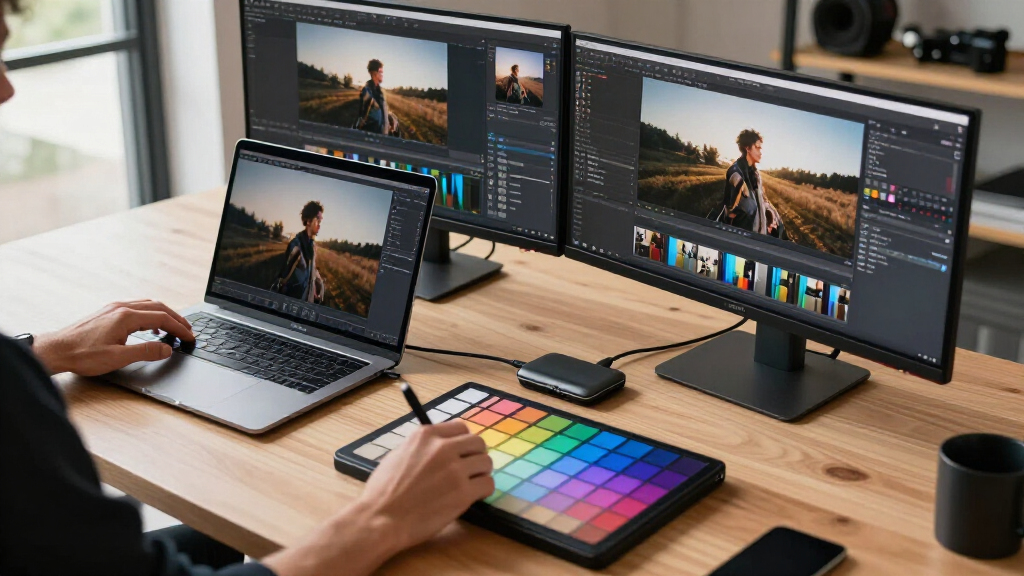

For photo editors, a reliable Thunderbolt dock can significantly streamline your workflow, enabling fast data transfer, multiple high-resolution displays, and robust power delivery. The best overall pick is the CalDigit TS5 Thunderbolt 5 Dock, thanks to its extensive port selection and support for dual 8K displays. The Plugable Thunderbolt 4 Dock offers excellent value with dual HDMI outputs and 100W charging, making it ideal for most creative setups. However, these docks often involve tradeoffs between port variety, size, and price. Continue reading for a detailed breakdown to help you find the perfect match for your photo editing needs.

Get audio and creator gear delivered free with Prime
- Fast, free delivery on millions of items
- Prime Video, Amazon Music and more included
- Member-only deals all year
Complete the kit



Key Takeaways
- The top docks combine high-speed Thunderbolt 5 or 4 with multiple 4K/8K display support, essential for detailed photo workflows.
- Power delivery capacity varies; higher wattage models support charging larger laptops without extra adapters.
- Port variety, including SD/microSD slots and Ethernet, is crucial for photographers transferring large files and connecting peripherals.
- Build quality and cable length can impact usability, especially for those working in limited or mobile setups.
- Premium models tend to offer more future-proof features like Thunderbolt 5, but at a higher cost, while Thunderbolt 4 options balance performance with affordability.
| Anker Prime Docking Station, 14-in-1 Laptop Docking Station Dual Monitor |  | Best for Multi-Device Charging | Connectivity: 14-in-1 | Total power output: 160W | USB-C charging: 3 ports, up to 100W each | VIEW LATEST PRICE | See Our Full Breakdown |
| CalDigit E5 Thunderbolt 5 Element 5 Hub |  | Best for Thunderbolt 5 Expansion | Total ports: 9 | Thunderbolt 5 / USB4 v2: 4 ports | USB-A: 3 ports | VIEW LATEST PRICE | See Our Full Breakdown |
| UGREEN Maxidok Thunderbolt 5 Docking Station with 8TB M.2 NVMe SSD Support |  | Best for Built-In Photo Storage | Total ports: 17 | Thunderbolt bandwidth: Up to 120Gbps | USB connectivity: 3 USB-A and 3 USB-C ports at up to 10Gbps | VIEW LATEST PRICE | See Our Full Breakdown |
| Dell Pro Thunderbolt 4 Smart Dock SD25TB4 |  | Best for Four-Monitor Studios | Power delivery: 130W | Display support: Up to four 4K monitors | Video outputs: 2 DisplayPort 1.4 and 1 HDMI 2.1 | VIEW LATEST PRICE | See Our Full Breakdown |
| Plugable Thunderbolt 4 Dock for MacBook Air & Pro, 13-in-1 Laptop Docking Station |  | Best for MacBook Photo Editors | Total ports: 13 | Display support: Dual 4K HDMI or single 6K | Charging power: 100W | VIEW LATEST PRICE | See Our Full Breakdown |
| CalDigit TS4 18 Port Thunderbolt 4 Dock, 98W Charging, Space Gray, 0.8m Certified Cable |  | Best Overall for Versatile Professional Setups | Ports: 18 | Thunderbolt 4 ports: 3 | USB-C ports: 3 | VIEW LATEST PRICE | See Our Full Breakdown |
| Plugable Thunderbolt 4 Dock, 100W Charging, Dual HDMI, 13 Ports for Windows and Mac |  | Best Value for Versatile Dual-Display Performance | Power Delivery: 100W (96W certified) | Display Support: Dual 4K 60Hz or single 8K | Ports: 13 | VIEW LATEST PRICE | See Our Full Breakdown |
| OWC 11-Port Thunderbolt Dock for Mac and PC with 96W Power Delivery |  | Best for Compatibility and Versatility | Power Delivery: 96W | Display Support: Up to 8K@60Hz or 4K@120Hz | Ports: 11 | VIEW LATEST PRICE | See Our Full Breakdown |
| Anker Prime TB5 Docking Station, 14-in-1 Thunderbolt 5 Dock for Laptops |  | Best for Cutting-Edge Thunderbolt 5 Performance | Ports: 14-in-1 | Thunderbolt 5 ports: 2 | USB-A ports: 3 | VIEW LATEST PRICE | See Our Full Breakdown |
| CalDigit TS5 Thunderbolt 5 Dock – 15 Ports, 140W Charging, Dual 8K Displays, 80Gb/s TBT 5, USB-C & USB-A, 2.5GbE, SD & microSD, Space Gray |  | Best for Maximum Future-Proofing and Dual 8K Displays | Ports: 15 | Thunderbolt 5 / USB4 V2 ports: 3 | USB-A ports: 2 | VIEW LATEST PRICE | See Our Full Breakdown |
| thunderbolt docks for photo editing | Display support | Power delivery | Ports |
|---|---|---|---|
| Anker Prime Docking Station | Dual 4K at 60Hz or 1080p at 60Hz | — | — |
| CalDigit E5 Thunderbolt 5 Elem | Up to dual 8K on supported Macs or triple 4K at 144Hz on Windows | 90W | — |
| UGREEN Maxidok Thunderbolt 5 D | Triple displays on Windows; up to dual 8K at 60Hz | — | — |
| Dell Pro Thunderbolt 4 Smart D | Up to four 4K monitors | 130W | — |
| Plugable Thunderbolt 4 Dock fo | Dual 4K HDMI or single 6K | — | — |
| CalDigit TS4 18 Port Thunderbo | 8K@30Hz or dual 6K@60Hz | — | 18 |
| Plugable Thunderbolt 4 Dock | Dual 4K 60Hz or single 8K | 100W (96W certified) | 13 |
| OWC 11-Port Thunderbolt Dock f | Up to 8K@60Hz or 4K@120Hz | 96W | 11 |
| Anker Prime TB5 Docking Statio | Dual 8K@60Hz | 140W | 14-in-1 |
| CalDigit TS5 Thunderbolt 5 Doc | Dual 8K@60Hz | 140W | 15 |
More Details on Our Top Picks
Anker Prime Docking Station, 14-in-1 Laptop Docking Station Dual Monitor
I rank the Anker Prime Docking Station as my charging-first pick because its 160W shared output can feed a laptop and several accessories while one cable anchors the desk. For photo editors juggling card readers, external drives, and two screens, 14-port flexibility reduces adapter swapping, while 10Gbps data links are adequate for many SSD-based Lightroom catalogs. Compared with the CalDigit E5, it offers broader everyday connectivity and more device-charging headroom, but it lacks the E5’s 80Gbps Thunderbolt 5 ceiling. Its biggest limitation is Mac display behavior: the two external screens mirror rather than extend, making it a poor fit for Mac-based dual-monitor editing. I also would not choose it for Linux or a 5120×1440 ultrawide. Windows photographers with several power-hungry devices get the clearest payoff.
Pros:- 160W shared output supports a laptop and several charging accessories
- Fourteen connections reduce reliance on separate adapters
- Dual 4K at 60Hz support suits Windows editing workstations
- 10Gbps data ports accommodate common external SSD workflows
Cons:- External displays mirror rather than extend on macOS
- No Linux compatibility
- Does not support 5120×1440 monitors
Best for: Windows-based photographers who need to charge several devices while running dual 4K editing displays and 10Gbps storage
Not ideal for: Mac dual-monitor editors, Linux users, and photographers working with 5120×1440 ultrawide displays
- Connectivity:14-in-1
- Total power output:160W
- USB-C charging:3 ports, up to 100W each
- USB-A charging:1 port at 12W
- Data transfer speed:Up to 10Gbps
- Display support:Dual 4K at 60Hz or 1080p at 60Hz
- Compatibility:Windows 10/11, ChromeOS, Thunderbolt, and USB4
Our verdict“I recommend this dock for Windows photographers who value multi-device charging more than Thunderbolt 5 bandwidth.”
CalDigit E5 Thunderbolt 5 Element 5 Hub
I place the CalDigit E5 at the front of this group for editors whose storage and display workflow can actually use Thunderbolt 5 bandwidth. Its 80Gbps connection leaves more room for fast external NVMe arrays and high-resolution reference displays than the Plugable Thunderbolt 4 Dock, while four Thunderbolt 5/USB4 v2 connections support flexible daisy chains. It can drive dual 8K displays on supported Macs or three 4K-at-144Hz screens on Windows. Unlike the UGREEN Maxidok, though, it has no built-in SSD bay, card readers, or Ethernet, shifting those costs to separate peripherals. Its 90W charging also trails the Dell Pro dock’s 130W. Base M1–M3 Mac owners lose the headline dual-display benefit. I reserve this pick for newer systems with specialized peripherals already in place.
Pros:- 80Gbps Thunderbolt 5 bandwidth supports demanding storage chains
- Can drive dual 8K displays on supported Macs
- Supports as many as three 4K 144Hz displays on compatible Windows systems
- Four Thunderbolt 5/USB4 v2 connections offer ample expansion
Cons:- No integrated memory-card reader or Ethernet connection
- Base M1–M3 Macs cannot use dual external displays
- 90W charging falls below higher-powered docks in the lineup
Best for: Thunderbolt 5 computer owners editing from fast external NVMe arrays or driving demanding high-resolution displays
Not ideal for: Base M1–M3 Mac owners and photographers seeking built-in card readers, Ethernet, or storage
- Total ports:9
- Thunderbolt 5 / USB4 v2:4 ports
- USB-A:3 ports
- USB-C:2 ports
- Bandwidth:Up to 80Gbps
- Display support:Up to dual 8K on supported Macs or triple 4K at 144Hz on Windows
- Power delivery:90W
- Included power supply:180W with 0.8m cable
Our verdict“I recommend the E5 to Thunderbolt 5 adopters who already own their card reader, network adapter, and external storage.”
UGREEN Maxidok Thunderbolt 5 Docking Station with 8TB M.2 NVMe SSD Support
I give the UGREEN Maxidok the built-in-storage role because its PCIe Gen4x4 M.2 bay can turn the dock into an up-to-8TB working-photo drive. That consolidation matters for editors who want fewer boxes around a tethering or retouching station. Compared with the CalDigit E5, the Maxidok adds SD/TF 4.0 readers, 2.5GbE, more ports, and local NVMe storage while retaining Thunderbolt 5 bandwidth. The tradeoffs are unusually specific: SSDs wider than 24mm, including several heatsink models, will not fit; HDMI displays need an active adapter because DisplayPort lacks DP++; and the cooling fan may become audible during heavy transfers. I also read the 240W figure as total system power, not 240W for the host laptop. This is my all-in-one ingest and storage pick, provided those hardware constraints fit the desk.
Pros:- Integrated PCIe Gen4x4 M.2 slot supports SSDs up to 8TB
- SD and TF 4.0 readers support photo-ingestion workflows
- Seventeen ports combine storage, networking, displays, audio, and USB
- 120Gbps Thunderbolt 5 bandwidth and active cooling support heavy workloads
Cons:- M.2 slot rejects SSDs wider than 24mm, including some heatsink-equipped models
- HDMI monitors require an active adapter because DisplayPort lacks DP++
- Cooling fan can be audible under sustained load
Best for: High-volume RAW editors with Thunderbolt 5 computers who want card ingestion, 2.5GbE, and up to 8TB of dock-integrated NVMe storage
Not ideal for: Silent-studio users, HDMI-only monitor owners, or photographers whose chosen M.2 SSD exceeds the 24mm width limit
- Total ports:17
- Thunderbolt bandwidth:Up to 120Gbps
- USB connectivity:3 USB-A and 3 USB-C ports at up to 10Gbps
- Card readers:SD 4.0 and TF 4.0
- M.2 slot:PCIe Gen4x4, 2230–2280 NVMe SSDs up to 8TB
- Display support:Triple displays on Windows; up to dual 8K at 60Hz
- Networking:2.5GbE
- Power:240W total system power; two USB-C ports share 60W
- Cooling:AI-managed 60mm fan rated below 30 dB
Our verdict“I recommend the Maxidok for editors who want storage and card ingestion inside one dock and can accommodate its SSD and display restrictions.”
Dell Pro Thunderbolt 4 Smart Dock SD25TB4
I assign the Dell Pro Thunderbolt 4 Smart Dock SD25TB4 to multi-monitor studios because four 4K outputs can separate the image canvas, editing tools, asset library, and client preview. Compared with the Plugable Thunderbolt 4 Dock for MacBook, it doubles the supported 4K screen count while adding 2.5GbE and remote Wi-Fi management. Those features make more sense in a managed editing team moving RAW files across network storage than on a solo laptop desk. Its 130W delivery also provides more charging headroom than the 90W CalDigit E5 or 100W Plugable. The costs are complexity, a premium asking price, and dependence on compatible hardware for the full display and charging package. It also lacks the supplied SD and microSD workflow of the Plugable model. I rank it as the studio-infrastructure choice, not the simplest photographer dock.
Pros:- Supports up to four 4K displays for expansive studio workstations
- 130W power delivery suits higher-powered compatible laptops
- 2.5GbE accelerates access to network-based photo libraries
- Remote Wi-Fi management helps IT teams maintain shared studio equipment
Cons:- More complicated to configure than a basic plug-and-play dock
- Premium pricing is difficult to justify for one- or two-monitor desks
- Full charging and display capabilities depend on compatible hardware
Best for: Managed Dell-based photo studios that use network storage and three or four 4K displays at each editing station
Not ideal for: Solo laptop photographers who need a built-in card reader and would gain little from four displays or remote management
- Power delivery:130W
- Display support:Up to four 4K monitors
- Video outputs:2 DisplayPort 1.4 and 1 HDMI 2.1
- Thunderbolt:2 Thunderbolt 4 connections
- Ethernet:2.5GbE
- Management connectivity:Wi-Fi
- Design:Compact, ambidextrous chassis
- Recycled content:65% recycled plastic and 100% recycled packaging
Our verdict“I recommend the SD25TB4 for managed, multi-screen photo studios rather than individual editors seeking a simple card-to-catalog setup.”
Plugable Thunderbolt 4 Dock for MacBook Air & Pro, 13-in-1 Laptop Docking Station
I pick the Plugable Thunderbolt 4 Dock for MacBook for Apple-centered photo desks because it combines dual 4K HDMI, 100W charging, and UHS-II SD and microSD readers without requiring display drivers. Compared with the Anker Prime Docking Station, it provides extended dual-monitor support on compatible M4 and M5 Macs rather than mirroring the same image. Against the Dell Pro SD25TB4, it gives up four-screen capacity and remote management but offers a cleaner card-to-catalog workflow for an individual editor. The MacBook generation limits matter: base M1 and M2 models support only one external display, while base M3 systems need clamshell mode for two. Its price can also be hard to defend for single-screen users. I rank it as the most focused Mac photo workflow here, especially for newer MacBook Air and Pro owners.
Pros:- Driverless dual 4K output works with compatible M4 and M5 MacBooks
- UHS-II SD and microSD readers support fast photo ingestion
- 100W charging handles many MacBook Air and Pro configurations
- Thirteen ports cover displays, cards, USB accessories, audio, and networking
Cons:- Base M1 and M2 MacBooks support only one external display
- Base M3 MacBooks require clamshell mode for dual-display operation
- Costs more than simpler docks aimed at single-monitor desks
Best for: M4 or M5 MacBook photographers who import from UHS-II cards and want two extended 4K HDMI displays from one driverless dock
Not ideal for: Base M1 or M2 MacBook owners needing two external displays, or base M3 users who want dual screens with the laptop open
- Total ports:13
- Display support:Dual 4K HDMI or single 6K
- Charging power:100W
- USB-A:4 ports
- USB-C:1 port
- Card readers:UHS-II SD and microSD
- Networking:Ethernet
- Audio:3.5mm jack
- Compatibility:M4/M5 MacBook Air and Pro, M1/M2/M3 MacBooks, and Windows systems
Our verdict“I recommend this Plugable dock to newer MacBook photographers who want dual HDMI displays and UHS-II card ingestion in one driverless setup.”
CalDigit TS4 18 Port Thunderbolt 4 Dock, 98W Charging, Space Gray, 0.8m Certified Cable
The CalDigit TS4 excels as a comprehensive docking solution with 18 ports, making it ideal for users who need maximum connectivity. Compared with the Plugable Thunderbolt 4 Dock, it offers more ports and higher display support, but this complexity can be overwhelming for those seeking simplicity. Its support for 8K or dual 6K displays combined with 98W charging makes it perfect for high-end workflows, yet requires a certified Thunderbolt or USB4 cable for optimal performance, adding a layer of setup consideration. The multiple Ethernet options and card readers are excellent for professional environments needing high data throughput. However, the setup can be daunting due to the number of ports, and some Mac models may not support dual displays fully. This dock is best suited for power users who prioritize connectivity and high-res display support, and are comfortable navigating more complex configurations.
Pros:- Supports high-resolution displays up to 8K or dual 6K monitors
- Powerful 98W charging for laptops and peripherals
- Multiple high-speed ports including Thunderbolt 4, USB-C, and USB-A
Cons:- Requires certified Thunderbolt or USB4 cable for best performance
- Complex setup with many ports may be overwhelming for some users
- Limited dual display support on certain Mac models
Best for: Power users and professionals who need extensive ports and high-resolution display support in a single dock.
Not ideal for: Casual users or minimalists who prefer simple setups without dozens of ports or complex configurations.
- Ports:18
- Thunderbolt 4 ports:3
- USB-C ports:3
- USB-A ports:5
- Ethernet:2.5GbE
- Display support:8K@30Hz or dual 6K@60Hz
Our verdict“This dock is ideal for demanding professionals who need maximum connectivity and display capabilities, accepting some complexity in setup.”
Plugable Thunderbolt 4 Dock, 100W Charging, Dual HDMI, 13 Ports for Windows and Mac
The Plugable Thunderbolt 4 Dock delivers a balanced mix of performance and affordability, supporting dual 4K displays at 60Hz or a single 8K monitor, making it a solid choice for those who want high-quality visuals without a premium price tag. It features 13 ports, including HDMI, USB, Ethernet, and SD card slots, offering broad connectivity for photo editing workflows. While it supports 100W power delivery, compatibility for dual displays can vary depending on the system and macOS version, which may limit performance for some users. Compared to the CalDigit TS4, this dock has fewer ports but is easier to set up and more budget-friendly. Its performance is reliable for most workflows, but advanced users requiring extensive port options might find it somewhat limited. This pick makes the most sense for creative professionals seeking a high-performance, versatile dock at a more accessible price point.
Pros:- Supports dual 4K displays at 60Hz or a single 8K monitor
- High-speed 40Gbps Thunderbolt 4 performance
- Includes a variety of ports like HDMI, Ethernet, and SD card reader
Cons:- Dual display support may vary depending on system and software
- Limited ports compared to larger docks like the CalDigit TS4
- Some features may be restricted on older Mac or Windows systems
Best for: Photographers and editors who want reliable dual 4K support without the complexity or cost of larger docks.
Not ideal for: Power users who need dozens of ports or ultra-high-end display support beyond dual 4K or 8K configurations.
- Power Delivery:100W (96W certified)
- Display Support:Dual 4K 60Hz or single 8K
- Ports:13
- HDMI ports:2
- Performance:40Gbps Thunderbolt 4
Our verdict“Ideal for creatives seeking reliable dual-display output and broad connectivity at an attractive price point.”
OWC 11-Port Thunderbolt Dock for Mac and PC with 96W Power Delivery
The OWC 11-Port Thunderbolt Dock stands out for its compatibility across Mac, Windows, Chromebook, and other USB-C devices, making it flexible for mixed environments. Its support for dual 8K displays at 60Hz or 4K at 120Hz offers impressive resolution options, comparable to the CalDigit TS4, but with fewer ports overall. The 96W power delivery is sufficient for most laptops, though demanding peripherals may require additional power sources. Its diverse ports, including multiple USB-A and Thunderbolt 4, make it a versatile choice for those who need both high-res display support and peripheral connectivity. However, display support can depend on the host system’s capabilities, and it may not fully support some high-demand peripherals under heavy load. This dock makes sense for users who need broad compatibility and reliable high-resolution display support without excessive complexity.
Pros:- Supports dual 8K displays at 60Hz or 4K at 120Hz
- Compatible with Mac, Windows, Chromebook, and more
- Includes multiple USB-A and Thunderbolt 4 ports
Cons:- Display support varies depending on host system capabilities
- Power delivery may not fully support high-demand peripherals under load
- Fewer ports than larger docks like the CalDigit TS4
Best for: Photographers or editors working across multiple systems who need a reliable, versatile dock for dual 8K displays.
Not ideal for: Users who require extensive ports for large peripheral arrays or ultra-high refresh rate gaming setups.
- Power Delivery:96W
- Display Support:Up to 8K@60Hz or 4K@120Hz
- Ports:11
- USB ports:3 USB 3.2 Gen 2 Type-A
- Thunderbolt ports:3
Our verdict“Best suited for users seeking a highly compatible, versatile dock capable of supporting high-resolution dual displays across systems.”
Anker Prime TB5 Docking Station, 14-in-1 Thunderbolt 5 Dock for Laptops
The Anker Prime TB5 Dock pushes into the latest Thunderbolt 5 technology, offering fast data transfer, support for 8K displays, and a large array of ports, making it ideal for those who want the newest standards. Its 140W power delivery ensures fast charging and ample power for demanding peripherals, outperforming the 96W of the OWC or CalDigit options. The active cooling system helps maintain consistent performance during intensive workloads. While its extensive port selection—featuring Thunderbolt 5, USB-C, USB-A, and SD card readers—is excellent, some external hubs or adapters may be necessary for additional USB-A ports. Its main tradeoff involves the need for Thunderbolt 5 or compatible hosts, limiting compatibility with older systems. This dock is best for early adopters and professionals investing in the latest tech and high-speed workflows.
Pros:- Supports 8K display output at high refresh rates
- Supports 140W charging for fast device power-up
- High-speed Thunderbolt 5 performance with multiple ports
Cons:- Requires Thunderbolt 5 or compatible host system
- Limited support on older systems or non-Thunderbolt 5 devices
- Internal architecture does not support external USB-A hubs directly
Best for: Tech-savvy professionals with Thunderbolt 5 systems who need high-speed data, multiple ports, and 8K display support.
Not ideal for: Users with older Thunderbolt 4 or USB-C systems who cannot utilize the full capabilities of Thunderbolt 5.
- Ports:14-in-1
- Thunderbolt 5 ports:2
- USB-A ports:3
- Power Delivery:140W
- Display support:Dual 8K@60Hz
Our verdict“Ideal for early adopters and power users investing in Thunderbolt 5 technology seeking maximum speed and future-proofing.”
CalDigit TS5 Thunderbolt 5 Dock – 15 Ports, 140W Charging, Dual 8K Displays, 80Gb/s TBT 5, USB-C & USB-A, 2.5GbE, SD & microSD, Space Gray
The CalDigit TS5 embodies the cutting edge with 15 ports supporting Thunderbolt 5, USB-C, USB-A, and high-speed Ethernet, making it the most comprehensive option for high-end photo editing setups. Its support for dual 8K displays at 60Hz, combined with 140W charging, caters to professionals demanding the best resolution and power. Compared to the Anker Prime TB5, the TS5 offers a more robust chassis with an aluminum heat sink, ensuring reliable heat dissipation during extended use. The inclusion of SD and microSD card readers simplifies workflows involving media transfer. The main tradeoff is its premium price and the need for Thunderbolt 5 or USB4 v2 hosts, which limits compatibility with older hardware. This dock is perfect for those planning to future-proof their workspace and require maximum display resolution and port options.
Pros:- Supports dual 8K displays at 60Hz
- Provides 140W fast charging for laptops
- Includes SD and microSD card readers and Ethernet
Cons:- Requires Thunderbolt 5 or USB4 v2 host for full functionality
- High price point may be prohibitive for some users
- Compatibility limited on older Thunderbolt or USB-C systems
Best for: High-end professional photographers and video editors seeking ultimate display resolution, power, and port variety in a single dock.
Not ideal for: Users with older systems or those on a tight budget, as this is a premium investment with compatibility requirements.
- Ports:15
- Thunderbolt 5 / USB4 V2 ports:3
- USB-A ports:2
- Ethernet:2.5GbE
- Display support:Dual 8K@60Hz
- Power delivery:140W
Our verdict“Best suited for professionals seeking maximum future-proofing, dual 8K support, and extensive port options in a sleek design.”
How We Picked
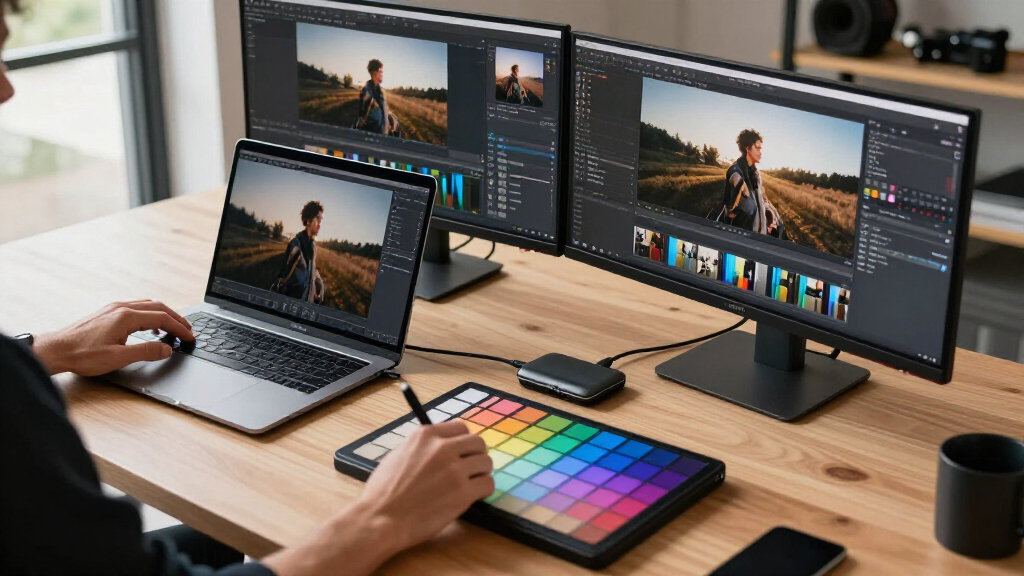
These products were selected based on their compatibility with high-resolution photo editing, focusing on port selection, data transfer speeds, power delivery, and build quality. We prioritized docks that support multiple 4K or 8K displays, as these are common in professional photo workflows, and evaluated their ease of use and reliability. Price was considered relative to features; premium options were chosen for their advanced capabilities, while budget-friendly models were assessed for core functionality. Our ranking aims to help creative professionals find docks that balance performance, versatility, and value, with a clear view of their respective strengths and tradeoffs.Factors to Consider When Choosing Best Thunderbolt Docks For Photo Editing
When selecting a Thunderbolt dock for photo editing, several factors should guide your choice beyond just port count or speed. Understanding these considerations helps prevent common pitfalls and ensures your setup is future-proof and efficient.Performance and Compatibility
Ensure the dock supports Thunderbolt 4 or 5 standards for maximum data transfer speeds and broad compatibility with your laptop. High-resolution workflows, such as working with 8K images, demand docks that can handle large data streams without bottlenecks. Compatibility with your specific laptop model and operating system is also essential to avoid connectivity issues.
Port Selection and Versatility
Look for docks offering a mix of ports: multiple HDMI or DisplayPort outputs for high-res monitors, SD/microSD card slots for quick photo transfers, and Ethernet for reliable internet. A well-rounded port selection prevents the need for additional hubs or adapters, simplifying your workspace and reducing clutter.
Power Delivery Capacity
Choose a dock with sufficient wattage to power and charge your laptop, especially if you work with larger, power-hungry machines like MacBook Pros or high-end PCs. Insufficient power delivery can lead to slower charging or the need for separate adapters, disrupting your workflow.
Build Quality and Usability
Durability and cable management matter, especially if you move your setup frequently. A sturdy build and well-placed ports can reduce wear and tear. Also, consider the physical size of the dock; a compact design benefits mobile professionals, while larger docks often pack more features.
Future-Proofing and Price
Investing in Thunderbolt 5 docks may offer more longevity and advanced features, but they come at a premium. Balance your current needs with potential future upgrades. Sometimes, a Thunderbolt 4 dock provides excellent value and performance for most photo editing tasks, especially if budget constraints exist.
Frequently Asked Questions
Will a Thunderbolt dock slow down my photo editing workflow?
Not if you choose a dock with Thunderbolt 4 or 5 support, which provide high data transfer speeds necessary for large image files and high-resolution displays. The key is ensuring your laptop supports these standards and that the dock’s bandwidth isn’t congested by other connected devices. Properly selected docks can streamline your workflow without introducing lag or bottlenecks.
Is it worth paying more for a Thunderbolt 5 dock over Thunderbolt 4?
Generally, yes, if you want the latest technology and maximum future-proofing. Thunderbolt 5 offers higher bandwidth, more ports, and better support for multiple 8K displays, which can be beneficial for high-end photo editing. However, if your current setup only needs dual 4K displays and standard peripherals, a Thunderbolt 4 dock provides excellent performance at a lower cost.
Can I connect multiple monitors with these docks for detailed photo work?
Most high-end docks in this roundup support at least two 4K monitors, with some capable of dual 8K displays. When working with large images or multiple editing windows, having multiple high-resolution screens is crucial. Always verify the maximum supported resolutions and number of displays before purchasing to match your workflow needs.
Do I need a special dock for SD card transfers in photo editing?
Many docks now include SD or microSD card slots, which significantly speed up photo transfers from cameras. Ensure the dock supports UHS-II or UHS-III standards for faster transfer speeds. Relying solely on the built-in card reader of your laptop might limit transfer speeds, so a dedicated, high-quality SD slot is a worthwhile upgrade.
How do I choose between a compact dock and a larger, feature-rich one?
A compact dock is ideal if you need portability or have limited space, but it might offer fewer ports or lower power delivery. Larger docks often provide more connectivity options, including multiple display outputs, Ethernet, and SD cards, which benefit users with extensive peripheral needs. Consider your workspace size, mobility requirements, and current device ecosystem when making this choice.
Conclusion
For most professional photo editors, the CalDigit TS5 Thunderbolt 5 Dock stands out as the best overall choice, offering a blend of high performance and future-ready features. If you prioritize value, the Plugable Thunderbolt 4 Dock delivers impressive features at a more accessible price point. For those seeking premium features and maximum expansion, the CalDigit TS5 or CalDigit TS4 are excellent options, though at a higher cost. Beginners or casual users might find the Plugable Thunderbolt 4 Dock or Ugreen Maxidok Thunderbolt 5 Dock sufficient. Ultimately, your selection should align with your specific workflow, budget, and workspace needs—balancing performance, versatility, and future-proofing.
As an affiliate, we earn on qualifying purchases.Columbus Day / Indigenous Peoples' Day Picks
long weekend sales