TL;DR

Get audio and creator gear delivered free with Prime
- Fast, free delivery on millions of items
- Prime Video, Amazon Music and more included
- Member-only deals all year
Concert photography combines three difficult conditions — dim, rapidly changing light, performers who move unpredictably, and no flash allowed. Start with manual exposure around f/2.8, 1/250–1/500 second, and ISO 1600–6400 in RAW, use continuous autofocus on the performer’s face, and anticipate peak moments instead of holding the shutter down. Success depends less on perfectly clean files than on capturing sharp, expressive moments.
The first time I shot a real show, I came home with 600 frames of smeared, orange-faced ghosts. The light was gorgeous, the band was electric, and my camera fought me on every single frame. That gap between what you see and what you capture is the whole challenge of concert photography.
Here’s the honest truth from twenty years in photo pits: success depends less on perfectly clean files than on catching sharp, expressive moments without distracting the performers or the audience. You’re working in dim light that changes every few seconds, aimed at performers who move without warning, and you usually can’t use flash or shooting beyond the first three songs.
In this guide I’ll walk you through the settings, autofocus tactics, timing habits, and etiquette that actually work — the same workflow I use whether I’m in a 200-capacity club or an arena pit. Nothing here requires a $6,000 body. It requires understanding a handful of principles and practicing them until they’re reflexes.
Start with manual exposure at f/2.8, 1/250–1/500s, ISO 1600–6400 in RAW — auto metering can’t handle rapidly changing stage light.
Raise ISO before accepting motion blur: noise reduction can clean grain, but nothing recovers a blurred performer.
Use continuous autofocus with a small tracking zone on the face, and switch to a single AF point when smoke, microphones, or backlight fool eye detection.
Anticipate repeated patterns — mic leans, spotlight steps, raised drumsticks, chorus lighting cues — and fire short controlled bursts instead of holding the sh…
Horizontal banding comes from flickering LEDs: enable anti-flicker mode, try mechanical shutter, or fine-tune shutter speed to match the light cycle.
Concert Photography:
Low Light, No Flash, Fast Action
Dim, rapidly changing light. Performers who move without warning. No flash allowed. This guide covers the settings, autofocus tactics, timing habits, and etiquette that actually work — from a 200-capacity club to an arena pit.
Settings That Actually Work in the Dark
Automatic metering chases stage lights like a confused dog — one spotlight blows out, the next frame is black. Manual locks your baseline so a lighting cue becomes a quick adjustment instead of a surprise.
| Setting | Starting Value | When & Why |
|---|---|---|
| APERTURE | f/1.4 – f/2.8 | Wide open or close to it. You need every photon the lens can gather. |
| SHUTTER | 1/250 – 1/500s | 1/250s for still singers; 1/500–1/1000s for jumpers and drummers. |
| ISO | 1600 – 6400 | Sometimes 12,800 in dark clubs. Raise ISO before accepting motion blur. |
| FORMAT | RAW | Always. Saturated red and blue stage light needs maximum recovery headroom. |
| DRIVE | Short bursts | Controlled 3-frame bursts at the peak — not spray-and-pray. |
| AUTO ISO | Capped ceiling | Works with manual aperture + shutter. Watch for spotlight exposure spikes. |
✓ Raise ISO first
Modern AI noise reduction can clean a grainy ISO 12,800 file. A noisy sharp frame beats a clean soft one — every single time.
✗ Accept motion blur
Nothing can unblur a drummer’s stick mid-strike. Watch your highlights, not your shadows — deep shadows are part of the look, but a clipped spotlight on a forehead is gone forever.
Match the Shutter to the Movement
Different performers demand different speeds. Underexpose slightly to protect faces and white costumes — the RGB histogram and highlight alerts are your friends.
AF That Sticks to a Face Through Smoke and Backlight
Use continuous autofocus (AF-C / AI Servo) with a small tracking zone on the performer’s face. Eye detection is remarkable — but stages are hostile: microphones, instruments, hair, haze, and backlight all conspire to fool it. The technology is a tool, not a contract.
Small tracking zone
Choose a small tracking area instead of letting the camera pick anywhere in the frame. Precision beats coverage in a chaotic stage environment.
Two buttons, two modes
Assign subject tracking and single-point AF to different buttons so you can flip instantly when eye detection starts hunting behind fog or a mic stand.
Face over torso
Focus on the face or nearest visible eye, not the torso. A sharp jacket with a soft face is a wasted frame.
Drummers
They sit behind cymbals, hardware, and a forest of light beams. Targeted AF on the face almost always beats fully automatic subject recognition.
Stabilization ≠ freezing
Image stabilization only fixes your camera shake — it cannot freeze a moving performer. Useful for a ballad, useless for a leap.
Fixed AF point
When detection gets unreliable, drop to a single conventional AF point — pinned on the chest, manual focus for the face when they lean in.
Why Timing Beats a Fast Frame Rate
Burst mode improves your odds, but it does not replace anticipation — the photographers who nail the jump are the ones who saw the crouch before it. Live music is full of repeated patterns. Pre-focus, pre-frame, pre-expose:
Mic lean
Singer leans away from the microphone — the face opens up and expression peaks.
Spotlight step
Guitarist steps into a spotlight — exposure and composition arrive together.
Raised stick
Drummer raises a stick before a strike — the raised arm is your trigger.
Stage edge
Performer approaches the lip of the stage — crowd interaction, dramatic angles.
Chorus cue
Lighting cues repeat during the chorus. Missed it? The next chorus brings it back.
I learned this the hard way at a festival: my buffer filled exactly as the singer stage-dived. The frame exists only in my memory. Wait, watch, and fire a three-frame burst at the moment of impact — that’s how keepers are made.
The Case for Controlled BurstsTurn Harsh Light From Enemy Into Leading Character
You cannot soften the light, move it, or wait for golden hour. Your only choices are where you stand, when you press the shutter, and how you frame what the lighting designer gives you. A singer as a black shape against a wall of gold beams isn’t a failed portrait — it’s often the frame of the night.
Rim light
Outlining hair and shoulders — it separates a performer from a busy stage and can define a face even when the front falls dark.
Haze-cut beams
Beams revealed by haze are compositions, not obstacles. Shoot through them, not around them.
Silhouettes
A black performer shape against a bright LED wall — an image only a concert could produce.
Layers & reflections
Performers, hands, lights, audience members, and instrument reflections build depth into the frame.
Fixing Horizontal Bands: The LED Flicker Problem
LED fixtures and video screens pulse at frequencies invisible to the eye. Your camera records this as dark horizontal bands or inconsistent color. Remedies, in order of effort:
Enable anti-flicker
Turn on anti-flicker or high-frequency flicker reduction in the camera menu before the first song.
Switch shutter type
Try the mechanical shutter. Silent electronic shutter is the worst offender for LED banding — avoid it when bands appear.
Sync to the cycle
Fine-tune shutter speed to match the light cycle. Test several speeds during the opening moments of the set.
The Lens Kit That Covers the Pit
Nothing here requires a $6,000 body — but fast glass matters more in the dark than anywhere else. Common focal ranges and their jobs:
The Five Rules That Survived 20 Years
Start with manual exposure at f/2.8, 1/250–1/500s, ISO 1600–6400 in RAW — auto metering can’t handle rapidly changing stage light.
Raise ISO before accepting motion blur: noise reduction can clean grain, but nothing recovers a blurred performer.
Use continuous autofocus with a small tracking zone on the face; switch to a single AF point when smoke, mics, or backlight fool eye detection.
Anticipate repeated patterns — mic leans, spotlight steps, raised drumsticks, chorus cues — and fire short controlled bursts instead of holding the shutter.
Horizontal banding comes from flickering LEDs: enable anti-flicker mode, try mechanical shutter, or fine-tune shutter speed to the light cycle.
Success depends less on perfectly clean files than on capturing sharp, expressive moments — without distracting the performers or the audience.
Settings That Actually Work in the Dark: Start Here
Concert photography calls for manual exposure around f/2.8, 1/250–1/500 second, and ISO 1600–6400, shot in RAW. Automatic metering chases stage lights around like a confused dog — one spotlight blows out, the next frame is black. Manual locks your baseline so a sudden lighting cue becomes a quick adjustment instead of a surprise.
My standard starting recipe, refined over hundreds of shows:
- Aperture: f/1.4–f/2.8, wide open or close to it
- Shutter speed: 1/250s for still singers, 1/500–1/1000s for jumpers and drummers
- ISO: 1600–6400, sometimes 12,800 in dark clubs
- File format: RAW, always
- Drive mode: short continuous bursts, not spray-and-pray
Here’s the rule that took me years to truly internalize: raise ISO before accepting motion blur. Modern noise reduction can rescue a grainy ISO 12,800 file. Nothing can unblur a drummer’s stick. A noisy sharp frame beats a clean soft one every single time.
Watch your highlights, not your shadows. Deep shadows are normal in concert images — that contrast is part of the look. But a clipped spotlight on a singer’s forehead is gone forever. Slight underexposure to protect faces and white costumes is a fair trade; the RGB histogram and highlight alerts are your friends.
And yes, Auto ISO can work well if you set manual aperture and shutter speed. Just cap it at a sensible ceiling and keep an eye on highlights, because a spotlight appearing out of nowhere can spike your exposure mid-song.
Products Worth Considering
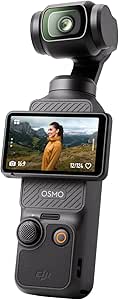
DJI Osmo Pocket 3 Vlogging Camera with 1-Inch CMOS Sensor and 4K Video

Bose QuietComfort Wireless Noise-Cancelling Over-Ear Headphones, Black

LG UltraGear 32GX850A-B 32-Inch 4K UHD Glossy OLED Gaming Monitor
As an affiliate, we earn on qualifying purchases.
Autofocus That Sticks to a Face Through Smoke and Backlight
Use continuous autofocus (AF-C or AI Servo) with a small tracking zone placed on the performer’s face — that’s the most reliable setup in concert conditions. Eye and face detection on modern mirrorless bodies is remarkable, but stages are hostile environments for it: microphones, instruments, hair, haze, and backlighting all conspire to fool the camera into grabbing a mic stand instead of a human.
Last spring I shot a metal show where the vocalist headbanged behind a wall of fog for two straight songs. Eye detection hunted wildly. I switched to a single conventional AF point pinned on his chest, focused manually for the face when he leaned in, and got the best frames of the night. The technology is a tool, not a contract.
Practices that consistently help:
- Choose a small tracking area instead of letting the camera pick anywhere in the frame
- Assign subject tracking and single-point AF to different buttons so you can flip instantly
- Focus on the face or nearest visible eye, not the torso
- Drop to a fixed AF point when detection gets unreliable
- Anticipate movement rather than reacting after it starts
Drummers deserve special mention. They sit behind cymbals, hardware, and often a forest of light beams. Targeted autofocus on the face almost always beats fully automatic subject recognition there. Also remember: image stabilization cannot freeze a moving performer — it only fixes your camera shake. It’s useful for a ballad, useless for a leap.
Why Timing Beats a Fast Frame Rate Every Time
Burst shooting improves your odds of catching peak action, but it does not replace anticipation — the photographers who nail the jump are the ones who saw the crouch before it. Learning to read a performance is a skill like any other, and it’s the difference between 300 throwaway frames and 30 keepers.
Live music is full of repeated patterns once you learn to see them. Watch for these and pre-focus, pre-frame, and pre-expose:
- A singer leaning away from the microphone — the face opens up and the expression peaks
- A guitarist stepping into a spotlight — exposure and composition arrive together
- A drummer raising a stick before a strike — the raised arm is your trigger
- A performer approaching the edge of the stage — crowd interaction and dramatic angles
- Lighting cues that repeat during the chorus — if you missed it, the next chorus brings it back
Short bursts around the peak work better than holding the shutter continuously. I learned this the hard way at a festival when my buffer filled exactly as the singer stage-dived. The frame exists only in my memory. Controlled bursts also mean fewer redundant files at 2 a.m. when you’re culling.
Hold the shutter down and you get ten nearly identical frames of nothing. Wait, watch, and fire a three-frame burst at the moment of impact — that’s how keepers are made.
Turn Harsh Stage Light From Enemy Into Leading Character
The strongest concert images treat stage lighting as part of the performance, not just an exposure problem — rim light, haze-cut beams, and silhouettes against LED walls are compositions, not obstacles. This matters because you cannot control the light: you can’t soften it, move it, or wait for golden hour. Your only real choices are where you stand, when you press the shutter, and how you frame what the lighting designer gives you. Photographers who accept that constraint stop making compromised versions of a portrait they wish they had, and start making images only a concert could produce. A singer reduced to a black shape against a wall of gold beams isn’t a failed portrait — it’s often the most striking frame of the night.
Look for these building blocks every show:
- Rim light outlining hair and shoulders — it separates a performer from a busy stage and can define a face even when the front of it falls to shadow
- Beams revealed by haze — the atmosphere is free production value; without haze, a beam is invisible, so pray the venue’s fog machine is working
- Silhouettes against bright LED walls
- Complementary color combinations the lighting designer built for you
- Reflections off instruments and cymbals
- Layers: performers, hands, lights, audience hands in the foreground
One warning I give every beginner: pure red or blue light can overwhelm a single sensor channel and erase facial detail, even when overall exposure looks fine. The reason is mechanical: your sensor builds color from red, green, and blue photosites, and under a saturated red wash, the green and blue channels are nearly empty. Brightening that file in editing amplifies noise in the starved channels — skin turns to blotchy mush, because the detail was never recorded. It’s like asking for a full-color painting from someone who only handed you a red crayon. Shoot RAW, protect the histogram, and accept that some songs simply won’t produce usable portraits. Wait for the lighting designer to bring back white or mixed light.
And composition is more than tight portraits of the singer. A complete set needs wide establishing shots, instrument details, band interactions, audience reactions, and one recognizable closing moment — think of it like a film edit: the wide shot tells you where you are, the close-up tells you why it matters. Watch for microphone stands crossing faces, cropped guitar necks, and bright background elements that appear to grow out of a performer’s head — the classic photo pit mistakes.
Fixing Horizontal Bands: The LED Flicker Problem
Horizontal lines or inconsistent color in your concert photos mean your shutter is interacting with flickering LED fixtures and video screens that pulse at frequencies invisible to your eye. The light looks constant; your sensor sees a strobe. To understand why, picture your sensor reading the scene line by line, top to bottom, over a few thousandths of a second. If the LED wall behind the drummer brightens and dims a hundred times per second, some scan lines catch the bright phase and some catch the dark phase — and you get stripes. This is one of the most common technical complaints I hear from photographers moving into modern venues, and it’s especially maddening because your previews can look perfect on one frame and ruined on the next.
Try these remedies in order, during the opening act while stakes are low:
- Enable anti-flicker or high-frequency flicker reduction in the camera menu — the camera detects the pulse and times the shutter to a bright phase
- Switch to the mechanical shutter instead of silent electronic shutter, which exposes the whole sensor at once
- Try a slower shutter speed that covers a complete cycle or two of the light, averaging the pulses out
- Use fine shutter-speed adjustment if your camera allows non-standard values like 1/253s to match the fixture frequency
- Test several shutter speeds early and note which ones band
The mechanical-versus-electronic choice is a genuine tradeoff. Mechanical shutters can add vibration and noise but expose the frame all at once, so flicker is uniform rather than striped. Electronic shutters are silent and give blackout-free shooting — valuable in quiet venues or during acoustic sets — but they read the sensor line by line, which invites banding under flickering light and can smear a fast-moving guitar neck into a subtle J-shape from rolling shutter. The right answer depends on your camera and the venue — test, don’t assume.
Global-shutter cameras, now appearing in professional bodies, read every pixel simultaneously and eliminate rolling-shutter distortion entirely, greatly reducing artificial-light problems. Stacked sensors with faster readout shrink the window for banding too. But technology only narrows the problem; it can’t fix a lighting designer running fixtures at an odd frequency. The first time I hit this was an arena show with a giant LED backdrop cycling at a non-standard rate — even the house photographer was getting stripes — and the cure was nothing more exotic than dropping from 1/500s to 1/160s. Sometimes the fix is simply a different shutter speed.
Which Lens Actually Matters (and Which You Can Skip)
A fast standard zoom — the 24–70mm f/2.8 — is the single most useful concert lens, with a 70–200mm f/2.8 for tight portraits from a distance and a fast prime like a 35mm or 50mm for very dark clubs. Your maximum aperture affects both light gathering and depth of field, so lens choice shapes your whole look.
| Lens | Best for | Tradeoff |
|---|---|---|
| 24–70mm f/2.8 | Photo pits, small venues, versatility | Only f/2.8 in very dark rooms |
| 70–200mm f/2.8 | Close portraits from the back or soundboard | Heavy, sometimes restricted by venue policy |
| 35mm / 50mm f/1.4–f/1.8 | Very dark clubs, atmosphere | Fixed framing, very shallow depth of field |
| 85mm f/1.4 or f/1.8 | Low-light portraits with separation | Too tight for wide stage shots |
| Wide-angle zoom or prime | Stage atmosphere, crowds, dramatic proximity | Distortion, less light on slower variants |
Fast primes admit more light, but zooms make composition easier when your movement is restricted — and in a crowded pit, it usually is. If you can only carry one body and one lens to a small venue, make it the 24–70mm f/2.8. In a truly dark club where even f/2.8 forces ISO 12,800, the 50mm f/1.8 earns its place.
Don’t forget your ears. Hearing protection is essential even for a three-song shoot — I carry foam earplugs everywhere, and after two decades of loud venues, I wish I’d started sooner. Familiarity with your gear beats owning the newest body every time.
The Unwritten Rules of the Photo Pit That Keep You Invited Back
Most professional concerts use the “first three songs, no flash” rule — you shoot three songs from the pit, then you’re done. But policies vary wildly: some artists allow one song, some lock you to a designated position, some prohibit certain lenses, and some require approval before publication. Venue and artist policies override general industry conventions, every time.
A quick example of how different two shows can be: at an arena date last year, the tour’s photo release specified a designated shooting position at stage right, a 50mm-or-longer lens minimum, and a 48-hour publication review window. Two weeks later, at the same band’s club warm-up show, the rule was simply “first three songs from anywhere in the pit, send us a link.” Same band, same photographer — completely different contracts. This is why you read the terms for every single show instead of assuming the standard applies.
The etiquette checklist that keeps you hired:
- Confirm credential and usage terms before the show — editorial permission doesn’t automatically cover prints, ads, or merchandise
- Follow security and tour-management instructions immediately and without argument
- Never block paying audience members; crouch, move quietly
- Never place equipment on the stage, no matter how tempting
- No flash unless explicitly authorized — it distracts performers and destroys the lighting designer’s work
- Wear hearing protection
- Keep straps and bags from becoming trip hazards in a dark, crowded pit
Think of the pit as a shared workspace, not your personal studio. If six photographers are crammed along a four-meter barrier, the photographer who plants a monopod across two positions and leaves a camera bag in the walkway is the one everybody remembers — for the wrong reasons. A useful mental test: if a fan in the front row did what you’re about to do, would security intervene? If yes, don’t do it either.
Understand what a credential actually grants: access, not ownership. A photo pass does not give you unrestricted commercial usage of an artist’s likeness. Think of it like a press badge at a courthouse — it gets you in the door, but it doesn’t make you the judge. Read the agreement, and when in doubt, ask. I once watched a photographer get a takedown notice because he assumed his editorial pass covered selling prints through his online shop. It didn’t. Photographers who respect the rules get invited back; photographers who don’t get quietly removed from the list.
Finally, back up your files the same night and preserve the original RAWs. A card failure with no backup after your one shot at a sold-out show is the kind of mistake you only make once — a colleague of mine lost an entire festival shoot when his only card corrupted on the drive home, and the outlet had to run a competitor’s images instead. Two cards, two copies, one habit.
Frequently Asked Questions
What are the best settings for concert photography?
Start with manual exposure at f/2.8, 1/320 second, and ISO 3200–6400, shooting RAW. Adjust shutter speed for movement — around 1/250s for still singers, 1/500–1/1000s for jumps and drummers — and let ISO absorb changing brightness. Protect highlighted faces from clipping rather than lifting shadows.
How high can I raise ISO at a concert?
As high as necessary to get a sharp, properly exposed image. The practical ceiling depends on your camera, output size, and noise-reduction workflow, but modern AI denoising makes ISO 6400, 12,800, and beyond genuinely usable. Always prioritize shutter speed over low ISO — no software can recover a blurred subject.
Why do my concert photos have horizontal lines or bands?
Your shutter is interacting with flickering LED lights or video screens that pulse at frequencies your eye can’t see. Enable your camera’s anti-flicker or high-frequency flicker reduction, switch to mechanical shutter, or adjust shutter speed to match the light cycle. Test several shutter speeds during the opening act.
Is f/2.8 fast enough for concerts?
Often, yes — especially at larger venues with strong production lighting. Very dark clubs may force you to ISO 12,800 even at f/2.8, which is where a fast prime like a 35mm, 50mm, or 85mm at f/1.4–f/1.8 earns its place, at the cost of very shallow depth of field and fixed framing.
Should I use flash at a concert?
Almost never. Most professional shows prohibit it — flash distracts performers, affects the audience, and flattens the lighting designer’s work. The standard rule is first three songs, no flash, but always confirm the specific policy, because venue and artist rules override industry conventions.
Why does eye autofocus keep failing at shows?
Microphones, hair, smoke, sunglasses, backlighting, and saturated colored light all obscure the eye from your camera’s detection system. Use a smaller tracking zone, switch to a conventional single AF point on the face, or back-button focus. Drummers behind cymbals and hardware almost always benefit from targeted AF over automatic subject recognition.
Conclusion
If you remember one thing, make it this: a slightly noisy sharp photograph beats a clean blurred one, every time. Protect your shutter speed, trust your instincts on timing, and treat the stage lighting as a collaborator rather than an obstacle. The gear matters less than the habits — the photographer who knows the chorus is coming beats the one with the faster camera.
Start small. Shoot a friend’s band in a dim club where nobody cares about your three songs, make every mistake there, and build the reflexes. Because the moment the lights drop, the crowd roars, and the singer steps into that single spotlight — you won’t be thinking about settings. You’ll just be ready.