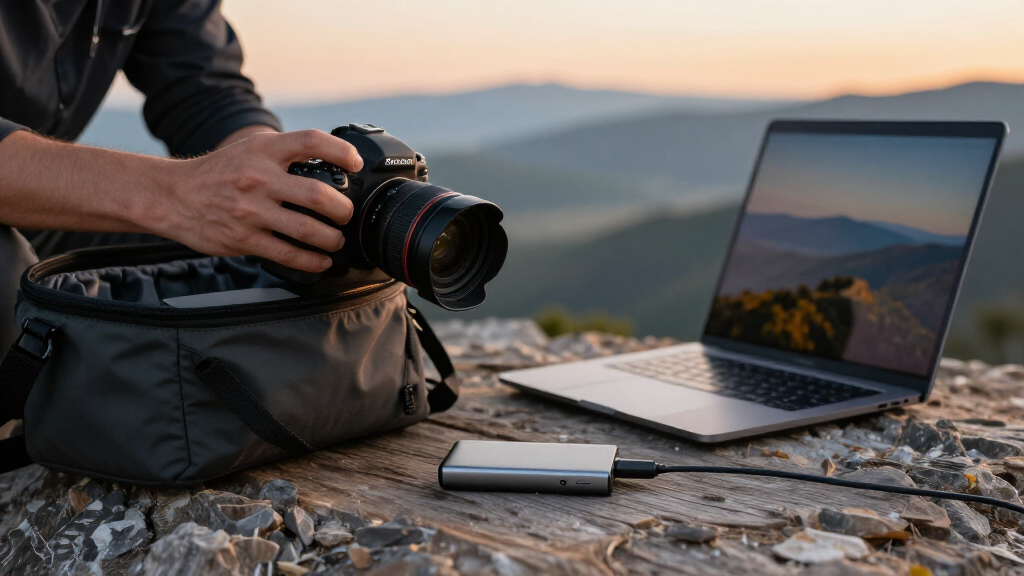

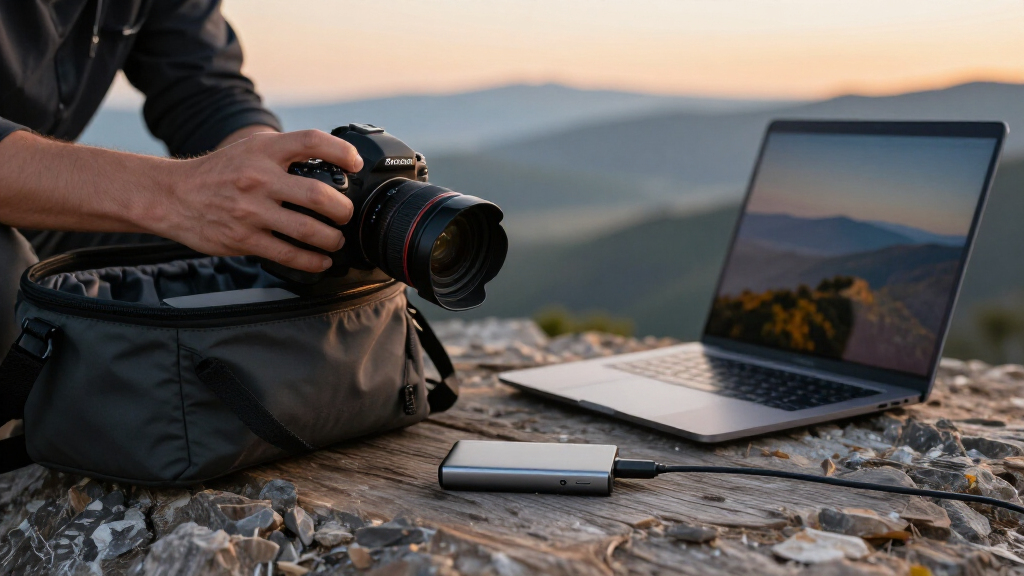
For most photographers, I’d start with the Crucial X10 Pro as the best overall balance of fast transfers and practical portability. The Samsung T7 Shield is a stronger fit for rough field conditions, while the Crucial X9 suits photographers who want capable everyday storage without prioritizing peak speed. The main tradeoffs are sustained performance, rugged protection, capacity, and whether your computer can use a drive’s fastest interface. A fast SSD cannot speed up a slower port, and a compact drive may offer less protection from drops or weather. Read on for how all 15 options compare and which one fits your workflow.

Get audio and creator gear delivered free with Prime
- Fast, free delivery on millions of items
- Prime Video, Amazon Music and more included
- Member-only deals all year
Complete the kit


Key Takeaways
- The amazon.com/dp/B0C9WGGZT9?tag=photomocha-20&ascsubtag=dc-1160729″ target=”_blank” rel=”nofollow sponsored noopener”>Crucial X10 Pro leads this lineup for balanced photographer use: it pairs high transfer-speed potential with a portable format, though your host device and cable affect real-world results.
- Ruggedness and speed are separate buying priorities: the Samsung T7 Shield emphasizes field protection, while faster models such as the Samsung T9 need compatible USB 3.2 Gen 2×2 support to reach their headline speeds.
- Several SanDisk entries overlap: the Extreme and Extreme PRO versions appear in multiple capacities and model generations, so checking the exact model and interface matters more than the product-family name.
- The 128GB and 250GB SSK drives suit limited, targeted jobs better than a full photo archive: RAW files and video can consume those capacities quickly.
- USB interface compatibility separates paper speed from useful speed: a 2,000MB/s-rated drive may transfer at a much lower rate when connected to a slower port or an unsuitable cable.
| Crucial X10 Pro 1TB Portable SSD |  | Best Overall for Fast Field Transfers | Storage capacity: 1 TB | Interface: USB-C | Read speed: Up to 2,100 MB/s | VIEW LATEST PRICE | See Our Full Breakdown |
| SSK 128GB Portable External SSD, up to 550MB/s |  | Best for Small Transfers and Tight Kits | Storage capacity: 128 GB | Read speed: Up to 550 MB/s | Connectivity: USB 3.2 Gen 2; USB-C cable and USB-A adapter | VIEW LATEST PRICE | See Our Full Breakdown |
| SanDisk Extreme Portable SSD, 1TB, Up to 2000MB/s |  | Best for Dusty and Wet Shooting Conditions | Storage capacity: 1 TB | Interface: USB 3.0 | Connector: USB Type-C | VIEW LATEST PRICE | See Our Full Breakdown |
| SanDisk Extreme PRO Portable SSD, 2TB |  | Best Premium Pick for Sustained Workloads | Storage capacity: 2 TB | Interface: USB 3.0 | Connector: USB Type-C | VIEW LATEST PRICE | See Our Full Breakdown |
| SanDisk Extreme PRO 2TB Portable SSD |  | Best for Rugged, Secure 2TB Storage | Storage capacity: 2 TB | Interface: USB-C | Read speed: Up to 2,000 MB/s | VIEW LATEST PRICE | See Our Full Breakdown |
| Lexar ES3 1TB Portable SSD, Silver |  | Best for Lightweight Everyday Carry | Storage capacity: 1 TB | Read speed: Up to 1,050 MB/s | Write speed: Up to 1,000 MB/s | VIEW LATEST PRICE | See Our Full Breakdown |
| Crucial X9 1TB Portable SSD, USB-C, Up to 1050MB/s |  | Best for Rugged Field Backups | Storage capacity: 1 TB | Read speed: Up to 1,050 MB/s | Data transfer rate: 10 gigabits per second | VIEW LATEST PRICE | See Our Full Breakdown |
| Amazon Basics Portable External SSD, 1TB, up to 2000MB/s, USB 3.2 Gen 2, IP65 Water and Dust Resistant, Black |  | Best for Fast Photo Offloads | Storage capacity: 1 TB | Read speed: Up to 2,000 MB/s | Write speed: Up to 2,000 MB/s | VIEW LATEST PRICE | See Our Full Breakdown |
| SSK Portable 250GB External SSD |  | Best for Small ProRes Projects | Storage capacity: 250 GB | Read speed: Up to 1,050 MB/s | Write speed: Up to 1,000 MB/s | VIEW LATEST PRICE | See Our Full Breakdown |
| Samsung T7 Portable SSD, 1TB, Titan Gray, USB 3.2 Gen 2 |  | Best for Encrypted Client Work | Storage capacity: 1 TB | Interface: USB 3.2 Gen 2 | Read speed: Up to 1,050 MB/s | VIEW LATEST PRICE | See Our Full Breakdown |
| SanDisk 2TB Extreme Portable SSD |  | Best for High-Capacity Field Backups | Capacity: 2 TB | Interface: USB-C, USB 3.2 Gen 2 | Read speed: Up to 1,050 MB/s | VIEW LATEST PRICE | See Our Full Breakdown |
| Samsung T9 Portable SSD, 1TB |  | Best for Fast Transfers on Compatible Gear | Capacity: 1 TB | Interface: USB 3.2 Gen 2×2 | Maximum read/write speed: Up to 2,000 MB/s | VIEW LATEST PRICE | See Our Full Breakdown |
| Netac ZX20 512GB Portable External SSD |  | Best Compact Backup Drive | Capacity: 512 GB | Read speed: Up to 2,000 MB/s | Write speed: Up to 1,700 MB/s | VIEW LATEST PRICE | See Our Full Breakdown |
| SanDisk 1TB Extreme PRO Portable SSD (Old Model) | | Best Rugged High-Speed Pick | Capacity: 1 TB | Interface: USB Type-C, USB 3.2 Gen 2 | Read speed: Up to 2,000 MB/s | VIEW LATEST PRICE | See Our Full Breakdown |
| Samsung T7 Shield Portable SSD, 1TB |  | Best for Rugged Everyday Carry | Capacity: 1 TB | Interface: USB 3.2 Gen 2 | Read speed: Up to 1,050 MB/s | VIEW LATEST PRICE | See Our Full Breakdown |
| portable SSDs for photographer | Interface | Read speed | Storage capacity | Write speed |
|---|---|---|---|---|
| Crucial X10 Pro 1TB Portable S | USB-C | Up to 2,100 MB/s | 1 TB | Up to 2,000 MB/s |
| SSK 128GB Portable External SS | — | Up to 550 MB/s | 128 GB | — |
| SanDisk Extreme Portable SSD | USB 3.0 | — | 1 TB | — |
| SanDisk Extreme PRO Portable S | USB 3.0 | — | 2 TB | — |
| SanDisk Extreme PRO 2TB Portab | USB-C | Up to 2,000 MB/s | 2 TB | Up to 2,000 MB/s |
| Lexar ES3 1TB Portable SSD | USB 3.2 Gen 2 | Up to 1,050 MB/s | 1 TB | Up to 1,000 MB/s |
| Crucial X9 1TB Portable SSD | — | Up to 1,050 MB/s | 1 TB | — |
| Amazon Basics Portable Externa | — | Up to 2,000 MB/s | 1 TB | Up to 2,000 MB/s |
| SSK Portable 250GB External SS | USB 3.2 Gen 2 | Up to 1,050 MB/s | 250 GB | Up to 1,000 MB/s |
| Samsung T7 Portable SSD | USB 3.2 Gen 2 | Up to 1,050 MB/s | 1 TB | Up to 1,000 MB/s |
| SanDisk 2TB Extreme Portable S | USB-C, USB 3.2 Gen 2 | Up to 1,050 MB/s | — | Up to 1,000 MB/s |
| Samsung T9 Portable SSD | USB 3.2 Gen 2×2 | — | — | — |
| Netac ZX20 512GB Portable Exte | USB 3.2 | Up to 2,000 MB/s | — | Up to 1,700 MB/s |
| SanDisk 1TB Extreme PRO Portab | USB Type-C, USB 3.2 Gen 2 | Up to 2,000 MB/s | — | Up to 2,000 MB/s |
| Samsung T7 Shield Portable SSD | USB 3.2 Gen 2 | Up to 1,050 MB/s | — | Up to 1,000 MB/s |
More Details on Our Top Picks
Crucial X10 Pro 1TB Portable SSD
The Crucial X10 Pro pairs quick transfers with useful protection for photographers moving large shoots between locations. Its stated read and write speeds of up to 2,100MB/s and 2,000MB/s make it a stronger fit for frequent RAW or video transfers than the 550MB/s SSK 128GB Portable External SSD. The IP55 rating and 7.5-foot drop protection add reassurance when gear is packed for a shoot, though IP55 is less dust- and water-resistant than the IP65-rated SanDisk options here. Its 1TB capacity is a practical working-drive size, but photographers who keep several large projects on one drive may prefer the 2TB SanDisk Extreme PRO models. I’d rank it as the most balanced choice in this batch, not the toughest or highest-capacity one.
Pros:- Fast stated read and write speeds support large photo and video transfers.
- IP55 water and dust resistance adds protection during travel.
- Drop protection is rated up to 7.5 feet.
- USB-C compatibility spans PCs, Macs, tablets, phones, and more.
Cons:- The 1TB capacity may be limiting for photographers keeping several large shoots on one drive.
- IP55 offers less ingress protection than the IP65 rating on the SanDisk Extreme models.
- Maximum speeds depend on the connected device and workload.
Best for: Photographers who want a fast 1TB working drive for transferring and editing large image files across compatible computers or tablets.
Not ideal for: Photographers who need 2TB for multiple active shoots or stronger IP65 protection for harsher outdoor conditions.
- Storage capacity:1 TB
- Interface:USB-C
- Read speed:Up to 2,100 MB/s
- Write speed:Up to 2,000 MB/s
- Data transfer rate:20 gigabits per second
- Durability:IP55 water and dust resistance; drop resistant up to 7.5 feet (2 meters)
- Enclosure material:Anodized aluminum
- Compatible devices:PC, Mac, iPad Pro, Chromebook, Android, Linux, PS4, PS5, Xbox
Our verdict“Choose the X10 Pro for a fast, well-protected 1TB field drive, but pick an IP65 2TB option for tougher conditions or larger projects.”
SSK 128GB Portable External SSD, up to 550MB/s
The SSK 128GB Portable External SSD is the compact, modest-capacity choice in this group. Its stated speed of up to 550MB/s is well below the Crucial X10 Pro and SanDisk Extreme models, so it makes more sense for transferring a modest batch of JPEGs or keeping a small set of selects handy than for editing large RAW libraries directly. The included USB-C cable and USB-A adapter are useful when a photographer moves between newer laptops and older workstation ports. S.M.A.R.T. monitoring and TRIM support add drive-management features, but they do not make up for the limited 128GB capacity. The maker notes that Windows may show about 116GB available, which further narrows its room for photo backups.
Pros:- USB-C cable and USB-A adapter support a range of computer connections.
- Aluminum enclosure and compact 2.5-inch form factor suit a small camera bag.
- S.M.A.R.T. monitoring and TRIM support are included.
- Up to 550MB/s is faster than many basic external hard drives.
Cons:- 128GB capacity is restrictive for RAW files and ongoing photo backups.
- Stated speed is substantially lower than the X10 Pro and SanDisk Extreme options.
- Windows may report about 116GB of available capacity, and actual speed varies by device and workload.
Best for: Photographers who need a small, portable drive for selects, a limited shoot, or moving files between devices with USB-C and USB-A ports.
Not ideal for: RAW shooters, event photographers, and anyone seeking a primary photo backup drive, since 128GB leaves little space for larger shoots.
- Storage capacity:128 GB
- Read speed:Up to 550 MB/s
- Connectivity:USB 3.2 Gen 2; USB-C cable and USB-A adapter
- Form factor:2.5 inches
- Enclosure material:Aluminum
- Features:LED activity light, OTG, S.M.A.R.T. monitoring, TRIM support, SLC caching
- Compatible devices:Camera, desktop, laptop, smartphone, tablet
- Compatible platforms:Linux, Mac, PC
Our verdict“Pick the SSK for a small transfer drive or limited set of selects, not as the main storage drive for a photographer’s growing library.”
SanDisk Extreme Portable SSD, 1TB, Up to 2000MB/s
The SanDisk Extreme Portable SSD stands out for photographers who put weather and handling protection ahead of maximum write speed. Its IP65 rating and drop protection up to 3 meters provide stronger stated ingress and drop protection than the Crucial X10 Pro, whose rating is IP55 and drop limit is 7.5 feet. Read speeds reach 2,000MB/s, making it suitable for moving large files, while the product data does not specify a matching write speed. That makes it harder to judge for sustained offloads than the SanDisk Extreme PRO 2TB, which lists average sustained writes of 3,100MB/s. At 1.6 ounces, it is easy to carry, and 256-bit AES password protection can help protect files if the drive is lost, though the encryption software must be downloaded and has platform requirements.
Pros:- IP65 rating provides dust and water protection for field use.
- Drop protection is rated up to 3 meters.
- Lightweight 1.6-ounce design is easy to pack.
- 256-bit AES password protection is available.
Cons:- The supplied product data lists read speed but not a maximum write speed.
- Encryption software must be downloaded and has platform requirements.
- The 1TB capacity is smaller than the 2TB SanDisk Extreme PRO choices.
Best for: Outdoor and travel photographers who want a lightweight 1TB drive with IP65 protection and password-based file security.
Not ideal for: Photographers who need a documented high sustained write rate for frequent large offloads or who want encryption without separate software setup.
- Storage capacity:1 TB
- Interface:USB 3.0
- Connector:USB Type-C
- Maximum read speed:Up to 2,000 MB/s
- Ingress protection:IP65
- Drop protection:Up to 3 m
- Encryption:256-bit AES
- Weight:1.6 oz
- Dimensions:3.35 x 2 x 0.39 in
Our verdict“Choose this SanDisk for a lightweight, IP65-rated field drive, but favor the 2TB Extreme PRO if sustained write performance and capacity matter more.”
SanDisk Extreme PRO Portable SSD, 2TB
For photographers who routinely offload large shoots, the SanDisk Extreme PRO Portable SSD, 2TB has the strongest stated performance in this batch. Its 3,100MB/s average sustained write speed is more informative for long transfers than a peak figure alone, and it far exceeds the stated speeds of the Crucial X10 Pro. The 2TB capacity also gives more room for current projects than the 1TB SanDisk Extreme, reducing how often a working drive needs to be cleared. Protection is another advantage: IP65 dust and water resistance and 3-meter drop protection suit travel better than the X10 Pro’s IP55 rating. The tradeoffs are reliance on compatible host hardware to approach its maximum speeds and required encryption software download. Photographers with moderate transfer needs may not benefit enough to justify choosing this over slower options.
Pros:- High stated read and write speeds suit demanding large-file transfers.
- 3,100MB/s average sustained write speed is useful for judging extended offloads.
- 2TB capacity holds more active work than the 1TB models.
- IP65 protection, 3-meter drop protection, and 256-bit AES encryption add field and data security.
Cons:- Maximum performance depends on the host device, interface, and usage conditions.
- Encryption software must be downloaded.
- Its speed headroom may be unnecessary for photographers with modest transfer workloads.
Best for: Professional and high-volume photographers who regularly transfer large RAW or video projects and want 2TB of fast working storage.
Not ideal for: Photographers who mainly move small batches of images, use slower host connections, or prefer a drive that needs no encryption software setup.
- Storage capacity:2 TB
- Interface:USB 3.0
- Connector:USB Type-C
- Maximum read speed:4,000 MB/s
- Maximum write speed:3,800 MB/s
- Average sustained write speed:3,100 MB/s
- Protection:IP65 dust and water resistance; drop protection up to 3 meters
- Encryption:256-bit AES
- Weight:2.24 ounces
Our verdict“Choose this 2TB model for frequent, large offloads where sustained write speed matters; skip it if your camera-to-computer workflow cannot use its performance.”
SanDisk Extreme PRO 2TB Portable SSD
This SanDisk Extreme PRO 2TB is a practical choice for photographers who want a roomy, protected drive without the newer 2TB model’s much higher stated speed ceiling. It lists up to 2,000MB/s read and write, enough for brisk transfers on a compatible host, while the SanDisk Extreme PRO Portable SSD, 2TB (B0H4M835X3) specifies up to 4,000MB/s read and a 3,100MB/s average sustained write rate. The older model’s strengths are its IP65 protection, 3-meter drop rating, and 256-bit AES hardware encryption, which is described as built in rather than dependent on downloaded encryption software. A carabiner loop helps attach it to a bag, though it does not add capacity or replace careful backup practices. The listed performance may vary with the host device and conditions.
Pros:- 2TB capacity provides room for substantial active photo projects.
- Read and write speeds are listed up to 2,000MB/s.
- IP65 water and dust resistance and 3-meter drop protection suit travel.
- 256-bit AES hardware encryption and a carabiner loop support security and portability.
Cons:- Its stated speeds are lower than the newer SanDisk Extreme PRO 2TB model.
- Actual performance varies with the host device and usage conditions.
- The supplied specs do not state a sustained write speed.
Best for: Travel photographers who want 2TB of portable storage with IP65 protection, a bag-attachment loop, and hardware encryption.
Not ideal for: Photographers chasing the fastest sustained transfers, since the newer SanDisk Extreme PRO 2TB lists substantially higher performance figures.
- Storage capacity:2 TB
- Interface:USB-C
- Read speed:Up to 2,000 MB/s
- Write speed:Up to 2,000 MB/s
- Water and dust resistance:IP65
- Drop protection:Up to 3 meters
- Encryption:256-bit AES hardware encryption
- Weight:2.72 ounces
- Form factor:Portable
Our verdict“Pick this model for protected 2TB field storage with hardware encryption and a carabiner loop, but choose the newer Extreme PRO for higher stated transfer speeds.”
Lexar ES3 1TB Portable SSD, Silver
For photographers who want a light, straightforward backup drive, the Lexar ES3 weighs just 42 g and offers 1 TB in a slim body. Its read and write speeds reach 1,050 MB/s and 1,000 MB/s, respectively, matching the Samsung T7’s stated speeds for moving photo libraries between compatible devices. The included 256-bit AES encryption software adds a useful privacy option when the drive holds client work or personal archives. Its camera, computer, and phone compatibility makes it versatile beyond a single editing setup.
The tradeoff is that those speed claims depend on a USB 3.2 Gen 2 connection; older or slower ports can limit transfers. It also lacks MagSafe support, and iPhone 14 and older models are not supported. I’d choose the more rugged Crucial X9 if dust, water, and drops are a regular field concern.
Pros:- Light 42 g design is easy to carry in a camera bag
- Up to 1,050 MB/s read and 1,000 MB/s write speeds on a compatible connection
- Includes 256-bit AES encryption software
- Works with compatible phones, computers, cameras, and consoles
Cons:- Older iPhones, including iPhone 14 and earlier, are not supported
- Slower host ports can reduce transfer performance
- No MagSafe support or stated water and dust resistance
Best for: Photographers who want a light 1 TB drive for routine transfers between a compatible camera, phone, and computer.
Not ideal for: Photographers using an iPhone 14 or older, or those who need rated water, dust, and drop resistance for outdoor shoots.
- Storage capacity:1 TB
- Read speed:Up to 1,050 MB/s
- Write speed:Up to 1,000 MB/s
- Interface:USB 3.2 Gen 2
- Weight:42 g
- Thickness:10.5 mm
- Encryption:256-bit AES software
- Warranty:3-year limited warranty
Our verdict“Choose the Lexar ES3 for lightweight, encrypted 1 TB storage across compatible devices, but pick a rated rugged drive for harsher field conditions.”
Crucial X9 1TB Portable SSD, USB-C, Up to 1050MB/s
The Crucial X9 is the sensible field pick for photographers who would rather prioritize weather and drop protection than chase the highest transfer figure. Its IP55 rating guards against dust and water, and its stated drop protection reaches 7.5 feet (2 m), making it better suited to a camera bag that sees rough travel than the Samsung T7, which lists shock resistance and protection from drops up to 6 feet. Read speeds reach 1,050 MB/s, enough for practical transfers of photo files when paired with a suitable host.
The X9’s ceiling is lower than the Amazon Basics SSD’s claimed 2,000 MB/s, and its polycarbonate enclosure may not appeal to buyers seeking a metal finish. Connectivity can also require an adapter on some setups. I’d favor this drive when field resilience matters more than peak speed, but studio-bound photographers may prefer a faster option.
Pros:- IP55 water and dust resistance
- Drop protection up to 7.5 feet (2 m)
- Up to 1,050 MB/s read speed for routine photo transfers
- Broad compatibility with computers, tablets, phones, and consoles
Cons:- Read-speed ceiling is below the Amazon Basics SSD’s stated 2,000 MB/s
- Some devices may require a USB adapter
- Polycarbonate enclosure lacks the metal construction of some alternatives
Best for: Landscape, travel, and event photographers who carry backups outdoors and want stated water, dust, and drop protection.
Not ideal for: Photographers focused on the fastest transfers, or those who need a direct connection to a device that requires an adapter.
- Storage capacity:1 TB
- Read speed:Up to 1,050 MB/s
- Data transfer rate:10 gigabits per second
- Connectivity:USB-C and USB-A
- Durability:IP55 water and dust resistance; drop resistant up to 7.5 ft (2 m)
- Enclosure material:Polycarbonate
- Color:Black
- Compatibility:Windows, Mac, iPad Pro, Chromebook, Android, Linux, PS4, PS5, and Xbox
Our verdict“Pick the Crucial X9 when your photo backups travel into dusty or wet settings and protection matters more than maximum transfer speed.”
Amazon Basics Portable External SSD, 1TB, up to 2000MB/s, USB 3.2 Gen 2, IP65 Water and Dust Resistant, Black
When a shoot produces large batches of RAW files, the Amazon Basics SSD’s claimed read and write speeds of up to 2,000 MB/s set it apart from the Lexar ES3 and Samsung T7, both rated up to 1,050 MB/s read. That speed advantage depends on a compatible USB 3.2 Gen 2×2 host, so it won’t automatically make every laptop or card-to-drive workflow faster. The compact metal body, IP65 water and dust resistance, thermal protection, and included storage case suit photographers who want a quick offload drive that can travel between locations.
Its accessory bundle is especially practical: both USB-C-to-USB-C and USB-C-to-USB-A cables are included. Still, actual performance varies with the device, file size, and conditions, and the 1 TB label does not mean all of that capacity will be available for files. I’d select it for compatible high-throughput setups, not as a guaranteed speed upgrade on older gear.
Pros:- Up to 2,000 MB/s claimed read and write speeds
- IP65 water and dust resistance
- Metal casing, scratch-resistant base, and thermal protection
- Includes USB-C-to-USB-C and USB-C-to-USB-A cables plus a storage case
Cons:- Maximum performance depends on a compatible USB 3.2 Gen 2×2 host
- Actual speeds vary with device, file size, and conditions
- Usable storage is less than the labeled 1 TB capacity
Best for: Photographers with a USB 3.2 Gen 2×2 computer who regularly transfer large RAW or video sessions and want a case and both cable types included.
Not ideal for: Photographers whose camera or computer lacks USB 3.2 Gen 2×2, since their setup may not reach the stated peak speeds.
- Storage capacity:1 TB
- Read speed:Up to 2,000 MB/s
- Write speed:Up to 2,000 MB/s
- Connectivity:USB 3.2 Gen 2×2
- Water and dust resistance:IP65
- Weight:51.8 g
- Dimensions:2.33 × 2.33 × 0.39 in
- Included accessories:USB-C-to-USB-C cable, USB-C-to-USB-A cable, and storage case
Our verdict“Choose this drive for faster offloads when your computer supports USB 3.2 Gen 2×2; otherwise, the Lexar ES3 or Samsung T7 may be a closer match to your setup.”
SSK Portable 250GB External SSD
The SSK’s distinctive advantage is its stated support for iPhone 4K60 ProRes HDR capture, paired with a compact 250 GB capacity that can suit a focused shoot or active project. Read speeds reach 1,050 MB/s and writes reach 1,000 MB/s over USB 3.2 Gen 2, so it shares the same speed ceiling as the Samsung T7 while taking up little space. Its aluminum-alloy enclosure, LED activity light, and included USB-C and USB-A cables add useful details for a drive that may move between a phone and computer.
Capacity is the clear compromise: the Lexar ES3 and Crucial X9 each offer four times the listed storage, making them better choices for broad photo-library backups. The SSK’s SLC cache is limited to 25% of available capacity, another factor for sustained large transfers. I’d treat this as project storage, not a long-term archive drive.
Pros:- Supports iPhone 4K60 ProRes HDR capture
- Up to 1,050 MB/s read and 1,000 MB/s write speeds
- Light 36.6 g aluminum-alloy enclosure
- Includes USB-C and USB-A cables, plus LED activity, SMART, and TRIM features
Cons:- 250 GB capacity is limited for large photo libraries
- Windows may show around 232 GB of available capacity
- SLC cache covers only 25% of available capacity
Best for: iPhone photographers recording compatible 4K60 ProRes HDR footage who need a small, fast drive for current projects.
Not ideal for: Photographers archiving large RAW libraries or multiple shoots, since 250 GB offers far less room than the 1 TB alternatives.
- Storage capacity:250 GB
- Read speed:Up to 1,050 MB/s
- Write speed:Up to 1,000 MB/s
- Interface:USB 3.2 Gen 2
- Dimensions:2.6 × 1.5 × 0.5 in
- Weight:36.6 g
- Enclosure material:Aluminum alloy
- Features:LED activity light, SMART diagnostics, TRIM support, and SLC caching
Our verdict“Choose the SSK for a compact ProRes project drive, but pick a 1 TB model like the Crucial X9 for a broader photo backup.”
Samsung T7 Portable SSD, 1TB, Titan Gray, USB 3.2 Gen 2
The Samsung T7 is a well-matched choice for photographers who want 1 TB of portable storage with hardware encryption. Its 256-bit AES encryption can help protect client files, while the aluminum body is shock resistant and rated for drops up to 6 feet. Read speeds reach 1,050 MB/s and writes reach 1,000 MB/s, putting it on familiar ground with the Lexar ES3 rather than the Amazon Basics SSD’s higher—but more host-dependent—2,000 MB/s claims.
Two included cables, USB-C-to-USB-C and USB-C-to-USB-A, make it easier to connect across newer and older equipment. The tradeoff is that maximum speeds require a compatible USB 3.2 Gen 2 host and UASP support, and operating-system or device compatibility can vary. Unlike the Crucial X9, the supplied details do not give it a water- or dust-resistance rating, so I’d keep it protected in exposed field conditions.
Pros:- 256-bit AES hardware encryption
- Up to 1,050 MB/s read and 1,000 MB/s write speeds
- Aluminum body with shock resistance and drop protection up to 6 feet
- Includes USB-C-to-USB-C and USB-C-to-USB-A cables
Cons:- Maximum speeds need a compatible USB 3.2 Gen 2 host and UASP support
- Device and operating-system compatibility may vary
- No water or dust resistance rating is provided
Best for: Wedding, portrait, and commercial photographers who need encrypted 1 TB client-file storage and work across USB-C and USB-A devices.
Not ideal for: Photographers frequently shooting in wet or dusty locations who want a stated IP water and dust rating.
- Storage capacity:1 TB
- Interface:USB 3.2 Gen 2
- Read speed:Up to 1,050 MB/s
- Write speed:Up to 1,000 MB/s
- Encryption:256-bit AES hardware encryption
- Durability:Shock resistant; drop protection up to 6 feet
- Color:Titan Gray
- Included cables:USB Type-C-to-Type-C and USB Type-C-to-Type-A
Our verdict“Pick the Samsung T7 for encrypted client-file storage and broad cable flexibility, but choose the Crucial X9 for rated water and dust protection.”
SanDisk 2TB Extreme Portable SSD
For photographers who want room for large shoots without stepping up to a faster, host-dependent drive, the 2TB capacity is this model’s main advantage. Its IP65 protection, 3-meter drop protection, and carabiner loop suit travel and outdoor work, where a drive may be packed alongside camera gear rather than kept on a desk. Read and write speeds up to 1,050 and 1,000 MB/s are a sensible match for transferring RAW libraries and backing up cards, though the host connection affects real-world performance.
Compared with the Samsung T9, this Extreme gives photographers twice the listed storage but not the same advertised peak speed. It also adds 256-bit AES hardware encryption. The tradeoff is a larger portable-drive form factor, and usable space will be below the advertised capacity after formatting.
Pros:- 2TB capacity leaves more room for RAW shoots and working libraries than the 1TB models here.
- IP65 water and dust resistance and up to 3-meter drop protection suit travel use.
- Carabiner loop makes it easy to attach to a camera bag or gear pouch.
- 256-bit AES hardware encryption adds protection for stored files.
Cons:- Advertised capacity exceeds usable space after formatting.
- Maximum speeds depend on the host device and interface.
- Its peak transfer speeds are below the Samsung T9 and SanDisk Extreme PRO models.
Best for: Travel and event photographers who need a rugged 2TB destination for RAW files and on-location backups.
Not ideal for: Photographers prioritizing the fastest transfers on a compatible USB 3.2 Gen 2×2 system, or those who need a smaller 1TB drive.
- Capacity:2 TB
- Interface:USB-C, USB 3.2 Gen 2
- Read speed:Up to 1,050 MB/s
- Write speed:Up to 1,000 MB/s
- Water and dust resistance:IP65
- Drop protection:Up to 3 meters
- Encryption:256-bit AES hardware encryption
- Form factor:Portable 2.5-inch
Our verdict“Choose this SanDisk if extra rugged storage for field backups matters more than reaching the lineup’s highest transfer speeds.”
Samsung T9 Portable SSD, 1TB
The Samsung T9 is the speed-focused pick here for photographers who regularly move large image folders and have a compatible USB 3.2 Gen 2×2 connection. Its advertised read and write speeds reach 2,000 MB/s, potentially cutting transfer time compared with the USB 3.2 Gen 2 Samsung T7 Shield. That advantage is conditional: a slower host, cable, or setup can prevent the drive from reaching its peak.
Thermal management is useful during longer transfers, while AES 256-bit hardware encryption and drop resistance add safeguards for work on the move. The main compromise is capacity: at 1TB, it offers less room for a shoot archive than the SanDisk 2TB Extreme Portable SSD. I’d choose the T9 for speed-conscious workflows, not for photographers whose first priority is maximum storage per drive.
Pros:- Up to 2,000 MB/s read and write speeds with compatible equipment.
- Thermal management supports longer transfer sessions.
- AES 256-bit hardware encryption protects stored files.
- Drop resistance suits a drive carried between shoots.
Cons:- Peak speed requires a compatible host, cable, and setup.
- 1TB provides less headroom for large archives than the 2TB SanDisk Extreme.
- Its speed advantage may be limited on common slower interfaces.
Best for: Photographers with a USB 3.2 Gen 2×2 computer who frequently transfer large shoots and value speed over extra capacity.
Not ideal for: Photographers using hosts that lack USB 3.2 Gen 2×2, or anyone needing 2TB of portable working storage.
- Capacity:1 TB
- Interface:USB 3.2 Gen 2×2
- Maximum read/write speed:Up to 2,000 MB/s
- Hardware encryption:AES 256-bit
- Drop resistance:Up to 9.8 ft
- Thermal management:Dynamic thermal management
- Compatible devices:Mac, PC, tablet, iPhone 15/16
- Color:Black
Our verdict“Pick the T9 if your computer can use its 2,000 MB/s performance and fast shoot transfers matter more than 2TB capacity.”
Netac ZX20 512GB Portable External SSD
At 23 g and just 71.5 × 43.5 × 8 mm, the Netac ZX20 is the smallest-capacity, light-carry option in this group. That makes it suited to photographers who want a slim backup drive for a camera bag or laptop kit, rather than a main archive for several shoots. Its advertised speeds—up to 2,000 MB/s read and 1,700 MB/s write—are ambitious for a compact USB 3.2 drive, but actual results depend on the connected device and interface.
The aluminum enclosure is designed for shock resistance, and the included USB-C-to-C and USB-C-to-A cables help with different computers. Compared with the Samsung T9, the ZX20 has half the capacity and lower advertised write speed, but its compact dimensions make it easier to tuck away. I’d treat the 512GB capacity as a limiting factor for RAW-heavy work, not a substitute for a larger field drive.
Pros:- Lightweight 23 g design and compact dimensions fit easily in a camera bag.
- Advertised read and write speeds are high for a small portable drive.
- Aluminum enclosure is designed for shock resistance.
- Includes USB-C-to-C and USB-C-to-A cables.
Cons:- 512GB is restrictive for large RAW libraries and repeated field backups.
- Actual transfer speeds depend on the host device and interface.
- Advertised peak speeds do not establish the performance available in every setup.
Best for: Photographers seeking a very small secondary drive for selected shoots, previews, or an extra copy of essential files.
Not ideal for: RAW and video photographers who need a primary working drive or enough space to retain multiple large shoots.
- Capacity:512 GB
- Read speed:Up to 2,000 MB/s
- Write speed:Up to 1,700 MB/s
- Interface:USB 3.2
- Data transfer rate:20 Gbps
- Dimensions:71.5 × 43.5 × 8 mm
- Weight:23 g
- Enclosure:Aluminum
- Included cables:USB Type-C to Type-C and USB Type-C to Type-A
Our verdict“Choose the ZX20 as a compact secondary backup for selected files, but use a larger drive such as the SanDisk 2TB Extreme for full shoots.”
SanDisk 1TB Extreme PRO Portable SSD (Old Model)
This Extreme PRO is aimed at photographers who want up to 2,000 MB/s read and write speeds in a drive with more explicit environmental protection than the Samsung T9. Its aluminum chassis doubles as a heatsink, a useful design choice for sustained transfers of large image folders. IP65 water and dust resistance and up to 3-meter drop protection also make it better suited to a rough field kit than a desk-bound portable SSD.
Compared with the Samsung T9, this model offers IP65 protection and a 1TB capacity, while the T9 lists drop resistance and thermal management but no IP rating in the supplied details. The tradeoffs are that peak performance still depends on the host, and this is an older model. Its memory-management app may help organize files, but it does not change the drive’s capacity limit for photographers keeping full archives.
Pros:- Up to 2,000 MB/s read and write speeds for compatible systems.
- Aluminum chassis acts as a heatsink during sustained transfers.
- IP65 water and dust resistance plus up to 3-meter drop protection.
- 256-bit AES hardware encryption with password protection.
Cons:- Maximum speeds depend on the host device and interface.
- The older model may lack newer firmware improvements.
- 1TB offers less archive space than the 2TB SanDisk Extreme Portable SSD.
Best for: Photographers who want fast transfers, a metal heatsink-style enclosure, and stated water and dust resistance for field work.
Not ideal for: Photographers who need more than 1TB per drive or prefer a newer model with current firmware support.
- Capacity:1 TB
- Interface:USB Type-C, USB 3.2 Gen 2
- Read speed:Up to 2,000 MB/s
- Write speed:Up to 2,000 MB/s
- Water and dust resistance:IP65
- Drop protection:Up to 3 meters
- Encryption:256-bit AES hardware encryption
- Weight:2.72 ounces
- Dimensions:4.36 × 2.28 × 0.41 inches
Our verdict“Choose this Extreme PRO if rugged protection and high transfer speeds outweigh the limits of its 1TB capacity and older model status.”
Samsung T7 Shield Portable SSD, 1TB
The Samsung T7 Shield is the practical choice for photographers who carry a drive between shoots and want clear protection against dust, water, and drops. Its IP65 rating and drop resistance up to 9.8 feet suit travel and location work, while speeds up to 1,050 MB/s read and 1,000 MB/s write are ample for routine photo imports and backups on a compatible USB 3.2 Gen 2 connection.
It is less focused on peak speed than the Samsung T9, whose advertised ceiling is nearly twice as high on compatible hardware. In return, the T7 Shield emphasizes rugged everyday use and broad compatibility, including PCs, Macs, Android devices, and listed iPhone 15/16 support. Its 1TB capacity can fill quickly with large RAW or video projects, and real speeds vary with the host, cable, and UASP support.
Pros:- IP65 water and dust resistance suits outdoor and travel use.
- Drop resistance up to 9.8 feet helps protect against everyday handling mishaps.
- Up to 1,050 MB/s read and 1,000 MB/s write speeds suit routine photo transfers.
- Works with a broad range of computers and supported mobile devices.
Cons:- 1TB may not hold multiple large RAW or video shoots.
- Maximum speed depends on the host, cable, and UASP support.
- Advertised transfer speeds are lower than the Samsung T9 and SanDisk Extreme PRO.
Best for: Travel and event photographers who want a rugged 1TB drive for regular transfers across computers and supported mobile devices.
Not ideal for: Photographers who need 2TB for large shoots or have a compatible Gen 2×2 system and prioritize maximum transfer speed.
- Capacity:1 TB
- Interface:USB 3.2 Gen 2
- Read speed:Up to 1,050 MB/s
- Write speed:Up to 1,000 MB/s
- Water and dust resistance:IP65
- Drop resistance:Up to 9.8 feet (3 meters)
- Additional features:Hardware encryption, Dynamic Thermal Guard
- Compatible devices:PC, Mac, Android devices, gaming consoles, iPhone 15/16
Our verdict“Pick the T7 Shield for a rugged, broadly compatible everyday photo drive, but choose a faster or higher-capacity model for demanding workflows.”
How We Picked
I ranked these drives around the needs of photographers: moving large image folders, backing up cards on location, editing from external storage, and carrying a working archive between shoots. I weighed stated transfer speeds alongside interface compatibility, capacity, protective design, portability, and how clearly each model’s role fits a real workflow. A high speed claim only helps when a photographer’s computer supports the required connection, so I treated compatibility as part of performance rather than a footnote.
The order favors adaptable choices that suit a broad range of photo workflows, followed by drives with a narrower strength such as ruggedness, premium interface speed, or compact everyday use. Capacity and model-generation differences matter across this lineup: repeated SanDisk names do not always mean identical products, while the small SSK and Netac capacities are better suited to targeted transfers than primary archives. I do not treat listed speeds as guaranteed real-world results, and I weigh tradeoffs alongside strengths rather than ranking on headline numbers alone.
| portable SSDs for photographer | Read speed | Write speed |
|---|---|---|
| Crucial X10 Pro 1TB Portable S | Up to 2,100 MB/s | Up to 2,000 MB/s |
| SSK 128GB Portable External SS | Up to 550 MB/s | — |
| SanDisk Extreme Portable SSD | — | — |
| SanDisk Extreme PRO Portable S | — | — |
| SanDisk Extreme PRO 2TB Portab | Up to 2,000 MB/s | Up to 2,000 MB/s |
| Lexar ES3 1TB Portable SSD | Up to 1,050 MB/s | Up to 1,000 MB/s |
| Crucial X9 1TB Portable SSD | Up to 1,050 MB/s | — |
| Amazon Basics Portable Externa | Up to 2,000 MB/s | Up to 2,000 MB/s |
| SSK Portable 250GB External SS | Up to 1,050 MB/s | Up to 1,000 MB/s |
| Samsung T7 Portable SSD | Up to 1,050 MB/s | Up to 1,000 MB/s |
| SanDisk 2TB Extreme Portable S | Up to 1,050 MB/s | Up to 1,000 MB/s |
| Samsung T9 Portable SSD | — | — |
| Netac ZX20 512GB Portable Exte | Up to 2,000 MB/s | Up to 1,700 MB/s |
| SanDisk 1TB Extreme PRO Portab | Up to 2,000 MB/s | Up to 2,000 MB/s |
| Samsung T7 Shield Portable SSD | Up to 1,050 MB/s | Up to 1,000 MB/s |
Factors to Consider When Choosing Portable SSDs For Photographers
Picking a photographer’s SSD is less about chasing the largest speed figure and more about matching the drive to the full path from camera card to working computer and backup. I’d decide how you plan to use it, then check capacity, connection compatibility, field protection, and your backup routine before choosing a model.
Match the SSD to Your Workflow
Start by deciding whether the drive will hold temporary card copies, active editing projects, or a long-term working library. A travel backup drive can prioritize compact size and protection, while an editing drive needs enough capacity to keep current projects available without constant shuffling. Photographers who edit directly from an SSD should also account for previews, catalogs, exports, and video alongside original files. A small drive may work well as a dedicated transfer destination but become restrictive as soon as a shoot includes RAW bursts or video. Avoid buying capacity based only on the camera’s current card size; project folders often grow after import. Keeping separate working and backup copies is safer than treating one portable SSD as an archive.
Check the Whole Connection, Not Just the Speed Claim
Advertised transfer speeds describe potential performance under compatible conditions, not a promise for every computer. Check the exact USB generation and connection supported by your laptop, hub, dock, and cable before paying for a faster model. For example, a USB 3.2 Gen 2×2 drive such as the Samsung T9 needs matching host support to approach its headline rate; many devices will run it at a lower speed. A hub can also limit throughput even when the computer itself has a faster port. If you regularly ingest large shoots, faster transfers can reduce waiting time, but a compatible port is the deciding link. For routine backups or smaller jobs, reliable compatibility may matter more than a peak-speed upgrade.
Choose Capacity for Your Next Few Shoots
Estimate storage from your typical shoot volume, then leave room for working copies, edits, and exports. RAW files vary in size by camera, and video can consume space far faster than stills, so a capacity that seems generous for JPEGs may feel tight for mixed media. Small options such as 128GB or 250GB can serve as temporary handoff or emergency transfer drives, but they are a poor fit for a growing primary photo library. Buying several small drives can spread copies across devices, yet it also makes organization and retrieval harder. A larger drive is often more convenient for active projects, while a separate backup remains useful if the SSD fails or goes missing. Keep some free space rather than planning to fill the drive completely.
Prioritize Protection Based on Where You Shoot
Photographers working outdoors, on location, or around dust and moisture should weigh a drive’s stated protection features against how it will actually be carried. An IP rating describes resistance under specified conditions; it does not make a drive indestructible or safe to leave exposed to every hazard. A rugged shell can add reassurance, but a padded case and careful handling still matter, especially around impact and connectors. For studio or desk use, portability and a smaller footprint may matter more than added protection. Check whether the connector is exposed and whether your bag keeps grit away from the port. Avoid assuming that every drive with a similar family name has the same durability rating.
Plan for Sustained Work, Heat, and Large Transfers
Peak speed is most relevant for short bursts; copying a large shoot or editing a long video project can place different demands on an SSD. Transfer behavior can vary with file size, host hardware, drive temperature, and remaining capacity. If you routinely move many gigabytes at once, look for a model and connection suited to that workload, and avoid covering the drive during long transfers. For smaller daily imports, a midrange portable SSD may feel just as practical because the computer, card reader, or network can become the bottleneck. Test your complete workflow with a representative folder before relying on it for a deadline. Keep a second copy of important files instead of treating a fast drive as protection against data loss.
Compare Exact Model Names and Generations
Product families can include different generations, capacities, and interface specifications, so a familiar name alone is not enough to identify the drive you are buying. This lineup includes multiple SanDisk Extreme and Extreme PRO entries, including an explicitly marked older model; check the precise model listing and supported connection before comparing claims. Confirm that the capacity and protection details apply to the exact version in your cart. Similar-looking names may represent different performance or durability profiles, and retailer listings can group variants together. Keep the model number with your workflow notes if you need to replace a drive later. This small check can prevent a mismatch between the SSD you planned for and the one your equipment can use effectively.
Frequently Asked Questions
Will a 2,000MB/s SSD make photo imports four times faster than a 500MB/s drive?
Not automatically. The computer port, cable, card reader, source card, and file pattern can all limit the transfer, so the SSD’s rated maximum is only one part of the chain. A 2,000MB/s model may also run below its advertised rate when connected to a host that lacks the matching USB interface. For a large import, the drive can help when it is the bottleneck, but it cannot make a slower card reader transfer faster than that reader allows. Check the full connection path before paying for a higher speed tier, and compare performance using the types of files you actually shoot.
Is 1TB enough for a photographer’s portable working drive?
It can be enough for a current project or a series of modest shoots, especially if you regularly move finished work to another storage location. It may feel restrictive if you shoot high-resolution RAW files, record video, keep catalogs and previews on the drive, or retain several active projects at once. Estimate your typical monthly storage growth rather than relying on a single shoot’s size. Leave room for exports and working files, not just original images. If you choose 1TB, plan where older projects will go before the drive fills.
Should I choose a rugged SSD or a faster one for outdoor photography?
Choose based on the risk you face most often. If the drive travels in a camera bag through dusty or wet locations, protection features may matter more than a higher speed claim that your laptop cannot use. If you regularly transfer large shoots and have compatible ports, a faster interface can save time, but it does not protect files from drops or weather. Rugged ratings have limits and do not replace careful storage or a second copy. For field work, I’d treat protection and backup discipline as separate needs rather than expecting one feature to cover both.
Can I edit photos directly from a portable SSD?
Yes, many photographers can edit directly from a portable SSD, but the experience depends on the editing software, project size, computer connection, and drive capacity. Keep the SSD connected to a suitable port and avoid routing it through a slow hub if responsiveness matters. Catalogs, previews, caches, and exports can take additional space beyond the original image files. A drive’s headline transfer figure alone does not predict every editing task, particularly when software accesses many small files. Keep a separate backup of the project and test a representative workflow before moving all active work onto the external drive.
Are the 128GB or 250GB portable SSDs sensible choices for a camera bag?
They can be useful as small transfer or handoff drives when the job is limited and the files fit comfortably. They are less suitable as a main photo drive if you shoot RAW, keep multiple projects, or capture video, because usable space can disappear quickly. Before relying on one in the field, estimate the size of a full shoot and leave room for extra captures or exports. A small SSD should not become your only copy of important images. For broader use, a higher-capacity option is easier to manage as projects accumulate.
Conclusion
For the broadest mix of photo work, I’d choose the Crucial X10 Pro as best overall, provided your computer can make use of its fast connection. The Crucial X9 is my best-value-style pick for straightforward everyday storage, while the Samsung T9 is the best premium option for photographers with compatible USB 3.2 Gen 2×2 equipment and frequent large transfers. Beginners who want a familiar, practical setup can start with the Samsung T7; those who shoot outdoors and prioritize added protection should look at the Samsung T7 Shield. For occasional handoffs or a small secondary copy, the low-capacity SSK models may fit, but I would not make them the main archive for a growing photo library. Match the drive to your ports, project size, and backup plan, and keep important images in more than one place.
Halloween Picks
halloween
As an affiliate, we earn on qualifying purchases.