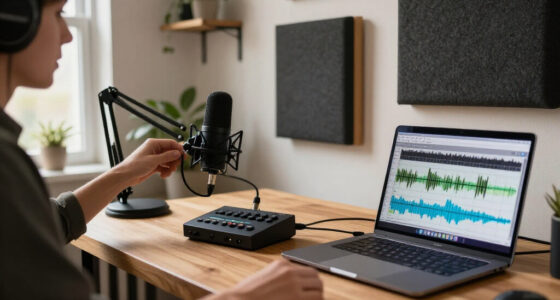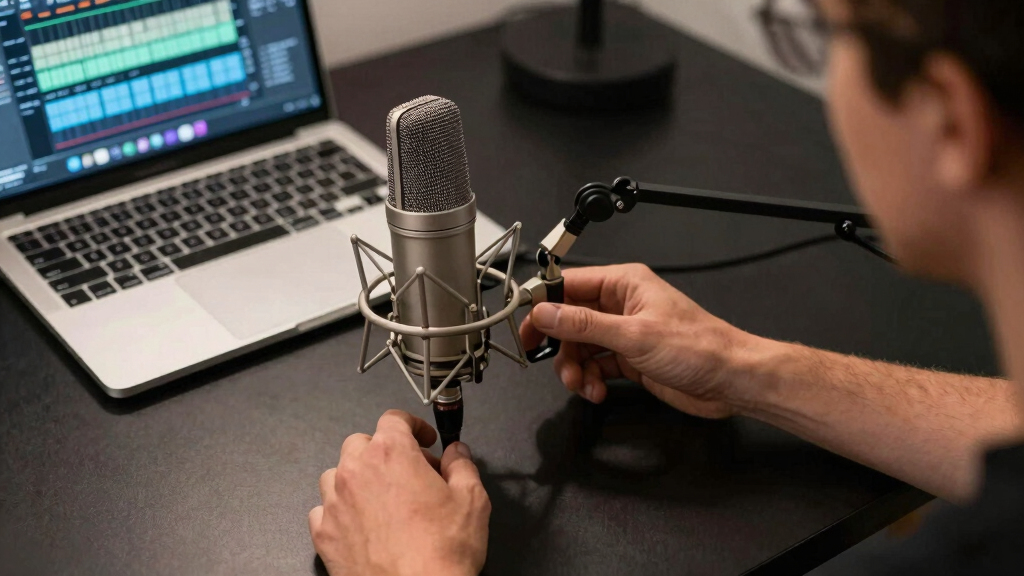

The best high-quality microphone for streaming is the Sennheiser Profile USB, which pairs clear vocal capture with accessible onboard controls and a simple connection. The Razer Seiren Mini is my value pick for compact setups, though it gives up direct monitoring and broader control. For buyers seeking a more refined upgrade, the Razer Seiren V3 Pro offers a premium streaming-focused package at a higher price. The main choice is between convenient USB operation, the room-friendly character of dynamic models, and the flexibility of an XLR system that requires extra hardware. Continue reading for my full breakdown of where each option fits and which compromises make sense for your setup.

Get audio and creator gear delivered free with Prime
- Fast, free delivery on millions of items
- Prime Video, Amazon Music and more included
- Member-only deals all year
Complete the kit


Key Takeaways
- Sennheiser Profile USB leads the roundup because its sound, onboard controls, and straightforward setup form the strongest package for a solo streamer.
- Razer Seiren Mini offers the clearest value, but its compact price comes with fewer controls and no direct headphone-monitoring path.
- Dynamic models such as Logitech G Yeti GX make more sense in noisy or untreated rooms, while the condenser picks reward quieter spaces with greater vocal detail.
- Audio-Technica AT2035 is the stronger XLR upgrade than the AT2020 for buyers who can use its added controls and included shock mount, though both require an interface.
- Blue Yeti and AKG Ara earn their place through pickup flexibility, but multiple patterns add less value for a streamer who always speaks alone from one position.
| Audio-Technica AT2035 |  | Best XLR Studio Sound | Microphone type: Large-diaphragm condenser | Connectivity: XLR | Polar pattern: Cardioid | VIEW LATEST PRICE | See Our Full Breakdown |
| RIG M2 STREAMSTAR PRO HD |  | Best High-Resolution USB Pick | Microphone type: Condenser | Polar pattern: Cardioid | Frequency range: 20 Hz–20 kHz | VIEW LATEST PRICE | See Our Full Breakdown |
| Razer Seiren Mini |  | Best for Small Desks | Connectivity: USB | Polar pattern: Supercardioid unidirectional | Form factor: Mini | VIEW LATEST PRICE | See Our Full Breakdown |
| Logitech G Yeti GX |  | Best for Noisy Gaming Setups | Microphone type: Dynamic | Connectivity: USB | Polar pattern: Supercardioid | VIEW LATEST PRICE | See Our Full Breakdown |
| Razer Seiren X |  | Best for Direct Monitoring | Connectivity: USB | Pickup pattern: Supercardioid | Built-in shock mount: Yes | VIEW LATEST PRICE | See Our Full Breakdown |
| SteelSeries Alias USB Microphone |  | Best for Software-Assisted Noise Control | Connection: USB | Polar Pattern: Cardioid | Capsule Size: 3x larger than standard microphone capsules | VIEW LATEST PRICE | See Our Full Breakdown |
| Razer Seiren V3 Pro Microphone |  | Best Premium Hybrid | Microphone Type: Dynamic | Polar Pattern: Cardioid | Bit Depth: 32-bit float | VIEW LATEST PRICE | See Our Full Breakdown |
| Razer Seiren V2 X USB Condenser Microphone |  | Best for Noisy Gaming Rooms | Microphone Type: Condenser | Capsule Size: 25 mm | Pickup Pattern: Supercardioid | VIEW LATEST PRICE | See Our Full Breakdown |
| Audio-Technica AT2020 Cardioid Condenser Studio XLR Microphone |  | Best XLR Studio Foundation | Microphone Type: Condenser | Polar Pattern: Cardioid | Frequency Response: 20 Hz–20,000 Hz | VIEW LATEST PRICE | See Our Full Breakdown |
| Sennheiser Professional Profile USB Microphone |  | Best Plug-and-Play Controls | Microphone Type: Condenser | Polar Pattern: Cardioid | Connectivity: USB-C | VIEW LATEST PRICE | See Our Full Breakdown |
| Logitech Blue Yeti USB Microphone |  | Best for Recording Versatility | Microphone Type: Condenser | Pickup Patterns: Cardioid, omnidirectional, bidirectional, stereo | Connectivity: USB | VIEW LATEST PRICE | See Our Full Breakdown |
| ASUS ROG Carnyx RGB Condenser Gaming Microphone |  | Best for High-Resolution Gaming Audio | Microphone Type: Condenser | Capsule Size: 25 mm | Audio Resolution: 24-bit | VIEW LATEST PRICE | See Our Full Breakdown |
| AKG Pro Audio Ara USB-C Condenser Microphone |  | Best for Multi-Device Streaming | Microphone Type: Condenser | Audio Resolution: 24-bit/96 kHz | Capture Modes: Dual-pattern | VIEW LATEST PRICE | See Our Full Breakdown |
| high-quality microphone for streaming | Microphone type | Connectivity | Polar pattern |
|---|---|---|---|
| Audio-Technica AT2035 | Large-diaphragm condenser | XLR | Cardioid |
| RIG M2 STREAMSTAR PRO HD | Condenser | — | Cardioid |
| Razer Seiren Mini | — | USB | Supercardioid unidirectional |
| Logitech G Yeti GX | Dynamic | USB | Supercardioid |
| Razer Seiren X | — | USB | — |
| SteelSeries Alias USB Micropho | — | — | Cardioid |
| Razer Seiren V3 Pro Microphone | Dynamic | USB Type-C and XLR | Cardioid |
| Razer Seiren V2 X USB Condense | Condenser | — | — |
| Audio-Technica AT2020 Cardioid | Condenser | — | Cardioid |
| Sennheiser Professional Profil | Condenser | USB-C | Cardioid |
| Logitech Blue Yeti USB Microph | Condenser | USB | — |
| ASUS ROG Carnyx RGB Condenser | Condenser | — | — |
| AKG Pro Audio Ara USB-C Conden | Condenser | USB-C | — |
More Details on Our Top Picks
Audio-Technica AT2035
I rank the Audio-Technica AT2035 highest for streamers who value a natural, studio-style voice more than plug-and-play convenience. Compared with the Audio-Technica AT2020, its 80Hz high-pass filter and 10dB pad provide more control over desk rumble, low-frequency buildup, and loud sources. It also has a smoother, less gaming-focused presentation than the Logitech G Yeti GX. That flexibility makes it a strong centerpiece for a treated streaming room, but the XLR connection adds cost and complexity: an audio interface, cable, and phantom power are required. Its cardioid pattern can still capture keyboard reflections in a lively room, despite the included shock mount. I place it above the USB models for sound and upgrade potential, but below them for setup speed and portability.
Pros:- Smooth, natural vocal reproduction suited to polished streams
- High-pass filter helps control rumble and excessive bass
- 10dB pad accommodates loud voices and other high-level sources
- Custom shock mount and protective pouch are included
Cons:- Requires an audio interface or preamp with phantom power
- Costs more to build around than a complete USB microphone
- Sensitive condenser design can reveal untreated-room reflections
Best for: Streamers with an audio interface and a controlled room who want a natural broadcast voice and room to upgrade
Not ideal for: First-time streamers seeking a single-cable setup, since it needs XLR hardware and phantom power
- Microphone type:Large-diaphragm condenser
- Connectivity:XLR
- Polar pattern:Cardioid
- Signal-to-noise ratio:70 dB
- Self-noise:10 dB
- High-pass filter:Switchable 80Hz
- Pad:Switchable 10dB
- Included accessories:Custom shock mount and protective pouch
Our verdict“I recommend the AT2035 for streamers willing to build an XLR setup around sound quality rather than convenience.”
RIG M2 STREAMSTAR PRO HD
The RIG M2 STREAMSTAR PRO HD earns its role through an unusually ambitious USB feature set. Its 24-bit/192kHz capture provides generous production headroom, although stream compression means the headline sampling rate alone will not transform a broadcast. Compared with the Razer Seiren Mini, it offers far better on-mic control, including gain, mute, and monitoring volume. Bluetooth 5.4 monitoring also suits creators who dislike a tethered headset, but it depends on compatible equipment; the Razer Seiren X provides simpler wired zero-latency monitoring. I would choose the RIG for a flexible PC-centered production desk, not for guaranteed cross-platform use. Mac support is unspecified, and the box lacks a stated pop filter or shock mount. Its desktop stand and boom-arm thread help with placement, though extra isolation accessories may still be needed.
Pros:- 24-bit/192kHz recording offers ample editing headroom
- Dedicated gain, mute, and monitoring-volume controls
- Bluetooth 5.4 monitoring supports compatible wireless headphones
- Desktop stand and standard boom-arm thread add placement flexibility
Cons:- Wireless monitoring requires compatible Bluetooth 5.4 equipment
- Mac and broader operating-system support are not specified
- No stated pop filter or shock mount in the package
Best for: PC streamers who want high-resolution recording, physical controls, and optional wireless headphone monitoring
Not ideal for: Mac-centered creators or buyers who need verified compatibility and complete vibration and plosive control out of the box
- Microphone type:Condenser
- Polar pattern:Cardioid
- Frequency range:20 Hz–20 kHz
- Audio resolution:24-bit
- Maximum sampling rate:192 kHz
- Wired connectivity:USB-C to USB-A
- Wireless monitoring:Bluetooth 5.4 with aptX HD
- Boom-arm mount:5/8-inch thread
Our verdict“I recommend the RIG M2 to PC creators who will use its controls and monitoring options, rather than buyers chasing sample rate alone.”
Razer Seiren Mini
I give the Razer Seiren Mini the compact role because it strips streaming audio down to a small microphone, tilting stand, and USB connection. At 3.55 inches across, it occupies much less desk space than the bulky Logitech G Yeti GX, while its supercardioid focus helps reduce sound arriving from the sides. That makes it appealing for a tidy gaming station, provided the microphone can sit close to the speaker. Compared with the Razer Seiren X, however, it lacks a headphone output, zero-latency monitoring, onboard mute, and volume controls. Those omissions keep the body uncluttered but force adjustments into software and make live audio checks harder. Its 25dB audible-noise specification is also less attractive for quiet, heavily processed recordings. I see it as the simplest space-saving choice, not the most controllable one.
Pros:- Very small footprint suits crowded or minimalist desks
- Supercardioid pattern limits side noise when positioned closely
- Tilting stand helps aim the capsule toward the speaker
- USB compatibility covers both PC and Mac
Cons:- No onboard mute, gain, or volume controls
- No headphone jack for direct monitoring
- Relatively high stated audible-noise level of 25 dB
Best for: Beginner streamers with cramped desks who want focused USB voice capture on PC or Mac
Not ideal for: Hosts who need hardware mute, headphone monitoring, or quick gain and volume changes during a live broadcast
- Connectivity:USB
- Polar pattern:Supercardioid unidirectional
- Form factor:Mini
- Signal-to-noise ratio:78 dB
- Audible noise:25 dB
- Compatibility:PC and Mac
- Dimensions:3.55 x 3.55 x 6.35 inches
- Included support:Adjustable tilting stand
Our verdict“I recommend the Seiren Mini when desk space and simplicity matter more than live controls or direct monitoring.”
Logitech G Yeti GX
The Logitech G Yeti GX is my gaming-room pick because its dynamic capsule and supercardioid pattern favor a nearby voice over keyboard noise and room reflections. Compared with the condenser-based RIG M2 STREAMSTAR PRO HD, it is better matched to untreated spaces where acoustic control matters more than extreme sampling specifications. Logitech’s Blue VO!CE processing adds filters and effects for shaping a stream-ready sound, while LIGHTSYNC makes the microphone visually consistent with an RGB setup. The costs are size and specialization: it takes more desk space than the Razer Seiren Mini, and USB-only connectivity blocks a later move into an XLR signal chain. Software-dependent customization may also feel excessive to creators who prefer hardware controls and a neutral studio aesthetic. I rank it for focused voice capture in active rooms, not maximum connection flexibility.
Pros:- Dynamic supercardioid capsule favors close speech over room sound
- Blue VO!CE software provides voice filters and effects
- LIGHTSYNC lighting integrates with compatible gaming setups
- Plug-and-play USB support works with PC and Mac
Cons:- USB-only design offers no path into an XLR chain
- Bulky body can crowd compact streaming desks
- Full customization relies on Logitech software
Best for: PC or Mac gamers streaming from untreated rooms with keyboards, fans, and other nearby noise
Not ideal for: Creators building an XLR studio chain or working on a small desk where the larger body and RGB styling are unwelcome
- Microphone type:Dynamic
- Connectivity:USB
- Polar pattern:Supercardioid
- Compatibility:PC and Mac
- Lighting:RGB LIGHTSYNC
- Audio software:Blue VO!CE filters and effects
- Setup:Plug and play
- Color:White
Our verdict“I recommend the Yeti GX for gamers who need focused voice pickup in a lively room and want RGB integration.”
Razer Seiren X
I place the Razer Seiren X in the monitoring slot because its zero-latency headphone path lets a streamer hear microphone levels without the distracting delay produced by software monitoring. That is a meaningful step up from the Razer Seiren Mini, which has no headphone output or onboard monitoring controls. A built-in shock mount also reduces desk vibrations without immediately requiring a separate suspension system, and the supercardioid pattern limits competing side noise. It is less adaptable than the Audio-Technica AT2035, though: USB-only operation prevents interface upgrades, while its compact integrated design offers fewer ways to refine the signal chain. A boom arm or pop filter may still be needed for close speech and keyboard-heavy desks. I favor it for live self-monitoring with minimal setup, but not for creators planning a modular studio.
Pros:- Zero-latency monitoring supports immediate level and delivery checks
- Built-in shock mount reduces vibration transmitted through the desk
- Supercardioid pickup helps reject sound from the sides
- Anodized aluminum construction adds durability
Cons:- USB-only connection limits signal-chain upgrades
- May still need a boom arm and pop filter for close placement
- Single pickup pattern provides little recording flexibility
Best for: Solo streamers who need to hear their voice in real time without software-monitoring delay
Not ideal for: Creators planning an expandable XLR setup or expecting a complete boom arm and pop-filter package
- Connectivity:USB
- Pickup pattern:Supercardioid
- Built-in shock mount:Yes
- Background-noise reduction:Yes
- Monitoring:Zero latency
- Material:Anodized aluminum
- Color:Black
Our verdict“I recommend the Seiren X for streamers who value direct headphone monitoring more than an expandable studio signal chain.”
SteelSeries Alias USB Microphone
I place the SteelSeries Alias high on my list for streamers who want polished voice audio without assembling an XLR system. Its unusually large capsule is designed to capture a broader vocal range, while Sonar AI noise cancellation tackles keyboard and room noise through software. That makes it more flexible than the Sennheiser Profile for buyers willing to configure an app, though the Profile has simpler onboard controls. The included shock mount also gives the Alias better vibration protection than the stand-free Razer Seiren V2 X. I would still choose the Razer Seiren V3 Pro for a future USB-to-XLR upgrade path. The Alias is USB-only, and getting it into a good speaking position may require a separately purchased stand or boom arm.
Pros:- Large capsule captures a rich, detailed vocal signal
- Sonar software provides AI-powered noise cancellation
- Included shock mount reduces desk-borne vibration
- Customizable RGB lighting suits coordinated streaming setups
Cons:- USB-only design offers no path into an XLR interface
- A separate stand or boom arm may be needed for proper placement
- Getting the most from its noise processing requires software configuration
Best for: PC streamers with keyboard or room noise who want detailed vocals and software-based audio cleanup
Not ideal for: Creators planning an XLR audio chain, since the microphone is restricted to USB connectivity
- Connection:USB
- Polar Pattern:Cardioid
- Capsule Size:3x larger than standard microphone capsules
- Software:SteelSeries Sonar
- Noise Processing:AI noise cancellation
- Lighting:Customizable RGB LED
- Mount:Shock mount included; boom arm sold separately
Our verdict“I recommend the Alias to PC streamers who want rich USB audio and strong software cleanup without moving to XLR.”
Razer Seiren V3 Pro Microphone
I rank the Razer Seiren V3 Pro as the premium choice because it can start as a convenient USB microphone and later join an XLR setup. That flexibility puts it ahead of the USB-only SteelSeries Alias and Sennheiser Profile for streamers expecting their production system to grow. Its 32-bit float recording provides extra protection when levels swing sharply, while the dynamic cardioid design, DSP, AI noise removal, pop filter, and shock absorber form a strong package for clear speech. The zinc body and adjustable desktop arm also make this the most fully equipped model in this group. My reservation is complexity: beginners may pay for controls and connectivity they will not use. It is also a costly choice for casual streaming, especially beside the simpler Seiren V2 X.
Pros:- USB-C and XLR connections support both simple and expanded audio systems
- 32-bit float recording accommodates large changes in vocal level
- Built-in DSP and AI noise removal improve speech clarity
- Pop filter, shock absorber, and adjustable desktop arm are included
Cons:- Its processing and connection choices may overwhelm beginners
- Premium construction may be too expensive for occasional use
- Some buyers may pay for XLR capability they never use
Best for: Serious streamers and podcasters who want USB convenience now with an XLR upgrade path later
Not ideal for: First-time or occasional streamers who want a basic microphone with minimal setup and a lower likely cost
- Microphone Type:Dynamic
- Polar Pattern:Cardioid
- Bit Depth:32-bit float
- Connectivity:USB Type-C and XLR
- Processing:Built-in audio DSP and AI noise removal
- Acoustic Accessories:Pop filter and shock absorber
- Lighting:Razer Chroma RGB
- Body:Zinc unibody
- Mount:Adjustable desktop arm mount
Our verdict“I would choose the Seiren V3 Pro for a serious streaming setup that needs premium processing and room to grow.”
Razer Seiren V2 X USB Condenser Microphone
I favor the Razer Seiren V2 X for gaming spaces where keyboard clicks and nearby voices threaten a stream. Its supercardioid pattern focuses more tightly on the speaker than the cardioid SteelSeries Alias or Sennheiser Profile, which can make background rejection easier when the microphone is aimed carefully. A digital limiter helps prevent sudden shouts from clipping, and direct gain, volume, mute, and monitoring functions keep routine adjustments close at hand. It is less ambitious than the Seiren V3 Pro: there is no XLR route, 32-bit float capture, or comparable set of advanced processing features. The tighter pickup pattern can also punish poor placement, so speaking consistently toward the capsule matters. Since no stand or boom arm is included, the attractive simplicity comes with an extra mounting purchase.
Pros:- Supercardioid pickup rejects much of the sound arriving from the sides
- Digital limiter helps control abrupt volume spikes
- Built-in shock absorber reduces bumps and desk vibration
- Gain, volume, mute, and monitoring controls are readily accessible
Cons:- Tight pickup pattern requires disciplined microphone positioning
- USB-only connection cannot integrate directly with an XLR interface
- No stand or boom arm is included
Best for: Gamers streaming near mechanical keyboards, roommates, or other off-axis noise sources
Not ideal for: Creators who move around while speaking or need an included mount, since its tight pickup area demands stable positioning
- Microphone Type:Condenser
- Capsule Size:25 mm
- Pickup Pattern:Supercardioid
- Connection:USB
- Level Protection:Integrated digital limiter
- Vibration Control:Built-in shock absorber
- Controls:Gain, volume, mute, and microphone monitoring
Our verdict“I recommend the Seiren V2 X to stationary gamers who prioritize focused pickup and accessible controls over connection flexibility.”
Audio-Technica AT2020 Cardioid Condenser Studio XLR Microphone
I see the Audio-Technica AT2020 as the right foundation for a streamer who wants a traditional studio signal chain rather than USB convenience. Its 20 Hz–20 kHz response covers the full vocal range, and 144 dB maximum SPL leaves ample headroom for loud speech or other recording sources. Compared with the Razer Seiren V3 Pro, the AT2020 offers no USB connection, AI cleanup, onboard controls, or bundled shock absorber; the buyer must supply an XLR interface with phantom power and a stand. That makes it less approachable than the Sennheiser Profile, yet more appealing for someone who wants separate, replaceable audio components. Its condenser design may also reveal more of an untreated room than the dynamic Seiren V3 Pro. I rank it for studio expansion and clean raw capture, not instant streaming convenience.
Pros:- 20 Hz–20 kHz response captures the full vocal frequency range
- High maximum SPL accommodates loud voices without distortion
- XLR connection fits modular studio audio systems
- Durable metal construction is suited to long-term installation
Cons:- Requires an XLR interface capable of supplying phantom power
- Stand, shock mount, and other streaming accessories are not included
- Condenser sensitivity can expose room sound more readily than a dynamic microphone
Best for: Streamers building a dedicated XLR desk or home-studio system with an interface and phantom power
Not ideal for: Laptop streamers seeking a portable plug-and-play package, because it requires an interface, power, and mounting accessories
- Microphone Type:Condenser
- Polar Pattern:Cardioid
- Frequency Response:20 Hz–20,000 Hz
- Maximum SPL:144 dB
- Impedance:200 ohms
- Sensitivity:37 dB
- Signal-to-Noise Ratio:74 dB
- Connection and Power:XLR with phantom power
Our verdict“I would pick the AT2020 for a streamer committed to an expandable XLR system and willing to supply the supporting equipment.”
Sennheiser Professional Profile USB Microphone
I recommend the Sennheiser Profile when fast setup and physical control matter more than elaborate software. Its USB-C connection, included table stand, and metal housing create a tidy PC or Mac package, while separate gain, headphone mix, and volume controls let a streamer correct levels without opening an application. Compared with the SteelSeries Alias, the Profile lacks AI noise cancellation and RGB lighting, but its direct control layout is easier to understand. It also arrives with a stand, unlike the Razer Seiren V2 X, and its warm, natural presentation is aimed squarely at spoken voice. The tradeoff is limited expansion: there is no XLR output, and advanced setups may still call for a boom arm or other accessories. I place it as the best straightforward desk microphone, rather than the most upgradeable one.
Pros:- Plug-and-play USB-C connection keeps setup simple
- Gain, mix, volume, and mute controls support quick live adjustments
- Included table stand creates a usable package out of the box
- Metal housing provides a sturdy compact build
Cons:- USB-C-only output provides no direct XLR upgrade path
- No built-in AI noise removal for busy rooms
- Advanced positioning may require a separately purchased boom arm
Best for: Solo streamers on PC or Mac who want warm voice capture, headphone monitoring, and hardware controls without audio software
Not ideal for: Streamers planning a modular XLR system or elaborate software processing, since connectivity and expansion are limited
- Microphone Type:Condenser
- Polar Pattern:Cardioid
- Connectivity:USB-C
- Compatibility:PC and Mac
- Cable Length:1.2 meters
- Controls:Mute, gain, headphone mix, and volume
- Included Accessory:Table stand
- Housing:Metal
Our verdict“I favor the Sennheiser Profile for streamers who want a polished desk setup with intuitive controls and little configuration.”
Logitech Blue Yeti USB Microphone
I rank the Logitech Blue Yeti as the most flexible choice here because its four pickup patterns cover solo streams, interviews, group conversations, and stereo recording without extra microphones. That flexibility gives it a wider creative range than the dual-pattern AKG Ara, while onboard gain, mute, and headphone controls make live adjustments straightforward. Blue VO!CE effects also offer more room for shaping a broadcast-style sound, though I think newcomers may find the software busier than the Ara’s simpler setup. The main compromise is physical: the large desktop footprint demands more space than a Razer Seiren Mini and can transmit desk noise if positioned poorly. I would choose it for creators who value format flexibility over a compact, streamlined streaming station.
Pros:- Four pickup patterns support several streaming and recording formats
- Onboard gain, mute, pattern, and headphone controls simplify live adjustments
- Blue VO!CE effects provide extensive voice-processing options
- Plug-and-play USB support works with Mac and PC
Cons:- Large stand and microphone body occupy substantial desk space
- Condenser sensitivity can capture keyboard noise and room reflections
- Blue VO!CE software may feel excessive for buyers seeking simple controls
Best for: Streamers who alternate between solo broadcasts, interviews, group discussions, and stereo recording
Not ideal for: Creators with small desks or anyone wanting a compact microphone with minimal software configuration
- Microphone Type:Condenser
- Pickup Patterns:Cardioid, omnidirectional, bidirectional, stereo
- Connectivity:USB
- Software:Blue VO!CE effects
- Onboard Controls:Headphone volume, pattern selection, mute, microphone gain
- Stand:Adjustable desktop stand
- Microphone Positioning:Pivoting body
- Compatibility:Mac and PC
Our verdict“I recommend the Blue Yeti to multi-format creators who will use its four patterns and can accommodate its size.”
ASUS ROG Carnyx RGB Condenser Gaming Microphone
I place the ASUS ROG Carnyx in the detail-focused gaming slot because its 192 kHz/24-bit recording and 25 mm condenser capsule target a rich, polished voice signal. Its high-pass filter can reduce low-frequency rumble, while the integrated pop filter and metal shock mount tackle plosives and desk vibration before they reach a stream. That hardware package is more gaming-focused than the AKG Ara’s mobile-friendly design, but the Carnyx offers less stated capture flexibility than the Logitech Blue Yeti and its four patterns. I also see the lack of a listed onboard gain control as a meaningful limitation for live correction. The one-touch mute remains useful during broadcasts, yet buyers may need careful positioning or added mounting hardware to get the best result. This is my pick for high-resolution gaming setups, not minimalist desks.
Pros:- 25 mm condenser capsule is designed for a rich vocal presentation
- 192 kHz/24-bit sampling provides high-resolution capture
- High-pass and pop filters help control rumble and plosive sounds
- Metal shock mount reduces vibration reaching the capsule
Cons:- No onboard gain adjustment is listed for quick level correction
- No multiple polar-pattern selection is specified
- Good positioning may require extra mounting hardware and setup space
Best for: PC gaming streamers who want high-resolution voice capture, vibration control, and gaming-oriented styling
Not ideal for: Interviewers or live hosts who need multiple pickup patterns and direct onboard gain adjustment
- Microphone Type:Condenser
- Capsule Size:25 mm
- Audio Resolution:24-bit
- Maximum Sampling Rate:192 kHz
- Filter:High-pass filter
- Pop Protection:Built-in pop filter
- Shock Mount:Metal shock mount
- Mute Control:One-touch mute
Our verdict“I recommend the ROG Carnyx to gaming streamers who prioritize detailed capture and built-in acoustic control over pattern versatility.”
AKG Pro Audio Ara USB-C Condenser Microphone
I give the AKG Ara the multi-device role because its USB-C connection supports Mac, PC, iOS, and Android setups, making it easier to move a streaming workflow between computers and mobile devices. Its 24-bit/96 kHz capture provides ample vocal detail, and two recording patterns offer more flexibility than a fixed-pattern microphone such as the Audio-Technica AT2020. The Logitech Blue Yeti still wins for group formats with four patterns and more onboard sound-shaping options, but the Ara is less complicated for creators who want direct monitoring, volume control, and mute without extensive software. I see two clear compromises: older devices may require adapters, and its desktop-oriented design is less convenient for recording while traveling. For a creator who streams across several platforms, the broad compatibility is more valuable than maximum pattern choice.
Pros:- Works across Mac, PC, iOS, and Android devices
- 24-bit/96 kHz capture supports detailed voice recording
- Dual capture modes accommodate solo and broader recording scenarios
- Headphone output provides zero-latency monitoring with volume control
Cons:- Older USB devices may require an adapter
- Two patterns offer less recording flexibility than the Blue Yeti’s four
- Desktop-focused form is less convenient for mobile field recording
Best for: Creators who stream or record across computers, tablets, and phones and want direct headphone monitoring
Not ideal for: Traveling creators who record away from a desk or owners of older devices that lack USB-C connectivity
- Microphone Type:Condenser
- Audio Resolution:24-bit/96 kHz
- Capture Modes:Dual-pattern
- Connectivity:USB-C
- Compatibility:Mac, PC, iOS, Android
- Monitoring:Zero-latency headphone output
- Onboard Controls:Headphone volume and mute
- Mounting:Multiple mounting options
Our verdict“I recommend the AKG Ara to cross-platform creators who want simple USB-C operation and monitoring without the Blue Yeti’s added complexity.”
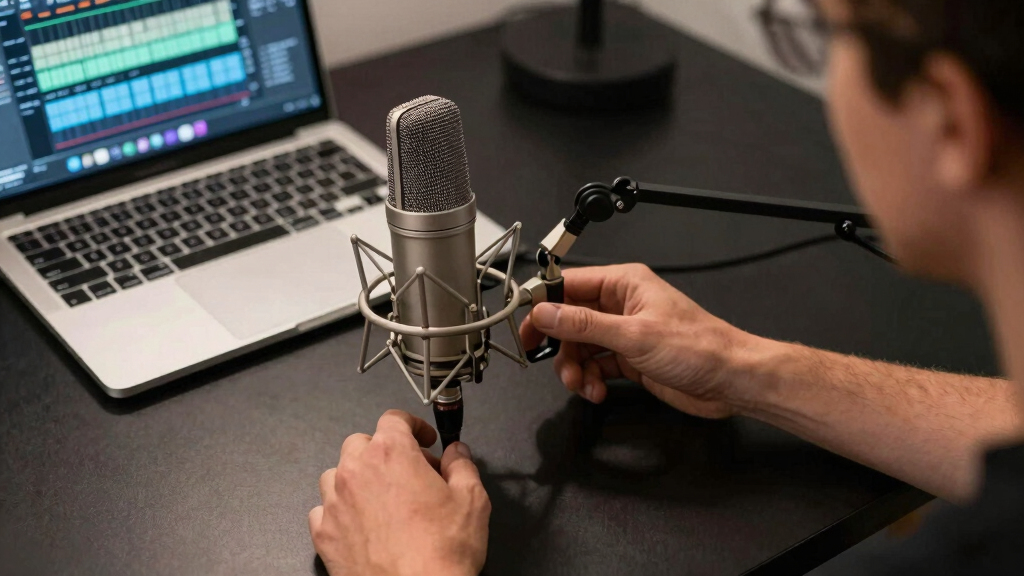
How We Picked
I ranked these microphones around spoken-voice clarity, resistance to keyboard and room noise, ease of gain adjustment, monitoring options, mounting flexibility, and total setup cost. My priority was a dependable live-streaming workflow rather than studio specifications that may never help during a broadcast. I gave extra weight to controls that remain easy to reach while live and to pickup behavior that suits a single person at a desk. Build quality and included stands or mounts also affected value because weak desk hardware can turn a capable microphone into an awkward daily tool.
The order reflects how broadly each model fits real streaming spaces. Balanced USB microphones rank higher for most buyers because they reduce setup cost and configuration work, while XLR models gain credit for upgrade potential but lose points for requiring an interface and cables. Dynamic microphones receive an advantage in reflective or noisy rooms; condensers rank well when their extra detail is paired with suitable placement and acoustic control. I also separated genuine utility from decorative features, so RGB lighting never outweighed cleaner capture, useful monitoring, or better handling of background sound. Lower-ranked products may still be the right choice for a narrow need, but they carry larger compromises in controls, versatility, price, or supporting hardware.
| high-quality microphone for streaming | Microphone type | Connectivity | Polar pattern |
|---|---|---|---|
| Audio-Technica AT2035 | Large-diaphragm condenser | XLR | Cardioid |
| RIG M2 STREAMSTAR PRO HD | Condenser | — | Cardioid |
| Razer Seiren Mini | — | USB | Supercardioid unidirectional |
| Logitech G Yeti GX | Dynamic | USB | Supercardioid |
| Razer Seiren X | — | USB | — |
| SteelSeries Alias USB Micropho | — | — | Cardioid |
| Razer Seiren V3 Pro Microphone | Dynamic | USB Type-C and XLR | Cardioid |
| Razer Seiren V2 X USB Condense | Condenser | — | — |
| Audio-Technica AT2020 Cardioid | Condenser | — | Cardioid |
| Sennheiser Professional Profil | Condenser | USB-C | Cardioid |
| Logitech Blue Yeti USB Microph | Condenser | USB | — |
| ASUS ROG Carnyx RGB Condenser | Condenser | — | — |
| AKG Pro Audio Ara USB-C Conden | Condenser | USB-C | — |
Factors to Consider When Choosing High-quality Microphone For Streaming
I would choose a streaming microphone around the room, signal chain, and live workflow before comparing headline specifications. A model that suits the space usually produces a better broadcast than a more expensive microphone paired with poor placement or the wrong accessories.
Match the Microphone to Your Room
I would start with the sounds the microphone must reject, not just the voice it needs to capture. Dynamic microphones usually suit untreated rooms because close placement helps separate speech from keyboard clicks, fans, and wall reflections. Condenser models can capture more openness and fine vocal detail, but that sensitivity may expose room echo that viewers hear as a hollow tone. A narrow cardioid or supercardioid pattern helps, yet the microphone still picks up sound from some directions and through the desk. One common mistake is placing a sensitive condenser far away, raising its gain, and expecting the polar pattern to remove the room. If the space is noisy, I would prioritize close-mic performance and background rejection. In a quiet, treated room, a condenser becomes more appealing for a natural voice and a little more freedom of movement.
Choose Between USB Convenience and XLR Flexibility
USB is the practical choice for most streamers because the microphone, preamp, and computer connection arrive in one device. It reduces cable clutter and makes troubleshooting easier, which matters when a broadcast has to start on time. XLR separates the microphone from the interface, letting me replace either component and add hardware controls or more inputs later. That flexibility costs more once an interface, cable, stand, and monitoring setup enter the budget. An XLR microphone does not automatically sound better; a weak interface, poor gain setting, or echoing room can erase its advantage. I would pay for XLR when planning multiple microphones, hardware mixing, or gradual upgrades. For a single desk-based voice, a well-designed USB model often provides the cleaner buying decision.
Prioritize Controls Needed During a Live Broadcast
A streaming microphone should let me correct problems without opening several software panels. A reachable mute control is useful for coughs, interruptions, and conversations that should not reach the audience. A physical gain dial also helps when switching between quiet conversation and louder reactions, while a headphone jack can reveal clipping or routing errors before viewers report them. Direct monitoring is different from listening through streaming software because software monitoring may add a distracting delay. Touch controls look clean but can be harder to confirm quickly than a dial or button with clear feedback. I would favor fast, visible control over extra effects when comparing two otherwise similar microphones.
Budget for Placement and Desk Isolation
Microphone position changes the result more than many small specification differences. A compact desk stand saves money, but it may place the capsule too far from my mouth and too close to keyboard vibration. A boom arm supports close placement, keeps the desk clear, and lets the gain stay lower, though heavy microphones need a stronger arm. Shock mounts reduce bumps carried through the desk, while a pop filter softens bursts of air from consonants without fixing echo or background noise. Buyers often spend the full budget on the microphone and then accept poor placement because no money remains for mounting. I would reserve part of the budget for a stable arm, suitable mount, and correct cable, especially with XLR models.
Judge Software as Part of the Signal Chain
Companion software can add noise reduction, EQ, compression, routing, and lighting control, but it also creates another dependency. Good processing can steady uneven volume and reduce low-level background sound, yet aggressive settings may make speech metallic or cut off quiet words. I would check whether useful controls remain available without the software and whether settings are stored on the microphone or must run continuously on the computer. Streamers who already use a mixer or broadcast application may gain little from a second processing suite. Buyers who want one guided control center may prefer an ecosystem-led model such as SteelSeries Alias. Paying more makes sense when routing and live processing save real setup time, not simply because the software offers a long effects list. I would also favor broadly compatible hardware if the microphone may move between Windows, macOS, consoles, or a work computer.
Frequently Asked Questions
Should I Buy a USB or XLR Microphone for Streaming?
I would choose USB for a first streaming setup or any desk with one speaker and no plan for external audio hardware. It costs less as a complete system and removes interface compatibility, preamp gain, and cable selection from the setup. XLR makes more sense when I want multiple microphones, physical mixing, replaceable components, or a staged upgrade path. The Audio-Technica AT2035 and AT2020 can support that path, but their real cost includes an interface and mounting hardware. XLR offers flexibility rather than guaranteed quality, so USB remains the better buy for many solo streams.
Is a Dynamic or Condenser Microphone Better for an Untreated Room?
I would usually choose a dynamic microphone for an untreated room, especially near a mechanical keyboard, computer fan, or bare walls. Close placement allows lower gain and gives the voice a stronger advantage over surrounding noise. A condenser can still work when kept near the mouth and aimed carefully, but it is more likely to reveal reflections and distant sounds. Software noise reduction may help with steady fan noise, yet it cannot fully repair room echo without affecting the voice. Room behavior matters more than advertised sensitivity when making this choice.
How Much Should I Spend on a Streaming Microphone Setup?
I would set the budget around the complete signal path rather than the microphone alone. An affordable USB model such as the Razer Seiren Mini can cover the core job, leaving money for a boom arm or room treatment. Midrange spending is most useful when it adds direct monitoring, accessible gain control, better desk hardware, or stronger rejection of unwanted sound. Premium prices make sense for a polished workflow, durable components, advanced routing, or XLR expansion—not merely decorative lighting. I would keep roughly one-quarter of an XLR budget available for the interface, cable, mount, and other supporting gear.
Can One Streaming Microphone Record Two People?
One microphone can record two people, but I would not expect the same consistency as using a microphone for each speaker. A multipattern model such as the Logitech Blue Yeti or AKG Ara can capture voices from opposite sides when placed between them. That arrangement also collects more room sound, and each person must remain at a similar distance to avoid uneven volume. For frequent interviews or co-hosted streams, two close microphones provide better separation and independent control. I would buy a multipattern model for occasional shared sessions, not as a permanent replacement for a two-microphone system.
Do I Need a Boom Arm, Pop Filter, or Audio Interface?
A USB microphone does not need an interface, while an XLR microphone such as the AT2035 or AT2020 does. A boom arm is optional, but I would add one when the included stand leaves the microphone far from my mouth or transfers desk vibrations. A pop filter helps when close placement produces harsh bursts on P and B sounds, though speaking slightly across the capsule can also reduce them. Shock mounting is useful on desks that carry keyboard impacts, controller movement, or accidental bumps. I would treat placement hardware as a sound upgrade rather than a cosmetic extra.
Conclusion
For most solo streamers, my best overall recommendation is the Sennheiser Profile USB because it balances clear capture, useful onboard controls, and an uncomplicated setup. The Razer Seiren Mini is the best value and compact pick for buyers willing to trade monitoring and extra controls for a low-cost, space-saving microphone. Beginners working in lively rooms should favor the Logitech G Yeti GX, whose dynamic design is more forgiving than a sensitive condenser, while the Razer Seiren V3 Pro is my premium choice for buyers seeking a more polished streaming-focused package. For specific needs, I would choose the SteelSeries Alias for software-led control, the Audio-Technica AT2035 for an expandable XLR system, and the Logitech Blue Yeti or AKG Ara for occasional two-person recording. Quiet-room buyers who want condenser detail can also shortlist the ASUS ROG Carnyx, Razer Seiren V2 X, Razer Seiren X, or RIG M2 Streamstar Pro according to controls, size, and price. The right final choice comes down to room noise, connection type, and live control needs, with those factors carrying more weight than lighting or a long specification sheet.
Halloween Picks

10.5 ft Lighted Pumpkin and Ghost Halloween Inflatable Archway

Star Wars Yoda and R2-D2 Inflatable Halloween Decor, 6 ft with LEDs, Indoor/Outdoor

9 ft Halloween Inflatable Haunted Castle with Dragon and Ghost
As an affiliate, we earn on qualifying purchases.