
TL;DR

Get audio and creator gear delivered free with Prime
- Fast, free delivery on millions of items
- Prime Video, Amazon Music and more included
- Member-only deals all year
Dual card slots offer three recording modes: backup (writes every photo to both cards), overflow (fills card one, then spills to card two), and separation (RAW to one card, JPEG to the other). Backup mode is the only one that saves you if a card dies mid-shoot, at the cost of halving your total capacity. Choose separation for workflow speed when risk is low, overflow rarely, and backup for anything you cannot reshoot.
A wedding photographer I know lost 40 minutes of a reception to a corrupted card. One card, one failure, no second copy. The couple’s first dance — gone. That story is the entire reason dual card slots exist, and why I won’t shoot a paid job on a body that lacks them.
But having two slots is only half the decision. Your camera gives you three ways to use them — backup, overflow, and separation — and the mode you pick changes everything about your capacity, your speed, and your risk. Pick wrong, and a second slot gives you false confidence. Pick right, and it’s the cheapest insurance in photography.
Here’s how each mode works, when to use it, and the mistakes I’ve made (so you don’t repeat them).
Backup mode gives you the capacity of your smaller card only — two 128GB cards mean 128GB of shooting, not 256GB.
Overflow mode provides zero redundancy: a card failure loses every frame stored on that card.
Separation mode (RAW/JPEG split) is the best balance for fast-turnaround work — one card feeds social media while the RAWs stay safe for editing.
Always pair matched cards (same brand, capacity, speed) because backup mode writes at the pace of the slower card.
Dual slots only protect against card failure — follow a 3-2-1 backup strategy for everything else.
Dual Card Slots: Backup, Overflow, or Separation
Two slots are only half the decision. Your camera gives you three ways to use them — and the mode you pick changes everything about your capacity, your speed, and your risk. Pick wrong, and a second slot gives you false confidence. Pick right, and it’s the cheapest insurance in photography.
How Each Mode Writes Your Photos
Backup Mode
Every single frame is written to both cards simultaneously. A dead card costs you nothing — the failure becomes an inconvenience instead of a catastrophe.
✓ Full redundancy Capacity = smaller cardOverflow Mode
Card one fills completely before anything spills to card two. Essentially one big card split across two slots — zero duplication, maximum storage.
✗ No redundancy Capacity = sum of bothSeparation Mode
RAW files go to card one, JPEGs to card two. The JPEGs become an instant delivery set while the RAWs stay untouched for editing.
~ Partial redundancy Fastest workflowTwo 128 GB Cards, Three Different Results
In backup mode, total usable capacity equals your smaller card, not the sum of both — a tradeoff most photographers never calculate until the frame counter drops toward zero with hours of shooting left.
Which Mode Fits Your Shooting?
| Mode | Total Capacity | Card Failure Cost | Best For |
|---|---|---|---|
| Backup | Smaller card only (128 GB from two 128s) | ✓ None — full copy survives | Weddings, paid work, anything unrepeatable |
| Overflow | Sum of both cards (256 GB from two 128s) | ✗ Everything on that card | Travel, time-lapse, casual shooting |
| Separation | Varies by file size (RAWs larger than JPEGs) | ~ One format lost, other survives | Fast turnaround, event social media |
Notice what’s not in the table: price, brand, card speed. None of that matters as much as mode selection. A modest camera in backup mode protects your work better than a flagship in overflow.
Key Takeaways
Backup mode gives you the capacity of your smaller card only — two 128 GB cards mean 128 GB of shooting, not 256 GB.
Overflow mode provides zero redundancy: a card failure loses every frame stored on that card.
Separation mode (RAW/JPEG split) is the best balance for fast-turnaround work — one card feeds social media while the RAWs stay safe for editing.
Always pair matched cards (same brand, capacity, speed) because backup mode writes at the pace of the slower card.
Dual slots only protect against card failure — follow a 3-2-1 backup strategy for everything else.
Configure It Once, Never Think About It Again
Hybrid workflow: shoot backup during the critical hours — ceremony, speeches, first dance — then switch to separation for reception coverage. Your menu takes ten seconds to change. Use it.
Backup Mode: The One Setting That Actually Saves Photos
Backup mode writes every single frame to both cards simultaneously, so a dead card costs you nothing. The camera refuses to shoot faster than the slower card can record, which means your buffer clears at the pace of your worst performer. Two identical cards, two identical copies, zero excuses.
This is the mode I use for weddings, portraits, and anything a client is paying for. The math is simple: if a card fails — and cards do fail, usually without warning, usually at the worst moment — you have a full copy on the other slot. The failure is an inconvenience instead of a catastrophe.
The catch most people miss: your total capacity equals the smaller card. Slot two 128GB cards into backup mode and you get 128GB of shooting, not 256GB. The camera stops when the smaller card fills, because it can no longer write to both.
Early in my career I learned this the awkward way, halfway through an event, watching the frame counter drop toward zero with hours of shooting left. Now I match card sizes and carry spares.
Two cards in backup mode give you the capacity of one. You’re buying safety, not storage.
One more habit worth stealing: rotate your cards so they wear evenly, and replace cards after a few years of heavy use. Flash memory doesn’t last forever, and a fresh card is cheaper than a recovery lab.
As an affiliate, we earn on qualifying purchases.
Overflow Mode: More Capacity, Zero Protection — Here’s the Trade
Overflow mode fills card one completely before writing anything to card two, giving you maximum storage but no duplication whatsoever. If card one dies with 800 frames on it, those 800 frames are gone — card two never saw them. It’s essentially one big card split across two slots.
I use overflow about once a year, and only in a specific situation: long time-lapses or multi-day trips where I’m shooting thousands of low-value frames and carrying no laptop. When losing any individual frame is acceptable but running out of space isn’t, overflow makes sense.
Think of it like a bathtub draining into a second tub. The water only moves when the first one is full. There’s never a moment where the same water sits in both.
The danger is psychological. People see two cards in the camera and assume redundancy, forgetting they set it to overflow months ago for a road trip. Then a card fails at a christening and the assumption costs them.
- Good for: travel, time-lapse, casual shooting, anything reshootable
- Bad for: paid work, once-in-a-lifetime events, unrepeatable moments
- Capacity: both cards combined — 128GB + 128GB = 256GB
- Risk: a single card failure loses everything on that card
My rule: if I’d feel sick telling a client the files are gone, backup mode goes on before I leave the car.
As an affiliate, we earn on qualifying purchases.
Separation Mode: RAW on One Card, JPEG to the Other
Separation mode splits your files by type — typically RAW files to card one, JPEGs to card two — so each card carries a different version of the same shoot. The JPEGs become an instant delivery and preview set while the RAWs stay untouched for editing. If one card fails, you still have usable images from the other, just in a different format.
This is my favorite mode for fast-turnaround work. I shot a corporate event last year where the client wanted social media images the same evening. Card two came out of the camera, went straight into a card reader, and small JPEGs were uploading within minutes — while the RAW card stayed safely in the camera until I got home.
Understand the safety trade honestly. If the JPEG card dies, you’ve lost nothing but convenience; the RAWs hold everything. But if the RAW card dies, you’re left with JPEGs — usable, printable, but with far less editing latitude. You can’t recover blown highlights from a compressed 8-bit file the way you can from a RAW.
Some cameras let you assign by other criteria too — different folder destinations, or video to one card and stills to the other. Filmmakers love that last option, because video chews through capacity and behaves differently in playback.
Separation is a compromise: better than overflow for safety, worse than backup, and faster than either for workflow. It’s the mode I reach for when the deadline is tonight and the stakes are moderate.
high speed SD cards for photography
As an affiliate, we earn on qualifying purchases.
As an affiliate, we earn on qualifying purchases.
Which Mode Fits Your Shooting? A Side-by-Side Comparison
Choosing between backup, overflow, and separation comes down to three questions: how irreplaceable are the shots, how much capacity do you need, and how fast do you need files delivered. Backup wins on safety, overflow on capacity, separation on speed. Here’s the honest comparison I wish someone had handed me when I got my first dual-slot body.
| Mode | Total Capacity | Card Failure Cost | Best For |
|---|---|---|---|
| Backup | Smaller card only (128GB from two 128s) | None — full copy survives | Weddings, paid work, anything unrepeatable |
| Overflow | Sum of both cards (256GB from two 128s) | Everything on that card | Travel, time-lapse, casual shooting |
| Separation | Varies by file size (RAWs larger than JPEGs) | One format lost, other survives | Fast turnaround, event social media |
Notice what’s not in the table: price, brand, card speed. None of that matters as much as mode selection. A modest camera in backup mode protects your work better than a flagship in overflow.
There’s a hybrid workflow worth mentioning, too. Some photographers shoot backup during the critical hours — ceremony, speeches, first dance — then switch to separation for reception coverage where the pace slows and instant JPEGs help. Your menu takes ten seconds to change. Use it.
As an affiliate, we earn on qualifying purchases.
How to Set Up Dual Cards So You Never Think About It Again
A five-minute setup makes your dual slots work on autopilot, so the right protection is active before you’re too busy or too excited to check. Think of it like setting your alarm the night before a flight — you don’t want to be making that decision at 4 a.m. Cameras bury these settings deep in menus — usually under something like “recording functions” or “card slot settings” — so do this at home, not in a parking lot before the shoot.
- Buy matched cards. Same brand, same capacity, same speed. Backup mode runs at the speed of the slower card, so a fast card paired with a slow one drags both down. It’s like pairing a sprinter with a jogger and forcing them to hold hands — everyone moves at the jogger’s pace. A real-world example: pairing a 300MB/s CFexpress card with a 90mb/s SD card means every burst shot waits for the SD.
- Format both cards in the camera before every important shoot — not in your computer. In-camera formatting builds the correct folder structure and clears hidden fragmentation. Formatting in your computer is like addressing letters with the wrong postal code — the camera has to sort it all out later, and sometimes it fumbles.
- Select your recording mode in the menu: backup for paid work, separation for quick turnaround, overflow only for low-stakes shooting. A useful mental model: a wedding photographer keeps the camera on backup all day, a sports shooter covering a three-game tournament might use separation, and a landscape photographer on a two-week trek with no laptop might choose overflow.
- Label your cards. A marker pen on a piece of tape tells you card A from card B, which matters when one needs formatting and the other holds your only copy. Imagine standing at a wedding reception holding two identical unlabeled cards, trying to remember which one holds the ceremony. Don’t put yourself there.
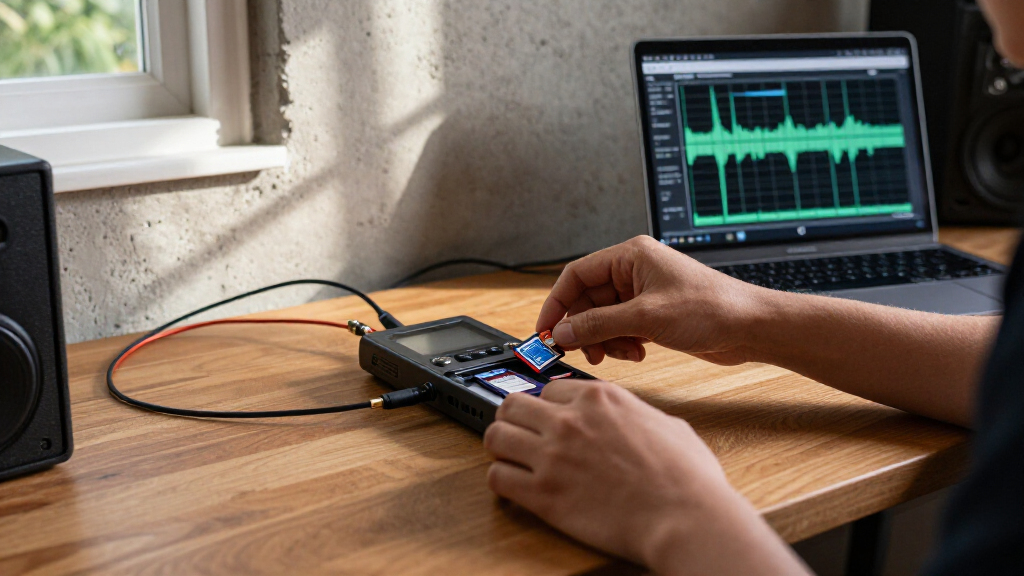
- Never pull a card mid-write. Wait for the access light to die completely. Yanking a card during a write is like ripping a page out of a notebook while someone is still writing on it — the sentence gets cut mid-word, and the recovery lab bill arrives later. I’ve watched a shooter pull a card during a burst at a basketball game and lose the entire sequence.
On the physical side, watch for card-handling basics: keep cards in cases, not loose in pockets where lint and static live — a pocketed card picks up debris like a magnet picks up iron filings. Avoid extreme heat — a dashboard in summer can cook a card the way it cooks a chocolate bar. And if a card ever acts strange — slow writes, read errors — retire it. They’re cheap. Your images aren’t.
What Dual Slots Can’t Fix (And What Comes Next)
Dual card slots protect against exactly one failure: a card dying. They do nothing for a dropped camera, a stolen bag, a house fire, or a botched file transfer to your computer. Both copies sit in the same body, travelling together, sharing every risk except flash failure. The slot redundancy is the first layer of safety, never the whole plan.
The classic photographer’s rule is the 3-2-1 backup strategy: three copies of every image, on two different types of media, with one copy stored off-site. In practice, that looks like the card copies in your camera, the working drive at home, and a cloud or external drive elsewhere. I offload cards the same night as any shoot, because a card sitting in a pocket for a week is a copy waiting to be forgotten.
The hardware keeps evolving, too. Faster card formats keep clearing buffers more quickly, and capacities keep climbing — which quietly changes the calculation. A single high-capacity card in overflow mode holds an entire wedding now, which tempts people away from backup mode. Resist that temptation. Capacity has never been the problem; failure has.
And that’s the deeper point. Dual slots aren’t a storage feature. They’re a promise you make to whoever is standing in front of your lens — that the moment you captured will still exist tomorrow. The rest of your workflow exists to keep that promise after the cards leave the camera.
Frequently Asked Questions
Do both card slots need the same capacity and speed?
Not strictly required, but strongly recommended. In backup mode, the camera writes at the speed of the slower card and stops when the smaller card fills, so mismatched cards waste your faster, larger one. Two identical cards give predictable capacity and consistent buffer clearing.
Does using dual card slots slow down burst shooting?
In backup mode, yes, slightly — the camera waits for both cards to finish writing, so your continuous shooting rate is limited by the slower card. Overflow and separation modes generally maintain full speed since each file is only written once.
Can I use dual card slots with different card types, like CFexpress and SD?
Yes, many hybrid-slot cameras accept a CFexpress card in one slot and an SD card in the other. Backup mode still works, but the camera throttles to the SD card’s speed. Many photographers put the fast card in backup mode for RAWs and use the SD slot for JPEG overflow or separation.
How often should I replace memory cards?
For professional use, most working photographers retire cards after roughly 3–5 years of heavy shooting, or immediately after any read error or strange behavior. Flash memory has a finite write lifespan, and cards are inexpensive compared to the images they carry.
Is backup mode enough on its own, or do I still need to back up my computer?
Backup mode only protects the files while they’re in the camera. Once you transfer images to your computer, the card copies usually get formatted and reused. Follow the 3-2-1 rule — three copies, two media types, one off-site — so your images survive drive failures, theft, or disasters.
Should I shoot video and stills to separate cards?
It’s a popular separation strategy, especially for hybrid shooters. Video files are enormous and benefit from the fastest card available, while stills can live happily on a second slot. Just remember this isn’t redundancy — if the video card fails, you lose the footage with no second copy.
Conclusion
One decision, made in ten seconds in a menu, determines whether a failed card is a shrug or a nightmare. Choose backup for anything you can’t reshoot, separation when speed matters more than maximum safety, and overflow almost never for work that counts.
Somewhere out there is a photographer formatting a single card before a wedding, trusting luck. Tonight, open your camera’s menu, find the card settings, and make the choice on purpose. Future you — standing in a reception hall with a dead card in one hand — will be glad you did.
Halloween Picks
halloween
As an affiliate, we earn on qualifying purchases.