TL;DR

Get audio and creator gear delivered free with Prime
- Fast, free delivery on millions of items
- Prime Video, Amazon Music and more included
- Member-only deals all year
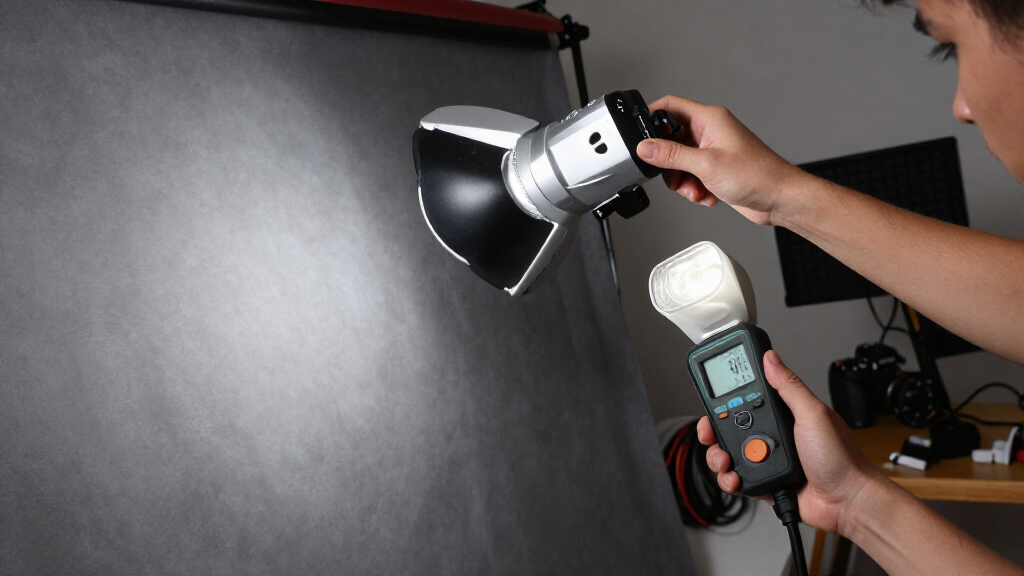
The inverse square law says that light from a small flash source falls to about one-quarter when you double its distance, a loss of two stops. Bring the flash closer for more light and stronger subject-to-background separation; move it farther away for more even illumination, then raise flash power to preserve exposure. The law is a practical guide, not a perfect prediction, especially with modifiers and bounced light.
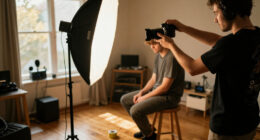
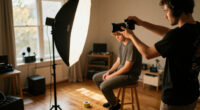
A flash can light a person beautifully and leave the wall behind them almost black—not because the flash changed its mind, but because the light had farther to travel. Flash distance affects both how bright your subject appears and how quickly the light fades across the scene.
The inverse square law gives you a useful way to predict that change: double the distance and a subject receives about one-quarter the light, or two stops less. I’ll show you what that means in practice, how to use distance to control backgrounds and groups, and where the math stops matching a real room. You can test the main idea with one flash, one subject, and a wall.
Double flash distance and expect about one-quarter the illumination, or a two-stop loss, under the ideal inverse-square model.
Move a close flash nearer when you want strong subject-to-background falloff; move it farther away when you want more even light across a group or scene.
To maintain subject exposure after doubling distance, add roughly two stops of flash output, or adjust aperture or ISO if your flash lacks power.
A closer flash is not automatically softer: softness depends largely on the apparent size of the light source from the subject’s viewpoint.
Treat the law as a starting calculation, then check the actual frame because modifiers, bounce, room reflections, and ambient light alter the result.
What happens to flash exposure when you double the distance?
Flash power and distance are linked by a simple rule: for light spreading freely from a small source, doubling the flash-to-subject distance leaves the subject with about one-quarter the illumination. That is a two-stop loss. Move the flash half as far away and the subject receives about four times the light, or two stops more.
The reason is that light spreads over a larger area as it travels. Imagine pouring the same cup of water over a small plate, then over a plate four times as wide: the same amount covers more surface. A flash behaves similarly in open space, though the light travels outward rather than settling on a plate. The relationship is written as illumination ∝ 1 ÷ distance².
Here’s a useful exposure example. If a flash gives you the right exposure at 1 meter, moving it to 2 meters means you need roughly four times the flash energy to get that exposure back, assuming the same modifier, direction, aperture, and ISO. In stop terms, raise the flash by two stops. If your flash cannot provide that much power, open the aperture, raise ISO, or bring the light closer.
This is a reliable starting point, not a promise that every meter reading will match perfectly. A softbox has size, a reflector shapes the beam, and nearby walls can send light back into the scene. When you need a quick change, though, the practical rule is strong: doubling distance costs about two stops. Make one move at a time, take a frame, and adjust from there.
Products Worth Considering

Bose S1 Pro+ Portable PA Speaker

Logitech MX Mechanical Wireless Illuminated Keyboard, Tactile Quiet, Graphite

Jackery HomePower 1000 Plus v2 Portable Power Station
As an affiliate, we earn on qualifying purchases.
Why moving the flash changes your background as well as your subject
Flash power and distance change the subject-to-background relationship because the background usually sits farther from the flash than your subject does. A close flash creates steep falloff: a modest increase in distance means a large drop in illumination. Moving the flash back makes that same subject-to-background gap a smaller part of the total flash distance, so the light spreads more evenly across the scene.
Take a portrait in a small room. Put the flash 1 meter from your subject and the wall 1 meter behind them. The subject is 1 meter from the light, while the wall is 2 meters away. In the ideal model, the wall receives one-quarter of the subject’s illumination, or about two stops less. That can give you a rich, dark background without needing to turn off every room light.
Now move the flash to 4 meters from the subject. The wall sits 5 meters from the flash. Compare the relative light: the subject receives illumination proportional to 1/16, while the wall receives 1/25. The wall is now only about 0.64 stops darker than the subject in this simplified calculation. The light on the scene is more even, although you’ll need more flash output to keep the subject at the same brightness.
That’s why moving a flash changes not only how bright the subject is, but also how bright the background looks. I use close placement when I want a person to stand out against a dim room. For a line of people or a portrait where the background should stay visible, I move the flash farther away and compensate. It’s much like moving a sprinkler: close placement soaks one small patch, while greater distance spreads coverage more evenly.
How to choose flash distance for the look you want
To choose flash distance, decide whether you need stronger subject-to-background separation or more even light, then place the flash accordingly and correct exposure. Close placement gives you pronounced falloff and often saves flash power; farther placement evens out differences across the scene but demands more output. Try these steps with a portrait subject and a background a few meters behind them.
- Set your starting exposure. Choose an aperture and ISO that suit the depth of field and image quality you want. Keep ambient light steady while you test.
- Place the flash close, perhaps 1 meter from your subject, and take a frame. Check the face and the background separately rather than judging the whole image as one brightness.
- Move the flash farther away, such as to 2 meters. If the subject darkens, add about two stops of flash output to match the original subject exposure.
- Compare the background. Look for whether it has become brighter relative to your subject. Keep the setup that gives you the falloff you want.
- Fine-tune direction and modifier. Turn or raise the light to control spill, then take another frame. Position and angle can matter as much as the distance itself.
For a concrete test, ask a friend to stand 1 meter in front of a plain wall. Photograph them with the flash close, then move the flash back while raising power to hold their face at a similar brightness. The second frame will usually show a less dramatic brightness gap between person and wall. The exact result depends on the room and modifier, but the comparison makes the principle easy to see.
When close light helps—and when it causes trouble
Bring the flash close when you need more illumination on your subject or want the background to fall darker, but expect light to change quickly across the scene. Close placement can be a real help in a dim room or when your flash has limited output. It also makes small differences in subject distance more visible, so a person leaning forward may become noticeably brighter than someone standing back.
For a single portrait, that fast falloff can look intentional: the face catches the light, while the wall recedes into shadow. For a group, it can create a problem. Imagine three people standing in a row, with the nearest person 1 meter from the flash and the farthest 2 meters away. Under the ideal model, that distance difference alone can create about a two-stop exposure gap. The closest face may glow while the farthest face looks dull.
Moving the flash farther away reduces that relative difference, though you’ll need to increase flash power or adjust your exposure to compensate. You can also arrange people at similar distances from the light, aim the modifier so coverage reaches the whole group, or use more than one light. A wider angle is practical for a group, but simply widening the beam does not erase falloff from distance.
There’s another common mix-up: moving a flash closer does not automatically make it softer. Softness depends largely on the apparent size of the light source from the subject’s position. A softbox moved close appears larger and often gives gentler shadows; a bare flash remains a small, hard source. For a headshot, a close softbox may give you soft cheek shadows and quick background falloff. For a group portrait, farther placement can give more even exposure, but the softbox may look smaller and the shadows harder.
- Choose close placement for stronger falloff, a dark background, or limited flash output.
- Choose farther placement for more even exposure across a group or a deeper scene.
- Check the whole frame when people or objects sit at different distances from the flash.
How to keep exposure steady while moving your flash
When you move the flash farther from your subject, raise its output to replace the light lost to distance; doubling the distance calls for about four times the flash energy. That adjustment keeps subject exposure similar while letting you see how the background changes. In practical work, your flash’s power increments may be marked in stops or fractions of full output, so you can make a measured adjustment instead of guessing.
For example, suppose a portrait looks right with the flash at 1 meter and manual power set to 1/16. Move the light to 2 meters and try approximately two stops more output, around 1/4 power, if your unit’s scale follows standard stop increments. Take a test frame. If the exposure is a little off, adjust from the actual image: modifiers lose light differently, and real rooms return light from their walls and ceiling.
You can also change aperture or ISO, but those adjustments affect other parts of the photograph. A wider aperture changes depth of field, while a higher ISO raises sensitivity to both flash and ambient light. In many camera setups, shutter speed at or below the flash-sync limit mainly affects ambient exposure rather than the brief flash exposure, as long as other conditions stay steady. If a room lamp brightens the background, shutter speed may change that ambient contribution even while the flash-lit face stays similar.
TTL metering can often adjust flash output when you move the light, which helps you keep the subject exposed. It does not cancel the change in falloff between the subject and background, and it can run out of power. High-speed sync is useful when you want a wide aperture in bright conditions, but it reduces effective flash range. A test frame remains useful: let automation save time, then judge the light pattern with your own eyes.
Where the inverse square rule needs a reality check
The inverse square law is a model for light spreading from a small source in open space, so real flash setups can depart from its clean numbers. A flash tube has physical size, and a softbox, umbrella, reflector, or bounce surface changes how light travels. The rule still helps you predict the direction of a change, but it cannot tell you the exact exposure of every face or wall.
Modifiers are a common reason your result differs from the calculation. A large umbrella may spread light widely, while a grid narrows it and limits spill. If you bounce a flash off a white ceiling, the ceiling becomes a secondary source, and the resulting light covers a broader area. The light still loses intensity as it spreads, but the simple direct-flash distance calculation no longer describes the whole route. A low, dark ceiling can also absorb or tint light, while a white wall may return a soft wash into the scene.
Room size matters, too. In a small white studio, reflected light can lift the shadows and reduce the contrast you expected from a close flash. In a black-walled venue, the same setup may produce much deeper shadows. A flash pointed at a subject near a white wall can also brighten that wall through spill and bounce, so the background may not darken as much as the direct-light math suggests.
The law describes illumination from the source; your camera records the combined effect of flash, ambient light, reflections, exposure settings, and metering. Sunlight offers a useful contrast: its distance from Earth barely changes during ordinary photography, so inverse-square differences are negligible in typical outdoor work. Nearby flashes and continuous lights make the distance effect obvious. Use the calculation as a map, then make the photograph in front of you the final authority.
A quick distance chart you can use on a shoot
A distance chart turns the inverse-square rule into a fast exposure estimate: every doubling of distance costs about two stops, while each halving adds about two stops. Use the table as a starting point when you keep the flash, modifier, direction, aperture, and ISO the same. It is especially handy when you need to move a light quickly between a tight portrait and a wider frame.
| Flash distance | Light on subject, compared with 1 meter | Practical adjustment to match 1-meter exposure |
|---|---|---|
| 0.5 meter | About 4 times as much, or +2 stops | Reduce output by about 2 stops |
| 1 meter | Reference level | No change |
| 2 meters | About one-quarter as much, or −2 stops | Raise output by about 2 stops |
| 4 meters | About one-sixteenth as much, or −4 stops | Raise output by about 4 stops |
Picture a quick headshot at 1 meter. You move the flash to 2 meters so the light spreads more evenly over a nearby wall, and the chart tells you to add roughly two stops to maintain the face exposure. If your flash cannot manage the extra output, bring it partway back, increase ISO, or open the aperture. Each choice has a tradeoff: closer placement brings stronger falloff, higher ISO affects noise, and a wider aperture reduces depth of field.
These are idealized figures, not meter readings guaranteed in every room. A modifier can reduce output, and reflected light can soften the brightness difference. Still, the table gives you a fast answer to the first question: how bright the subject should be after a distance change. Then you can refine the result by looking at both the subject and the background.
Frequently Asked Questions
What happens to flash exposure when I double the distance?
Under the ideal inverse-square model, the subject receives about one-quarter the illumination, which is a loss of two stops. To restore a similar exposure, raise flash output by about two stops, or adjust aperture or ISO.
Why does a close flash make the background darker?
The background is farther from the flash than the subject, and close placement makes that extra distance a bigger proportion of the total. The background therefore receives less light relative to the subject, so it can appear much darker.
Does moving the flash closer make the light softer?
Not by itself. Softness depends largely on the apparent size of the source from the subject’s viewpoint. A softbox brought closer appears larger and often makes shadows softer, while a bare flash remains a small, hard source.
How can I light a group more evenly?
Move the flash farther away so distance differences between people have less effect, and arrange them at similar distances from the light when you can. You may need more flash power to keep exposure, and careful aiming helps cover the whole group.
Can TTL flash remove the effects of distance?
TTL can often adjust flash output to keep the subject exposure similar after you move the flash, as long as the unit has enough power. It does not remove the change in falloff between the subject and background, so distance still shapes the scene.
Does the inverse square law apply to bounced flash?
Light still spreads and loses intensity, but the bounce surface acts as a secondary source and changes the light’s direction and coverage. The simple direct-flash calculation may not predict the exposure precisely, so take a test frame and judge the result.
Conclusion
When you need a fast decision, remember this: distance controls both subject brightness and falloff. Bring the flash close for stronger separation and more efficient output; move it back for more even coverage, then compensate with power or exposure settings.
Try the one-meter portrait test and watch the wall change as you move the light. Once you see that shift, the inverse square law stops being abstract math and starts feeling like another tool in your camera bag.