For most producers seeking compact MIDI controllers for music production, I’d start with the Novation Launchkey Mini 25 MK4 for its keyboard-and-control layout, then compare it with the Arturia MiniLab 3 for hands-on sound shaping and the Akai MPK Mini Plus if a wider keyboard matters more. The right choice depends on whether you prioritize keys, pads, software control, wireless use, or the smallest possible footprint. A compact controller saves desk space, but mini keys and reduced controls can slow down certain playing or editing tasks. I compare the 15 options by workflow fit, connectivity, control layout, and portability. Read on for the full breakdown and a recommendation matched to your setup.

Get audio and creator gear delivered free with Prime
- Fast, free delivery on millions of items
- Prime Video, Amazon Music and more included
- Member-only deals all year
Complete the kit


Key Takeaways
- The Launchkey Mini 25 MK4 is my best overall pick for producers who want a compact keyboard with performance controls, rather than a keys-only controller.
- The MiniLab 3 and Launchkey Mini serve different workflows: I’d favor the MiniLab 3 for tactile sound shaping and the Launchkey for an integrated production-oriented layout.
- More keys can matter more than extra pads. The 37-key MPK Mini Plus gives melody and chord parts more room, while 25-key models are easier to place on crowded desks.
- Wireless and standalone playability are niche advantages, not universal upgrades. Bluetooth options suit cable-light setups, while the MPK Mini Play MK3 adds onboard sounds for playing without a computer.
- Pad-only models are specialist tools. The LPD8 and STARRYPAD options make sense for finger drumming or triggering clips, but they cannot replace a keyboard when you need to play pitched parts.
| Arturia MiniLab 3 Universal MIDI Controller, Champagne |  | Best Overall for Hands-On Control | Keys: 25 velocity-sensitive keys | Controls: 8 drum pads and 4 faders | Connectivity: USB | VIEW LATEST PRICE | See Our Full Breakdown |
| M-Audio Keystation Mini 32 MK3 USB MIDI Controller |  | Best for Portable Note Entry | Keys: 32 velocity-sensitive mini keys | Connectivity: USB | Compatibility: Mac and Windows | VIEW LATEST PRICE | See Our Full Breakdown |
| Korg nanoKEY2 25-Key USB MIDI Controller, Black |  | Best Slim Laptop Companion | Brand: Korg | Model: NANOKEY2BK | Keys: 25 velocity-sensitive keys | VIEW LATEST PRICE | See Our Full Breakdown |
| M-VAVE K5 25-Key Bluetooth MIDI Keyboard Controller |  | Best for Wireless and Mobile Production | Keys: 25 velocity-sensitive mini keys | Pads: 8 RGB backlit velocity-sensitive pads | Rotary encoders: 8 assignable | VIEW LATEST PRICE | See Our Full Breakdown |
| Donner N-25 25-Key Mini MIDI Keyboard Controller |  | Best Beginner Learning Bundle | Model: N-25 | Keys: 25 velocity-sensitive mini keys | Connectivity: USB-MIDI | VIEW LATEST PRICE | See Our Full Breakdown |
| Novation Launchkey Mini 25 MK4 USB MIDI Keyboard Controller |  | Best for DAW Control and Expressive Pads | Keys: 25 mini synth-action keys | Pads: 16 pads with polyphonic aftertouch | Display: OLED | VIEW LATEST PRICE | See Our Full Breakdown |
| DaierTek 25-Key Bluetooth and USB MIDI Keyboard Controller |  | Best for Wireless, Battery-Powered Setups | Keys: 25 velocity-sensitive keys | Drum pads: 8 RGB backlit, velocity-sensitive pads with aftertouch | Knobs: 8 assignable encoders | VIEW LATEST PRICE | See Our Full Breakdown |
| Akai Professional MPK Mini Play MK3 25-Key USB MIDI Keyboard Controller |  | Best for Standalone Play | Keys: 25 | Built-in sounds: 128+ instruments and drum kits | Drum pads: 8 velocity-sensitive MPC pads | VIEW LATEST PRICE | See Our Full Breakdown |
| Donner DMK 25 Pro USB-C MIDI Keyboard Controller, 25-Key Mini Keyboard with 8 Drum Pads |  | Best for Hands-On Controls on a Budget Setup | Keys: 25 | Drum pads: 8 | Connectivity: USB-C | VIEW LATEST PRICE | See Our Full Breakdown |
| Akai Professional MPK Mini Plus 37-Key USB MIDI Keyboard Controller |  | Best for a Wider Key Range and Hardware Integration | Keys: 37 velocity-sensitive mini keys across three octaves | Keybed: Gen 2 dynamic, velocity-sensitive | Connectivity: USB, MIDI I/O, CV/Gate | VIEW LATEST PRICE | See Our Full Breakdown |
| Akai Professional LPD8 USB MIDI Pad Controller |  | Best for Knob-and-Pad Control | Pads: 8 velocity-sensitive, RGB-backlit drum pads | Knobs: 8 assignable Q-Link knobs | Presets: 4 programmable preset slots | VIEW LATEST PRICE | See Our Full Breakdown |
| Donner STARRYPAD 16-Pad USB MIDI Controller |  | Best Value for Large Pad Layouts | Pads: 16 backlit silicone pads | Assignable pads: 48 across 3 switchable banks | Pad lighting: 7 colors | VIEW LATEST PRICE | See Our Full Breakdown |
| Arturia MicroLab Mk3 25-Key MIDI Controller, White |  | Best Compact Keyboard for Melodies | Keys: 25 velocity-sensitive keys | Connectivity: USB Type-C | Controls: 4 buttons and 2 touch strips | VIEW LATEST PRICE | See Our Full Breakdown |
| Donner STARRYPAD PRO MIDI Pad Controller |  | Best Wireless Pad Controller | Pads: 16 RGB velocity-sensitive pads | Pad features: Polyphonic aftertouch and 3 velocity curves | Controls: 8 assignable rotary knobs and DAW transport control | VIEW LATEST PRICE | See Our Full Breakdown |
| Akai Professional MPK Mini IV 25-Key USB-C MIDI Keyboard Controller, Black |  | Best All-in-One Compact Controller | Keys: 25 velocity-sensitive mini keys | Pads: 8 velocity- and pressure-sensitive RGB MPC pads | Knobs: 8 assignable 360° knobs | VIEW LATEST PRICE | See Our Full Breakdown |
| compact midi controllers for music production | Connectivity | Keys | Controls |
|---|---|---|---|
| Arturia MiniLab 3 Universal MI | USB | 25 velocity-sensitive keys | 8 drum pads and 4 faders |
| M-Audio Keystation Mini 32 MK3 | USB | 32 velocity-sensitive mini keys | Octave up/down, pitch bend, modulation, volume, sustain |
| Korg nanoKEY2 25-Key USB MIDI | USB | 25 velocity-sensitive keys | — |
| M-VAVE K5 25-Key Bluetooth MID | Bluetooth and USB | 25 velocity-sensitive mini keys | — |
| Donner N-25 25-Key Mini MIDI K | USB-MIDI | 25 velocity-sensitive mini keys | Programmable banks, arpeggiator, sustain, octave, tap tempo, pitch bend |
| Novation Launchkey Mini 25 MK4 | USB-C, 3.5 mm MIDI | 25 mini synth-action keys | — |
| DaierTek 25-Key Bluetooth and | Bluetooth MIDI and USB MIDI | 25 velocity-sensitive keys | Mini display; two capacitive touch strips for pitch bend and modulation |
| Akai Professional MPK Mini Pla | USB | 25 | 4 assignable rotary encoder knobs |
| Donner DMK 25 Pro USB-C MIDI K | USB-C | 25 | Arpeggio, note repeat, chord functions, touch bar, four wheels, six transport controllers |
| Akai Professional MPK Mini Plu | USB, MIDI I/O, CV/Gate | 37 velocity-sensitive mini keys across three octaves | — |
| Akai Professional LPD8 USB MID | USB | — | — |
| Donner STARRYPAD 16-Pad USB MI | USB-C; MIDI in/out cable included | — | 2 faders, 2 knobs, 3 buttons, and a shift key |
| Arturia MicroLab Mk3 25-Key MI | USB Type-C | 25 velocity-sensitive keys | 4 buttons and 2 touch strips |
| Donner STARRYPAD PRO MIDI Pad | Wireless MIDI and USB-C | — | 8 assignable rotary knobs and DAW transport control |
| Akai Professional MPK Mini IV | USB-C and full-size MIDI Out | 25 velocity-sensitive mini keys | — |
More Details on Our Top Picks
Arturia MiniLab 3 Universal MIDI Controller, Champagne
The Arturia MiniLab 3 is my strongest all-round pick here for producers who want more than a small keyboard. Its eight drum pads and four faders give you ways to trigger beats and adjust parameters without reaching for the mouse, while the 25 velocity-sensitive keys cover compact melodic input. Compared with the M-Audio Keystation Mini 32 MK3, it sacrifices seven keys but offers a broader set of performance controls. That makes it a better fit for building a compact production setup, though less suited to players who need a wider note range. USB connection keeps the setup straightforward, and the included software suite gives newcomers material to start with. Its listed USB connectivity and 1 kg weight are less travel-focused than the lighter M-Audio option.
Pros:- Eight drum pads and four faders support varied hands-on production tasks
- Twenty-five velocity-sensitive keys allow expressive note entry
- USB connection and included cable simplify setup with a computer
- Software suite is included for getting started
Cons:- The 25-key range can restrict two-handed parts and wider melodies
- At 1 kg, it is heavier than the M-Audio Keystation Mini 32 MK3
- The listed connection is USB, with no wireless option specified
Best for: Laptop producers who want a compact controller for melodies, drum triggering, and hands-on parameter adjustments.
Not ideal for: Players who need more than two octaves or want the lightest possible keyboard for frequent travel.
- Keys:25 velocity-sensitive keys
- Controls:8 drum pads and 4 faders
- Connectivity:USB
- Compatible devices:Laptop, PC, Mac
- Weight:1 kg
- Color:Champagne
- Included components:Software suite, USB cable, user manual
- Warranty:5-year manufacturer warranty
Our verdict“Choose the MiniLab 3 if you want the most varied hands-on controls in this group and can work within a 25-key range.”
M-Audio Keystation Mini 32 MK3 USB MIDI Controller
For a setup where small size and extra keys matter more than pads or knobs, the Keystation Mini 32 MK3 is an appealingly focused choice. Its 32 velocity-sensitive mini keys provide more range than the 25-key Arturia MiniLab 3 and Korg nanoKEY2, which can reduce octave switching while entering melodies. It is also notably light at 454 g and runs over USB without an external power supply, making it easy to add to a laptop bag. The tradeoff is a simpler control layout: unlike the MiniLab 3, it does not list drum pads or faders for direct beat triggering and parameter work. Mini keys may also feel cramped for players accustomed to full-size keys, and this controller depends on a USB-connected computer or compatible device.
Pros:- Thirty-two velocity-sensitive mini keys offer more range than the 25-key options here
- Light 454 g design is convenient for laptop-based travel
- USB operation needs no external power supply
- Includes MPC Beats software and access to Melodics lessons
Cons:- Mini keys can feel cramped for players with larger hands or full-size-key habits
- No drum pads or faders are listed for direct hands-on beat and parameter control
- Requires a USB-connected computer or compatible device
Best for: Traveling producers and keyboard beginners who want a lightweight controller with more than 25 mini keys for entering notes.
Not ideal for: Beatmakers seeking onboard pads and assignable faders, or players who dislike mini-size keys.
- Keys:32 velocity-sensitive mini keys
- Connectivity:USB
- Compatibility:Mac and Windows
- Dimensions:4.2 x 16.44 x 0.72 inches
- Weight:454 g
- Power:USB; no external power supply required
- Controls:Octave up/down, pitch bend, modulation, volume, sustain
- Included software:MPC Beats; access to Melodics lessons
Our verdict“Pick the Keystation Mini 32 MK3 if portable note entry and a few extra keys matter more than production controls.”
Korg nanoKEY2 25-Key USB MIDI Controller, Black
The Korg nanoKEY2 is the most stripped-back choice in this set, aimed at producers who want low-profile note entry rather than a control surface. Its 25 velocity-sensitive keys have generous spacing, a useful distinction from the M-Audio Keystation Mini 32 MK3, whose extra keys offer more range but use a mini-key layout. The nanoKEY2 also includes a sustain button, helping piano parts feel less abrupt without adding a separate pedal to a compact setup. Compared with the Arturia MiniLab 3, it gives up pads and faders, so it is less capable for triggering drums or adjusting production parameters directly. USB-only connectivity and a 25-key range keep it simple, but limit flexibility for mobile devices and broader playing.
Pros:- Slim, low-profile form suits laptop and netbook setups
- Spaced velocity-sensitive keys can help reduce mistaken notes
- Sustain button supports piano-style parts without an added pedal
- Compact dimensions make it easy to fit beside a laptop
Cons:- Twenty-five keys limit playing range
- USB is the only listed connection
- No drum pads or faders are listed for direct production control
Best for: Laptop and netbook users who need a slim controller for basic melodies, chord entry, and piano parts with sustain.
Not ideal for: Producers who want drum pads, assignable knobs, wireless connections, or a wider keyboard range.
- Brand:Korg
- Model:NANOKEY2BK
- Keys:25 velocity-sensitive keys
- Connectivity:USB
- Dimensions:3.7 × 14.6 × 1.6 inches
- Weight:16 oz
- Material:Stainless steel
- Compatible devices:Laptop
- Warranty:1 year
Our verdict“Choose the nanoKEY2 for a slim, simple laptop keyboard when note entry matters more than pads, knobs, or range.”
M-VAVE K5 25-Key Bluetooth MIDI Keyboard Controller
The M-VAVE K5 is the clear pick for producers who want wireless freedom and broad device compatibility in a compact controller. Bluetooth and USB connections let it work with Windows, macOS, Android, and iOS, while its eight pads and eight assignable encoders give it more direct production control than the Korg nanoKEY2 or M-Audio Keystation Mini 32 MK3. Two touch strips add pitch-bend control without taking up much space. Its built-in 2,000 mAh battery is rated for about 16 hours, but wireless convenience brings a charging obligation that USB-powered options avoid. The 25 mini keys also offer less playing range than M-Audio’s 32-key model, and their compact size may not suit players who prefer a roomier keyboard.
Pros:- Bluetooth and USB connectivity support flexible setup choices
- Eight velocity-sensitive RGB pads and eight assignable encoders add hands-on control
- Works with Windows, macOS, Android, and iOS
- Built-in battery is rated for about 16 hours of use
Cons:- Twenty-five mini keys restrict playing range and may feel cramped
- Wireless use requires recharging the built-in battery
- A wider keyboard such as the M-Audio Keystation Mini 32 MK3 offers more note range
Best for: Mobile producers and multi-device musicians who want Bluetooth operation, pads, and assignable controls for desktop or phone-based sessions.
Not ideal for: Players who need a wider key range, prefer full-size keys, or want a controller that does not need battery recharging.
- Keys:25 velocity-sensitive mini keys
- Pads:8 RGB backlit velocity-sensitive pads
- Rotary encoders:8 assignable
- Touch controls:2 capacitive touch strips for pitch bend
- Connectivity:Bluetooth and USB
- Battery:2,000 mAh; about 16 hours of use
- Compatible platforms:Windows, macOS, Android, iOS
- Supported software:Ableton Live, FL Studio, Cubase, Logic Pro X, Bitwig, Reason, Studio One, GarageBand
Our verdict“Choose the K5 if wireless and mobile compatibility matter more to your workflow than extra keys or avoiding battery charging.”
Donner N-25 25-Key Mini MIDI Keyboard Controller
The Donner N-25 is tailored to new players who want a compact keyboard with learning materials and straightforward performance functions. Its velocity-sensitive mini keys are joined by octave, sustain, arpeggiator, tap-tempo, and pitch-bend controls, giving beginners more ways to explore than the sparse Korg nanoKEY2. The package also includes 40 keyboard lessons, a practical extra for someone learning both basic playing and music production. Compared with the M-VAVE K5, the N-25 is USB-MIDI rather than wireless and does not list a set of RGB pads or assignable rotary encoders; it is the simpler, learning-oriented option, not the more flexible mobile control surface. Its 25-key range can limit larger parts, and phone connections may need an OTG adapter.
Pros:- Velocity-sensitive mini keys support expressive note entry
- Arpeggiator, sustain, octave, tap-tempo, and pitch-bend functions add useful performance options
- Includes 40 keyboard teaching courses
- Compatible with Mac, Windows, iOS, and Android
Cons:- Twenty-five mini keys limit range for larger parts
- USB-MIDI connection does not offer the Bluetooth option found on the M-VAVE K5
- Smartphone connections may require an OTG adapter
Best for: Beginning producers who want a small USB keyboard with basic performance controls and included keyboard lessons.
Not ideal for: Experienced players needing a wider key range, wireless operation, or a dedicated set of drum pads and encoders.
- Model:N-25
- Keys:25 velocity-sensitive mini keys
- Connectivity:USB-MIDI
- Controls:Programmable banks, arpeggiator, sustain, octave, tap tempo, pitch bend
- Included:MIDI keyboard, USB cable, music production software, 40 teaching courses
- Compatible platforms:Mac, Windows, iOS, Android
- Supported software:Cubase LE, Ableton Live, Logic Pro, Pro Tools, Studio One
Our verdict“Pick the N-25 if you are learning keyboard and production basics and want lessons bundled with a compact USB controller.”
Novation Launchkey Mini 25 MK4 USB MIDI Keyboard Controller
The Launchkey Mini 25 MK4 suits producers who want a compact keyboard with more hands-on creative control than a basic 25-key controller. Its 16 pads with polyphonic aftertouch can respond to pressure as well as strikes, giving pad performances more nuance than the eight-pad layouts on the Akai MPK Mini Play MK3 and Donner DMK 25 Pro. Scale and chord modes, an editable arpeggiator, and an OLED display also make musical ideas easier to shape without reaching for a mouse. It supports a broad range of DAWs, though its computer-focused workflow is less self-contained than the Akai’s onboard sounds. The tradeoff is the familiar one for this size: mini keys can feel cramped for players used to a full-size keyboard, and the controller needs a compatible music setup to make sound.
Pros:- Sixteen pads with polyphonic aftertouch offer more expressive control than the eight-pad alternatives here.
- Scale and chord modes plus an editable arpeggiator support quick idea generation.
- OLED display provides onboard visual feedback.
- Works with major DAWs and Native Instruments software.
Cons:- Mini keys may feel cramped for players accustomed to full-size keys.
- DAW control features require a computer or compatible music setup.
Best for: DAW-based producers who want expressive pads, guided scale and chord tools, and compact control for a desk or travel setup.
Not ideal for: Players who need full-size keys or want to play without a computer or other compatible music setup.
- Keys:25 mini synth-action keys
- Pads:16 pads with polyphonic aftertouch
- Display:OLED
- Connectivity:USB-C, 3.5 mm MIDI
- Compatible platforms:Mac, Windows
- Creative features:Scale Mode, Chord Modes, Chord Detector, editable arpeggiator
- Supported software:Ableton Live, Logic Pro, Cubase, Reason, Reaper, FL Studio, Ardour
- Included software and content:Ableton Live Lite, Cubase LE, Novation Play, sounds from GForce, Klevgrand, Orchestral Tools, and Native Instruments; Melodics lessons
Our verdict“Choose the Launchkey Mini 25 MK4 if expressive pads and DAW-oriented creative tools matter more than standalone sounds or full-size keys.”
DaierTek 25-Key Bluetooth and USB MIDI Keyboard Controller
The DaierTek 25-Key is the lineup’s clearest fit for producers who want to move between a computer and a mobile device without relying on a USB connection every time. Bluetooth MIDI and a built-in battery make it more flexible for portable sessions than the USB-connected Donner DMK 25 Pro. It also packs eight velocity-sensitive pads, eight assignable encoders, pitch and modulation touch strips, and smart scale and chord functions into a compact layout. That gives it a broader set of controls than a keyboard-only option such as the M-Audio Keystation Mini 32 MK3. The tradeoff is that Bluetooth setup can vary by platform and may call for an app or driver; USB remains the simpler route when reliability matters. Like other MIDI controllers in this group, it needs software to produce sound.
Pros:- Bluetooth MIDI and USB MIDI provide two connection options.
- Built-in 2,000 mAh battery is rated for about 16 hours of operation.
- Eight velocity-sensitive pads and eight assignable encoders provide hands-on control.
- Smart scale, smart chord, and arpeggio functions support quick musical ideas.
Cons:- Does not produce sound without music software or a DAW.
- Bluetooth setup requirements can vary by platform and may require an app or driver.
Best for: Mobile producers and laptop users who want wireless MIDI, onboard battery power, and a compact mix of keys, pads, and knobs.
Not ideal for: Buyers who want a plug-and-play sound source or prefer a straightforward wired setup without platform-dependent Bluetooth configuration.
- Keys:25 velocity-sensitive keys
- Drum pads:8 RGB backlit, velocity-sensitive pads with aftertouch
- Knobs:8 assignable encoders
- Controls:Mini display; two capacitive touch strips for pitch bend and modulation
- Connectivity:Bluetooth MIDI and USB MIDI
- Battery:2,000 mAh; about 16 hours of operation
- Compatible platforms:Windows, Mac OS, Android, iOS
- Additional functions:Arpeggio, smart chord, smart scale
Our verdict“Pick the DaierTek if wireless portability and a wide range of compact controls matter more than standalone sound or a consistently simple setup.”
Akai Professional MPK Mini Play MK3 25-Key USB MIDI Keyboard Controller
Unlike most compact controllers in this roundup, the MPK Mini Play MK3 can make sound without a computer: it includes 128+ onboard instruments and drum kits, a built-in speaker, and battery-powered operation. That makes it a more self-contained option than the Novation Launchkey Mini 25 MK4, whose strengths center on DAW control and expressive pads. Eight velocity-sensitive MPC pads and an OLED display keep the Akai useful for sketching and basic production control when you connect it by USB, while included MPC Beats and AIR Music Tech instruments extend the computer-based setup. Its four assignable knobs are fewer than the eight on the DaierTek 25-Key, and the compact keyboard still limits playing range. Choose it for portable sound and quick practice, not for the deepest hands-on control in this group.
Pros:- Built-in speaker and 128+ onboard sounds allow standalone play.
- Battery-powered operation is rated for 14+ hours.
- Eight velocity-sensitive MPC pads support expressive beat programming.
- Includes MPC Beats, AIR Music Tech instruments, and Melodics.
Cons:- The 25-key range can limit two-handed parts and wider passages.
- Only four assignable rotary encoder knobs are provided.
- Batteries are not included.
Best for: Producers, songwriters, and learners who want to practice or sketch sounds away from a computer, then connect the controller to a DAW.
Not ideal for: Buyers who prioritize extensive knob control, a larger keyboard range, or a controller focused mainly on DAW integration.
- Keys:25
- Built-in sounds:128+ instruments and drum kits
- Drum pads:8 velocity-sensitive MPC pads
- Controls:4 assignable rotary encoder knobs
- Display:OLED
- Connectivity:USB
- Battery life:14+ hours
- Headphone output:1/8-inch
- Included software:MPC Beats, AIR Music Tech instruments, Melodics
Our verdict“Choose the MPK Mini Play MK3 if standalone sounds and portable practice are more valuable than an expanded key range or extra knobs.”
Donner DMK 25 Pro USB-C MIDI Keyboard Controller, 25-Key Mini Keyboard with 8 Drum Pads
The Donner DMK 25 Pro gives a small controller an unusually varied set of physical controls: alongside eight pads and 25 keys, it has an OLED display, a touch bar, four wheels, and six transport controllers. That layout makes it a stronger fit for producers who want to adjust or navigate a session from the hardware than the more streamlined Akai MPK Mini Play MK3, which has four knobs but adds standalone sounds instead. Donner’s 16 scale modes, arpeggio, note repeat, and chord functions also support idea-building without making the keyboard larger. Its USB-C connection suits a computer or compatible mobile device, though it does not generate sound itself; that contrasts directly with the Akai. Mobile buyers should check adapter needs, and the compact 25-key range may constrain wider parts.
Pros:- Touch bar, four wheels, and six transport controllers add hands-on session control.
- Sixteen scale modes plus arpeggio, note repeat, and chord functions support composition.
- OLED display provides visual feedback in a compact layout.
- Includes teaching courses and Cubase LE, Cubasis, and WaveLab LE software.
Cons:- Requires a connected device running DAW or other music software to produce sound.
- Some mobile devices may need a separately purchased adapter.
- The 25-key layout limits playing range.
Best for: DAW users who want numerous physical controls, transport access, and scale or chord tools in a compact USB-C controller.
Not ideal for: Musicians seeking standalone sounds, a wider keyboard, or a mobile connection that never depends on a separate adapter.
- Keys:25
- Drum pads:8
- Connectivity:USB-C
- Display:OLED
- Scale modes:16
- Controls:Arpeggio, note repeat, chord functions, touch bar, four wheels, six transport controllers
- Compatible platforms:Android, Mac, Windows, iOS
- Compatible software:Cubase LE, Cubasis, WaveLab LE; compatible with various DAWs
Our verdict“Choose the DMK 25 Pro if you want a compact controller with many physical controls and creative helpers, and already have a compatible sound-producing setup.”
Akai Professional MPK Mini Plus 37-Key USB MIDI Keyboard Controller
The MPK Mini Plus earns its place for producers who need more room to play without stepping up to a full-size keyboard. Its 37 mini keys span three octaves, giving melodies and chord parts more breathing room than the 25-key Launchkey Mini 25 MK4 or Donner DMK 25 Pro. The difference is more than a few extra notes: a wider range can reduce octave changes while recording a phrase. Eight RGB MPC pads, eight assignable knobs, and a 64-step sequencer make it useful for beat and pattern work, while MIDI I/O and CV/Gate connect it to external gear in ways the more computer-focused controllers here do not. The tradeoff is its mini-key feel, and its USB connection is the only USB port listed.
Pros:- Thirty-seven keys provide three octaves for chords, melodies, and solos.
- MIDI I/O and CV/Gate support connections to external music equipment.
- Built-in 64-step sequencer supports drum and melodic or chord patterns.
- Eight RGB pads, eight assignable knobs, and DAW transport controls offer hands-on operation.
Cons:- Mini keys may feel small to players who prefer full-size keys.
- USB is the only listed USB port.
- The supplied software is MPC Beats; standalone sounds are not listed.
Best for: Producers who want more playable range than a 25-key mini controller, a built-in sequencer, and connections for external MIDI or CV/Gate gear.
Not ideal for: Players who need full-size keys, a standalone speaker or sound library, or a controller with multiple USB ports.
- Keys:37 velocity-sensitive mini keys across three octaves
- Keybed:Gen 2 dynamic, velocity-sensitive
- Connectivity:USB, MIDI I/O, CV/Gate
- Pads:8 RGB MPC pads
- Rotary knobs:8 assignable
- Sequencer:64-step, with one drum track and one melodic or chord track
- Compatible platforms:Mac, Windows
- Included software:MPC Beats
Our verdict“Pick the MPK Mini Plus if three octaves, sequencing, and external-gear connections outweigh the compact feel of mini keys.”
Akai Professional LPD8 USB MIDI Pad Controller
The LPD8 is a focused choice for producers who already have a keyboard and want compact hands-on control for beats, samples, and software parameters. Its eight velocity-sensitive pads provide responsive triggering, while eight assignable knobs let you shape effects or instrument settings without reaching for the mouse. Compared with the Donner STARRYPAD, it has fewer pads and lacks faders, but its 0.4 kg weight and slim footprint make it easier to slip into a small travel setup. Four programmable presets help keep control assignments organized, though creating and managing them requires a computer. I’d choose this over a keyboard-style controller when pad performance matters more than playing melodies; skip it if you need keys or a larger pad grid.
Pros:- Eight velocity-sensitive RGB pads provide expressive triggering and clear visual feedback.
- Eight assignable knobs offer direct control of DAW and plugin parameters.
- Lightweight 0.4 kg build and compact dimensions suit portable setups.
- USB-powered plug-and-play operation needs no AC adapter or driver installation.
Cons:- Eight pads provide less room for drum layouts than the Donner STARRYPAD’s banked 16-pad grid.
- No keys or faders, so it cannot cover keyboard performance or broader mixer control.
- A computer is required to create, edit, and load presets.
Best for: Producers who already own a MIDI keyboard and want a lightweight pad-and-knob controller for triggering samples and adjusting DAW parameters.
Not ideal for: Players who need piano-style keys, more than eight pads, or standalone preset editing without a computer.
- Pads:8 velocity-sensitive, RGB-backlit drum pads
- Knobs:8 assignable Q-Link knobs
- Presets:4 programmable preset slots
- Connectivity:USB
- Power:USB-powered
- Compatibility:Mac and Windows
- Dimensions:12.12 × 3.24 × 1.32 in
- Weight:0.4 kg
Our verdict“Choose the LPD8 if you want a very portable set of responsive pads and knobs to complement a separate keyboard.”
Donner STARRYPAD 16-Pad USB MIDI Controller
The Donner STARRYPAD suits beatmakers who want more trigger space than the LPD8 offers without moving to a larger, more complex setup. Its three switchable banks make 48 assignable pad positions available from a 16-pad surface, which helps when organizing drum sounds, samples, or performance cues. Two faders and two knobs add useful hands-on adjustment, while MIDI in/out gives it a connection option beyond USB. The tradeoff is that its controls are weighted toward pad triggering: the LPD8 has more knobs, and the STARRYPAD has no keys for melodic parts. It can connect to mobile devices as well as computers, but an iPhone or iPad requires a separate Lightning-to-USB adapter. It also needs DAW software to produce sound.
Pros:- Three banks expand the 16-pad surface to 48 assignable pad positions.
- Seven pad-lighting colors help distinguish sound groups and assignments.
- Two faders, two knobs, buttons, and a shift key add control beyond pad triggering.
- USB-C and included MIDI in/out cable support computer and compatible hardware setups.
Cons:- Has fewer assignable knobs than the Akai LPD8 and no keyboard for melodic playing.
- Requires DAW software or another compatible sound source to generate audio.
- Connecting to an iPhone or iPad requires a separate Apple Lightning-to-USB adapter.
Best for: Beatmakers who want a compact controller with multiple pad banks, basic fader control, and MIDI connections for a computer or compatible mobile setup.
Not ideal for: Keyboard players who need melodic keys, or iPhone and iPad users who want a ready-to-connect setup without buying an adapter.
- Pads:16 backlit silicone pads
- Assignable pads:48 across 3 switchable banks
- Pad lighting:7 colors
- Controls:2 faders, 2 knobs, 3 buttons, and a shift key
- Connectivity:USB-C; MIDI in/out cable included
- Compatibility:Mac, Windows, Android, and iOS
- Power and data:USB
- Included software:Melodics courses and Cubase LE software kit
Our verdict“Pick the STARRYPAD if a banked 16-pad layout and a few extra controls matter more than keys or a larger knob section.”
Arturia MicroLab Mk3 25-Key MIDI Controller, White
The Arturia MicroLab Mk3 is the keyboard-led option here: its 25 velocity-sensitive slim keys make it better for playing melodies and chords than the pad-focused LPD8 or Donner STARRYPAD. Two touch strips and four buttons add expressive control while keeping the unit simple and portable. The included Analog Lab Intro with 500 presets gives new producers sounds to explore, and Ableton Live Lite provides a starting point for recording and arranging. That makes it a more immediate melodic tool than a pad controller, though it offers no dedicated drum-pad grid or bank of assignable rotary knobs. Its 25-key range also limits two-handed parts. I’d favor it for compact computer-based composing, but choose the Akai MPK Mini IV if you want keys and pads in one controller.
Pros:- 25 velocity-sensitive slim keys support melodic and chord performance in a compact format.
- Two touch strips and chord mode add expressive control without a large control panel.
- Analog Lab Intro includes 500 presets, giving new users sounds to work with.
- USB-powered design and included Ableton Live Lite support a portable computer setup.
Cons:- The 25-key range limits wider and two-handed keyboard parts.
- No dedicated drum pads or assignable rotary knob bank, unlike the Akai MPK Mini IV.
- Requires a compatible computer and USB connection for its controller functions.
Best for: Beginning producers and traveling songwriters who want a small, velocity-sensitive keyboard with included software for composing on a Mac or Windows computer.
Not ideal for: Beatmakers who need dedicated drum pads and multiple rotary knobs, or keyboardists who require a wider range for two-handed parts.
- Keys:25 velocity-sensitive keys
- Connectivity:USB Type-C
- Controls:4 buttons and 2 touch strips
- Included software:Analog Lab Intro and Ableton Live Lite
- Analog Lab presets:500
- Compatible platforms:Mac, Windows 10, and Windows 11
- Color:White
- Model year:2025
Our verdict“Choose the MicroLab Mk3 if compact keys and ready-to-use software matter more than drum pads or extensive hands-on mixing controls.”
Donner STARRYPAD PRO MIDI Pad Controller
The STARRYPAD PRO is the most performance-oriented pad option in this group, pairing 16 velocity-sensitive RGB pads with polyphonic aftertouch for added expression after a hit. Wireless MIDI and a battery rated for up to 10 hours make it more flexible away from a desk than the USB-powered LPD8 or the standard STARRYPAD. It also adds eight assignable knobs and DAW transport controls, so it can handle more than triggering samples. The cost of that broader control set is a more feature-heavy setup, and it still has no keys for melodic playing. Like the other pad controllers here, it generates no sound by itself and relies on compatible software or a sound source. I’d favor it for mobile pad performance; the STARRYPAD is the simpler pick for banked pad assignments.
Pros:- Polyphonic aftertouch and velocity response allow expressive control from its 16 pads.
- Wireless MIDI and USB-C give it flexible connection options across mobile and desktop platforms.
- Built-in battery is rated for up to 10 hours of use.
- Eight assignable knobs and DAW transport controls provide more hands-on control than the standard STARRYPAD.
Cons:- Requires a DAW or other compatible sound source to produce audio.
- Has no keys, so melodic keyboard performance requires a separate controller.
- Its pad-focused design is less suitable for buyers who want the banked 48-pad layout of the standard STARRYPAD.
Best for: Mobile beatmakers who want expressive pads, wireless MIDI, and onboard controls for DAW transport and plugin parameters.
Not ideal for: Producers who need keyboard keys or a standalone instrument, or those who prefer a simpler USB-only pad controller.
- Pads:16 RGB velocity-sensitive pads
- Pad features:Polyphonic aftertouch and 3 velocity curves
- Controls:8 assignable rotary knobs and DAW transport control
- Connectivity:Wireless MIDI and USB-C
- Compatibility:Android, iOS, Mac, and Windows
- Battery life:Up to 10 hours
- Included software:Cubase LE, WaveLab LE, and Melodics
- Warranty:1 year
Our verdict“Choose the STARRYPAD PRO if wireless use and expressive pad control outweigh the need for keys or standalone sound.”
Akai Professional MPK Mini IV 25-Key USB-C MIDI Keyboard Controller, Black
The Akai MPK Mini IV earns the all-in-one role by combining 25 velocity-sensitive mini keys with eight pressure-sensitive RGB pads and eight assignable knobs. That gives it a broader production range than the MicroLab Mk3, which is more focused on keyboard playing, and more melodic flexibility than either Donner pad controller. Its arpeggiator, chord and scale modes can help turn compact keyboard input into fuller parts, while the full-color display makes settings easier to follow. USB-C suits computer setups, and full-size MIDI Out extends its usefulness with external hardware. The tradeoff is a crowded compromise: the keys remain mini-sized, and the eight-pad layout is smaller than the Donner models’ 16-pad surfaces. It also needs compatible software or devices to make sound.
Pros:- Combines 25 velocity-sensitive mini keys, eight pressure-sensitive RGB pads, and eight assignable knobs.
- Arpeggiator, chord mode, and scale mode add performance options in a compact unit.
- Full-color display helps show settings and controller information.
- USB-C and full-size MIDI Out support computer and external-hardware setups.
Cons:- Mini keys may feel cramped for players accustomed to full-size keyboards.
- Eight pads provide less triggering space than the 16-pad Donner STARRYPAD models.
- Requires compatible software or devices to use its MIDI controller functions.
Best for: Producers who want one compact controller for melodies, drum triggering, parameter changes, and both computer and MIDI hardware workflows.
Not ideal for: Players who need full-size keys, a wide pad grid, or an instrument that produces sound without compatible software or hardware.
- Keys:25 velocity-sensitive mini keys
- Pads:8 velocity- and pressure-sensitive RGB MPC pads
- Knobs:8 assignable 360° knobs
- Connectivity:USB-C and full-size MIDI Out
- Display:Full-color screen
- Performance features:Arpeggiator, chord mode, scale mode, pitch and modulation wheels
- Compatibility:Mac, Windows, and mobile setups
- Included software:Studio Instrument Collection with 1,000+ sounds, Ableton Live Lite 12, a 30-day Melodics trial, 2 months of Splice, and a choice of 1 of 3 Native Instruments sound bundles
Our verdict“Pick the MPK Mini IV if you want the broadest mix of keys, pads, and controls in one compact controller and can work comfortably with mini keys.”
How We Picked
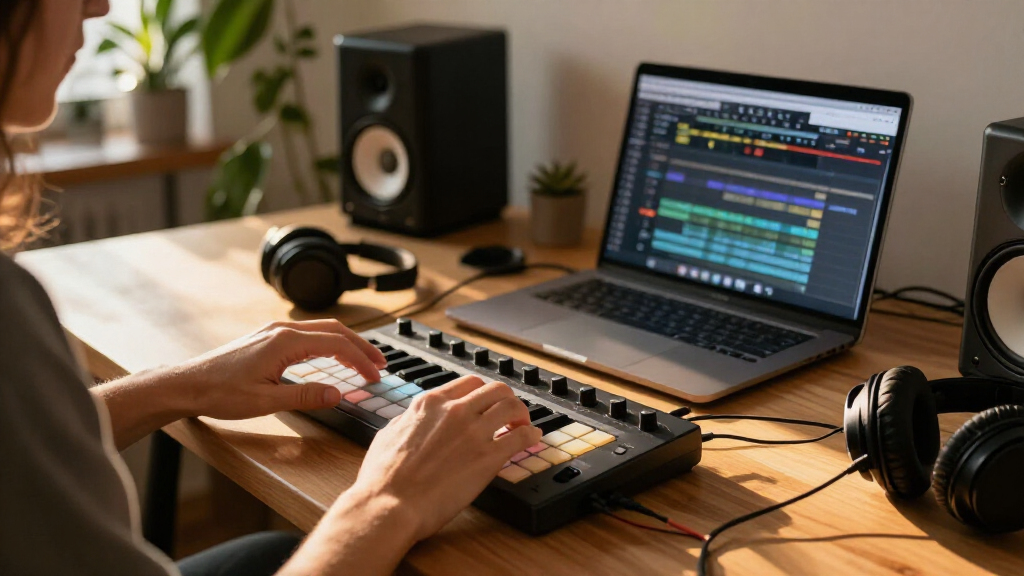
I ranked these controllers by how well they support real production tasks within a small footprint: entering notes, triggering drums, shaping sounds, and controlling software. I weighed layout and usable controls alongside portability, connectivity, and whether a model has a clear advantage such as wireless operation, onboard sounds, or additional keys. A compact body only counts as a benefit when its controls still suit the work a buyer plans to do.
The order favors flexible keyboards that can serve several roles without taking over a desk. The Launchkey Mini 25 MK4 leads as a broadly useful production controller; the MiniLab 3 and MPK Mini models rank highly for distinct control and playing needs. Simpler keys-only models follow when their lower-complexity layout is a better fit for basic note entry, while pad-only units rank lower for an all-purpose music-production shortlist because they do not provide a keyboard. I also account for tradeoffs: mini keys can limit playing comfort, extra controls can add complexity, and wireless features may not matter in a wired studio.
Factors to Consider When Choosing Compact Midi Controllers For Music Production
Before choosing a model, I’d match the controller to the tasks that currently interrupt your workflow. A compact keyboard, a pad surface, and a hybrid controller solve different problems even when all fit in a small space. These decisions help avoid paying for controls you will not use—or buying a tiny unit that leaves a key part of your workflow uncovered.
Choose Keys, Pads, or a Hybrid Layout
Start by identifying what you need to perform rather than counting controls. If you enter chords, bass lines, or melodies, a keyboard should be the foundation; if you mainly trigger drum hits or clips, pads may be more useful. A hybrid gives you both, but each surface usually has less room than a dedicated controller. A common mistake is buying a pad-only unit because it looks compact, then discovering it cannot handle pitched parts comfortably. I’d choose a keyboard-first model for general production and add a pad controller only when finger drumming is a regular part of the process.
Treat Key Count as a Workflow Decision
Twenty-five mini keys are convenient for entering short phrases and keeping a controller close to a laptop, but they require octave changes for wider parts. A 32-key option adds some range without taking up as much room as a larger keyboard, while a 37-key model can make two-handed ideas less cramped. Key count alone does not tell you whether the playing feel will suit you, so check the key size and layout as well. Buyers who mostly program notes with a mouse may not benefit much from a larger keybed. If you regularly perform parts live or work out harmonies at the keyboard, the extra width can save interruptions.
Check Your Software and Control Needs
DAW integration can make a compact controller feel much more capable, but the value depends on the software you use and the controls you actually need. Transport buttons, knobs, and pads can reduce mouse trips during recording and sound design; they can also go unused if their assignments do not match your workflow. Before buying, check the maker’s compatibility notes and whether setup requires a particular software version or mapping. Do not assume that a larger control count means faster work: a simpler layout may be easier to learn and remember. Choose hands-on controls for repeated actions, not just because they make the product appear more feature-rich.
Decide Whether Wireless or Standalone Use Matters
Bluetooth MIDI can reduce cable clutter in a mobile setup, but it is not automatically better than a wired connection. Wireless use depends on compatible devices, battery or power arrangements, and a dependable connection in your recording environment. For a fixed desk, USB may be the simpler choice; for moving between a tablet and other devices, wireless support can be genuinely useful. A controller with onboard sounds can also let you play without launching a DAW, but that feature does not replace the sound library or editing options of your production software. Pay for these capabilities only if you can name when you will use them.
Plan for Desk Space, Cables, and Add-Ons
Measure the space where the controller will sit, including the room needed to reach knobs, pads, and connected cables. A small chassis can still feel crowded if the controls are tightly packed or if a USB plug blocks nearby equipment. Think about what must share the desk: a mouse, audio interface, laptop, or another keyboard can change which footprint works best. Also check what connection or adapter your computer requires instead of assuming every compact model plugs directly into every setup. A controller that fits your working position is more useful than one that is merely easy to carry.
Spend More Only for a Specific Upgrade
Paying for a more capable model makes sense when it solves a recurring limitation, such as not having enough keys, needing quicker DAW control, or wanting a standalone playing option. Extra pads and knobs are not an upgrade if your workflow is mostly mouse-based or you rarely perform parts live. On the other hand, replacing a basic keys-only unit later can cost more time and effort than choosing a better-matched layout from the start. Compare the feature that changes your process, not the longest feature list. For many beginners, a straightforward keyboard is a better starting point than a dense control surface.
Frequently Asked Questions
Is a 25-key controller enough for making full tracks?
Yes, a 25-key controller can cover note entry, short melodies, bass lines, and many chord parts, especially when you can shift octaves. Its limits show up when you want to play a wide range without stopping to change octaves or perform parts with both hands. Producers who mostly program notes or work in short phrases may find the compact size more useful than a larger keybed. If live keyboard playing is central to your process, compare 32- and 37-key options before choosing. The right size depends more on how you create parts than on the length of a finished track.
Should I choose a keyboard controller or a pad controller for beatmaking?
Choose a keyboard if you need to enter pitched notes as well as trigger sounds; choose pads if finger drumming or clip triggering is the main task. Many producers use both, but a pad-only controller will not offer the same direct way to play melodies and chords. A hybrid can save space, though its keys and pads may each be smaller or fewer than on dedicated devices. Think about which action you perform most often during a session, then prioritize that surface. You can add a second controller later if your needs grow.
Will a compact MIDI controller work with any DAW?
Most USB MIDI controllers can send note and control data to a range of music applications, but the level of hands-on integration varies. Basic note entry may work with little setup, while transport controls, knobs, and pads can require a compatible mapping or configuration. Check the manufacturer’s supported software and operating systems before buying, particularly if a specific DAW is central to your workflow. A controller made for a different software environment can still be usable, but you may need to assign controls yourself. If you want quick setup, prioritize confirmed compatibility over a larger control count.
Is Bluetooth MIDI a good choice for a home studio?
Bluetooth MIDI can be handy if you move between a computer, tablet, or other compatible device and want fewer cables. In a fixed studio, a wired USB connection is often simpler and avoids adding wireless setup to the session. Compatibility, power needs, and connection reliability can vary with the devices involved, so check the complete signal path before relying on Bluetooth. Wireless support also does not make a controller independent of music software unless it has onboard sounds. Choose it for a real cable-free use case, not as a substitute for checking connectivity.
When does it make sense to buy a 37-key controller instead of a 25-key model?
A 37-key controller is a stronger fit when you regularly play longer phrases, wider melodic ranges, or two-handed parts and want fewer octave changes. A 25-key model usually wins when portability and desk space matter more than uninterrupted playing range. Extra keys do not automatically improve a production workflow built around drawing notes in a piano roll. Consider how often you reach for octave controls during a normal session and whether that breaks your focus. If it happens often, a wider keyboard may be a meaningful upgrade rather than unnecessary bulk.
Conclusion
For the broadest mix of compact keys and production controls, I recommend the Novation Launchkey Mini 25 MK4 as best overall. The Arturia MiniLab 3 is my best value-style all-round choice for buyers who want a keyboard plus hands-on sound controls, while the Akai MPK Mini Plus is the best premium fit for producers who need more playing range in a compact format. Beginners who want a straightforward route into note entry can start with the M-Audio Keystation Mini 32 MK3; those who want to play without a computer should look at the Akai MPK Mini Play MK3. For dedicated finger drumming, choose among the Akai LPD8 and Donner STARRYPAD models according to the pad layout and controls you need. My final filter is simple: buy for the task you perform most, and skip features that will not change how you make music.