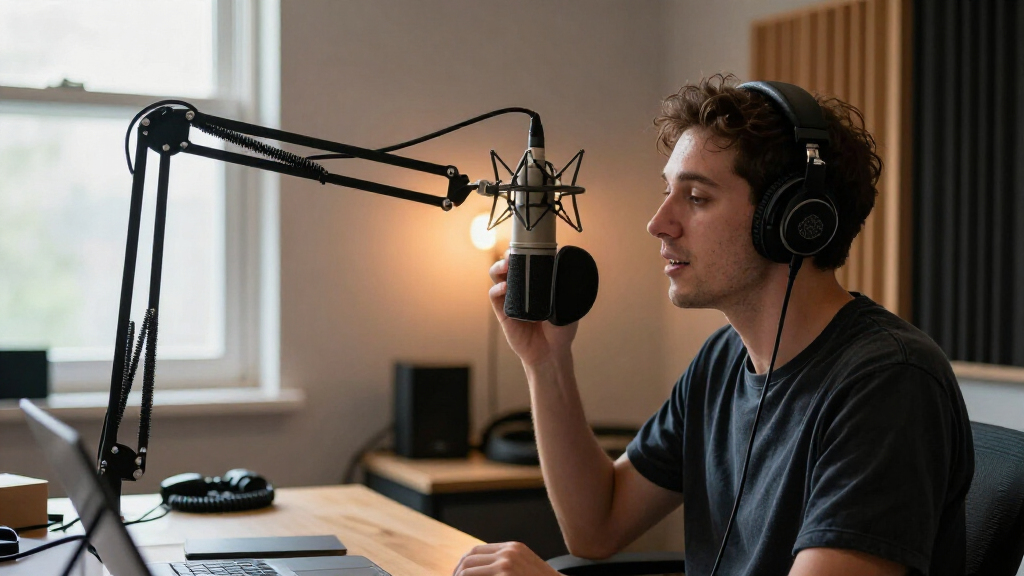

For most podcast setups, I’d start with the RØDE PSA1+ for its studio-focused construction and smooth positioning; the FIFINE BM88 stands out as a low-profile alternative, while the InnoGear Boom Arm Set bundles useful recording accessories. The main tradeoffs are desk space versus reach, low-profile clearance versus overhead flexibility, and a simple arm versus a kit with extra accessories. I also weigh microphone load, clamp fit, cable routing, and how much adjustment the setup needs. Read on for the full breakdown of all 14 microphone boom arms for podcasting and the buyer each one suits best.

Get audio and creator gear delivered free with Prime
- Fast, free delivery on millions of items
- Prime Video, Amazon Music and more included
- Member-only deals all year
Complete the kit


Key Takeaways
- The RØDE PSA1+ is the premium studio pick, while the FIFINE BM88 and Aokeo AK-58i offer low-profile layouts for desks where an overhead arm would obstruct the view.
- Bundled accessories distinguish the InnoGear Boom Arm Set; it can suit a first setup, but buyers who already own a shock mount or pop filter may prefer an arm-only option.
- Desk layout is a bigger differentiator than appearance: low-profile models route the arm below the monitor line, while conventional scissor and overhead arms offer different reach and clearance.
- Microphone weight and mounting compatibility need checking before purchase. Adapters help with thread fit, but they do not make an arm suitable for every microphone load.
- The lineup spans simple entry-level arms and more specialized designs, including the FIFINE BM88ProW with RGB lighting and the Frgyee overhead arm with an extension riser.
| InnoGear Microphone Boom Arm Set with Shock Mount, Pop Filter, and Cable Ties |  | Best Complete Starter Kit | Brand and model: InnoGear MU059 | Material and finish: Powder-coated | Mount adapter: 3/8-inch to 5/8-inch screw adapter | VIEW LATEST PRICE | See Our Full Breakdown |
| InnoGear Microphone Boom Arm with Cable Management, Black |  | Best for Cable Management | Brand and model: InnoGear MU-PSA28 | Material: Thickened steel | Maximum load: 3.5 lb | VIEW LATEST PRICE | See Our Full Breakdown |
| FIFINE CS1 Scissor Microphone Boom Arm Stand |  | Best for a Simple, Fold-Away Setup | Brand and model: FIFINE CS1 | Material: Metal | Adjustment: 180-degree up-and-down rotation | VIEW LATEST PRICE | See Our Full Breakdown |
| TODI Adjustable Microphone Boom Arm for Lightweight Microphones |  | Best Compact Arm for Lightweight Mics | Brand and model: TODI TDMS02BKUS | Material: Metal | Maximum extension: 29 inches | VIEW LATEST PRICE | See Our Full Breakdown |
| Aokeo AK-58i Low-Profile Microphone Boom Arm |  | Best Low-Profile Pick | Brand and model: Aokeo AK-58i (product information also lists AK-59) | Material: Steel | Maximum load: 2 kg | VIEW LATEST PRICE | See Our Full Breakdown |
| FIFINE BM88 Low-Profile Microphone Boom Arm Stand |  | Best for Keeping Monitors Clear | Material: All metal | Maximum extension: 29 inches | Vertical adjustment: 220 degrees | VIEW LATEST PRICE | See Our Full Breakdown |
| InnoGear Adjustable Boom Arm Microphone Stand, Black |  | Best for Compact Storage | Model: MU01 | Material: Steel | Maximum load capacity: 3.3 lb (1.5 kg) | VIEW LATEST PRICE | See Our Full Breakdown |
| AA AUDIO ACCESSORY Low-Profile Microphone Boom Arm Desk Mount |  | Best for Heavy Microphones | Model: ABA01 | Maximum load capacity: 6.6 lb (3 kg) | Reach: 780 mm | VIEW LATEST PRICE | See Our Full Breakdown |
| MAONO BA20 Adjustable Microphone Boom Arm Stand |  | Best for Straightforward Podcast Setups | Model: BA20 | Material: Steel | Maximum microphone weight: 2.2 lb (1 kg) | VIEW LATEST PRICE | See Our Full Breakdown |
| Koojexta Heavy-Duty Scissor Boom Arm Microphone Stand |  | Best Value Scissor Arm | Model: RV505 | Maximum desk thickness: 2.36 inches (6 cm) | Load capacity: 3.3 lb (1.5 kg) | VIEW LATEST PRICE | See Our Full Breakdown |
| Frgyee Adjustable Overhead Microphone Boom Arm with Extension Riser |  | Best for Tall Monitor Setups | Material: Metal | Maximum height: 31.5 inches | Maximum recommended microphone weight: 2.6 pounds | VIEW LATEST PRICE | See Our Full Breakdown |
| SUNMON Microphone Boom Arm with Desk Clamp and 3/8″ to 5/8″ Adapter |  | Best for Common Podcast Microphones | Material: Alloy steel | Finish: Powder coated | Maximum desk thickness: 1.89 inches (4.8 cm) | VIEW LATEST PRICE | See Our Full Breakdown |
| FIFINE BM88ProW RGB Low-Profile Microphone Boom Arm |  | Best for RGB Desk Setups | Model: BM88PROW | Material: Metal | Color: White | VIEW LATEST PRICE | See Our Full Breakdown |
| RØDE PSA1+ Professional Studio Boom Arm, Black |  | Best Premium Studio Pick | Model: PSA1+ | Microphone weight capacity: 0.25–1.2 kg | Desk clamp capacity: Up to 70 mm thick | VIEW LATEST PRICE | See Our Full Breakdown |
| microphone boom arms for podcasting | Material | Warranty |
|---|---|---|
| InnoGear Microphone Boom Arm S | — | — |
| InnoGear Microphone Boom Arm w | Thickened steel | — |
| FIFINE CS1 Scissor Microphone | Metal | 1 year |
| TODI Adjustable Microphone Boo | Metal | Lifetime |
| Aokeo AK-58i Low-Profile Micro | Steel | — |
| FIFINE BM88 Low-Profile Microp | All metal | One year |
| InnoGear Adjustable Boom Arm M | Steel | — |
| AA AUDIO ACCESSORY Low-Profile | — | One year |
| MAONO BA20 Adjustable Micropho | Steel | One year |
| Koojexta Heavy-Duty Scissor Bo | — | — |
| Frgyee Adjustable Overhead Mic | Metal | 2 years |
| SUNMON Microphone Boom Arm wit | Alloy steel | — |
| FIFINE BM88ProW RGB Low-Profil | Metal | One year |
| RØDE PSA1+ Professional Studio | — | 2 years |
More Details on Our Top Picks
InnoGear Microphone Boom Arm Set with Shock Mount, Pop Filter, and Cable Ties
I’d pick this set for a new podcast desk that needs more than an arm: it bundles a shock mount, double-screen pop filter, and cable ties, so fewer separate accessories are needed to get started. Its spring-loaded arm is meant to help limit shaking and unwanted noise while keeping a microphone positioned near the speaker. Compared with the InnoGear MU-PSA28, this package gives up built-in cable channels and a stated load rating, but adds recording accessories the standalone arm lacks. The key compatibility catch is the included shock mount: its 52 mm opening does not fit the Blue Yeti. The clamp also only fits desks up to 2 inches thick, so I’d check both the microphone and desk before choosing it.
Pros:- Bundles a shock mount, pop filter, and five cable ties with the arm.
- Spring-supported design helps reduce arm shake and unwanted noise.
- Double-screen pop filter helps control plosive air blasts.
- Adapters support compatible microphones using 3/8-inch or 5/8-inch connections.
Cons:- The included shock mount is not compatible with the Blue Yeti.
- The clamp only fits desktops up to 2 inches thick.
- Unlike the InnoGear MU-PSA28, it does not list a maximum microphone load or built-in cable channels.
Best for: First-time podcasters with a standard-sized microphone who want an arm and basic recording accessories in one package.
Not ideal for: Blue Yeti owners or people with desktops thicker than 2 inches; the included shock mount and clamp may not fit their setup.
- Brand and model:InnoGear MU059
- Material and finish:Powder-coated
- Mount adapter:3/8-inch to 5/8-inch screw adapter
- Shock mount opening:52 mm
- Maximum desktop thickness:2 inches
- Included accessories:Pop filter, shock mount, and five cable ties
Our verdict“Choose this kit if you want an arm and several useful podcast accessories together, provided its shock mount fits your microphone.”
InnoGear Microphone Boom Arm with Cable Management, Black
For a podcast setup where loose cords clutter the desk or catch on moving arms, I’d favor the MU-PSA28’s built-in cable channels and rubber covers. Its 32.3-inch horizontal reach, rotating base, and extension riser give more positioning flexibility than the simpler FIFINE CS1, while its stated 3.5-pound capacity helps buyers check fit against heavier microphones. It also lists compatibility with models including the Blue Yeti, HyperX QuadCast, Shure SM7B, and MV7. The tradeoff is that this is an arm-first package: no shock mount or pop filter is included, unlike the InnoGear MU059 kit. Its clamp fits desks up to 2 inches thick, so a thicker desktop rules it out regardless of the arm’s reach.
Pros:- Built-in cable channels and rubber covers help keep cords secured along the arm.
- Reaches up to 32.3 inches horizontally and includes a 6.3-inch extension riser.
- Supports microphones up to 3.5 pounds.
- 360-degree base rotation and broad listed microphone compatibility support adaptable setups.
Cons:- No shock mount or pop filter is included.
- The desk clamp only fits surfaces up to 2 inches thick.
- Compared with the FIFINE CS1, its extra reach and cable features may be unnecessary for a simple, compact setup.
Best for: Podcasters who want flexible microphone placement, a tidier cable run, and a boom arm rated for microphones up to 3.5 pounds.
Not ideal for: Buyers seeking a ready-to-record bundle with a shock mount and pop filter, or those with a desktop thicker than 2 inches.
- Brand and model:InnoGear MU-PSA28
- Material:Thickened steel
- Maximum load:3.5 lb
- Maximum horizontal reach:32.3 inches
- Maximum vertical reach:37.4 inches
- Extension riser:6.3 inches
- Base rotation:360 degrees
- Desk clamp capacity:Up to 2 inches thick
Our verdict“Pick the MU-PSA28 if cable routing and adjustable reach matter more than having recording accessories bundled in.”
FIFINE CS1 Scissor Microphone Boom Arm Stand
The FIFINE CS1 suits podcasters who want a straightforward arm that can fold away when recording is over. Its metal construction, elastic springs, and locking clamp make it a more basic positioning tool than the feature-rich InnoGear MU-PSA28, which adds cable channels, a riser, and a stated load limit. The CS1 instead keeps the package focused, with a 5/8-inch to 3/8-inch adapter for compatible microphones and 180-degree up-and-down adjustment. That simplicity also means fewer stated positioning details and no included microphone or recording accessories. The clamp fits desks up to 2 inches thick, as with the InnoGear MU059, so it won’t solve a thick-desktop mounting problem. I’d choose it for a compact, uncomplicated podcast station rather than a heavy or accessory-rich rig.
Pros:- Folds for easier storage and portability.
- Metal body and elastic springs provide a sturdy, spring-supported design.
- Anti-scratch clamp pad and locking knob help secure it to the desk.
- Included adapter supports compatible 5/8-inch and 3/8-inch microphone connections.
Cons:- Microphone is not included.
- Clamp only fits desks up to 2 inches thick.
- Compared with the InnoGear MU-PSA28, it lacks built-in cable management and a stated maximum load.
Best for: Podcasters with a compatible microphone who want a basic metal arm that folds away between recording sessions.
Not ideal for: People who need a bundled shock mount or pop filter, or whose microphone setup calls for a specified high load capacity.
- Brand and model:FIFINE CS1
- Material:Metal
- Adjustment:180-degree up-and-down rotation
- Desk clamp capacity:Up to 2 inches thick
- Included adapter:5/8-inch to 3/8-inch
- Microphone included:No
- Warranty:1 year
Our verdict“Choose the CS1 for a no-frills, fold-away arm if your microphone fits and you do not need bundled accessories.”
TODI Adjustable Microphone Boom Arm for Lightweight Microphones
The TODI is aimed at podcasters who want a compact, folding arm for a lightweight microphone rather than a support built around heavier studio models. It extends up to 29 inches, rotates at the base, and includes cable management—useful when the arm needs to move out of the way without leaving a loose cable across the desk. Its stated 3-pound microphone limit is a clearer fit boundary than the FIFINE CS1’s unspecified load rating, but it also rules out setups above that weight. The InnoGear MU-PSA28 offers a higher listed capacity of 3.5 pounds and a longer horizontal reach, making it a better match for heavier or farther-positioned mics. Check the connector too: microphones with 1/4-inch threads may not be compatible.
Pros:- Folding design helps free desk space when the microphone is not in use.
- Extends up to 29 inches and has a 360-degree rotating base.
- Built-in cable management keeps the cord organized as the arm moves.
- Includes 3/8-inch and 5/8-inch mount threads.
Cons:- Supports microphones only up to 3 pounds.
- Some microphones with 1/4-inch threads are incompatible.
- Offers less stated reach and load capacity than the InnoGear MU-PSA28.
Best for: Podcasters using a lightweight microphone who want a folding arm with cable management for a space-conscious desk.
Not ideal for: Owners of microphones heavier than 3 pounds or models that use an incompatible 1/4-inch thread.
- Brand and model:TODI TDMS02BKUS
- Material:Metal
- Maximum extension:29 inches
- Maximum microphone weight:3 lb
- Mount threads:3/8 inch and 5/8 inch
- Base rotation:360 degrees
- Features:Folding design, cable management, and mounting clamp
- Warranty:Lifetime
Our verdict“Choose the TODI for a lightweight microphone and a compact desk; choose the MU-PSA28 if you need more reach or support capacity.”
Aokeo AK-58i Low-Profile Microphone Boom Arm
When a microphone arm crossing the screen or camera frame is the main annoyance, the Aokeo AK-58i’s low-profile layout is its strongest reason to make this list. Its steel build supports up to 2 kg, while cable routing and broad thread options help it fit a range of podcast microphone setups. Compared with the compact TODI, the Aokeo emphasizes a low position and lists compatibility across 3/8-inch, 5/8-inch, and 1/4-inch threads; TODI instead offers a folding design and states a 3-pound limit. The Aokeo’s published maximum height is 30 cm, so I’d treat it as a desk-level positioning option rather than a long-reach arm. Its clamp only fits tables under 7 cm thick, and the microphone must be supplied separately.
Pros:- Low-profile design helps reduce visual obstruction in front of a screen or camera.
- Steel construction has a stated maximum load of 2 kg.
- Cable routing helps keep the microphone cord secured.
- Adapters and listed threads cover 3/8-inch, 5/8-inch, and 1/4-inch connections.
Cons:- Microphone is not included.
- Clamp fits tables less than 7 cm thick.
- Maximum height is listed as 30 cm, making it less suited to setups that need substantial reach.
Best for: Video podcasters who want a steel, low-profile arm to keep the microphone less obtrusive in front of a screen or camera.
Not ideal for: People who need a long-reach arm, a bundled microphone, or a clamp that fits tables 7 cm thick or more.
- Brand and model:Aokeo AK-58i (product information also lists AK-59)
- Material:Steel
- Maximum load:2 kg
- Maximum table thickness:Less than 7 cm
- Arm rotation:360 degrees
- Vertical adjustment:180 degrees
- Maximum height:30 cm
- Thread sizes and adapters:3/8-inch, 5/8-inch, and 1/4-inch threads; 3/8-inch to 1/4-inch and 3/8-inch to 5/8-inch adapters
Our verdict“Choose the Aokeo when a low-profile camera-friendly position matters more than long reach or a bundled microphone.”
FIFINE BM88 Low-Profile Microphone Boom Arm Stand
The BM88 is my pick for podcast desks where a conventional arm would cross the screen: its low-profile layout lets the boom reach beneath a monitor, while up to 29 inches of extension gives room to bring the mic toward the speaker. Its all-metal construction and broad horizontal movement suit a fixed desktop setup better than a compact folding arm such as the InnoGear MU01. The 220-degree vertical adjustment also helps with positioning, though the section beside the clamp cannot move vertically, so placement depends on having a suitable desk and monitor arrangement. Built-in cable management and several thread adapters reduce setup friction, but the microphone itself is not included. Choose this over the MAONO BA20 when screen clearance matters more than a simpler conventional suspension-arm layout.
Pros:- Low-profile reach can keep the monitor view unobstructed
- All-metal construction is suited to a stable desktop installation
- Wide 220-degree vertical and 360-degree horizontal adjustment
- Cable management and adapters for common thread sizes are included
Cons:- The arm section near the clamp does not adjust vertically
- Microphone must be supplied separately
Best for: Podcast hosts who record at a monitor-heavy desk and want the microphone to approach from below the screen.
Not ideal for: People who need vertical adjustment right at the desk clamp or want a boom arm bundled with a microphone.
- Material:All metal
- Maximum extension:29 inches
- Vertical adjustment:220 degrees
- Horizontal adjustment:360 degrees
- Desk thickness compatibility:0.8 to 2.4 inches
- Thread sizes:1/4 inch, 3/8 inch, and 5/8 inch
- Warranty:One year
- Microphone included:No
Our verdict“Choose the BM88 if keeping a monitor clear is your main desk-setup priority and the fixed clamp-side section fits your layout.”
InnoGear Adjustable Boom Arm Microphone Stand, Black
The InnoGear MU01 earns its place for podcasters who want a familiar spring-loaded arm that can fold away between sessions. Its steel build supports microphones up to 3.3 pounds, and a 360-degree rotating base makes it easier to swing the mic out of the speaking area. Compared with the low-profile FIFINE BM88, this arm is less focused on keeping a monitor unobstructed; its advantage is a straightforward folding form and included microphone clip. The movement range covers common desk placements, but clamp fit is more restrictive: it requires a flat, squared edge no thicker than two inches. There is also no shock mount, so buyers who need one must add it separately. It suits a modest, stowable podcast setup, not every desk or mic configuration.
Pros:- Folds away for compact storage between recording sessions
- Steel construction supports microphones up to 3.3 pounds
- Rotating base and adjustable arm allow flexible placement
- Includes a microphone clip and 5/8-inch to 3/8-inch adapter
Cons:- Clamp requires a flat, squared desk edge no thicker than 2 inches
- Shock mount is not included
Best for: Podcasters with a flat-edged desk who want to fold the arm away after recording and use a compatible microphone up to 3.3 pounds.
Not ideal for: Owners of rounded or thick desk edges, or anyone who needs a shock mount included in the setup.
- Model:MU01
- Material:Steel
- Maximum load capacity:3.3 lb (1.5 kg)
- Base rotation:360 degrees
- Arm movement:135 degrees forward and backward; 180 degrees up and down
- Desk clamp compatibility:Flat, squared edges up to 2 inches thick
- Included accessories:Microphone clip and 5/8-inch to 3/8-inch adapter
- Shock mount:Not included
Our verdict“Pick the MU01 for a foldable, conventional arm on a compatible desk, rather than for a low-profile monitor-clearing setup like the FIFINE BM88.”
AA AUDIO ACCESSORY Low-Profile Microphone Boom Arm Desk Mount
Among these five arms, the AA AUDIO ACCESSORY ABA01 has the strongest stated load capacity: it supports microphones up to 6.6 pounds, making it the clearest fit here for heavier podcast mics. Its 780 mm reach and gear-lock mechanism are intended to help keep a chosen position from sagging, while tool-free adjustments make repositioning less of a chore than on a more conventional spring arm such as the InnoGear MU01. Cable channels and included thread adapters also help keep a recording desk tidy. The tradeoff is a heavier arm at 1.63 kg, plus the need to confirm that both the desk edge and microphone thread and weight suit the mount. It has a broad listed compatibility range, but the load limit alone does not guarantee every mic-and-mount combination will fit.
Pros:- Supports microphones weighing up to 6.6 pounds
- Gear-lock mechanism is designed to resist sagging
- 780 mm reach with tool-free positioning
- Cable channels and adapters for 3/8-inch, 5/8-inch, and 1/4-inch threads
Cons:- Desk-edge compatibility needs checking before installation
- Microphone thread and total setup weight must match the mount
- At 1.63 kg, the arm is a substantial addition to a desk
Best for: Podcast producers using heavier microphones, such as a Shure SM7B, who want long reach and position-holding features.
Not ideal for: People with an incompatible desk edge or a lightweight, simple setup where this arm’s high load capacity and 1.63 kg weight add little value.
- Model:ABA01
- Maximum load capacity:6.6 lb (3 kg)
- Reach:780 mm
- Adjustment range:360 degrees horizontal; 120 degrees vertical
- Materials:Aluminum alloy and glass-fiber nylon composite
- Item weight:1.63 kg
- Thread sizes:3/8 inch and 5/8 inch, with included adapters for 1/4 inch
- Warranty:One year
Our verdict“Choose the ABA01 for a heavier podcast microphone and extended reach; the InnoGear MU01 is a simpler alternative for lighter setups.”
MAONO BA20 Adjustable Microphone Boom Arm Stand
The MAONO BA20 is a straightforward choice for a podcast desk that needs a conventional steel suspension arm without a specialized low-profile design. It supports microphones up to 2.2 pounds, includes a standard mic clip and a 3/8-inch to 5/8-inch adapter, and has a padded clamp to protect the desktop. Compared with the Koojexta RV505, its stated load limit is lower, so it is less suited to heavier microphones; compared with the FIFINE BM88, it does not offer the same monitor-clearing layout. Its adjustable reach, angle, and height cover common speaking positions, and cable straps keep the lead managed. The main fit caution is the table: the product may not work with glass, and the 2.2-pound capacity rules out some heavier mic setups.
Pros:- Steel arm with adjustable reach, angle, and height
- Rubber-padded clamp helps protect the desk surface
- Includes a standard microphone clip and thread adapter
- Two cable straps are supplied for cable organization
Cons:- Maximum microphone weight is 2.2 pounds
- May not work with glass tables
Best for: First-time podcasters with a compatible solid desk and a microphone weighing no more than 2.2 pounds who want a simple arm with a clip and cable straps.
Not ideal for: Users with glass tables or heavier microphones; the Koojexta RV505 offers a higher stated capacity.
- Model:BA20
- Material:Steel
- Maximum microphone weight:2.2 lb (1 kg)
- Desk clamp thickness:Up to 2.2 inches (5.5 cm)
- Screw adapter:3/8 inch to 5/8 inch
- Included components:Boom arm, desk clamp, screw adapter, standard microphone clip, and 2 cable straps
- Warranty:One year
- Color:Black
Our verdict“Choose the BA20 for a simple, lighter-microphone podcast setup on a compatible desk, but step up to the Koojexta RV505 for more load capacity.”
Koojexta Heavy-Duty Scissor Boom Arm Microphone Stand
The Koojexta RV505 is the more capable of the two conventional scissor-arm picks here for a microphone-heavy podcast setup: its 3.3-pound capacity exceeds the MAONO BA20’s 2.2-pound limit, and its clamp fits desks up to 2.36 inches thick. Spring suspension and a fold-away design make it suitable for a shared recording desk where the arm needs to move out of the way after a session. The supplied mic clip, thread adapter, and cable ties cover basic setup needs, though the arm does not offer the low-profile screen clearance of the FIFINE BM88. Its adjustment figures describe useful positioning range, but the listed 135-degree reach is not a length measurement. Buyers should check microphone weight and clamp fit before choosing it.
Pros:- Supports microphones up to 3.3 pounds
- Reinforced clamp fits desks up to 2.36 inches thick
- Spring suspension and folding design suit shared workspaces
- Includes a mic clip, thread adapter, and five cable ties
Cons:- Maximum supported microphone weight is 3.3 pounds
- Conventional scissor-arm layout may cross the monitor area
Best for: Podcasters who want a folding scissor arm for a shared desk and use a microphone weighing up to 3.3 pounds.
Not ideal for: People who need a low-profile arm to clear a monitor or need support beyond the stated 3.3-pound load capacity.
- Model:RV505
- Maximum desk thickness:2.36 inches (6 cm)
- Load capacity:3.3 lb (1.5 kg)
- Rotation:360 degrees
- Reach:135 degrees
- Vertical tilt:180 degrees
- Swivel adapter:270 degrees
- Included components:Desk clamp, boom arm, large mic clip, 3/8-inch to 5/8-inch adapter, and 5 cable ties
Our verdict“Choose the RV505 over the MAONO BA20 if you need a folding scissor arm with a higher stated load limit, not a monitor-clearing low-profile design.”
Frgyee Adjustable Overhead Microphone Boom Arm with Extension Riser
The 31.5-inch extension riser gives this Frgyee arm a distinct advantage when a monitor blocks the path of a shorter boom: it can reach up and over the screen for sitting or standing podcast setups. Height and swivel adjustments help position the mic without moving the desk clamp, while the tool-less joint adjustments make repositioning less fussy than a setup that depends on tightening tools. Compared with the RØDE PSA1+, this arm emphasizes extra vertical reach rather than quiet, spring-damped movement and 360-degree rotation. Its 2.6-pound microphone limit also rules out some heavier broadcast mics, and the clamp needs a suitable desk edge. I’d choose it for an elevated mic path, not for the most refined movement or a clamp-free workspace.
Pros:- 31.5-inch riser can route the microphone above monitors
- Height and swivel adjustments accommodate different seating positions
- Tool-less joint adjustments simplify repositioning
- Thread adapters support 1/4-inch, 3/8-inch, and 5/8-inch mounts
Cons:- The 2.6-pound microphone limit excludes some heavier setups
- Requires a desk edge that can accept its C-clamp
- The added riser and extension parts may take more setup space than a simpler arm
Best for: Podcasters with tall monitors or sit-stand desks who need a microphone arm that can reach above the screen.
Not ideal for: Owners of microphones weighing over 2.6 pounds or desks without an accessible edge for a C-clamp.
- Material:Metal
- Maximum height:31.5 inches
- Maximum recommended microphone weight:2.6 pounds
- Desk clamp capacity:Up to 4.2 inches thick
- Mount type:C-clamp
- Thread sizes:1/4 inch, 3/8 inch, and 5/8 inch
- Item weight:3.9 pounds
- Warranty:2 years
Our verdict“Choose the Frgyee when a tall monitor makes vertical reach your main need, but pick the RØDE PSA1+ for smoother, quieter movement.”
SUNMON Microphone Boom Arm with Desk Clamp and 3/8″ to 5/8″ Adapter
The SUNMON is a practical match for podcasters using familiar USB and broadcast microphones, with an included 3/8-inch to 5/8-inch adapter for models such as the Blue Yeti, HyperX QuadCast, and Shure MV7. Its dual suspension springs and reinforced knobs are meant to help hold a chosen position, while the clamp’s protective pad helps guard the desk surface. Compared with the taller Frgyee extension-riser arm, SUNMON is a more conventional suspension arm: it does not offer the same stated overhead reach, but its broad compatibility list makes microphone fit easier to judge. The tradeoff is a clamp limited to desks 1.89 inches thick, which is less accommodating than Frgyee’s. The microphone is also not included, so this is an arm-only choice.
Pros:- Adapter supports microphones with 3/8-inch and 5/8-inch mounts
- Dual springs and reinforced knobs help hold microphone position
- Protective clamp pad helps prevent desk scratches
- Compatibility list covers popular models including Blue Yeti and Shure MV7
Cons:- Clamp fits desks only up to 1.89 inches thick
- Microphone is not included
- Does not offer the Frgyee arm’s stated 31.5-inch overhead riser
Best for: New and experienced podcasters with a listed compatible microphone who want a conventional spring-supported desk arm and included mounting adapter.
Not ideal for: Podcasters with desks thicker than 1.89 inches or buyers who need an arm and microphone in one package.
- Material:Alloy steel
- Finish:Powder coated
- Maximum desk thickness:1.89 inches (4.8 cm)
- Thread size:3/8 inch
- Included adapter:3/8-inch to 5/8-inch
- Maximum recommended microphone weight:1.4 kg
- Item weight:0.53 kg
- Mounting:Desk clamp
Our verdict“Pick SUNMON for a compatible everyday podcast mic and a straightforward suspension arm, provided your desk edge fits its narrow clamp limit.”
FIFINE BM88ProW RGB Low-Profile Microphone Boom Arm
The FIFINE BM88ProW pairs a low-profile arm with customizable RGB lighting, making it the most visually distinctive choice here for a podcast desk that also serves as a streaming setup. Its metal construction supports microphones up to 1.5 kg, and built-in cable management helps keep the mic lead from sprawling across the workspace. Compared with the Frgyee riser arm, this design prioritizes a lower, tidier routing path rather than lifting a microphone over a tall monitor. It also differs from the RØDE PSA1+, whose stated strengths center on spring-damped movement and 360-degree rotation rather than lighting. The clamp still needs a suitable desktop edge, and the product details do not specify clamp thickness or thread adapters, so buyers should verify fit before choosing it.
Pros:- Low-profile design keeps the arm closer to the desk
- Customizable RGB lighting suits combined podcast and streaming setups
- Metal construction supports microphones up to 1.5 kg
- Built-in cable management helps keep the workspace tidy
Cons:- Requires a desktop edge suitable for its clamp mount
- Product details do not specify clamp thickness or thread adapter options
- Its low-profile layout is less suited to reaching over tall monitors than the Frgyee riser arm
Best for: Streamers and podcasters who want a low-profile white arm with customizable lighting and built-in cable routing.
Not ideal for: Buyers who need a documented desk-thickness limit, specified thread adapters, or a tall arm to clear a monitor.
- Model:BM88PROW
- Material:Metal
- Color:White
- Maximum recommended microphone weight:1.5 kg
- Mount type:Desk clamp
- Lighting:Customizable RGB
- Cable management:Built in
- Warranty:One year
Our verdict“Choose the BM88ProW for a low-profile, illuminated podcast desk; skip it if monitor clearance or clearly specified mounting fit matters more.”
RØDE PSA1+ Professional Studio Boom Arm, Black
The RØDE PSA1+ is the premium choice in this group for podcasters who prioritize controlled, quiet repositioning over extra height or lighting. Its spring-damped movement is designed to reduce arm noise as the microphone moves, a useful distinction for recording while making small position changes. The 360-degree rotation and integrated cable management support a flexible, tidy desk setup, while adapters cover 3/8-inch and 5/8-inch mounts. Compared with the SUNMON, it offers specified rotation and damping rather than leaning on dual springs and reinforced knobs; compared with the Frgyee, it has a lower stated maximum microphone weight but clearer movement features. It supports mics from 0.25 to 1.2 kg, so check your microphone’s weight, and its desk clamp still requires a compatible edge.
Pros:- Spring-damped movement is designed for quieter repositioning during recording
- 360-degree rotation provides flexible microphone placement
- Integrated cable management keeps the mic lead routed along the arm
- Includes 3/8-inch and 5/8-inch mount compatibility
Cons:- Microphone weight must fall within the 0.25–1.2 kg supported range
- Clamp requires a compatible desk edge up to 70 mm thick
- Does not provide the Frgyee’s stated 31.5-inch extension riser
Best for: Podcast hosts recording at a desk who value quiet arm movement, flexible positioning, and integrated cable routing.
Not ideal for: Users with microphones outside the 0.25–1.2 kg range, desks thicker than 70 mm, or setups that need a tall riser.
- Model:PSA1+
- Microphone weight capacity:0.25–1.2 kg
- Desk clamp capacity:Up to 70 mm thick
- Rotation:360 degrees
- Mount compatibility:3/8-inch and 5/8-inch
- Movement:Spring damped
- Cable management:Integrated
- Warranty:2 years
Our verdict“Choose the PSA1+ if quiet, adjustable movement is your priority and your microphone falls within its stated weight range.”
How We Picked
I ranked these microphone boom arms for podcasting by how well their design addresses common recording needs: stable microphone placement, useful reach, secure desk mounting, and adjustment that does not make repositioning a chore. I also compared low-profile, scissor-style, and overhead layouts, since each can solve a different desk-space problem. Cable routing, included adapters or accessories, and compatibility cues matter because they affect setup effort and day-to-day usability.
The ranking favors arms that appear best suited to a dependable podcast position and a clearly defined use case, rather than counting features alone. Build and fit carry more weight than add-ons; accessory bundles can help beginners, but they do not automatically outrank an arm with a more suitable layout or construction. Where the product information does not establish a specific load limit or desk fit, buyers should verify those details before choosing.
| microphone boom arms for podcasting | Material |
|---|---|
| InnoGear Microphone Boom Arm S | — |
| InnoGear Microphone Boom Arm w | Thickened steel |
| FIFINE CS1 Scissor Microphone | Metal |
| TODI Adjustable Microphone Boo | Metal |
| Aokeo AK-58i Low-Profile Micro | Steel |
| FIFINE BM88 Low-Profile Microp | All metal |
| InnoGear Adjustable Boom Arm M | Steel |
| AA AUDIO ACCESSORY Low-Profile | — |
| MAONO BA20 Adjustable Micropho | Steel |
| Koojexta Heavy-Duty Scissor Bo | — |
| Frgyee Adjustable Overhead Mic | Metal |
| SUNMON Microphone Boom Arm wit | Alloy steel |
| FIFINE BM88ProW RGB Low-Profil | Metal |
| RØDE PSA1+ Professional Studio | — |
Factors to Consider When Choosing Microphone Boom Arms For Podcasting
Choosing an arm starts with the recording space, not the product’s appearance. I’d work through these factors before deciding whether a compact low-profile mount, a conventional scissor arm, or a more specialized setup fits the podcast desk.
Match the arm layout to your desk and camera frame
Think about where the microphone must sit while you speak and what the arm might block along the way. A low-profile arm can keep hardware beneath a monitor or camera line, but its movement path may not suit a desk that needs the microphone to come from above. A scissor-style arm may offer a familiar reach, yet its joints can occupy more visual space. Overhead designs can help when a microphone needs to approach from above, though they call for more vertical clearance. Measure the desk edge, monitor position, and available wall or shelf space before ordering. A common mistake is checking only the clamp width and ignoring whether the arm can reach the speaking position without colliding with other gear.
Check microphone weight and thread compatibility
Confirm the microphone’s weight with its shock mount or other attached hardware, not just the bare microphone. The extra load can affect how steadily an arm holds its position, especially when the microphone is extended far from the desk. Check the manufacturer’s stated capacity and mounting thread, then verify whether an adapter is supplied or needed. A 3/8-to-5/8-inch adapter can address a thread mismatch, but it does not increase an arm’s load capacity. Avoid assuming that a standard-looking connector means every mount will fit securely. If your setup may change later, choose based on the heaviest microphone and mount you expect to use.
Treat clamp fit and desk construction as part of the purchase
A boom arm can be well suited to a microphone yet still be a poor match for the desk. Measure the desktop thickness and look for a flat, accessible edge where the clamp can sit without hitting a cable tray, apron, or raised lip. Thin, hollow, glass, or unusually shaped desks may need extra care because clamping pressure can cause movement or damage. A protective pad or reinforcement board can help distribute pressure, but it cannot fix a clamp that does not open wide enough. Check how much clear space sits beneath the desk edge, too. These checks are especially useful before choosing an arm with a large clamp or an extended reach.
Choose cable management for your recording routine
Integrated cable routing can keep a podcast desk neater and reduce the chance of a loose cable catching during adjustment. It is most useful when the microphone stays connected and the arm is moved regularly between recordings. External ties can be more flexible if you swap microphones or cables often, though they may leave more visible loops. Leave enough slack at the moving joints so the cable does not pull on the microphone as the arm changes position. Avoid fastening a cable so tightly that it restricts movement or transfers noise to the mic. If the arm will remain in one position, a basic routing solution may be all you need.
Decide whether a bundled kit or arm-only setup makes sense
A kit with a shock mount, pop filter, and ties can reduce the number of separate parts a beginner has to source. That convenience only matters if the included accessories fit the microphone and suit the recording style. Buyers who already own a compatible shock mount or pop filter may get more value from choosing an arm for its movement and desk fit rather than its bundle. Also check whether the package includes the adapter your microphone requires; included accessories do not guarantee universal compatibility. Think about future upgrades before committing to a bundled mount. A simpler arm can be the cleaner choice when your recording chain is already established.
Pay for adjustment and build only when your workflow needs them
A premium arm is easier to justify when you reposition the microphone often, need a refined studio setup, or expect the mount to stay in service through equipment changes. If the microphone remains fixed for each session, a more straightforward arm may meet the need without extra features. RGB lighting can suit a visible streaming or video setup, but it does not improve microphone positioning or sound. Likewise, an extension riser is useful only if the desk and recording position call for added height. Focus on the adjustments you will use rather than features that merely look distinctive. This keeps the choice tied to recording workflow instead of feature count.
Frequently Asked Questions
Will a low-profile boom arm fit under my monitor?
It may, but the label alone does not confirm that it will clear your monitor or desk accessories. Compare the arm’s height and movement path with the space between the desktop and the monitor’s lower edge. Check where the clamp sits and whether the arm needs to rise before reaching the microphone position. A low-profile design can reduce visual obstruction, but its joints and microphone mount still need room to move. If your monitor stand takes up desk-edge space, measure that area as well.
Can I use one boom arm with different microphones?
Often, if each microphone and mount falls within the arm’s stated load range and the connection threads match or can be adapted. Weigh the full assembly, including a shock mount, since accessories add load. An adapter can solve a thread-size mismatch, but it cannot correct an arm that struggles to hold the heavier microphone. Switching between very different microphone sizes may also call for frequent tension adjustments. Check compatibility for each microphone you plan to use, rather than choosing around only the lightest one.
Is a bundled boom arm kit a good choice for a first podcast setup?
A bundle can simplify setup if you need the included shock mount, pop filter, and cable ties, and if those parts fit your microphone. It is less useful when the bundled mount is incompatible or you already own equivalent accessories. Compare the arm’s desk fit and adjustment range separately from the extras, since accessories do not compensate for a poor layout. Beginners should also check whether the package includes the right thread adapter. A kit is convenient when its parts match your setup, not simply because it contains more pieces.
How do I know whether my desk can support a clamp-on microphone arm?
Measure the desktop thickness and inspect the edge for a lip, cable tray, or other obstruction that could prevent the clamp from sitting flat. Consider the desk material and construction: a thin or hollow surface may flex under pressure, while glass can be vulnerable to clamping force. Look for the arm’s clamp range and any guidance about the required mounting surface. A protective board may spread pressure on some desks, but it is not a substitute for a compatible clamp. If the desk edge is irregular, a clamp-on design may not be the right mounting style.
Should I choose a premium arm or a simpler model for podcasting?
Pay more when smooth repositioning, a demanding studio workflow, or long-term use with changing equipment matters to you. A simpler option can be a sensible match if the microphone stays in one position and the arm’s capacity and reach are suitable. Judge the difference by the features that affect your sessions, such as stability, adjustment, cable routing, and desk fit. Do not treat lighting or bundled accessories as proof of better microphone support. The right choice is the one that holds your setup reliably without adding features your workflow will not use.
Conclusion
For a polished podcast setup where build and positioning take priority, I’d choose the RØDE PSA1+ as the best overall and premium pick. The FIFINE BM88 is my low-profile recommendation for desks where keeping the arm out of the monitor line matters, while the InnoGear Microphone Boom Arm Set makes more sense for beginners who need its included accessories. For a visible streaming setup, the FIFINE BM88ProW adds RGB lighting; for a raised overhead position, the Frgyee extension-riser arm serves a more specific layout. Choose the InnoGear arm with cable management if tidy routing is your main priority, and verify microphone load, thread, and desk-clamp fit before settling on any model.