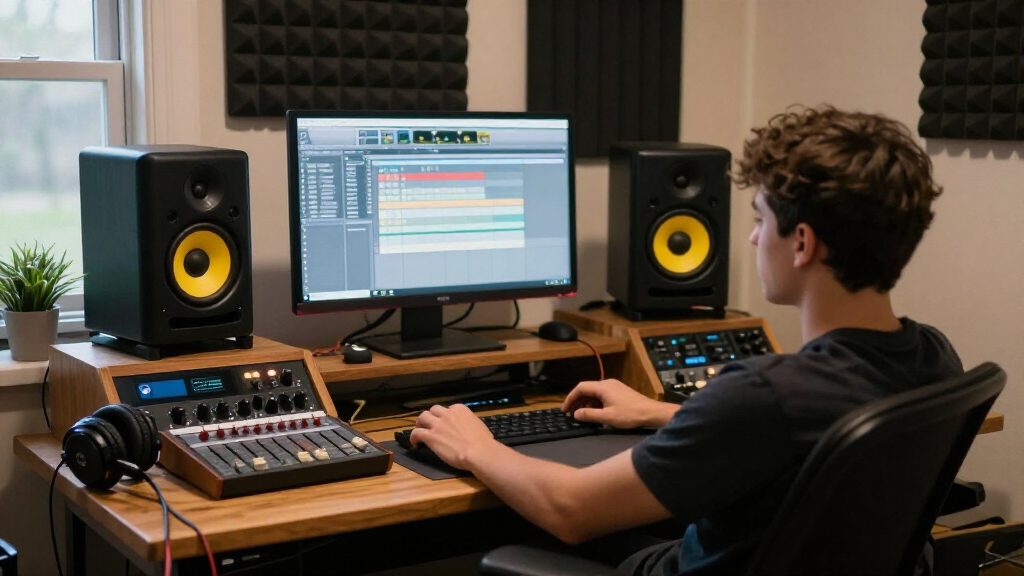

For most home studios, I’d start with the JBL 305P MkII: its 5-inch format and room-positioning controls make it a strong fit for mixing when you have space for proper speaker placement. The Yamaha HS4 is a compact alternative for listeners who want a familiar, direct presentation, while the PreSonus Eris E4.5 offers a larger desktop option with useful connection flexibility. The central tradeoff is between cabinet size and low-frequency reach, plus whether you need studio-focused connections or everyday features such as Bluetooth. Smaller models suit tight desks and modest rooms, but they cannot reproduce bass like larger systems. Read on for the full comparison and recommendations by setup.

Get audio and creator gear delivered free — and shop member deals
- Fast, free delivery on millions of items
- Access to Prime Big Deal Days deals on October 6–7
- Prime Video, Amazon Music and more included
Complete the kit



Key Takeaways
- JBL 305P MkII is the strongest all-around choice here for a dedicated mixing setup, though its larger footprint calls for more desk or stand space.
- The Yamaha HS4 gives compact-system buyers a more studio-oriented alternative to Bluetooth-first models, while the HS3 is better suited to tighter spaces.
- The PreSonus Eris E4.5 and Edifier MR4 sit between tiny desktop speakers and larger monitors, offering a practical size compromise for near-field work.
- Bluetooth and tone controls on models such as the Edifier MR3 and Mackie CR3.5 favor flexible listening, but convenience features do not replace careful placement or room treatment.
- Several entries are color or bundle variants, including the white and black Ortizan C7 and white versions of the Yamaha HS4 and PreSonus Eris 3.5; choose by verified configuration rather than assuming a different acoustic design.
| JBL 305P MkII 5″ 2-Way Powered Studio Monitors (Pair) |  | Best Overall | Woofer: 5 inches | Amplifiers: Dual 41-Watt Class-D | Peak SPL: 108 dB | VIEW LATEST PRICE | See Our Full Breakdown |
| Yamaha HS4 Powered Studio Monitor (Pair) |  | Best Serious Studio Value | Type: 2-way bass-reflex powered speaker | Woofer Size: 4.5 inches | Tweeter Size: 1 inch | VIEW LATEST PRICE | See Our Full Breakdown |
| Edifier MR3 Powered Studio Monitor, Bluetooth Active Speaker |  | Best Hybrid: Studio Meets Everyday Listening | Power Output: 18W x 2 RMS | Frequency Response: 52 Hz to 40 kHz | Drivers: 3.5-inch mid-low, 1-inch tweeters | VIEW LATEST PRICE | See Our Full Breakdown |
| Edifier R1280T Powered Bookshelf Speakers – 2.0 Near Field Studio Monitor |  | Best for Casual, Design-Conscious Listening | Tweeter: 13mm silk dome | Full-range Unit: 4 inches | AUX Input: 2 x AUX (3.5mm and RCA) | VIEW LATEST PRICE | See Our Full Breakdown |
| M-AUDIO BX3 3.5-Inch Wired Studio Monitors Pair |  | Best Compact Desktop Pick | Speaker Size: 3.5 inches | Power: 120W | Woofer Material: Kevlar | VIEW LATEST PRICE | See Our Full Breakdown |
| PreSonus Eris 3.5 Powered Studio Monitors, Pair |  | Best for Everyday Desktop Production | Amplification: 50 watts | Woofer size: 3.5 inches | Frequency response: 80 Hz–20 kHz | VIEW LATEST PRICE | See Our Full Breakdown |
| Mackie CR3.5 Studio Monitors (Pair), 3.5″ Woofers, Tone Knob, Black |  | Best for Flexible Desk Placement | Woofer size: 3.5 inches | Included: Pair of monitors, isolation pads, cables | Tone control: Tone knob | VIEW LATEST PRICE | See Our Full Breakdown |
| Edifier MR4 Power Studio Monitor Speakers, 4 inch Active Near-Field Speaker |  | Best Value for a Compact Near-Field Pair | Woofer diameter: 4 inches | Tweeter diameter: 2.5 centimeters | Frequency response: 20 kHz listed; lower limit not specified | VIEW LATEST PRICE | See Our Full Breakdown |
| Yamaha HS3 Powered Studio Monitor Pair |  | Best for Compact Mix Decisions | Type: Powered 2-way bass-reflex studio monitor | Included: Pair | Woofer size: 3.5 inches | VIEW LATEST PRICE | See Our Full Breakdown |
| Yamaha HS4 Powered Studio Monitor in White, Pair |  | Best for More Low-End Reach in a Compact Studio | Woofer size: 4.5 inches | Tweeter size: 1 inch | Frequency response: 60 Hz–22 kHz | VIEW LATEST PRICE | See Our Full Breakdown |
| PreSonus Eris 3.5 Powered Desktop Studio Monitors, Pair – 50W, White |  | Best Compact Pick for Small Desks | Power: 50W total (25W per speaker) | Woofer: 3.5-inch woven composite | Tweeter: 1-inch silk dome | VIEW LATEST PRICE | See Our Full Breakdown |
| PreSonus Eris E4.5 2-Way 4.5-Inch Near Field Studio Monitor (Pair) |  | Best Sweet Spot for Critical Mixing | Woofer: 4.5-inch woven composite | Amplification: Class AB dual amplification, 50W total | Power: 25W per speaker | VIEW LATEST PRICE | See Our Full Breakdown |
| Ortizan C7 Powered Studio Monitors Pair with Bluetooth 5.3, White |  | Best Hybrid Pick for Desk and Entertainment | Woofer: 3.5-inch carbon fiber | Tweeter: 0.75-inch silk dome | Bluetooth: Version 5.3, 18-meter range | VIEW LATEST PRICE | See Our Full Breakdown |
| Ortizan C7 Powered Studio Monitors Pair with Bluetooth 5.3, Black |  | Best for Content Creators Who Stream and Edit | Driver: 3.5-inch carbon fiber mid-bass | Tweeter: 0.75-inch silk dome | DAC: 24-bit built-in | VIEW LATEST PRICE | See Our Full Breakdown |
| studio monitor speaker | Inputs |
|---|---|
| JBL 305P MkII 5" 2-Way Powered | XLR/TRS |
| Yamaha HS4 Powered Studio Moni | XLR/TRS Combo, RCA, Stereo Mini |
| Edifier MR3 Powered Studio Mon | — |
| Edifier R1280T Powered Bookshe | — |
| M-AUDIO BX3 3.5-Inch Wired Stu | 1/4-inch, 1/8-inch, RCA |
| PreSonus Eris 3.5 Powered Stud | TRS, RCA, aux |
| Mackie CR3.5 Studio Monitors | — |
| Edifier MR4 Power Studio Monit | — |
| Yamaha HS3 Powered Studio Moni | XLR/TRS combo, RCA, stereo mini |
| Yamaha HS4 Powered Studio Moni | XLR/TRS combo, RCA, stereo mini |
| PreSonus Eris 3.5 Powered Desk | Balanced TRS, RCA, front-panel aux |
| PreSonus Eris E4.5 2-Way 4.5-I | 1/4-inch TRS, RCA, 1/8-inch TRS aux |
| Ortizan C7 Powered Studio Moni | RCA, TRS, 3.5mm AUX, Type-C |
| Ortizan C7 Powered Studio Moni | RCA, 3.5mm AUX, balanced TRS |
More Details on Our Top Picks
JBL 305P MkII 5″ 2-Way Powered Studio Monitors (Pair)
The JBL 305P MkII is the most serious tool in this lineup, and it earns the top spot because it’s the only option here with true professional-grade imaging and a wide sweet spot. Where the Yamaha HS4 or Edifier MR3 flatter and sweeten, the 305P MkII tells the truth about a mix — that’s exactly what mixing and podcast production demand. Its dual 41-Watt Class-D amps and 108 dB peak SPL mean it fills rooms that smaller picks like the M-Audio BX3 simply can’t. The Boundary EQ and HF Trim controls translate into a real buyer benefit: you can adapt the speakers to an imperfect bedroom or corner-placed setup instead of fighting the room.
The tradeoff is that all this capability requires effort. Unlike plug-and-play desktop monitors, these need thoughtful placement and calibration to sound their best, and they’re more monitor than a casual listener needs.
Pros:- Precise stereo imaging with a wide sweet spot for critical mixing
- Boundary EQ and HF Trim let you compensate for difficult room acoustics
- Dual 41-Watt amplifiers and 108 dB SPL handle larger rooms with headroom
- Rugged MDF build with reliability testing behind it
Cons:- Requires deliberate placement and setup to perform at its best
- Overkill in price and capability for beginners or casual desktop use
Best for: Home studio owners and content producers who need accurate, honest sound for mixing, mastering, or podcasting
Not ideal for: Casual listeners and desktop-only users — the size, setup requirements, and flat tuning make them overkill for background music or gaming
- Woofer:5 inches
- Amplifiers:Dual 41-Watt Class-D
- Peak SPL:108 dB
- Inputs:XLR/TRS
- Enclosure Material:MDF
- Size:11.7 x 7.3 x 9.1 inches
Our verdict“If mixing accuracy is the goal rather than pleasant listening, this is the pick that will grow with your skills.”
Yamaha HS4 Powered Studio Monitor (Pair)
The Yamaha HS4 sits in a smart middle ground: more monitor than the Edifier MR4 or M-Audio BX3, but far more affordable than the JBL 305P MkII. Its 4.5-inch woofer and trusted HS-series tuning deliver the clear, honest high and low separation Yamaha’s studio line is known for, which matters if you’re learning to hear problems in your own recordings. Room and high-trim controls give it a degree of real studio flexibility that purely lifestyle options like the Edifier R1280T lack entirely.
What you give up is raw power. At 26 watts with a 60 Hz low-end limit, the HS4 runs out of breath in bigger rooms where the 305P MkII stays composed — so it’s best understood as a near-field desk monitor rather than a room-filling system.
Pros:- Clean, balanced HS-series tuning that translates well to reference systems
- XLR/TRS combo plus RCA and mini inputs cover pro and consumer gear
- Room and high-trim controls for real placement flexibility
- Ships with speaker cable and anti-slip pads, so setup is nearly complete out of the box
Cons:- 26W power output limits maximum volume and large-room use
- Bass response stops at 60 Hz, so sub-bass content is largely absent
Best for: Aspiring producers and podcasters who want legitimate studio tuning and pro XLR inputs on a modest budget
Not ideal for: Anyone mixing in a large room or needing serious volume — the 26W output and 4.5-inch woofer are near-field limits, not flaws you can EQ around
- Type:2-way bass-reflex powered speaker
- Woofer Size:4.5 inches
- Tweeter Size:1 inch
- Frequency Response:60 Hz – 22 kHz (-10 dB)
- Power Output:26 W
- Inputs:XLR/TRS Combo, RCA, Stereo Mini
- Included Accessories:Stereo mini-RCA cable, speaker cable, anti-slip pad
Our verdict“The HS4 is the smartest entry into serious monitoring — accurate enough to trust, priced within reach of beginners.”
Edifier MR3 Powered Studio Monitor, Bluetooth Active Speaker
The Edifier MR3 plays both sides better than anything else here. Compared with the strictly wired Yamaha HS4, its Bluetooth plus TRS/RCA/AUX connectivity means one pair of speakers can serve a mixing session and then stream from a phone — a genuine space-and-money saver for people whose desk doubles as a workspace and listening station. Its Hi-Res Audio certification and 40 kHz extended response give it a level of detail credibility that lifestyle-only picks like the R1280T can’t claim, while the MDF cabinet keeps distortion in check at desk volumes.
The compromise is power. At 18 watts per channel and a 92.5 dB peak, the MR3 gives up meaningful headroom to the HS4 and JBL 305P MkII, so it’s a desk companion, not a room monitor. And Bluetooth convenience cuts both ways — it’s a convenience feature, not a mixing tool.
Pros:- Bluetooth plus multiple wired inputs in one flexible package
- Hi-Res Audio certification with an extended 40 kHz top end
- App-based EQ and sound modes add everyday usability
- MDF cabinet construction keeps resonance low for the price
Cons:- 18W per channel limits maximum output for bigger spaces
- Bluetooth makes wireless pairing easy but isn’t suitable for latency-critical production work
Best for: Small-space creators and remote workers who want one accurate speaker pair for both production and casual Bluetooth listening
Not ideal for: Producers mixing at volume or in larger rooms — the modest 18W output and near-field tuning won’t keep up with dedicated monitors
- Power Output:18W x 2 RMS
- Frequency Response:52 Hz to 40 kHz
- Drivers:3.5-inch mid-low, 1-inch tweeters
- Connectivity:Bluetooth, TRS, RCA, AUX, headphone output
- Peak SPL:92.5 dB
- Cabinet Material:MDF
Our verdict“Choose the MR3 when your desk needs to be a studio and a listening station at the same time.”
Edifier R1280T Powered Bookshelf Speakers – 2.0 Near Field Studio Monitor
Let’s be honest about what the Edifier R1280T is: a pair of attractive powered bookshelf speakers with a studio-monitor label loosely attached. Compared with the Edifier MR3, it gives up Bluetooth and Hi-Res certification, and compared with the Yamaha HS4 it lacks balanced inputs and flat studio tuning. What it offers instead is warm, natural reproduction, a wood-effect finish that belongs in a living room, and a remote control no true studio monitor includes. Dual AUX inputs make switching between a computer and a turntable or phone genuinely convenient.
The side-panel bass and treble knobs are handy but awkward to reach, and there’s no wireless option at all. If your priority is pleasant sound that looks good on a shelf rather than mix-truthful monitoring, that trade works in your favor.
Pros:- Warm, natural sound signature that’s easy to listen to for hours
- Dual AUX inputs allow two sources connected simultaneously
- Wood-effect finish blends with home decor far better than typical monitors
- Remote control plus side-panel EQ for convenient adjustments
Cons:- No Bluetooth or any wireless connectivity
- Side-mounted controls are hard to reach on a shelf or against a wall
Best for: Listeners who want warm, easygoing sound and classic wood styling for a desk, bedroom, or living room setup
Not ideal for: Anyone doing real mixing work — no balanced inputs, no flat tuning, and no wireless connectivity make it a lifestyle choice, not a production tool
- Tweeter:13mm silk dome
- Full-range Unit:4 inches
- AUX Input:2 x AUX (3.5mm and RCA)
- Controls:Remote control, side panel bass and treble adjustment
- Finish:Wood effect vinyl
Our verdict“Buy the R1280T for sound you enjoy, not sound you analyze — it’s the lifestyle pick of this roundup.”
M-AUDIO BX3 3.5-Inch Wired Studio Monitors Pair
The M-Audio BX3 makes the list because it solves a specific problem: getting legitimate monitor sound on a cramped desk. Its 3.5-inch Kevlar woofers and acoustically inert MDF cabinets deliver tighter, more honest low end than plastic desktop speakers, and unlike the larger Yamaha HS4 or JBL 305P MkII, it fits beside a laptop without rearranging your workspace. Multiple inputs plus a bundled copy of MPC Beats make it a turnkey starter kit for someone recording their first tracks or tightening up a streaming setup.
The ceiling is low, though. A 3.5-inch driver can’t reproduce sub-bass or fill anything beyond a near-field position, so producers who outgrow their desk will outgrow these too. The wired-only design also means no quick Bluetooth switching like the Edifier MR3 offers.
Pros:- Kevlar woofers deliver punchy, controlled bass for the size
- Compact footprint fits crowded desktops where larger monitors won’t
- Multiple input options (1/4-inch, 1/8-inch, RCA) for flexible source switching
- Includes MPC Beats software for immediate music production
Cons:- 3.5-inch drivers limit low-end extension and maximum volume
- Wired-only connectivity with no Bluetooth option
Best for: Streamers, gamers, and bedroom producers with limited desk space who need accurate near-field sound up close
Not ideal for: Anyone mixing bass-heavy music or working in a medium-to-large room — the small drivers simply can’t reproduce low frequencies at real monitoring levels
- Speaker Size:3.5 inches
- Power:120W
- Woofer Material:Kevlar
- Tweeter Type:Silk dome
- Inputs:1/4-inch, 1/8-inch, RCA
- Connectivity:Wired
- Cabinet Material:Acoustically-inert MDF
- Included Software:MPC Beats
Our verdict“The BX3 is the right small-desk monitor for close-up work — just don’t expect it to grow beyond near-field duty.”
PreSonus Eris 3.5 Powered Studio Monitors, Pair
The PreSonus Eris 3.5 is a flexible desktop pick for creators who move between editing, music work, gaming, and streaming. Its 50 watts of amplification, adjustable tuning, and TRS, RCA, and aux inputs make it easier to connect common studio and consumer sources than the listed Mackie CR3.5, whose supplied details focus more on placement and tone controls. The 3.5-inch woofers keep the pair desk-friendly, but they cannot deliver the low-end weight of a larger monitor such as the Edifier MR4’s 4-inch design. That limits confidence when judging deep bass, especially in a larger room. I’d choose these for a compact, wired setup that needs several uses; buyers mixing bass-heavy material should look to a larger pair or add a subwoofer.
Pros:- 50 watts of amplification for a compact desktop pair
- TRS, RCA, and aux inputs accommodate varied wired sources
- Adjustable tuning controls allow sound to be tailored to the setup
- Sold as a stereo pair
Cons:- 3.5-inch woofers limit deep-bass monitoring and large-room use
- No wireless connectivity is listed
- Needs careful desk placement to make room for the pair
Best for: Desktop creators who need a compact wired pair for music work, editing, gaming, and streaming
Not ideal for: Producers mixing bass-heavy music in a large room, since the 3.5-inch woofers offer limited low-frequency reach
- Amplification:50 watts
- Woofer size:3.5 inches
- Frequency response:80 Hz–20 kHz
- Inputs:TRS, RCA, aux
- Included:Stereo pair
- Tuning:Adjustable tuning controls
Our verdict“Choose the Eris 3.5 for a versatile wired desktop setup, but look to the larger Edifier MR4 if bass reach matters more.”
Mackie CR3.5 Studio Monitors (Pair), 3.5″ Woofers, Tone Knob, Black
The Mackie CR3.5 earns its place through practical desktop adjustments: a tone knob changes voicing, while a location switch lets you adapt bass response to where the speakers sit. That makes it a more placement-focused choice than the PreSonus Eris 3.5, whose supplied details emphasize broad connectivity and adjustable tuning. The CR3.5 also includes isolation pads and cables, useful for setting up a desk without sourcing those accessories separately. Its 3.5-inch woofers still set a clear ceiling on bass extension, so the Edifier MR4’s larger 4-inch drivers may suit listeners wanting more low-end presence. The listed data does not specify input types or power output, which makes system matching harder. I’d favor the Mackie for a small workspace where placement changes are useful, not for bass-critical mixing.
Pros:- Tone knob allows voicing adjustments
- Location switch helps adapt bass response to placement
- Compact 3.5-inch format fits small desks
- Pair includes isolation pads and cables
Cons:- Small woofers limit bass compared with the Edifier MR4’s 4-inch drivers
- Provided product details do not specify power output
- Provided product details do not identify the input connections
Best for: Desktop producers and streamers who need compact monitors with controls for adapting voicing and bass to their placement
Not ideal for: Buyers who need documented input compatibility, strong low-bass monitoring, or speakers for a larger room
- Woofer size:3.5 inches
- Included:Pair of monitors, isolation pads, cables
- Tone control:Tone knob
- Placement adjustment:Location switch for bass response
- Color:Black
- Intended setting:Desks and small studios
Our verdict“Pick the CR3.5 for a compact desk where placement controls and included setup accessories matter more than bass reach.”
Edifier MR4 Power Studio Monitor Speakers, 4 inch Active Near-Field Speaker
The Edifier MR4 gives a desk-based studio setup a modest driver-size advantage: its 4-inch woofer can offer more low-frequency presence than the 3.5-inch PreSonus Eris 3.5 or Mackie CR3.5. RCA, auxiliary, and TRS connections also cover both consumer gear and balanced studio sources, so it can sit between casual listening and basic production work. The wood enclosure and tabletop format suit a fixed near-field setup, while user-friendly controls make adjustments accessible. The supplied frequency-response figure is only listed as 20 kHz, without a lower limit, so it does not establish bass extension; I would not treat it as proof of full-range monitoring. Like the Yamaha HS3, it is wired, but the Edifier’s larger woofer may be the better fit for a desk listener seeking fuller playback without moving to a larger cabinet.
Pros:- 4-inch woofer is larger than the 3.5-inch drivers in the Eris 3.5 and Mackie CR3.5
- RCA, auxiliary, and TRS inputs support varied wired sources
- Wood enclosure and tabletop design suit near-field desk use
- Silk-dome tweeter and composite woofer are specified
Cons:- Listed frequency response gives only an upper figure of 20 kHz, with no lower limit
- Wired connectivity only; no wireless streaming is listed
- Tabletop design may not suit buyers seeking wall or stand mounting
Best for: Home producers and desk listeners who want a 4-inch wired pair with both balanced and consumer input options
Not ideal for: Mix engineers who need a fully documented frequency range or wireless playback
- Woofer diameter:4 inches
- Tweeter diameter:2.5 centimeters
- Frequency response:20 kHz listed; lower limit not specified
- Signal-to-noise ratio:85 dB
- Connectivity:RCA, auxiliary, TRS
- Enclosure material:Wood
- Mounting type:Tabletop
- Color:Black
Our verdict“Choose the MR4 for a compact wired desk setup with a larger woofer and varied inputs, while checking its bass limits against your monitoring needs.”
Yamaha HS3 Powered Studio Monitor Pair
The Yamaha HS3 is the more studio-oriented small-format option here for buyers who value room and treble adjustments over extra output. Its 70 Hz–22 kHz response and room-control and high-trim settings give more guidance for adapting playback than the Mackie CR3.5’s tone and location controls alone describe. XLR/TRS combo, RCA, and stereo mini inputs also make it straightforward to connect a mixer or everyday audio source. At 26 watts with 3.5-inch woofers, though, it has limited bass authority and is not aimed at filling a large room. Compared with the 4.5-inch Yamaha HS4, it takes up less space but gives up low-frequency reach. I’d pick the HS3 for a tight near-field setup where adjustments and connectivity matter more than impact.
Pros:- Room control and high-trim response adjustments help tailor playback
- XLR/TRS combo, RCA, and stereo mini inputs suit mixed studio setups
- Frequency response is specified from 70 Hz to 22 kHz
- Pair includes speaker cable, stereo mini-RCA cable, and anti-slip pad
Cons:- 3.5-inch woofer limits bass response compared with the 4.5-inch Yamaha HS4
- 26-watt output is better suited to near-field use than large rooms
- Requires external power
Best for: Producers with a small near-field workspace who want room and high-trim adjustments plus balanced inputs
Not ideal for: Bass-heavy producers or anyone monitoring in a large room who needs more low-end output
- Type:Powered 2-way bass-reflex studio monitor
- Included:Pair
- Woofer size:3.5 inches
- Tweeter size:0.75 inches
- Frequency response:70 Hz–22 kHz
- Power output:26 W
- Inputs:XLR/TRS combo, RCA, stereo mini
- Included accessories:Stereo mini-RCA cable, speaker cable, anti-slip pad
Our verdict“Choose the HS3 for compact near-field mixing with useful room adjustments, and step up to the HS4 if you need more woofer area and bass reach.”
Yamaha HS4 Powered Studio Monitor in White, Pair
The Yamaha HS4 is the step-up choice in this group for creators who want a compact monitor with more bass reach than the smaller-driver options. Its 4.5-inch woofer and stated 60 Hz lower response limit extend lower than the Yamaha HS3’s 3.5-inch woofer and 70 Hz starting point, which can make everyday mix decisions less constrained by missing low end. XLR/TRS combo, RCA, and stereo mini inputs also provide a broader connection mix than the Mackie CR3.5 details specify. The tradeoff is that 26 W + 26 W is still aimed at compact rooms; it is not the right fit for loud playback across a large space. I’d choose it over the HS3 when bass reach matters, while producers needing bigger-room output should consider a larger monitor category.
Pros:- 4.5-inch woofer and 60 Hz lower response limit reach lower than the Yamaha HS3’s stated figures
- XLR/TRS combo, RCA, and stereo mini inputs support varied studio and consumer sources
- 26 W + 26 W power output is specified
- Includes speaker cable, stereo mini-RCA cable, and anti-slip pad
Cons:- Output is intended for compact rooms rather than large spaces
- 60 Hz lower limit does not cover the deepest bass frequencies
- Requires external power
Best for: Home producers and creators in compact rooms who need more low-frequency reach than small 3.5-inch monitors provide
Not ideal for: Users monitoring loudly across a large room or seeking deeper bass than a compact 4.5-inch monitor can provide
- Woofer size:4.5 inches
- Tweeter size:1 inch
- Frequency response:60 Hz–22 kHz
- Power output:26 W + 26 W
- Inputs:XLR/TRS combo, RCA, stereo mini
- Included:Pair
- Included accessories:Stereo mini-RCA cable, speaker cable, anti-slip pad
- Color:White
Our verdict“Choose the HS4 over the HS3 when you want more low-end reach in a compact studio and do not need large-room output.”
PreSonus Eris 3.5 Powered Desktop Studio Monitors, Pair – 50W, White
This white-finish Eris 3.5 pair makes sense when desk real estate is the limiting factor. Compared with the Mackie CR3.5, which occupies a similar footprint, the Eris gives you adjustable high- and low-frequency tuning controls that let you correct for reflections off a wall or a corner placement — something the Mackie simplifies down to a single tone knob. The woven-composite woofer and silk-dome tweeter produce a balanced, honest midrange that punches above its size class for mixing vocals and podcasts. The tradeoff is raw output: 25W per speaker means the low end rolls off around 80 Hz, so bass-heavy genres will feel thin without a subwoofer. The front-panel aux input is a nice touch for quickly patching in a phone without reaching behind the desk.
Pros:- High- and low-frequency tuning controls let you adapt the sound to your room
- Genuinely compact footprint that fits crowded desktops
- Multiple inputs including a convenient front-panel aux jack
- Clean, balanced midrange that suits vocal and podcast mixing
Cons:- Limited power output makes them underwhelming in medium or large rooms
- Frequency response stops at 80 Hz, so bass extension requires adding a subwoofer
- Needs some calibration effort to sound their best in untreated rooms
Best for: Apartment producers and podcasters working at a small desk who need tunable, honest sound in a compact, attractive white finish.
Not ideal for: Producers mixing bass-forward EDM in larger rooms — the 3.5-inch woofer and 25W per side simply can’t reproduce sub-bass frequencies accurately.
- Power:50W total (25W per speaker)
- Woofer:3.5-inch woven composite
- Tweeter:1-inch silk dome
- Frequency Range:80 Hz – 20 kHz
- Inputs:Balanced TRS, RCA, front-panel aux
- Finish:White
Our verdict“A smart buy for small-space creators who prioritize tunable accuracy over loudness, and who accept thin bass as the price of a compact design.”
PreSonus Eris E4.5 2-Way 4.5-Inch Near Field Studio Monitor (Pair)
Stepping up from the Eris 3.5, the E4.5 earns its place with a 4.5-inch woofer that pushes usable low-end deeper and a wider stereo sweet spot — the difference matters if you move around while mixing rather than sitting pinned in one chair. The silk-dome tweeters stay smooth rather than harsh, which makes long sessions less fatiguing than brighter rivals like the JBL 305P MkII. Room tuning controls give you the same corrective flexibility PreSonus is known for, and the included multiple input options (TRS, RCA, aux) make it easy to run a computer and a synth simultaneously. The honest tradeoff: like most 4.5-inch monitors, bass-heavy material still benefits from the optional Eris Sub 8BT, and the Class AB amplification runs warmer to the touch than the Class D amps in competing models.
Pros:- Wide listening sweet spot that tolerates head movement while mixing
- Smooth, non-fatiguing high-frequency presentation for long sessions
- Room tuning controls for adapting to imperfect acoustics
- Expandable low end via compatibility with the Eris Sub 8BT
Cons:- Needs an additional subwoofer for serious bass-heavy production
- Class AB amplification runs warmer and is less efficient than Class D alternatives
Best for: Home studio owners who want a step up in low-end and stereo imaging from 3.5-inch desktop speakers without paying for 5-inch or larger monitors.
Not ideal for: Buyers wanting thumping bass straight out of the box — the 4.5-inch woofer still needs a subwoofer for full-range production work.
- Woofer:4.5-inch woven composite
- Amplification:Class AB dual amplification, 50W total
- Power:25W per speaker
- Tweeter:Silk dome
- Inputs:1/4-inch TRS, RCA, 1/8-inch TRS aux
- Subwoofer Compatibility:Eris Sub 8BT
Our verdict“The E4.5 is the sweet spot in the PreSonus lineup for mixers who need a bigger picture than 3.5-inch speakers offer but aren’t ready to buy a sub or 5-inch monitors.”
Ortizan C7 Powered Studio Monitors Pair with Bluetooth 5.3, White
The white Ortizan C7 takes a different angle than everything else here: it treats Bluetooth 5.3 as a first-class input rather than an afterthought, with an 18-meter wireless range that easily covers a typical living room. Compared with the PreSonus Eris 3.5, it trades a little tuning flexibility for sheer convenience — you get RCA, TRS, AUX, and even a Type-C connection, plus touch controls that feel more like a consumer gadget than a studio tool. The 3.5-inch carbon fiber driver delivers clean mids and highs that hold up for casual content creation, though accuracy-focused mixers will still prefer the Eris’s tuning controls. Note that these are corded speakers with a wood-and-ABS cabinet: solid for the price, but the hybrid identity means they compromise on both sides.
Pros:- Bluetooth 5.3 with generous 18-meter range for casual streaming
- Extensive input selection including RCA, TRS, AUX, and Type-C
- Carbon fiber woofer produces clear, articulate mid and high frequencies
- Touch controls and clean white finish blend into home setups
Cons:- Less accurate and less tunable than dedicated studio monitors like the Eris line
- Corded power only — no battery option for portable or outdoor use
- Spec sheet omits power ratings, making output comparison with rivals difficult
Best for: Content creators and casual listeners who want one pair of speakers that handles music production duties, desk work, and Bluetooth streaming from a phone.
Not ideal for: Dedicated mixing engineers who need flat, tunable reference sound — the C7 prioritizes versatility over monitoring accuracy.
- Woofer:3.5-inch carbon fiber
- Tweeter:0.75-inch silk dome
- Bluetooth:Version 5.3, 18-meter range
- Inputs:RCA, TRS, 3.5mm AUX, Type-C
- Controls:Touch
- Enclosure:ABS, metal, and wood
- Power Source:Corded electric
- Color:White
Our verdict“If your desk doubles as an entertainment center and you value wireless convenience alongside production work, the C7 in white covers both jobs reasonably well.”
Ortizan C7 Powered Studio Monitors Pair with Bluetooth 5.3, Black
Functionally the twin of the white C7, the black version earns its own slot because the built-in 24-bit DAC is the standout here — it cleans up audio from USB and Bluetooth sources, which matters when you’re editing voiceovers or reviewing streamed reference tracks rather than working from a dedicated audio interface. Against the Edifier MR4, another connectivity-forward monitor, the C7 offers more input variety but less documented acoustic pedigree; Edifier publishes fuller specs, while Ortizan leaves power output vague. The balanced TRS input alongside unbalanced options gives creators flexibility with interfaces, mixers, or phones. Expect a slightly steeper learning curve: the touch controls and multi-input routing aren’t as intuitive as the simple knob on something like the Mackie CR3.5, so first-time buyers may spend an evening with the manual.
Pros:- Built-in 24-bit DAC delivers cleaner audio from digital and Bluetooth sources
- Balanced TRS input alongside RCA and AUX accommodates interfaces and consumer gear alike
- Carbon fiber mid-bass driver renders detailed mids and highs for editing work
- Bluetooth 5.3 makes casual listening sessions effortless
Cons:- No published power specifications, making it hard to gauge output before buying
- Touch controls and input routing can confuse beginners
- Monitoring accuracy falls short of dedicated studio monitors in this size class
Best for: YouTubers, streamers, and content creators who bounce between wired editing setups and Bluetooth playback and want clean digital audio handling.
Not ideal for: First-time monitor buyers who want plug-and-play simplicity — the multi-input setup and touch controls add unnecessary complexity for basic needs.
- Driver:3.5-inch carbon fiber mid-bass
- Tweeter:0.75-inch silk dome
- DAC:24-bit built-in
- Bluetooth:Version 5.3
- Inputs:RCA, 3.5mm AUX, balanced TRS
- Color:Black
Our verdict“Choose the black C7 if your workflow blends creation and consumption and the 24-bit DAC justifies it — skip it if you only need straightforward wired monitoring.”
How We Picked
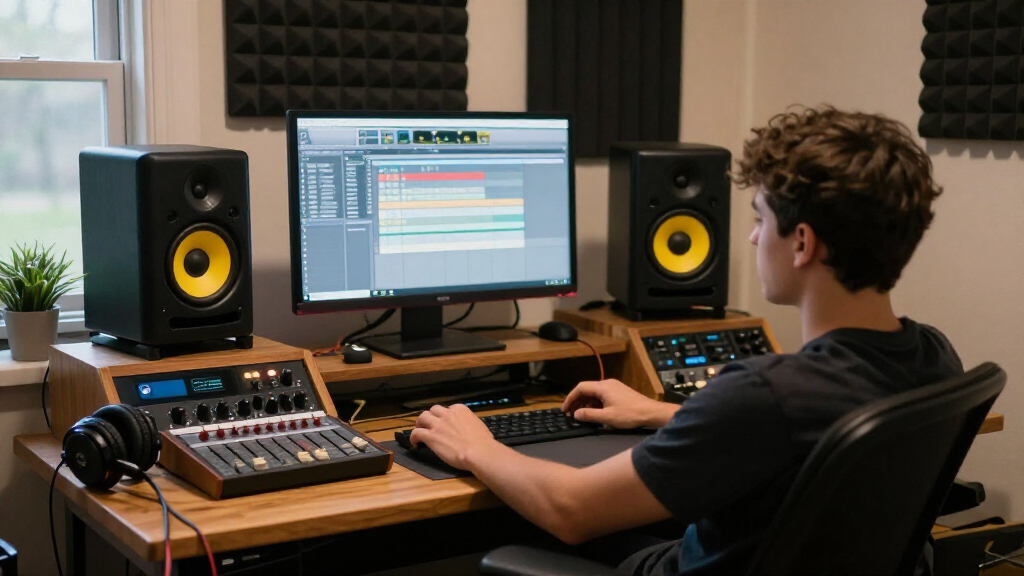
I ranked these speakers by how well their stated design and features support near-field studio work: monitoring clarity, driver and cabinet size, connection options, placement flexibility, and practical fit for a desk or small room. I also weighed whether convenience features such as Bluetooth, front-panel controls, and tone adjustment serve a specific buyer need or add little to a mixing-focused setup. A monitor with more room to reproduce low frequencies can be useful, but it earns that advantage only if the listener has space to place it sensibly.
The JBL 305P MkII leads because it combines a more capable 5-inch format with controls intended to help adapt placement, making it the most balanced dedicated-monitor choice in this group. Compact Yamaha, PreSonus, and Edifier models follow for buyers prioritizing desk space, with rankings shaped by their intended studio use and practical flexibility. Bluetooth-oriented and multimedia-leaning options remain useful for casual production and mixed listening, but rank below the most studio-focused picks. Color variants are treated as the same model family unless the listed configuration specifies a meaningful difference.
Factors to Consider When Choosing Studio Monitor Speakers
Choosing studio monitor speakers is less about finding a universally accurate box and more about matching the speaker to your room, listening distance, and work. These broader factors can prevent a common mismatch: buying more bass or power than a small desk can use, or choosing a tiny speaker and expecting it to judge deep low end.
Match woofer size to your room and listening distance
A larger woofer can move more air and make low frequencies easier to hear, but that advantage depends on room size and placement. At a short desk distance, a compact pair may give a more workable setup than a larger cabinet pushed against a wall. Small speakers also have limits: a bass line that seems quiet on them may be too strong when played on a larger system. If your work depends on sub-bass, plan to cross-check on headphones or another system rather than relying on small monitors alone. Choose the largest model your room can accommodate without compromising listening position.
Plan the whole signal chain before buying
Check what will feed the speakers: an audio interface, computer, mixer, phone, or more than one source. A pair may have useful input options, but the labels and connectors still need to match your equipment. Bluetooth is convenient for reference tracks and casual playback, though a wired connection is usually the straightforward choice for production. Account for the cable between the speakers and any adapters your interface requires. A good speaker can become an awkward purchase if connecting it means adding hardware you did not plan for.
Measure the desk and set up a listening triangle
Before choosing a model, measure the available width, depth, and height, including room for stands or isolation pads. Place the two speakers and your listening position at roughly equal distances so they form a triangle; this helps stereo placement make sense. Tweeters should generally sit near ear height, and the speakers should point toward the listening position. A compact pair is not automatically easier to use if its controls or ports end up blocked. Leave enough space to adjust placement after you hear how the room affects the sound.
Treat room acoustics as part of the speaker decision
Hard walls, bare desks, and corners can change what you hear more than a small difference between two speakers. Bass often builds up near walls and corners, while reflective surfaces can make upper frequencies sound sharper. Placement controls can help with some boundary effects, but they cannot correct every room problem. Try moving speakers away from corners and use a rug, curtains, or other furnishings to reduce strong reflections before spending on upgrades. For critical mixing, learn your room through familiar reference tracks and check important decisions on headphones.
Decide which convenience features earn desk space
Bluetooth, front-panel volume controls, and tone knobs can make speakers easier to share between work and everyday listening. They matter most when you regularly switch sources or need quick adjustments from your chair. Extra features do not make a speaker more revealing by themselves, and tone adjustments can complicate comparisons if settings change between sessions. If accuracy is your priority, favor predictable wired use and keep any adjustment settings consistent. If you also use the speakers for games, videos, or music, a flexible model may be a better match for your actual routine.
Spend more only when the upgrade solves a real limit
Paying more makes sense when a better-suited size, wider connection choice, or placement control addresses a problem in your current setup. It is less useful to buy a larger pair when the desk is cramped or the room makes bass hard to judge. Beginners often gain more from good positioning, reference listening, and learning how their speakers translate than from chasing a premium label. Set aside room in your budget for stands, isolation, or the cables your signal chain needs. The right upgrade is the one that improves a specific task you perform often.
Frequently Asked Questions
Can I mix on 3.5-inch studio monitor speakers?
Yes, small monitors can help with vocals, balance, stereo placement, and edits at a desktop distance. Their limited low-frequency output makes sub-bass and kick decisions harder, so cross-check bass-heavy mixes on headphones or a larger playback system. Keep the speakers at a consistent distance and level so your comparisons stay useful. For a first home setup, a compact pair can be a sensible starting point if you understand that limitation.
Should I choose the JBL 305P MkII or a compact Yamaha pair?
I’d favor the JBL 305P MkII if you have room for its larger cabinets and want a more capable dedicated mixing setup with placement controls. A compact Yamaha pair makes more sense when desk space is limited or a smaller footprint is the main constraint. Neither choice can compensate for poor placement or an untreated room. Decide based on available space and listening distance before comparing feature lists.
Are Bluetooth studio monitors suitable for music production?
They can work for production, especially when you use a wired connection from your interface for the main monitoring path. Bluetooth is handy for streaming references or casual listening, but it adds a wireless link and is not needed for accurate monitoring. Check which wired inputs are available and whether they suit your interface. Choose Bluetooth because you will use it, not because it implies better studio performance.
Do I need a subwoofer with compact studio monitors?
Not necessarily. A subwoofer can help you hear deep bass, but it also adds placement and level-matching work, and a poorly integrated sub can make mixes less reliable. In a small or untreated room, headphones and reference checks may be more useful at first. Consider a sub when your work regularly depends on very low frequencies and you can calibrate the full system. Otherwise, learn the limits of your monitors and check the low end elsewhere.
Are the white and black versions different speakers?
Color alone does not indicate a different acoustic design, and the listed white and black Ortizan C7 options appear to be color variants. The roundup also includes white versions of the Yamaha HS4 and PreSonus Eris 3.5, so confirm the exact model name and included configuration before choosing. Check that the listing describes a pair and the same connection and control features you expect. Treat color as a finish choice unless the manufacturer identifies a changed model.
Conclusion
For a dedicated home mixing setup with enough room, I recommend the JBL 305P MkII as best overall. The Edifier MR4 is my best value-style pick for a compact, studio-oriented desktop system, while the PreSonus Eris E4.5 suits beginners who want a roomier near-field option and practical connectivity. Choose the Yamaha HS4 when a compact, studio-focused pair matters more than Bluetooth or multimedia features. For specific needs, the Edifier MR3 or Ortizan C7 makes more sense when wireless convenience matters, and the Mackie CR3.5 stands out for buyers who want quick tone adjustment. Match the size to your desk and room first, then choose the features you will actually use.
Evergreen bestsellers Picks
bestsellers
As an affiliate, we earn on qualifying purchases.