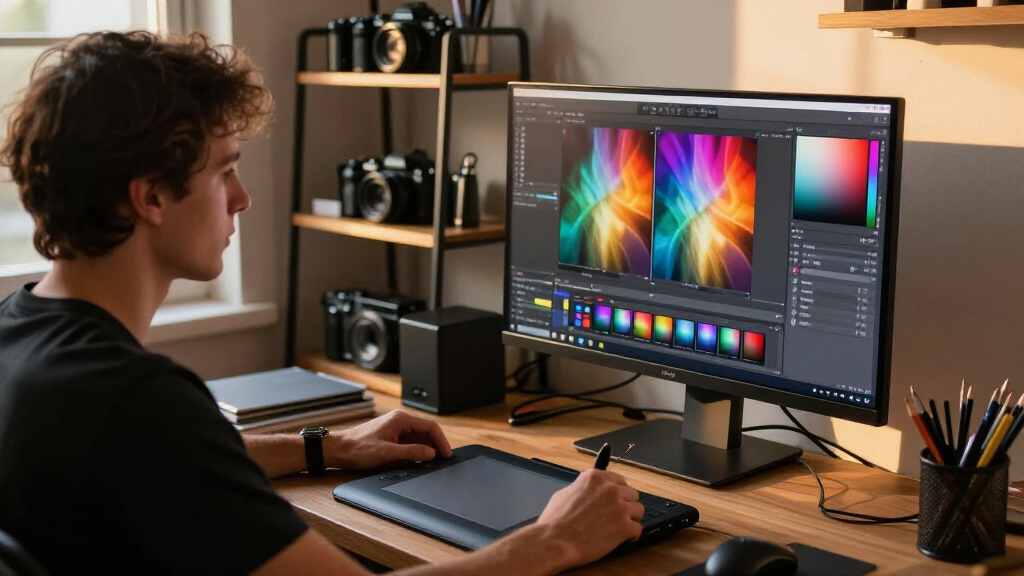

Choosing the best monitor for photo editing involves balancing color accuracy, resolution, and budget. The ASUS ProArt PA279CV stands out as the best overall for its excellent color reproduction and 4K resolution. For those seeking a more affordable yet capable option, the ASUS ProArt PA248QV offers reliable performance at a lower price point. The main tradeoffs in this category often involve resolution versus color precision, or price versus professional-grade features. Keep reading for a detailed breakdown of the top picks and what makes each one unique.

Get audio and creator gear delivered free with Prime
- Fast, free delivery on millions of items
- Prime Video, Amazon Music and more included
- Member-only deals all year
Complete the kit


Key Takeaways
- Color accuracy and factory calibration are essential for professional-grade photo editing, which favors models like the ASUS ProArt series and BenQ SW272Q.
- Resolution matters; 4K screens provide more detail but tend to have higher price tags and require more powerful hardware.
- Connectivity options like USB-C can streamline workflows, especially for Mac users and those with modern laptops.
- Panel technology (IPS vs. Nano Matte) significantly affects viewing angles, color consistency, and glare reduction.
- Size and ergonomics influence comfort during long editing sessions; larger screens and adjustable stands enhance usability.
| ASUS ProArt PA279CV 27 Inch 4K UHD USB-C Professional Monitor |  | Best Overall for Color Accuracy and Versatility | Display Size: 27 inches | Resolution: 4K UHD (3840 x 2160) | Color Gamut: 100% sRGB, 100% Rec. 709 | VIEW LATEST PRICE | See Our Full Breakdown |
| ASUS ProArt PA248QFV 24-Inch WUXGA Professional Monitor |  | Best for Ergonomic Flexibility and Professional Color Accuracy | Display Size: 24.1 inches | Resolution: 1920 x 1200 | Color Gamut: 100% sRGB, 100% Rec. 709 | VIEW LATEST PRICE | See Our Full Breakdown |
| ASUS ProArt PA278QV 27 Inch 1440p QHD Professional Monitor |  | Best for High-Resolution Detail and Ergonomic Comfort | Display Size: 27 inches | Resolution: 2560 x 1440 (QHD) | Color Gamut: 100% sRGB & 100% Rec. 709 | VIEW LATEST PRICE | See Our Full Breakdown |
| BenQ SW272Q 27-inch 2K USB-C Photographer Monitor with 99% Adobe RGB and Nano Matte Panel |  | Best for Color Precision and Reflection Reduction | Size: 27 inches | Resolution: 2K QHD | Color Gamut: 99% Adobe RGB, 98% DCI-P3 | VIEW LATEST PRICE | See Our Full Breakdown |
| BenQ PV3200U 32” 4K UHD Monitor for Video Editing, Mac Compatible, Factory-Calibrated |  | Best for Large 4K Workspace and Video Professionals | Size: 32 inches | Resolution: 4K UHD | Color Coverage: 95% DCI-P3, 100% sRGB, Rec.709 | VIEW LATEST PRICE | See Our Full Breakdown |
| ASUS ProArt PA279CRV 27-Inch 4K UHD HDR Professional Monitor for Mac |  | Best Overall for Professional Color Accuracy | Display Size: 27 inches | Resolution: 3840 x 2160 (4K UHD) | Panel Type: IPS | VIEW LATEST PRICE | See Our Full Breakdown |
| LG 32 Inch 4K UHD IPS Monitor with HDR10, FreeSync, and Adjustable Stand |  | Best for Creative Professionals Who Value Size and Versatility | Screen Size: 32 inches | Resolution: 3840 × 2160 | Panel Type: IPS | VIEW LATEST PRICE | See Our Full Breakdown |
| ASUS ProArt PA248QV 24 Inch WUXGA Professional Monitor |  | Best for Entry-Level Professionals and Budget-Conscious Creatives | Display Size: 24 inches | Resolution: 1920 x 1200 WUXGA | Color Coverage: 100% sRGB, Rec.709 | VIEW LATEST PRICE | See Our Full Breakdown |
| monitors for photo editing | Resolution | Connectivity | Display Size | Color Gamut |
|---|---|---|---|---|
| ASUS ProArt PA279CV 27 Inch 4K | 4K UHD (3840 x 2160) | USB-C with 65W Power Delivery, DisplayPort, HDMI, USB 3.1 | 27 inches | 100% sRGB, 100% Rec. 709 |
| ASUS ProArt PA248QFV 24-Inch W | 1920 x 1200 | — | 24.1 inches | 100% sRGB, 100% Rec. 709 |
| ASUS ProArt PA278QV 27 Inch 14 | 2560 x 1440 (QHD) | DisplayPort, HDMI, DVI-D, Mini DP, USB hub | 27 inches | 100% sRGB & 100% Rec. 709 |
| BenQ SW272Q 27-inch 2K USB-C P | 2K QHD | USB-C, 90W | — | 99% Adobe RGB, 98% DCI-P3 |
| BenQ PV3200U 32” 4K UHD Monito | 4K UHD | USB-C | — | — |
| ASUS ProArt PA279CRV 27-Inch 4 | 3840 x 2160 (4K UHD) | USB-C with 96W Power Delivery, DisplayPort, HDMI, USB hub | 27 inches | — |
| LG 32 Inch 4K UHD IPS Monitor | 3840 × 2160 | — | — | 95% DCI-P3 |
| ASUS ProArt PA248QV 24 Inch WU | 1920 x 1200 WUXGA | DisplayPort, HDMI, D-Sub | 24 inches | — |
More Details on Our Top Picks
ASUS ProArt PA279CV 27 Inch 4K UHD USB-C Professional Monitor
This monitor stands out for its exceptional color fidelity, with factory calibration and 100% sRGB and Rec. 709 coverage, making it ideal for detailed photo editing. Compared to the BenQ PV3200U, which offers a larger 32-inch workspace better suited for complex editing tasks, the PA279CV provides a more compact and versatile setup with impressive connectivity options, including USB-C with Power Delivery. The main tradeoff is its slightly limited ergonomic adjustments and the absence of HDR support, which might matter for HDR workflows. Its factory calibration and Calman verification deliver reliable out-of-the-box accuracy, while the five-year warranty adds peace of mind for professional use.
Pros:- High color accuracy with factory calibration and Calman verification
- Wide coverage of 100% sRGB and Rec. 709 for precise color work
- USB-C with Power Delivery simplifies connectivity and reduces clutter
- Extended 5-year warranty offers long-term support
Cons:- Inconsistent description regarding display size—mentions 23.8 inches in some contexts
- Limited ergonomic adjustments, especially for height
- No HDR support, limiting certain workflow options
Best for: Professional photographers and content creators needing precise color and versatile connectivity in a 27-inch form factor
Not ideal for: Users seeking a large, immersive editing environment or HDR workflows, as it lacks extensive HDR support and larger size
- Display Size:27 inches
- Resolution:4K UHD (3840 x 2160)
- Color Gamut:100% sRGB, 100% Rec. 709
- Response Time:5.0 ms
- Calibration:Calman Verified, Delta E < 2
- Connectivity:USB-C with 65W Power Delivery, DisplayPort, HDMI, USB 3.1
Our verdict“This monitor is best suited for professionals who prioritize color accuracy and versatile connectivity in a 27-inch package.”
ASUS ProArt PA248QFV 24-Inch WUXGA Professional Monitor
The PA248QFV makes this list for its combination of a 16:10 aspect ratio, factory-calibrated color accuracy, and extensive ergonomic adjustments, including tilt, swivel, pivot, and height, making it ideal for long editing sessions. Compared with the ASUS ProArt PA278QV, which offers a higher resolution of 2560 x 1440, the PA248QFV’s slightly smaller size and 1920 x 1200 resolution might feel limiting for detailed image work, but its broader aspect ratio enhances productivity. It supports HDR-10 and features a 100Hz VRR refresh rate, more relevant for video editing. The main tradeoff is its higher price and the need for calibration for optimal color out of the box, which might be a hurdle for casual users.
Pros:- Excellent ergonomic adjustments for comfortable, prolonged use
- Factory-calibrated with Delta E < 2 for accurate colors
- Wide color gamut coverage including sRGB and Rec. 709
- Supports HDR-10 for HDR workflows
Cons:- Higher price point compared to 24-inch competitors
- Requires calibration for best color accuracy out of the box
- Limited to 24 inches, which may be small for some workflows
Best for: Creative professionals needing a highly adjustable workstation monitor with excellent color fidelity
Not ideal for: Casual editors or those preferring a larger display or higher resolution for detailed pixel work
- Display Size:24.1 inches
- Resolution:1920 x 1200
- Color Gamut:100% sRGB, 100% Rec. 709
- Response Time:100Hz VRR
- Calibration:Delta E < 2
- Adjustments:Tilt, swivel, pivot, height
Our verdict“Ideal for professionals who need precise color and flexible ergonomics in a 24-inch display.”
ASUS ProArt PA278QV 27 Inch 1440p QHD Professional Monitor
The PA278QV is a solid choice for those who need a 27-inch display with high resolution and excellent color accuracy. Its 2560 x 1440 resolution strikes a balance between screen real estate and pixel density, making it suitable for detailed photo editing. Compared to the ASUS ProArt PA279CV, which offers 4K resolution, the PA278QV’s lower pixel count requires scaling but provides sharper images at its native resolution. Its extensive connectivity options, including USB hub and multiple ports, and ergonomic stand make it a versatile workstation. However, its premium price means casual users might find it less compelling, and calibration is necessary for optimal color precision initially.
Pros:- High color accuracy with Calman verification and wide gamut
- Sharp 2560 x 1440 resolution for detailed editing
- Multiple connectivity options including USB hub
- Ergonomic stand with height, tilt, swivel, pivot adjustments
Cons:- Requires calibration for optimal color accuracy
- Higher price relative to other 27-inch monitors
- Lower resolution compared to 4K options
Best for: Photo editors and graphic designers who want a high-resolution, ergonomically adjustable monitor with reliable color fidelity
Not ideal for: Entry-level users or those seeking a 4K resolution for the same price point, as it is more expensive
- Display Size:27 inches
- Resolution:2560 x 1440 (QHD)
- Color Gamut:100% sRGB & 100% Rec. 709
- Panel Type:IPS
- Connectivity:DisplayPort, HDMI, DVI-D, Mini DP, USB hub
- Warranty:5 years
Our verdict“Best suited for professionals who need a crisp, adjustable display with reliable color accuracy at 1440p resolution.”
BenQ SW272Q 27-inch 2K USB-C Photographer Monitor with 99% Adobe RGB and Nano Matte Panel
The BenQ SW272Q is a standout for photographers seeking near-perfect color accuracy, thanks to its 99% Adobe RGB and 98% DCI-P3 coverage, combined with hardware calibration support. Its Nano Matte Panel significantly reduces reflections, making it easier to work comfortably for long hours. Compared to the ASUS ProArt PA278QV, which covers broad color spaces but lacks a Nano Matte coating, the SW272Q provides a better viewing experience in bright environments. Its 2K resolution offers a sharp image, though some may prefer higher resolutions for large-scale detailed editing. The main tradeoff is its premium price and the need for calibration tools for best results.
Pros:- Exceptional color accuracy with 99% Adobe RGB and hardware calibration
- Nano Matte Panel reduces reflections for better viewing comfort
- Supports hardware calibration for precise color management
- USB-C with 90W power delivery streamlines workspace
Cons:- Premium price may be prohibitive for some users
- Large size demands ample desk space
- Features can be complex for beginners
Best for: Photographers and digital artists who prioritize accurate color reproduction and glare reduction
Not ideal for: Casual editors or users requiring a larger 4K screen for extensive pixel editing
- Size:27 inches
- Resolution:2K QHD
- Color Gamut:99% Adobe RGB, 98% DCI-P3
- Panel Type:Nano Matte
- Calibration:Hardware calibration supported
- Connectivity:USB-C, 90W
Our verdict“Perfect for professionals who need extremely accurate colors and reflection control in a 27-inch format.”
BenQ PV3200U 32” 4K UHD Monitor for Video Editing, Mac Compatible, Factory-Calibrated
The BenQ PV3200U earns its spot for offering a large 32-inch 4K display with accurate color coverage, including 100% Rec.709 and sRGB, making it suitable for detailed photo and video editing. Compared with the ASUS ProArt PA279CV, which also targets professionals, the PV3200U’s larger size provides a more immersive editing environment, especially when working with high-resolution images or video timelines. Its factory calibration and wide color coverage reduce the need for immediate calibration, while the ergonomic stand enhances comfort during long sessions. The main caveats include its higher price and lack of detailed HDR performance info, which might be a concern for HDR workflows.
Pros:- Large 32-inch 4K workspace ideal for detailed editing
- Full factory calibration with Delta E ≤ 2 ensures accuracy
- Wide color coverage including sRGB and Rec.709
- Ergonomic stand for comfortable long-term use
Cons:- Premium price point may be a barrier
- Limited info on HDR performance
- No built-in USB hub or additional ports
Best for: Video editors and photographers needing a large, accurate 4K display with Mac compatibility
Not ideal for: Desk setups with limited space or users seeking HDR support, as it’s not specified
- Size:32 inches
- Resolution:4K UHD
- Color Coverage:95% DCI-P3, 100% sRGB, Rec.709
- Calibration:Factory calibrated, Delta E ≤ 2
- Connectivity:USB-C
- Stand Features:Tilt, swivel, pivot, height
Our verdict“This monitor is best for professionals demanding a large, accurate 4K workspace for photo and video editing, especially on Mac systems.”
ASUS ProArt PA279CRV 27-Inch 4K UHD HDR Professional Monitor for Mac
The ASUS ProArt PA279CRV stands out for its exceptional 4K resolution and wide color coverage, making it ideal for demanding photo editing tasks. Compared to the ASUS ProArt PA248QV, which offers solid accuracy at a smaller size, the PA279CRV’s larger screen and HDR support provide a more immersive editing experience. It’s factory calibrated with a Delta E < 2 rating, ensuring highly precise colors right out of the box, which is essential for professional workflows. However, this level of quality comes with a higher price tag, which may put it out of reach for casual users or hobbyists. Its versatile connectivity—including USB-C with Power Delivery—adds to its appeal for creators needing a flexible workspace. The ergonomic stand and daisy-chain support further enhance usability, but its premium cost limits its suitability for those on a tighter budget.
Pros:- High-resolution 4K display offers stunning detail and clarity
- Factory calibrated with Delta E < 2 ensures professional-grade color accuracy
- Wide color coverage (99% DCI-P3, 99% Adobe RGB) for vibrant, true-to-life images
- Versatile connectivity including USB-C with Power Delivery
Cons:- Premium price may be prohibitive for casual or hobbyist users
- Limited to professional environments, less suited for general use
Best for: Professional photographers, retouchers, or creatives needing top-tier color fidelity and 4K detail.
Not ideal for: Casual users or hobbyists who don’t require such precise color accuracy or 4K resolution at a high price point.
- Display Size:27 inches
- Resolution:3840 x 2160 (4K UHD)
- Panel Type:IPS
- Color Coverage:99% DCI-P3, 99% Adobe RGB
- Calibration:Delta E < 2, Calman Verified
- Connectivity:USB-C with 96W Power Delivery, DisplayPort, HDMI, USB hub
Our verdict“This monitor is perfect for professionals who prioritize color accuracy and high resolution, despite the steep investment.”
LG 32 Inch 4K UHD IPS Monitor with HDR10, FreeSync, and Adjustable Stand
The LG 32 Inch 4K UHD IPS Monitor offers a large, detailed screen with broad viewing angles, making it a strong choice for creative workflows that benefit from expansive real estate. Unlike the ASUS ProArt PA279CRV, which excels in color precision, the LG’s standout feature is its size, providing more workspace for multitasking or complex editing. Its 95% DCI-P3 coverage delivers rich, accurate colors, though slightly less comprehensive than the ASUS’s 99%. The inclusion of HDR10 enhances contrast and vibrancy, and the ergonomic stand with tilt and height adjustments boosts comfort during long editing sessions. Its built-in speakers add multimedia flexibility. However, the absence of USB-C connectivity limits its appeal for modern laptops and workflows that rely on single-cable solutions, and its higher price may deter budget-conscious buyers.
Pros:- Large 32-inch 4K display provides ample workspace
- Wide color coverage (95% DCI-P3) with HDR10 support for vibrant images
- Ergonomic stand with tilt and height adjustments for comfort
- Triple-sided borderless design ideal for multi-monitor setups
Cons:- Lacks USB-C port, limiting compatibility with modern devices
- Potentially higher price for the feature set
Best for: Creative professionals who need a larger display and flexible stand adjustments for multitasking and detailed editing.
Not ideal for: Photographers who require maximum color accuracy (99% Adobe RGB) or USB-C connectivity for streamlined workflows.
- Screen Size:32 inches
- Resolution:3840 × 2160
- Panel Type:IPS
- Color Gamut:95% DCI-P3
- HDR:HDR10
- Stand Adjustments:Tilt, Height
Our verdict“This monitor suits creatives who need a spacious screen with good color accuracy and flexible ergonomics, even if it sacrifices some modern connectivity features.”
ASUS ProArt PA248QV 24 Inch WUXGA Professional Monitor
The ASUS ProArt PA248QV provides a solid entry point into professional photo editing with its 24-inch size and accurate color coverage. While it offers a lower resolution (1920 x 1200) compared to the 4K options like the ASUS PA279CRV and LG 32-inch, it still covers 100% sRGB and Rec.709, ensuring true-to-life colors for editing workflows. Its versatile ergonomic stand makes it comfortable for prolonged use, and multiple connectivity options—including DisplayPort and HDMI—support various setups. Compared to larger, higher-resolution monitors, the PA248QV’s smaller size and lower resolution might limit workspace and fine detail editing, but it remains a reliable choice for those starting out or working within space constraints. The inclusion of a 5-year warranty and a free Adobe Creative Cloud subscription adds value, though the lower resolution may be a dealbreaker for some.
Pros:- Excellent color accuracy with 100% sRGB and Rec.709 coverage
- Versatile ergonomic stand for comfortable viewing angles
- Multiple connectivity options including DisplayPort and HDMI
- Includes a 5-year warranty and free Adobe Creative Cloud subscription
Cons:- Lower resolution (1920 x 1200) may reduce detail clarity for high-resolution images
- Smaller screen size may limit workspace for complex editing
Best for: Beginners, students, and professionals on a budget who need accurate colors for standard photo editing tasks.
Not ideal for: Users requiring ultra-high resolution or large workspace for complex projects, as 24 inches and WUXGA resolution may feel limiting.
- Display Size:24 inches
- Resolution:1920 x 1200 WUXGA
- Color Coverage:100% sRGB, Rec.709
- Panel Type:IPS
- Warranty:5 years
- Connectivity:DisplayPort, HDMI, D-Sub
Our verdict“This monitor offers reliable color fidelity and ergonomic comfort for newcomers or those with limited space, despite its lower resolution.”

How We Picked
The monitors in this roundup were selected based on a combination of professional-grade color accuracy, resolution, build quality, and usability features. Priority was given to factory calibration and wide color gamuts like Adobe RGB or DCI-P3, which are critical for precise photo editing. We also considered connectivity options, price-to-performance ratios, and user reviews to ensure each model offers real value. The ranking reflects a balance between high-end features and accessibility for different budgets, with top-tier options placed higher for their superior color fidelity and professional features.| monitors for photo editing | Calibration | Connectivity | Panel Type |
|---|---|---|---|
| ASUS ProArt PA279CV 27 Inch 4K | Calman Verified, Delta E < 2 | USB-C with 65W Power Delivery, DisplayPort, HDMI, USB 3.1 | — |
| ASUS ProArt PA248QFV 24-Inch W | Delta E < 2 | — | — |
| ASUS ProArt PA278QV 27 Inch 14 | — | DisplayPort, HDMI, DVI-D, Mini DP, USB hub | IPS |
| BenQ SW272Q 27-inch 2K USB-C P | Hardware calibration supported | USB-C, 90W | Nano Matte |
| BenQ PV3200U 32” 4K UHD Monito | Factory calibrated, Delta E ≤ 2 | USB-C | — |
| ASUS ProArt PA279CRV 27-Inch 4 | Delta E < 2, Calman Verified | USB-C with 96W Power Delivery, DisplayPort, HDMI, USB hub | IPS |
| LG 32 Inch 4K UHD IPS Monitor | — | — | IPS |
| ASUS ProArt PA248QV 24 Inch WU | — | DisplayPort, HDMI, D-Sub | IPS |
Factors to Consider When Choosing Best Monitors For Photo Editing
When choosing a monitor for photo editing, it’s vital to consider factors that directly impact color accuracy, workflow efficiency, and comfort. Beyond specs, understanding how these features translate into real-world usability can help you make a smarter investment. Here are key considerations that can guide your decision beyond just looking at the specs.Color Accuracy and Calibration
For photo editing, a monitor’s ability to display true-to-life colors is paramount. Look for models with factory calibration and support for wide color gamuts like Adobe RGB or DCI-P3. Some monitors include hardware calibration tools that maintain color precision over time, which is a critical feature for professionals. Avoid screens with limited color coverage, as they can distort your editing work and lead to inconsistent results.
Resolution and Screen Size
Higher resolution screens, such as 4K, allow for more detailed editing and finer control over images. However, they can also demand more from your hardware and come at a higher cost. Screen size is also important; larger displays (27 inches and above) improve workflow by giving you more space to work comfortably. Balancing resolution with size and budget ensures you get a monitor that enhances productivity without unnecessary expense.
Panel Technology and Viewing Angles
IPS panels dominate in photo editing for their superior color consistency and wide viewing angles. Nano Matte or anti-glare coatings reduce reflections, making long editing sessions more comfortable. Choosing the right panel technology prevents color shifts when viewed from different angles, which is essential for accurate editing across various lighting conditions. Avoid TN panels, as they lack the color fidelity needed for professional work.
Connectivity and Workflow Integration
Modern monitors with USB-C support can simplify your setup by providing a single cable for video, data, and charging. This feature is especially useful for Mac users and those with laptops that have limited ports. Additionally, look for multiple HDMI or DisplayPort options to connect different devices easily. Good connectivity options help streamline your workflow and reduce cable clutter.
Ergonomics and Build Quality
Comfort during long editing sessions depends heavily on ergonomic features like height adjustment, tilt, and swivel. Monitors with sturdy stands and adjustable angles reduce neck and eye strain. Build quality also matters for durability and stability. Investing in a well-designed stand or mount can significantly improve your editing environment, making extended work more sustainable and comfortable.
Frequently Asked Questions
Is 4K resolution necessary for professional photo editing?
While 4K resolution isn’t strictly necessary, it offers significant advantages by providing more detailed images and workspace. For detailed retouching, higher resolution screens allow you to see fine details without zooming in excessively. However, they also demand more powerful hardware and tend to cost more. If your workflow benefits from precision and detail, a 4K monitor is a worthwhile investment; otherwise, a high-quality 1440p or WUXGA display can suffice for less demanding tasks.
How important is factory calibration for photo editing monitors?
Factory calibration is highly important because it ensures the monitor displays accurate colors right out of the box, saving you time and effort in manual calibration. Monitors with this feature are designed for professional use, providing consistent and predictable color reproduction that is critical for print and digital work. While calibration can be maintained over time with tools, starting with a factory-calibrated screen reduces initial setup and guarantees a more reliable editing environment.
Should I prioritize size or resolution for my monitor?
Both size and resolution influence your editing experience, but the ideal balance depends on your workspace and workflow. Larger screens (27 inches and above) provide more room to work comfortably, especially when combined with high resolution like 4K. However, a smaller monitor with a high resolution can still offer precise detail in a more compact setup. Consider your desk space and how much screen real estate you need for multitasking and fine adjustments.
Is USB-C connectivity worth the extra cost?
USB-C connectivity can streamline your workspace by reducing cable clutter and enabling faster data transfer, video output, and charging through a single port. For users with compatible laptops or desktops, this feature simplifies setup and enhances mobility. While it might add to the initial price, the convenience and clean workspace it offers often justify the expense for professional workflows.
Can I use a regular monitor for photo editing?
It’s possible, but a regular monitor generally lacks the color accuracy, wide gamuts, and calibration features needed for professional photo editing. Non-professional displays often have limited color coverage and may display inconsistent colors, which can compromise your work quality. Investing in a dedicated photo editing monitor ensures your colors are true-to-life and reproducible across different devices and print outputs, making it a worthwhile upgrade for serious photographers and designers.