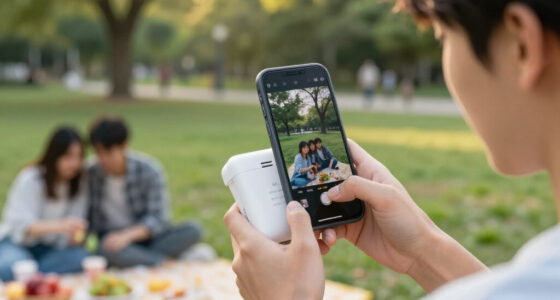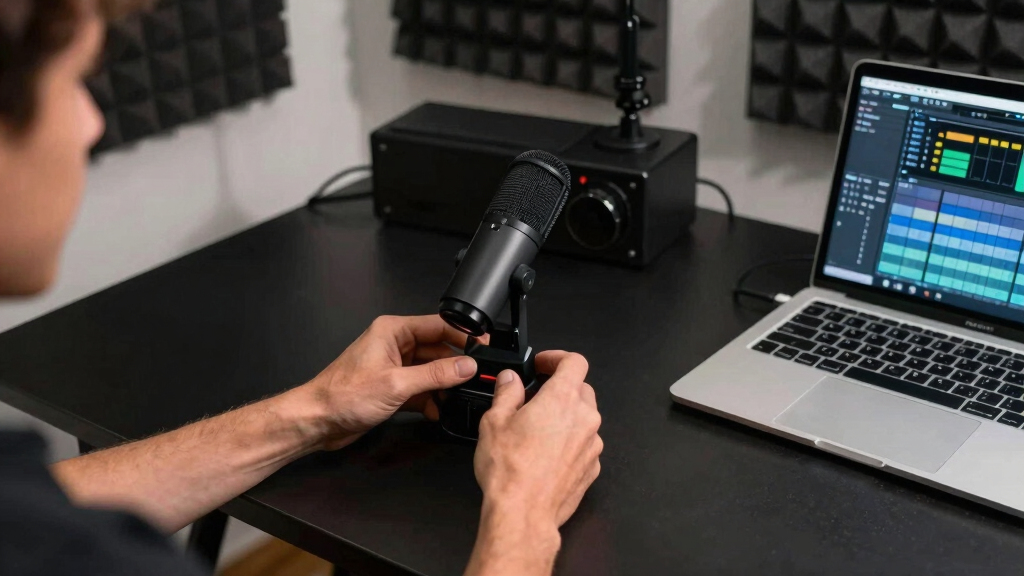
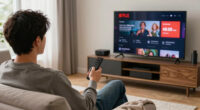
For a wireless microphone for live streaming, I rank the DJI Mic Mini as the best overall pick because its dual-transmitter system and charging case offer the strongest balance of flexibility and convenience. The MAYBESTA Wireless Mini Microphone is my value choice for creators who want two clip-on mics without paying for a premium system. For longer-range productions and more audio control, the Hollyland Lark M2 is the premium standout. The main tradeoffs are device compatibility, dependable indoor range, battery planning, and how much control a stream needs over background noise. Read on for the full ranking logic, buying guidance, and recommendations by creator type.

Get audio and creator gear delivered free with Prime
- Fast, free delivery on millions of items
- Prime Video, Amazon Music and more included
- Member-only deals all year
Complete the kit



Key Takeaways
- DJI Mic Mini ranks first because its two transmitters, dedicated receiver, and charging case form a more complete streaming system than the simpler plug-in lavaliers.
- Hollyland Lark M2 is the premium pick, but its advertised 1,000-foot range offers more benefit to mobile productions than to creators who stay beside a desk.
- MAYBESTA offers the clearest value case by including two microphones for interviews, co-hosted streams, and demonstrations without the cost of DJI or Hollyland hardware.
- KUKIHO leads on advertised total battery life at 36 hours, while the Lark M2 pairs a lower 30-hour claim with much greater stated range.
- Connector fit separates the budget models: a low price loses its appeal if a receiver needs an adapter, blocks a charging port, or is not recognized by the streaming device.
| DJI Mic Mini (2 TX + 1 RX + Charging Case) Wireless Lavalier Microphone |  | Best Overall | System configuration: 2 transmitters and 1 receiver | Transmitter weight: 10 g | Sampling rate: 48kHz | VIEW LATEST PRICE | See Our Full Breakdown |
| MAYBESTA Wireless Mini Microphone for iPhone and Android – 2 Pack Lavalier Lapel Mic for Content Creators |  | Best Value Pick | Device compatibility: iPhone, Android phones, laptops, and tablets | Number of microphones: 2 | Wireless range: Up to 70 feet | VIEW LATEST PRICE | See Our Full Breakdown |
| Labstandard Professional Wireless Lavalier Lapel Microphone for iPhone and iPad |  | Best for Live Audio Mixing | Device compatibility: iPhone, iPad, and Type-C devices | Wireless technology: 2.4G | Battery life: Up to 6 hours | VIEW LATEST PRICE | See Our Full Breakdown |
| Wireless Mini Microphone for iPhone and Android, 2 Pack Lavalier Microphone for Video Recording |  | Best for Real-Time Monitoring | Device compatibility: iPhone, Android, iPad, and laptop | Number of microphones: 2 | Connections: USB-C and Lightning | VIEW LATEST PRICE | See Our Full Breakdown |
| Hollyland Lark A1 Wireless Microphone for iPhone & Android |  | Best Premium Audio | Audio quality: 48kHz/24-bit | Noise cancellation: 3-level | Maximum range: 200 meters (650 feet) | VIEW LATEST PRICE | See Our Full Breakdown |
| KUKIHO Wireless Lavalier Microphone with Charging Case |  | Best Battery Life | Battery Life: Up to 36 hours with charging case | Wireless Range: Up to 135 ft | Charging Time: 1.5 hours | VIEW LATEST PRICE | See Our Full Breakdown |
| Mini Mic Pro Wireless Lavalier Microphone |  | Best Compact Pick | Connector Types: Lightning and USB Type-C | Battery Runtime: Up to 6 hours | Polar Pattern: Omnidirectional | VIEW LATEST PRICE | See Our Full Breakdown |
| Hollyland Lark M2 Wireless Microphone |  | Best Premium Pick | Transmitter Weight: 9 g | Audio Format: 48kHz/24-bit | Signal-to-Noise Ratio: 70 dB | VIEW LATEST PRICE | See Our Full Breakdown |
| Wireless Lavalier Microphone for iPhone, iPad, Android, and Computers |  | Best for Phone-and-Computer Flexibility | Transmission Range: Up to 20 m | Battery Life: Up to 6 hours | Wireless Technology: 2.4GHz digital transmission | VIEW LATEST PRICE | See Our Full Breakdown |
| wireless microphone for live streaming | Battery life |
|---|---|
| DJI Mic Mini | — |
| MAYBESTA Wireless Mini Microph | Up to 16 hours per microphone |
| Labstandard Professional Wirel | Up to 6 hours |
| Wireless Mini Microphone for i | Up to 16 hours |
| Hollyland Lark A1 Wireless Mic | — |
| KUKIHO Wireless Lavalier Micro | Up to 36 hours with charging case |
| Mini Mic Pro Wireless Lavalier | — |
| Hollyland Lark M2 Wireless Mic | Up to 30 hours |
| Wireless Lavalier Microphone f | Up to 6 hours |
More Details on Our Top Picks
DJI Mic Mini (2 TX + 1 RX + Charging Case) Wireless Lavalier Microphone
I rank the DJI Mic Mini first because it offers the strongest balance of mobility, endurance, and transmission distance for two-person live streams. Each 10-gram transmitter stays discreet on camera, while the 400-meter maximum range gives presenters far more room than the Hollyland Lark A1 or MAYBESTA system. Its 48kHz audio and noise cancellation also suit speech-focused broadcasts where ambient sound could distract viewers. The Hollyland counters with 24-bit audio and a longer case-assisted runtime, but DJI provides twice its stated range. The tradeoff is greater ecosystem dependence: buyers using unsupported hardware may find the broader connectivity of the Hollyland or MAYBESTA more practical. I also see the charging case as part of the value, since reaching the 48-hour total runtime depends on keeping it available.
Pros:- 400-meter maximum range supports mobile and location-based broadcasts
- Two 10-gram transmitters remain discreet on camera
- Up to 48 hours of case-assisted battery life
- 48kHz audio with noise cancellation improves speech clarity
Cons:- Compatibility is tied more closely to the DJI ecosystem
- Extended runtime depends on carrying and using the charging case
- Costs more than basic plug-and-play mini microphones
Best for: Two-person streamers who move around a studio, event space, or outdoor location and need long range with minimal on-camera bulk
Not ideal for: Creators using hardware outside the supported DJI ecosystem, since device compatibility may be narrower than with multi-platform alternatives
- System configuration:2 transmitters and 1 receiver
- Transmitter weight:10 g
- Sampling rate:48kHz
- Maximum transmission range:400 meters
- Maximum battery life:Up to 48 hours
- Noise cancellation:Yes
- Microphone style:Wireless lavalier
- Charging case:Included
Our verdict“I recommend the DJI Mic Mini as the most balanced choice for serious two-person streaming when range and battery flexibility matter more than universal compatibility.”
MAYBESTA Wireless Mini Microphone for iPhone and Android – 2 Pack Lavalier Lapel Mic for Content Creators
The MAYBESTA two-microphone set is my value pick for creators who stream from different everyday devices without wanting a complicated setup. Its automatic pairing removes an extra configuration step, and compatibility with phones, laptops, and tablets makes it more flexible than the DJI Mic Mini’s ecosystem-focused design. A 16-hour runtime per microphone is generous for long broadcasts, while the 70-foot range fits desk streams, teaching sessions, and small-room interviews. That range is far shorter than the 200 meters offered by the Hollyland Lark A1, so this is not my choice for large venues. The omnidirectional pickup also captures voices without careful mic alignment, though it may admit more surrounding sound than a tightly focused microphone. I rank it below the premium systems because its noise reduction and wireless reach are aimed at practical indoor use rather than demanding productions.
Pros:- Works with iPhone, Android phones, laptops, and tablets
- Automatic pairing keeps setup approachable
- Two microphones support interviews and co-hosted streams
- Up to 16 hours of recording per microphone
Cons:- 70-foot range is restrictive for large venues or roaming presenters
- Omnidirectional pickup can capture unwanted room sound
- Batteries require recharging during broadcasts longer than 16 hours
Best for: Budget-minded creators who alternate between smartphones, tablets, and laptops while producing two-person indoor streams
Not ideal for: Event hosts and outdoor presenters who need the long transmission distance of the DJI Mic Mini or Hollyland Lark A1
- Device compatibility:iPhone, Android phones, laptops, and tablets
- Number of microphones:2
- Wireless range:Up to 70 feet
- Battery life:Up to 16 hours per microphone
- Pairing:Automatic
- Pickup pattern:Omnidirectional
- Noise reduction:Yes
- Battery type:Rechargeable
Our verdict“I recommend the MAYBESTA set for two-person indoor streaming when broad device support and a modest price matter more than professional transmission range.”
Labstandard Professional Wireless Lavalier Lapel Microphone for iPhone and iPad
I place the Labstandard dual lavalier system in the lineup for streamers who want more control over two audio sources. Its multi-channel real-time mixing separates it from the simpler MAYBESTA kit, while the included Lightning and Type-C adapters cover Apple devices and other compatible Type-C hardware. A stated 0.008-second latency helps keep speech aligned with video, a useful advantage for interviews and interactive broadcasts. Noise reduction adds support in busy rooms, but the six-hour battery ceiling is much lower than MAYBESTA’s 16 hours or the case-assisted runtimes of DJI and Hollyland. I also would not choose it for someone seeking instant simplicity: accessing the full feature set calls for manual setup. The unspecified range of its 2.4G wireless connection gives buyers less planning certainty than DJI’s clearly stated 400-meter figure.
Pros:- Multi-channel real-time mixing provides added control over two speakers
- 0.008-second stated latency supports close audio-video synchronization
- Lightning and Type-C adapters broaden device compatibility
- Noise reduction helps preserve speech in active environments
Cons:- Six-hour battery life trails the other dual-microphone options
- Full feature access requires more manual setup
- No specific maximum transmission range is provided
Best for: Interviewers and podcast-style streamers who need two microphones, low latency, and real-time multi-channel mixing across Lightning and Type-C devices
Not ideal for: All-day event broadcasters who cannot pause after roughly six hours to recharge or work through manual configuration
- Device compatibility:iPhone, iPad, and Type-C devices
- Wireless technology:2.4G
- Battery life:Up to 6 hours
- Transmission latency:0.008 seconds
- Included adapters:Lightning and Type-C
- Noise reduction:Yes
- Audio mixing:Multi-channel real-time mixing
- Microphone configuration:Dual wireless lavalier
Our verdict“I recommend the Labstandard system for structured two-person streams where mixing and low latency outweigh battery endurance and setup simplicity.”
Wireless Mini Microphone for iPhone and Android, 2 Pack Lavalier Microphone for Video Recording
This two-pack Wireless Mini Microphone earns its place for creators who want to monitor audio while a live stream is running. Real-time monitoring offers more immediate feedback than the MAYBESTA set, helping a host catch poor placement or an audio problem before it affects an entire broadcast. The microphones weigh only 0.2 ounces each, and one-hour charging is unusually convenient alongside the stated 16-hour runtime. USB-C and Lightning support also covers common mobile streaming devices, though some connections require adapters. Compared with the Hollyland Lark A1, this system lacks app-based controls, a stated long-range figure, and 24-bit audio credentials. I see it as a practical midrange option rather than a production-grade system. Its plug-and-play operation suits fast setups, but wind sensitivity makes suitable covers necessary for outdoor work.
Pros:- Real-time monitoring helps identify audio problems during a broadcast
- Two microphones support co-hosts and interviews
- Up to 16 hours of battery life with a one-hour charge time
- USB-C and Lightning connectivity covers common mobile devices
Cons:- Some devices require an adapter
- No app control for adjusting advanced recording modes
- Can pick up disruptive wind noise without suitable covers
Best for: Mobile interviewers and co-hosted streamers who want real-time audio monitoring, light microphones, and fast recharging
Not ideal for: Outdoor creators who lack wind protection or advanced users who want app-based sound controls and a documented long-range connection
- Device compatibility:iPhone, Android, iPad, and laptop
- Number of microphones:2
- Connections:USB-C and Lightning
- Battery life:Up to 16 hours
- Charging time:1 hour
- Weight:0.2 oz per microphone
- Audio monitoring:Real-time
- Noise reduction:Yes
Our verdict“I recommend this two-pack for mobile streamers who value live monitoring and quick charging more than advanced controls or documented long-range performance.”
Hollyland Lark A1 Wireless Microphone for iPhone & Android
I rank the Hollyland Lark A1 as the premium audio choice because its 48kHz/24-bit specification provides more recording depth than options listing only a sampling rate. Three-level noise cancellation also gives streamers more control than basic on-or-off reduction, making this model better suited to changing locations. At eight grams, each unit is even lighter than the DJI Mic Mini, and the 54-hour case-assisted battery life leads these five picks. DJI remains stronger for roaming productions because its stated 400-meter range doubles Hollyland’s 200 meters. The Lark A1 instead favors sound quality and mobile convenience, with plug-and-play USB-C and Lightning connections. Its premium positioning brings a higher price than basic mini microphones, and compatibility remains limited to suitable port-equipped smartphones. I would choose it for polished mobile broadcasts, but not for buyers who need maximum range or computer-first flexibility.
Pros:- 48kHz/24-bit audio supports detailed voice capture
- Three-level noise cancellation adapts to different surroundings
- Up to 54 hours of case-assisted battery life
- Eight-gram design stays unobtrusive on camera
Cons:- 200-meter range is only half the DJI Mic Mini’s stated maximum
- Costs more than basic wireless mini microphones
- Requires a compatible smartphone with USB-C or Lightning
Best for: Mobile creators producing polished interviews, demonstrations, or outdoor streams who want 24-bit audio and adjustable noise cancellation
Not ideal for: Computer-first streamers, budget buyers, or presenters who need the DJI Mic Mini’s longer 400-meter transmission range
- Audio quality:48kHz/24-bit
- Noise cancellation:3-level
- Maximum range:200 meters (650 feet)
- Maximum battery life:Up to 54 hours with charging case
- Weight:8 grams
- Connections:USB-C and Lightning
- Setup:Plug-and-play
- Microphone style:Wireless lavalier
Our verdict“I recommend the Hollyland Lark A1 for mobile streamers willing to pay more for 24-bit audio, adjustable noise cancellation, and exceptional case-assisted endurance.”
KUKIHO Wireless Lavalier Microphone with Charging Case
I rank the KUKIHO Wireless Lavalier Microphone as the battery-focused pick for long live streams, event coverage, and two-person broadcasts. Its charging case provides up to 36 hours of total recording time, exceeding the Hollyland Lark M2’s 30-hour figure, while two transmitters support a host and guest without another purchase. The 135-foot range is ample for desk setups and small venues, though it falls far short of the Lark M2’s 1,000-foot maximum. Three noise-cancellation levels give streamers more control than basic one-mode systems, but aggressive processing may make voices sound less natural. I also see its broad phone and computer support as a major advantage over connector-specific kits. The main catch is adapter-dependent setup: compatibility is wide, yet switching among devices may involve extra pieces and troubleshooting.
Pros:- Charging case supports up to 36 hours of recording
- Two microphones accommodate host-and-guest streams
- Three adjustable noise-cancellation levels
- Broad support for mobile and desktop devices
Cons:- Extended runtime depends on carrying and recharging through the case
- Obstacles can reduce the advertised 135-foot range
- Some devices may require adapters that complicate setup
Best for: Interview streamers and mobile event hosts who need two microphones and enough case capacity for multiple long sessions
Not ideal for: Solo creators who want the smallest possible kit or presenters who regularly work more than 135 feet from the receiver
- Battery Life:Up to 36 hours with charging case
- Wireless Range:Up to 135 ft
- Charging Time:1.5 hours
- Battery Capacity:300 mAh
- Microphones Included:2
- Noise Cancellation:3 adjustable levels
- Compatibility:iPhone, iPad, Android, Windows, Mac
Our verdict“Choose the KUKIHO when dual-speaker coverage and multi-session battery capacity matter more than extreme range or a minimal kit.”
Mini Mic Pro Wireless Lavalier Microphone
The Mini Mic Pro makes the most sense for streamers who value a small clip-on design and quick phone setup over long runtime or advanced controls. Lightning and USB-C connectors cover many phones and tablets without Bluetooth pairing, while the included wind protection gives outdoor creators a practical advantage over bare-bones mini microphones. Its six-hour runtime is enough for typical social streams, but the KUKIHO offers far more total recording time through its charging case. Likewise, the omnidirectional capsule captures voices without careful positioning, yet it can also collect room noise that the Hollyland Lark M2 handles more effectively. I would verify the power arrangement before buying because the supplied data describes a rechargeable design while also listing two C batteries as required. That conflicting battery information, plus the missing storage case, weakens an otherwise travel-friendly package.
Pros:- Compact clip-on form is easy to carry and position
- Lightning and USB-C connections avoid Bluetooth pairing
- Noise reduction supports clearer spoken audio
- Wind protection helps with outdoor streaming
Cons:- Six-hour runtime trails the KUKIHO and Hollyland Lark M2
- Omnidirectional pickup can capture unwanted room noise
- Battery details conflict and no carrying case is included
Best for: Phone-first solo streamers who want a tiny plug-and-play microphone for short indoor or outdoor broadcasts
Not ideal for: All-day broadcasters and creators recording in loud venues, where six-hour runtime and omnidirectional pickup can become limiting
- Connector Types:Lightning and USB Type-C
- Battery Runtime:Up to 6 hours
- Polar Pattern:Omnidirectional
- Wireless Band:2.4 GHz
- Audio Sensitivity:10 dB
- Impedance:2200 ohms
- Audible Noise:34 dB
- Form Factor:Mini clip-on lavalier
- Listed Battery Requirement:2 C batteries required
Our verdict“Pick the Mini Mic Pro for portable, short-form phone streams, but verify its battery configuration before ordering.”
Hollyland Lark M2 Wireless Microphone
I place the Hollyland Lark M2 above these alternatives for creators who need polished audio and room to move during professional-looking streams. Its 48kHz/24-bit recording format, 70dB signal-to-noise ratio, and 115dB maximum sound pressure level offer more audio headroom than the simpler Mini Mic Pro. The headline advantage is its 1,000-foot maximum range, which easily surpasses the KUKIHO’s 135 feet and suits stage demonstrations, fitness broadcasts, or walk-and-talk production. Tiny 9g transmitters also reduce clothing pull during long sessions. That performance comes with a higher-complexity system: app controls may slow down beginners, and buyers must choose connectors that match their devices. The 30-hour battery figure is strong but still trails KUKIHO’s 36-hour total. For stationary desk streaming, I think its premium range may be unnecessary; mobile productions gain much more from the upgrade.
Pros:- 48kHz/24-bit audio supports detailed voice capture
- Maximum 1,000-foot range suits large venues and moving presenters
- Lightweight 9g transmitters reduce clothing drag
- Up to 30 hours of battery capacity supports extended production days
Cons:- App-based controls can add complexity for new users
- Connector choice must match the intended phone or tablet
- Premium range offers little benefit for stationary desk streams
Best for: Videographers, fitness instructors, and event streamers who need high-resolution audio across large spaces
Not ideal for: Desk-bound beginners who would pay extra for range and app controls they are unlikely to use
- Transmitter Weight:9 g
- Audio Format:48kHz/24-bit
- Signal-to-Noise Ratio:70 dB
- Maximum Sound Pressure Level:115 dB
- Battery Life:Up to 30 hours
- Wireless Range:Up to 1,000 ft
- Connector Options:USB-C and Lightning
- Microphone Type:Mini lavalier
- Power Source:Rechargeable battery
Our verdict“The Lark M2 is the strongest choice here for serious mobile streaming where audio quality, low transmitter weight, and long range justify the added complexity.”
Wireless Lavalier Microphone for iPhone, iPad, Android, and Computers
This cross-platform wireless lavalier earns its place by supporting iOS, Android, Windows, and Mac rather than centering on one phone connector. I see it as a practical choice for creators who alternate between mobile live streams and computer-based broadcasts. Its 2.4GHz digital link reaches up to 20 meters, which is adequate around a room or small studio but considerably shorter than the KUKIHO’s 135 feet and nowhere near the Hollyland Lark M2’s 1,000 feet. Six hours per charge covers many individual sessions, though it is less suitable for full-day events than either longer-lasting rival. Android users may need to activate OTG, and some devices can require extra accessories, so universal compatibility does not always mean instant setup. With no stated charging time, planning between broadcasts is also harder. I rank it for device flexibility rather than performance leadership.
Pros:- Works across major mobile and desktop platforms
- 2.4GHz digital transmission provides a stable short-range link
- Six-hour battery can cover a typical live session
- 20-meter range is sufficient for small rooms and studios
Cons:- Much shorter range than the KUKIHO and Hollyland Lark M2
- Android devices may require manual OTG activation
- Charging time is unstated and some devices may need accessories
Best for: Creators who regularly switch between phone, tablet, Windows, and Mac streaming setups within a small studio
Not ideal for: Event presenters who need long-distance movement, all-day runtime, or a fully documented charging schedule
- Transmission Range:Up to 20 m
- Battery Life:Up to 6 hours
- Wireless Technology:2.4GHz digital transmission
- Mobile Compatibility:iPhone, iPad, and Android phones
- Computer Compatibility:Windows and Mac
- Android Setup:OTG activation may be required
- Charging Time:Not specified
Our verdict“Buy this model for flexible small-room streaming across several device types, not for maximum range or marathon sessions.”
How We Picked
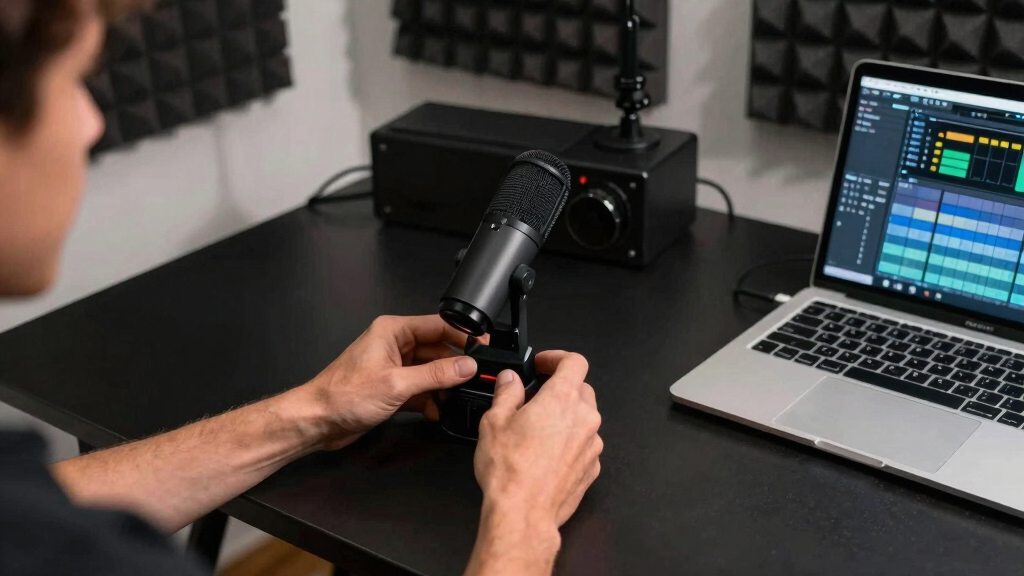
I ranked these microphones around the needs of a live broadcast rather than general video recording. My highest priorities were connection dependability, clear speech capture, device compatibility, and a setup that can be managed while presenting. I also compared transmitter count, receiver design, charging arrangements, noise-control options, and the usefulness of each advertised range. A two-microphone kit received extra credit when it could support a guest without adding another receiver. Models with a clearer role ranked above interchangeable budget products, even when their feature lists looked similar.
I treated published range figures as best-case claims, since walls, Wi-Fi traffic, people, and receiver placement can shorten a wireless link. Battery ratings were judged by how well they support complete streaming sessions, not by the largest number alone. Premium systems moved higher when their added cost bought better control, a more organized charging workflow, or broader production flexibility. Budget options remained competitive when they covered the core job with fewer accessories and less setup. This approach places the DJI Mic Mini first, the MAYBESTA model in the value role, and the Hollyland Lark M2 in the premium role.
| wireless microphone for live streaming | Battery life |
|---|---|
| DJI Mic Mini | — |
| MAYBESTA Wireless Mini Microph | Up to 16 hours per microphone |
| Labstandard Professional Wirel | Up to 6 hours |
| Wireless Mini Microphone for i | Up to 16 hours |
| Hollyland Lark A1 Wireless Mic | — |
| KUKIHO Wireless Lavalier Micro | Up to 36 hours with charging case |
| Mini Mic Pro Wireless Lavalier | — |
| Hollyland Lark M2 Wireless Mic | Up to 30 hours |
| Wireless Lavalier Microphone f | Up to 6 hours |
Factors to Consider When Choosing Wireless Microphone For Live Streaming
I would choose a live-streaming microphone by starting with the broadcast device and production format, then narrowing the list by range, battery needs, and audio control. The right receiver connection often matters more than an ambitious specification that never benefits the stream.
Match the Receiver to the Streaming Device
A microphone can have strong audio specifications and still be the wrong purchase if its receiver does not fit the streaming device. USB-C is the simplest route for many current Android phones, computers, and newer iPhones, while older Apple devices may need a Lightning-specific version. An adapter is not always a clean fix because some adapters pass power but fail to pass digital microphone audio correctly. I would also check whether the receiver blocks nearby ports or prevents the phone from sitting securely in a mount. Creators who switch between a phone and computer should favor documented multi-device support rather than assuming every USB-C port behaves the same way. Testing device recognition in the actual streaming app before the return window closes can prevent a frustrating surprise.
Treat Range Claims as Best-Case Numbers
Advertised range is usually measured with a clear line of sight, which rarely matches a busy home, studio, or event venue. Walls, people, metal furniture, and crowded wireless channels can reduce the usable distance. For a seated stream, stable performance across one room matters more than a headline figure measured in hundreds of feet. Long range becomes more useful for fitness instruction, live demonstrations, worship services, and event coverage where the host moves away from the receiver. I would place the receiver in the open and keep it away from routers or large metal objects whenever possible. Paying for extra wireless headroom makes sense when a dropped sentence would be difficult to repeat live.
Choose the Right Number of Transmitters
A single transmitter is enough for solo commentary, gaming, product demonstrations, and most desk-based streams. Interviews and co-hosted broadcasts are easier with two independent transmitters feeding one receiver. Sharing one lavalier between two people creates uneven levels and makes natural conversation awkward. A dual kit also gives a solo creator a charged backup if one transmitter runs flat during a long session. The tradeoff is more charging, pairing, and level management before going live. I would buy a two-mic package only when guest audio or redundancy will be used often enough to justify that extra work.
Plan Battery Life Around the Whole Session
Total battery claims often combine the transmitters with several recharges stored in a case. That figure is useful for travel, but it does not reveal how long one transmitter runs without interruption. For live streaming, single-charge runtime should exceed the planned broadcast, setup period, and a safety margin. A case is especially helpful for creators who stream several times a week and do not want loose charging cables on the desk. Pass-through charging can also matter when the receiver occupies the device’s only port, though support varies by model. I would favor a predictable charging routine over a larger total-hour claim that depends on repeated breaks.
Match Noise Control to the Streaming Space
Noise cancellation can reduce steady sounds such as fans or air conditioners, but aggressive processing may make speech sound thin or clipped. A quiet room may benefit more from natural voice reproduction than from the strongest filtering mode. In an untreated kitchen, gym, or event space, adjustable noise control becomes much more useful. Microphone placement still matters: clipping the transmitter close to the mouth usually improves the voice-to-room balance before software processing begins. I would also avoid clothing contact, necklaces, and loose fabric that can create rustling no algorithm fully removes. The best systems provide control over noise reduction instead of forcing one processed sound on every stream.
Know When a Premium System Is Worth Paying For
A higher price makes sense when the stream earns income, includes guests, or takes place in locations where a failed take cannot be recorded again. Premium systems tend to justify their cost through better workflow and control, including organized charging, stronger wireless reach, and clearer status feedback. Solo creators broadcasting beside a phone may never use those advantages. In that setting, a simple plug-in receiver can deliver a faster setup and leave more budget for lighting or a stable mount. I would avoid paying mainly for an extreme range claim when the transmitter stays within a few feet of the camera. Spend more when reliability, mobility, or repeat use has a direct effect on the broadcast.
Frequently Asked Questions
Will a USB-C Wireless Microphone Work With Every iPhone and Android Phone?
No, a USB-C plug does not guarantee universal compatibility. Current USB-C iPhones and many Android phones can accept digital microphone input, but support may vary by device, operating system, receiver, and streaming app. Older iPhones and iPads with Lightning ports usually need a matching Lightning receiver or a verified adapter. Some phones also require an audio or USB accessory setting to be enabled. I would confirm the exact phone model and app in the manufacturer’s compatibility information before buying.
Is a Dedicated Receiver Better Than Connecting a Microphone Through Bluetooth?
For live streaming, I generally prefer a dedicated wireless receiver. It can provide lower delay and a more predictable audio path than a standard Bluetooth microphone connection. Bluetooth behavior also varies between streaming apps, and some apps may fall back to the phone’s built-in microphone. A receiver adds a small piece of hardware and occupies a port, which can complicate charging during long broadcasts. The receiver-based option still makes more sense when speech timing and connection stability matter.
Do I Need Two Transmitters for a Solo Live Stream?
A solo host can stream effectively with one transmitter. Two transmitters become useful when a guest may join, when the host moves between different outfits or positions, or when a ready backup microphone reduces risk. The second unit can remain charged while the first is active, though not every receiver supports seamless swapping during a broadcast. Dual kits also cost more and create another device to monitor. I would choose two transmitters when flexibility or backup coverage matters more than the simplest possible setup.
How Much Wireless Range Does a Home Live Stream Actually Need?
Most desk and room-based streams need far less range than premium systems advertise. A dependable link across 20 to 50 feet indoors is often more useful than a huge line-of-sight figure that falls sharply around walls and interference. Fitness instructors, event hosts, and mobile presenters may benefit from much more headroom. Extra range can also provide a stronger safety margin when the receiver is surrounded by wireless equipment. I would choose based on the farthest real movement path, then allow room for obstacles rather than buying by the largest number alone.
Is the Hollyland Lark M2 Worth Paying More for Than a Budget Lavalier?
The Lark M2 makes sense when longer range, extended battery capacity, and noise control support the production style. Its advertised 1,000-foot reach is far beyond what most desk streamers need, so part of its value may go unused in a fixed setup. A budget two-pack can be the smarter purchase for occasional indoor streams and simple guest interviews. The premium price becomes easier to justify for mobile broadcasts, paid work, or frequent sessions where workflow matters. I would pick the Lark M2 for production flexibility, not merely because its specification sheet has larger numbers.
Conclusion
For most creators, I recommend the DJI Mic Mini as the best overall choice because its dual-transmitter kit and charging case balance flexibility with a manageable workflow. The MAYBESTA Wireless Mini Microphone is my best-value pick, while the Hollyland Lark M2 is the premium choice for mobile productions that can use its long advertised range and added audio features. Beginners who want a more guided entry into a branded system should start with the Hollyland Lark A1.
For long streaming schedules, I would choose the KUKIHO Wireless Lavalier Microphone for its advertised 36-hour total battery capacity, while the Mini Mic Pro suits creators prioritizing a compact setup. The Labstandard Professional Wireless Lavalier fits an Apple-focused workflow, and the Wireless Mini Microphone 2 Pack is the straightforward choice for basic two-person recording. Creators moving among phones, tablets, and computers should give the cross-platform Wireless Lavalier Microphone the closest look, provided its receiver matches every device they plan to use.
Halloween Picks
halloween
As an affiliate, we earn on qualifying purchases.