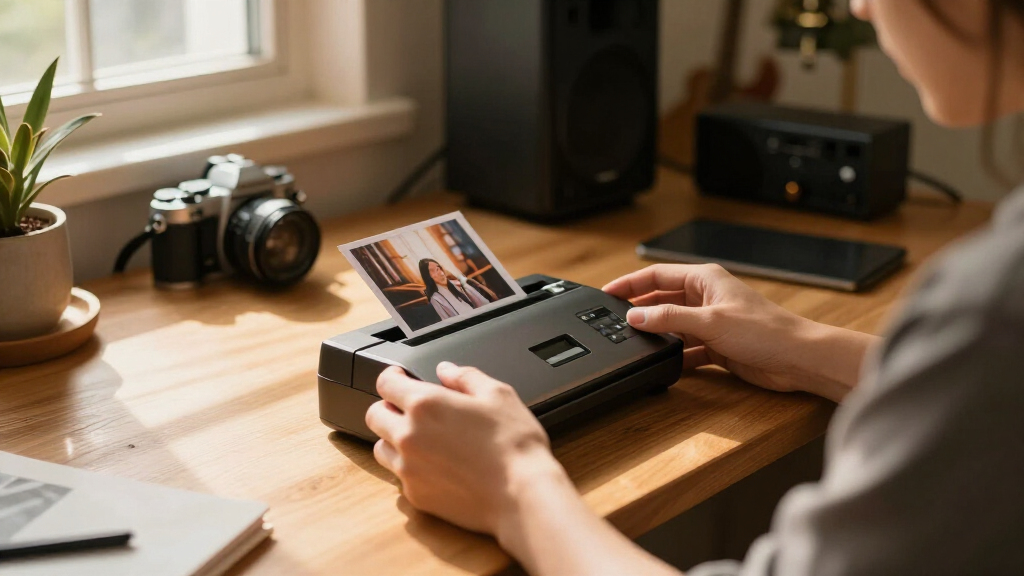

Finding the best photo scanner can feel overwhelming with so many options that vary in resolution, speed, and features. The Epson Perfection V600 stands out as the overall top pick for its excellent balance of detail and affordability, while the Epson FastFoto FF-640 offers unmatched speed for bulk scanning. However, tradeoffs exist—higher-resolution models can be slower and more expensive, and portable options may sacrifice some detail. Keep reading to see how these choices compare and which one fits your needs best.

Get audio and creator gear delivered free with Prime
- Fast, free delivery on millions of items
- Prime Video, Amazon Music and more included
- Member-only deals all year
Complete the kit


Key Takeaways
- High-resolution flatbed scanners like the Epson V600 and V850 excel for detailed photo reproduction, but they tend to be slower and pricier.
- Speed-focused models such as the Epson FastFoto FF-640 are ideal for large batches but may lack the finer detail needed for archival quality.
- Wireless and portable options like the ScanSnap iX1300 provide convenience but often compromise on maximum resolution and color depth.
- Choosing between film/negative support and standard photo scanning depends heavily on your specific collection needs, influencing the best overall pick.
- Ease of use and software capabilities vary widely, with some models offering advanced editing and batch processing features that save time.
| Epson Perfection V600 Photo Scanner – 6400 x 9600 dpi, USB Connectivity, Flatbed |  | Best Overall for Versatile High-Resolution Scanning | Resolution: 6400 x 9600 dpi | Connectivity: USB 2.0 | Maximum Enlargement: 17 x 22 inches | VIEW LATEST PRICE | See Our Full Breakdown |
| Epson Perfection V850 Pro Photo Scanner 6400 DPI Flatbed Scanner |  | Best for Professional-Grade Image Reproduction | Resolution: 6400 DPI | Dmax: 4.0 | Lens System: Dual lens | VIEW LATEST PRICE | See Our Full Breakdown |
| ScanSnap iX1300 Wireless and USB Double-Sided Color Document Scanner, White |  | Best for Compact, Versatile Document Scanning | Connectivity: USB, Wi-Fi | Color: White | Scan Speed: up to 30 ppm duplex | VIEW LATEST PRICE | See Our Full Breakdown |
| Epson FastFoto FF-640 High-Speed Photo Scanning System with Auto Photo Feeder |  | Best for Large-Scale Photo Archiving | Scan Speed: 1 photo per second | Max Resolution: 600 dpi | Auto-Feed Capacity: 30 photos | VIEW LATEST PRICE | See Our Full Breakdown |
| Epson FastFoto FF-680W High-Speed Duplex Photo and Document Scanner |  | Best for All-in-One Photo and Document Digitization | VIEW LATEST PRICE | See Our Full Breakdown | |||
| Epson Perfection V19 II Flatbed Photo Scanner 4800 dpi Optical Resolution with USB Power and Removable Lid |  | Best Compact Flatbed Scanner for Detailed Photo Restoration | Optical Resolution: 4800 dpi | Weight: 3.1 lbs | Connectivity: USB | VIEW LATEST PRICE | See Our Full Breakdown |
| Plustek Photo Scanner ePhoto Z300 |  | Best Fast Photo Scanner for Multiple Sizes and Restoring Old Photos | Supported Photo Sizes: 3×5, 4×6, 5×7, 8×10 inches | Optical Resolution: up to 600 dpi | Scan Speed: 2 seconds for 4×6 | VIEW LATEST PRICE | See Our Full Breakdown |
| ScanSnap iX2500 Photo Edition Wireless or USB High-Speed Scanner, Black |  | Best High-Speed Wireless Scanner with Large Touchscreen for Photos and Documents | Connectivity: Wi-Fi 6, USB-C | Scan Speed: up to 100 photos per minute | Document Capacity: up to 100 documents or 36 photos | VIEW LATEST PRICE | See Our Full Breakdown |
| Epson Perfection V550 Color Photo, Image, Film, Negative & Document Scanner with 6400 DPI Optical Resolution |  | Best High-Resolution Versatile Scanner for Photos, Film, and Negatives | Optical Resolution: 6400 dpi | Scan Size: up to 17 x 22 inches | Connectivity: USB 2.0 | VIEW LATEST PRICE | See Our Full Breakdown |
| photo scanner | Connectivity | Scan Speed |
|---|---|---|
| Epson Perfection V600 Photo Sc | USB 2.0 | — |
| Epson Perfection V850 Pro Phot | — | — |
| ScanSnap iX1300 Wireless and U | USB, Wi-Fi | up to 30 ppm duplex |
| Epson FastFoto FF-640 High-Spe | — | 1 photo per second |
| Epson FastFoto FF-680W High-Sp | — | — |
| Epson Perfection V19 II Flatbe | USB | up to 10 seconds for letter-sized |
| Plustek Photo Scanner ePhoto Z | — | 2 seconds for 4×6 |
| ScanSnap iX2500 Photo Edition | Wi-Fi 6, USB-C | up to 100 photos per minute |
| Epson Perfection V550 Color Ph | USB 2.0 | — |
More Details on Our Top Picks
Epson Perfection V600 Photo Scanner – 6400 x 9600 dpi, USB Connectivity, Flatbed
The Epson Perfection V600 stands out for its impressive resolution of 6400 x 9600 dpi, making it ideal for digitizing slides, negatives, and photos with exceptional detail. Compared to the V850 Pro, it offers a more affordable price point while still providing advanced features like built-in dust removal and extensive software support. However, being limited to USB 2.0, it may be slower than newer models with USB-C or Ethernet, and its design favors photo and film restoration over quick document scans. Its energy-efficient LED technology eliminates warm-up time, streamlining workflow for hobbyists and semi-professionals. This scanner is best suited for users prioritizing high-quality image reproduction without a hefty investment.
Pros:- High-resolution scanning up to 6400 x 9600 dpi for detailed images
- Includes built-in transparency unit for slides and negatives
- Comprehensive software with dust removal and image correction
- Energy-efficient LED technology with no warm-up time
Cons:- Limited to USB 2.0 connectivity, which may slow down large batch scans
- Primarily designed for photo and film, less suitable for everyday document use
Best for: Photographers and archiving enthusiasts needing detailed scans of slides and negatives
Not ideal for: Casual users or offices needing quick, high-volume document scanning due to its slower interface
- Resolution:6400 x 9600 dpi
- Connectivity:USB 2.0
- Maximum Enlargement:17 x 22 inches
- Media Compatibility:35mm slides, negatives, medium format film, photos, documents
- Energy Efficiency:Yes
- Software Included:DIGITAL ICE, ArcSoft PhotoStudio, Easy Photo Fix
Our verdict“This scanner makes the most sense for dedicated photo archivists and hobbyists seeking high-quality scans without needing rapid throughput.”
Epson Perfection V850 Pro Photo Scanner 6400 DPI Flatbed Scanner
The Epson V850 Pro offers a step up in precision with its dual lens system and 6400 DPI resolution, making it ideal for professional photographers and archivists demanding meticulous detail. Compared with the V600, it provides superior color accuracy and a higher Dmax for richer blacks, but its premium price and large footprint make it less suitable for casual or small-scale use. The advanced dual lens system ensures sharpness across a wider area, while Digital ICE technology helps restore damaged film and photos. However, its size and cost can be prohibitive for hobbyists or those with limited space. This model is best suited for professionals or serious enthusiasts who need top-tier quality and are willing to invest accordingly.
Pros:- 6400 DPI resolution for ultra-detailed scans
- Dual lens system for consistent sharpness and color accuracy
- Digital ICE technology for scratch and dust removal
- High Dmax of 4.0 for deep blacks and rich contrast
Cons:- High price point may be out of reach for casual users
- Large size requires significant desk space and setup effort
Best for: Professional photographers and high-end photo archivists requiring maximum detail and color fidelity
Not ideal for: Casual users or those with limited space and budget, due to its size and price
- Resolution:6400 DPI
- Dmax:4.0
- Lens System:Dual lens
- Technology:Digital ICE
- Operating Systems:Windows 8.1, 8, 7, Vista, XP, Mac OS X 10.6-10.10
Our verdict“This scanner is best for professionals who need the highest quality scans and have the space and budget to support it.”
ScanSnap iX1300 Wireless and USB Double-Sided Color Document Scanner, White
The ScanSnap iX1300 excels in combining space efficiency with quick, reliable duplex scanning, making it perfect for busy offices or home setups that need to manage diverse documents, including photos. Unlike flatbeds like the V600, it’s optimized for speed and ease of use, with a 30 ppm duplex rate and wireless connectivity. Its automatic document feeder and user-friendly software streamline organization, but setup can be a challenge for less tech-savvy users, and it may struggle with large volumes or very bulky documents. This pick makes the most sense for users who want a flexible, fast scanner that fits in tight spaces.
Pros:- Compact, space-saving design
- Fast duplex scan speed of up to 30 ppm
- Wireless and USB connectivity options
- Easy-to-use software for organizing scans
Cons:- Setup complexity may deter some users
- Limited capacity for large-volume scanning or oversized documents
Best for: Small offices or home users needing quick, organized scans of various document types, including photos
Not ideal for: Users requiring high-resolution photo scans or archival-quality imaging, due to its focus on speed and versatility
- Connectivity:USB, Wi-Fi
- Color:White
- Scan Speed:up to 30 ppm duplex
- Features:Auto document feeder, manual feeder, color optimization
- Compatibility:Mac, PC, mobile devices, cloud, Chromebook
Our verdict“This scanner suits users who prioritize speed, versatility, and space efficiency over ultra-high-resolution image quality.”
Epson FastFoto FF-640 High-Speed Photo Scanning System with Auto Photo Feeder
The Epson FastFoto FF-640 is designed for rapid digitization of extensive photo collections, with a remarkable speed of 1 photo per second. Its auto-feed tray, capable of holding 30 photos, minimizes manual intervention, making it ideal for anyone looking to preserve old photos efficiently. While its 600 dpi resolution might not match dedicated flatbeds like the V600 or V850 for fine detail, it excels at bulk scanning. The high speed and batch capabilities come at a cost—its price is higher, and it’s primarily limited to Windows. For those with thousands of photos to convert, this model provides unmatched throughput. This makes the most sense for archivists and families with extensive photo archives who value speed over ultra-high detail.
Pros:- Very fast scanning at 1 photo per second
- Auto-feed tray simplifies batch processing
- Decent image quality at 600 dpi for general viewing
- Designed for large-volume photo archiving
Cons:- Limited to 600 dpi, not ideal for high-resolution enlargements
- Primarily for photos, not suited for detailed film or document scans
- High price for casual or infrequent use
Best for: Archivists or families needing fast, bulk photo digitization with minimal manual effort
Not ideal for: Users seeking high-resolution scans for enlargements or detailed editing, or Mac users, due to compatibility limits
- Scan Speed:1 photo per second
- Max Resolution:600 dpi
- Auto-Feed Capacity:30 photos
- Compatibility:Windows only
Our verdict“This scanner is best for large-scale photo archiving where speed outweighs ultra-fine detail, especially for Windows users.”
Epson FastFoto FF-680W High-Speed Duplex Photo and Document Scanner
The Epson FastFoto FF-680W combines high-speed duplex scanning with advanced photo restoration features, making it suitable for users who want to digitize photos and documents efficiently. Its ability to scan both sides simultaneously and handle up to 36 photos at once offers a significant productivity boost over flatbeds like the V600. The software suite, including OCR and auto enhancement, helps restore old images and convert them into searchable files. While its bulk and feature set are impressive, the scanner’s size and complexity may challenge first-time users, and the high price might deter casual buyers. This model is ideal for families or small businesses seeking fast, versatile, and feature-rich scanning solutions.
Pros:- High-speed duplex scanning at up to 45 ppm for documents and 90 ipm for photos
- Batch capacity of 36 photos for efficient archiving
- Includes OCR, auto enhancement, and color restoration software
- Wireless connectivity offers flexible setup
Cons:- Complex feature set may be overwhelming for new users
- Relatively large and heavy design requires ample space
- Higher price point may not fit all budgets
Best for: Families or small offices needing fast batch scans of photos and documents with editing capabilities
Not ideal for: Users who only need occasional, high-resolution photo scans or have limited space, due to its bulk and cost
Our verdict“This scanner is best suited for users needing fast, comprehensive photo and document digitization with advanced editing features and wireless setup capabilities.”
Epson Perfection V19 II Flatbed Photo Scanner 4800 dpi Optical Resolution with USB Power and Removable Lid
This model stands out for its high 4800 dpi resolution, making it ideal for capturing intricate details in photos, especially when compared to the faster but lower-resolution options like the Plustek ePhoto Z300. Its one-touch color restoration is a strong feature for those looking to revive old, faded prints without fuss. However, its flatbed-only design limits batch scanning, and the lack of wireless connectivity may hinder workflow convenience. Compared to the V550, it offers less versatility for film and negatives but excels in detail for flatbed scans. The lightweight, portable build makes it perfect for casual users who need quality scans on the go—yet, slow batch speeds and no wireless could frustrate high-volume users.
Pros:- High 4800 dpi resolution captures fine details
- Easy one-touch color restoration for old photos
- Lightweight and portable for on-the-go use
Cons:- Limited to flatbed scanning only, which slows down batch processing
- No wireless or cloud connectivity options
Best for: Photographers or hobbyists who need high-quality, detailed scans of individual photos and artwork in a portable format.
Not ideal for: Heavy users requiring fast batch processing or wireless operation, as it’s limited to flatbed scanning and wired connection only.
- Optical Resolution:4800 dpi
- Weight:3.1 lbs
- Connectivity:USB
- Removable Lid:Yes
- Scan Speed:up to 10 seconds for letter-sized
Our verdict“This scanner suits users prioritizing detailed, high-quality flatbed scans in a compact design, but less ideal for high-volume workflows.”
Plustek Photo Scanner ePhoto Z300
The Plustek ePhoto Z300 makes the most sense for those who need rapid digitization of multiple photos, thanks to its impressive 2-second scan speed for standard 4×6 prints. Its auto crop and deskew features streamline workflows, making it a strong alternative to slower flatbed models like the Epson V19 II when speed matters. While it supports various photo sizes and offers image enhancement, its limited maximum resolution of 600 dpi means it’s less suited for enlargements requiring detail. Unlike the ScanSnap iX2500, it does not have cloud integration or a touchscreen, which could slow down casual users. This pick is a clear choice for quick, efficient photo digitization, especially when restoring old prints is a priority, but it’s not the best for high-res enlargements or large-volume batch scanning.
Pros:- Extremely fast 2-second scans for 4×6 photos
- Supports multiple photo sizes and types
- Includes image enhancement features for restoring old photos
Cons:- Limited to a maximum of 600 dpi, less suitable for enlargements
- Requires software download from the manufacturer’s website for updates
Best for: Photographers or archivists needing fast, reliable scans of multiple photos for digitization or restoration projects.
Not ideal for: Users seeking high-resolution scans for enlargements or those needing document scanning beyond photos, as it’s optimized for speed over maximum detail.
- Supported Photo Sizes:3×5, 4×6, 5×7, 8×10 inches
- Optical Resolution:up to 600 dpi
- Scan Speed:2 seconds for 4×6
- Compatibility:Windows 7/8/10/11, Mac OS X 10.12~15.x
Our verdict“Ideal for rapid photo digitization and restoration, but less suited for high-resolution enlargements or detailed archival work.”
ScanSnap iX2500 Photo Edition Wireless or USB High-Speed Scanner, Black
This scanner excels in high-volume environments, offering up to 100 photos per minute, and its large 5-inch touchscreen simplifies operation compared to the more manual Plustek Z300. Its wireless (Wi-Fi 6) and USB-C connectivity make it highly flexible for busy offices or home setups that demand seamless cloud integration and organization. Unlike the Epson V19 II, it’s designed for speed rather than detailed quality, making it less suitable for high-resolution enlargements. Its automatic file organization and carrier sheets help streamline workflows, but its price and complexity could overwhelm light or infrequent users. It’s the best choice for those who need fast, organized digitization of large quantities of photos and documents, but it’s overkill for casual or one-off projects.
Pros:- High-speed scanning up to 100 photos per minute
- Large touchscreen for easy control and adjustments
- Wireless connectivity with cloud integration
Cons:- May be too complex for first-time users
- Designed primarily for volume, not high-resolution detail
Best for: Small businesses or professionals who need rapid, organized digitization of large batches of photos and documents with wireless convenience.
Not ideal for: Casual users or hobbyists focused on high-detail scans or those with limited budgets, as it’s geared toward high-speed processing and enterprise features.
- Connectivity:Wi-Fi 6, USB-C
- Scan Speed:up to 100 photos per minute
- Document Capacity:up to 100 documents or 36 photos
- Touchscreen:5-inch
- Includes:3 photo carrier sheets
Our verdict“Perfect for high-volume digitization in professional settings, but not ideal for detailed enlargements or casual use.”
Epson Perfection V550 Color Photo, Image, Film, Negative & Document Scanner with 6400 DPI Optical Resolution
The Epson V550 offers a notable step up in resolution at 6400 dpi, making it suited for enlarging photos or scanning negatives and film with fine detail, unlike the flatbed V19 II. Its advanced dust and scratch removal technology makes it a preferred choice for archival work where image clarity is paramount. While it lacks wireless connectivity, its USB 2.0 interface remains reliable for high-quality scans. Compared to the V600, it provides faster scans with LED technology, but its higher price might deter casual users. Overall, this scanner makes the most sense for dedicated hobbyists or professionals who want versatility and high resolution in one device, accepting the tradeoff of limited connectivity options.
Pros:- High 6400 dpi resolution for detailed enlargements
- Effective dust and scratch removal technology
- Fast scanning with LED technology
Cons:- No wireless connectivity options
- Potentially higher cost than simpler flatbed models
Best for: Photographers or archivists needing detailed scans of photos, negatives, and film with minimal dust and scratch issues.
Not ideal for: Casual users or those requiring wireless operation, as it relies solely on USB and may be costly for occasional use.
- Optical Resolution:6400 dpi
- Scan Size:up to 17 x 22 inches
- Connectivity:USB 2.0
- Color Depth:48-bit
- Built-in Transparency Unit:Yes
Our verdict“This scanner suits professionals and serious hobbyists focused on high-resolution versatility and image restoration, but less so for casual or wireless needs.”
How We Picked
In selecting the best photo scanners, I prioritized performance factors such as optical resolution, color accuracy, and scanning speed. Usability was also key—models needed intuitive interfaces and reliable software. Build quality and durability mattered, especially for those planning to scan large collections regularly. Value was assessed by comparing features against price, ensuring each recommendation offers a good balance of performance and affordability. Finally, versatility, such as support for film negatives or documents, helped distinguish scanners suited for specific needs from all-in-one models.| photo scanner | Connectivity |
|---|---|
| Epson Perfection V600 Photo Sc | USB 2.0 |
| Epson Perfection V850 Pro Phot | — |
| ScanSnap iX1300 Wireless and U | USB, Wi-Fi |
| Epson FastFoto FF-640 High-Spe | — |
| Epson FastFoto FF-680W High-Sp | — |
| Epson Perfection V19 II Flatbe | USB |
| Plustek Photo Scanner ePhoto Z | — |
| ScanSnap iX2500 Photo Edition | Wi-Fi 6, USB-C |
| Epson Perfection V550 Color Ph | USB 2.0 |
Factors to Consider When Choosing Best Photo Scanners
Choosing the right photo scanner involves balancing several factors beyond just resolution. Understanding your primary use case—whether archiving family photos, digitizing negatives, or scanning large batches—guides your choice. Consider the scanner’s speed: high-resolution flatbeds are slower but more detailed, while sheet-fed models excel in quantity but may sacrifice some image quality. Compatibility with your computer or mobile devices is also crucial, as is the availability of editing and batch processing features. Lastly, think about future needs; investing in a versatile model can save money and hassle long-term.Resolution and Image Quality
Resolution determines how much detail your scans capture. For archival quality or large prints, look for scanners offering at least 6400 dpi, like the Epson V850 or V550. However, higher resolution often means slower scans and higher costs. For casual or occasional use, 4800 dpi models like the Epson V19 may suffice, balancing quality and speed. Always consider whether the scanner’s color accuracy and dynamic range meet your expectations for true-to-life reproductions.
Speed and Batch Scanning
If you need to digitize large collections quickly, speed becomes a key factor. Models like the Epson FastFoto FF-640 are designed for rapid batch scanning, capable of processing hundreds of photos per hour. However, these systems may not provide the same level of detail as flatbed scanners. For smaller projects or high-detail archiving, slower but more precise scanners like the Epson V600 or V850 are preferable, giving you finer control over image quality at a slower pace.
Versatility and Media Support
Consider what types of media you’ll be scanning. Some scanners support film negatives, slides, and various photo sizes—Epson V550 and V850 excel here. Others focus solely on flat photos, making them less flexible. If you plan to digitize negatives or fragile materials, a dedicated film scanner or an all-in-one with negative support is essential. Beware of models that claim to do everything but do not perform well with specialized media, as this can lead to disappointing results.
Connectivity and Ease of Use
Wireless connectivity and mobile app support can simplify scanning workflows, especially for those who want to scan from multiple devices or locations. Models like the ScanSnap iX1300 and iX2500 offer seamless wireless operation, but might lack advanced features or high resolution. Ease of use also depends on software interface; look for intuitive controls and editing tools that can save time during post-processing. Remember that complex software can have a learning curve, so balance functionality with user-friendliness.
Price and Long-Term Value
Price varies widely among photo scanners, from budget models to professional-grade systems. Cheaper options can be tempting, but they often lack resolution or media support, limiting their usefulness. Premium models, like the Epson V850 Pro, come at a higher cost but provide superior detail and durability—ideal for serious archivists. Consider the total investment, including consumables and maintenance, to ensure long-term value. Sometimes spending more upfront results in better results and fewer frustrations over time.
Frequently Asked Questions
Is a dedicated photo scanner worth it over a flatbed scanner?
A dedicated photo scanner generally offers higher resolution and better color accuracy specifically tailored for photos, negatives, or slides. Flatbed scanners are versatile but often compromise some detail or color fidelity for overall functionality. If your primary goal is archiving or high-quality reproductions of photos and negatives, a dedicated photo scanner provides more precise results. However, for occasional use or mixed media, a flatbed might be more practical and cost-effective.
Can I scan negatives with a regular photo scanner?
Most standard flatbed scanners do not support negatives or slides directly, but some models include film holders or adapters to enable negative scanning. If you plan to digitize negatives frequently, investing in a dedicated film scanner or a model like the Epson V850 with negative support makes sense. Keep in mind that negative scanning often requires additional software or post-processing to produce accurate color images. For casual negative scanning, some flatbeds with film adapters may suffice, but results can vary.
How important is resolution when scanning old photos?
Resolution is critical if you want to enlarge or restore old photos without losing detail. A higher dpi, such as 6400 or above, captures more information and preserves the quality of fragile or cherished images. However, extremely high resolutions result in larger file sizes and longer scan times. For most personal archives, 4800 to 6400 dpi strikes a good balance between detail and practicality. Lower resolutions might suffice for casual viewing but are not ideal for archival purposes.
Should I prioritize speed or quality when choosing a photo scanner?
This depends on your primary use. If you have a large collection of photos and need quick results, a fast scanner like the Epson FastFoto FF-640 can save hours, even if it sacrifices some detail. Conversely, if preserving every nuance is your goal, a high-resolution flatbed like the Epson V850 is better, despite slower speeds. For most users, a balance—such as a mid-range flatbed—offers both acceptable quality and reasonable speed.
Are portable scanners a good option for photo digitization?
Portable scanners are convenient for scanning on the go or in tight spaces but often compromise on resolution and image quality compared to larger, dedicated models. They are better suited for quick scans of documents or small photos rather than high-quality archival work. If you want to preserve precious or large collections, investing in a full-sized scanner with higher resolution and media support is advisable. Portable models are ideal for casual use or immediate digitization needs.
Conclusion
For most users, the Epson Perfection V600 offers the best overall balance of quality, ease of use, and price, making it ideal for hobbyists and casual archivists. Those with large collections or negative slides should consider the Epson V850 Pro for its superior detail and versatility. If speed is your priority, the Epson FastFoto FF-640 provides rapid batch scanning for large-scale projects. Beginners will appreciate models like the ScanSnap iX1300 for simplicity, while professionals needing maximum quality should look toward premium options like the Epson V850 Pro. Each choice depends on your specific needs—consider what matters most to you before investing.Halloween Picks
halloween
As an affiliate, we earn on qualifying purchases.