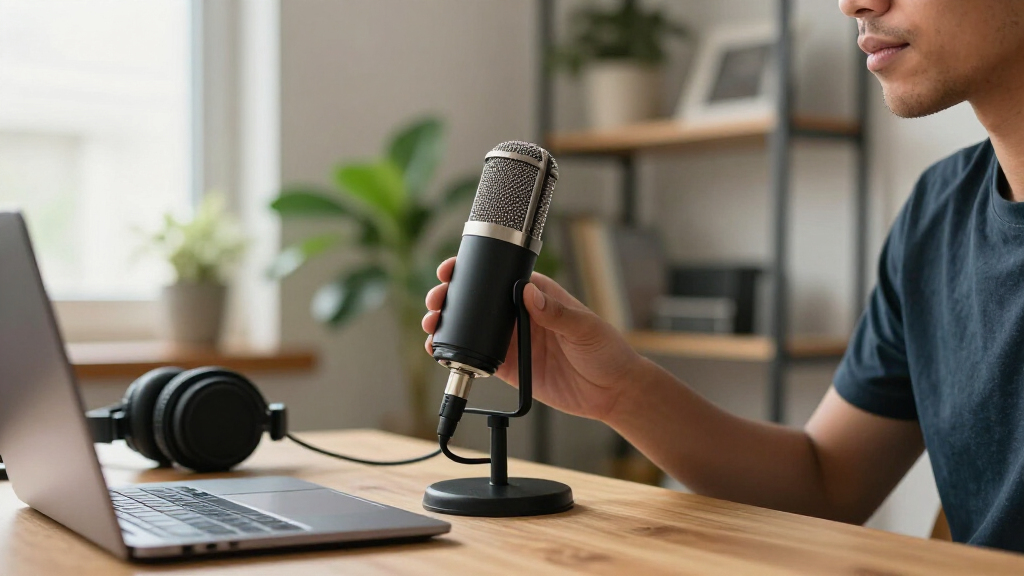

When choosing a portable condenser microphone, the key decision is usually not a particular brand or shape: it is whether to buy a USB model that connects directly to your device or an XLR model that needs an audio interface or mixer. Both can capture detailed voice and instrument recordings, but they suit different definitions of portable. USB favors a compact, straightforward setup for calls, podcasts, and travel recording. XLR favors people willing to carry extra gear in exchange for broader compatibility with studio equipment, stronger monitoring options, and room to upgrade.

Get audio and creator gear delivered free with Prime
- Fast, free delivery on millions of items
- Prime Video, Amazon Music and more included
- Member-only deals all year

Samson Meteorite Portable USB Condenser Microphone
- ✔ Connection: USB
- ✔ Pickup pattern: Unidirectional
- ✔ Diaphragm: 14 mm

FIFINE K669B USB Condenser Microphone
- ✔ Connection: USB (USB-B to USB-A/C)
- ✔ Pickup pattern: Cardioid
- ✔ Construction: Metal

Amazon Basics USB Condenser Microphone with Cardioid Pickup and Adjustable Stand
- ✔ Connection: USB
- ✔ Pickup pattern: Cardioid, unidirectional
- ✔ Diaphragm: 14 mm
The tradeoff is convenience now versus flexibility over time. If your recordings happen mostly at a laptop and you want to start quickly, USB is the more practical choice for most people. If you already own an interface, record with other audio gear, or want a setup that can grow, XLR can justify its added cost and bulk. The comparisons below focus on the differences that change everyday use, rather than treating either connector as a guarantee of better sound.
At a Glance
| Criteria | USB portable condenser microphones | XLR portable condenser microphones | Winner |
|---|---|---|---|
| Connection and setup | Connects by USB directly to a computer or supported device; usually quick to configure. | Requires an XLR cable and an audio interface or mixer; setup has more steps. | A |
| Portability | Fewer parts to pack; often the simpler choice for mobile laptop recording. | Mic itself may be compact, but the cable and interface add packing weight and power needs. | A |
| Audio quality | Can deliver clear, detailed recordings; quality depends on the capsule, electronics, and room, not the connector alone. | Can be excellent, but performance depends on the microphone, preamp, converter, and recording conditions. | Tie |
| Monitoring and controls | Some models include headphone monitoring and onboard controls; features vary. | Monitoring and gain are commonly handled at the interface or mixer; options depend on that gear. | Depends |
| Compatibility | Best suited to devices with compatible USB connections; mobile support and adapters vary. | Works with audio interfaces, mixers, recorders, and other XLR equipment; requires suitable input and phantom power when specified. | B |
| Upgrade flexibility | Limited by the microphone’s built-in converter and preamp; replacing or expanding the signal chain is less modular. | Supports swapping microphones and upgrading the interface or other parts independently. | B |
| Total cost and value | Often lower total setup cost because no separate interface is required. | Higher initial cost if an interface is not already available; better value for users who will use the gear long term. | Depends |
Samson Meteorite Portable USB Condenser Microphone
The Meteorite takes the top spot because it most directly answers the portable part of portable condenser microphone. Its body is described as smaller than a golf ball and weighs 4.8 ounces, so it is a more natural choice for a travel bag or a crowded work surface than the stand-based FIFINE K669B or Amazon Basics model. The removable magnetic base rotates 360 degrees, giving us a way to aim the microphone without needing a larger adjustable stand.Samson also keeps setup straightforward: it connects by USB and is described as plug-and-play with Mac, PC, and iOS devices, without driver installation. That mobile mention needs a caveat, however. iPhone and iPad connection requires an adapter, so the Meteorite is compact, but not a complete phone-recording kit on its own. Its unidirectional pickup is also aimed at a speaker rather than a group gathered around the mic; for several voices, we would not choose it on the assumption that it captures every direction evenly.Compared with the K669B, the Meteorite gives up a conventional tripod setup and onboard volume control in exchange for a much smaller footprint. Compared with the Amazon Basics mic, it is the more travel-friendly pick, while the Amazon offers a one-tap mute and a stand that can be detached and mounted. We recommend the Meteorite when size and flexible aiming matter most, not when a buyer needs the most complete desktop control set.
Pros:
- Exceptionally compact body for a microphone intended to be carried between locations
- Magnetic base offers 360-degree positioning
- USB plug-and-play design for Mac and PC, with iOS use possible through an adapter
- Unidirectional condenser pickup is suited to focused solo speech
Cons:
- An adapter is required for iPhone or iPad connection
- Unidirectional pickup is not designed to capture voices equally from all directions
- No onboard volume knob or one-tap mute is specified
Best for: Travelers, remote workers, and solo speakers who need a very small USB microphone for a compatible computer and can supply an adapter for an iPhone or iPad.
Not ideal for: Buyers recording several people around one microphone, users who need built-in volume or mute controls, or anyone who wants direct iPhone or iPad connection without an adapter.
Bottom line: We recommend the Meteorite for buyers who put packability and easy repositioning ahead of desktop controls or all-around group pickup.
“We recommend the Meteorite for buyers who put packability and easy repositioning ahead of desktop controls or all-around group pickup.”
FIFINE K669B USB Condenser Microphone
The K669B is the most conventional desk microphone in this lineup, and that is its strength. Its metal construction and included tripod stand make it better suited to a regular recording spot than the tiny Samson Meteorite. A built-in volume knob also gives us a physical adjustment on the mic itself, useful when moving between calls, gaming, and voice recording without searching through software controls.Its cardioid pickup is intended to favor the speaker in front of the microphone and reduce background sound, making it a sensible option for solo speech. The USB-powered design requires no phantom power, and the stated compatibility includes PC, Mac, PS4, and PS5. That combination makes the K669B more specifically useful for computer and PlayStation users than either rival: the Meteorite is easier to pack, while the Amazon Basics microphone includes one-tap mute and a more adjustable stand, but neither is described here with the K669B’s console compatibility.There are firm limits. It is not compatible with Xbox or phones, so buyers should not mistake USB connectivity for universal device support. Some software may also apply automatic volume adjustment; the supplied guidance says disabling that feature in programs such as Zoom can improve operation. That is a setup consideration rather than a reason to avoid the mic outright, but it makes this less frictionless for users who want software to manage everything automatically.We rank the FIFINE behind the Meteorite because it is less suited to travel, not because it lacks practical value. Choose it when a stable stand, metal body, and physical volume control matter more than minimal size. If quick muting or flexible mounting is the priority, the Amazon Basics model has a more relevant set of specified controls.
Pros:
- Metal construction and included tripod provide a stable desktop arrangement
- Cardioid pickup is designed to focus on the speaker and reduce background noise
- Onboard volume knob enables quick physical adjustment
- USB-powered setup works without phantom power and supports PC, Mac, PS4, and PS5
Cons:
- Not compatible with Xbox or phones
- Some software may require automatic volume adjustment to be disabled for optimal operation
- Its tripod-based setup is less compact for travel than the Samson Meteorite
Best for: PC and Mac users, or PS4 and PS5 players, who want a sturdy USB microphone with a tripod stand and a physical volume knob for a fixed recording space.
Not ideal for: Phone and Xbox users, frequent travelers seeking the smallest setup, or buyers who prefer a dedicated one-tap mute button.
Bottom line: The K669B is our desktop and PlayStation pick for buyers who value a sturdy stand and direct volume control over travel-size convenience.
“The K669B is our desktop and PlayStation pick for buyers who value a sturdy stand and direct volume control over travel-size convenience.”
Amazon Basics USB Condenser Microphone with Cardioid Pickup and Adjustable Stand
This Amazon Basics microphone is the most control-oriented desk option of the three. Its 360-degree adjustable stand helps us point the mic toward a seated speaker, while the detachable base can fit a standard 5/8-inch thread for use with a compatible tripod, boom arm, or microphone stand. The one-tap mute adds a practical privacy control that neither the Meteorite nor the K669B specifies. A built-in shock absorber is also listed, although buyers should not interpret that as a promise that every desk vibration will disappear.The 14 mm diaphragm and cardioid, unidirectional pickup give this model a familiar solo-voice profile: it is designed to focus on sound in front and reduce background noise, not serve as an omnidirectional room microphone. It connects over USB without extra drivers on supported Windows and Mac systems. Those details make it useful for calls, voice recording, and streaming at a workstation, but its listed compatibility is narrower than the K669B’s because no console or mobile support is specified.Compared with the Meteorite, this is plainly less pocketable: its listed dimensions are 3.37 × 3.37 × 5.79 inches and its weight is 0.2 kg. In return, buyers get a more substantial stand and a mute button. Against the FIFINE, it trades the K669B’s metal construction and onboard volume knob for the Amazon Basics mic’s adjustable, detachable mounting arrangement and one-tap mute. That makes this a better choice for a workstation where positioning and privacy matter more than the smallest possible kit or physical gain-style adjustment.We place it third because the roundup centers on portability and the model is more desk-oriented than the Meteorite, while its compatibility details are limited to Windows and Mac. Still, buyers who want to reposition or mount a USB mic without giving up a quick mute control have a clear reason to choose it over the other two.
Pros:
- One-tap mute provides a direct privacy control
- 360-degree adjustable stand and detachable 5/8-inch mounting option
- Cardioid pickup and 14 mm diaphragm are specified for focused voice capture
- USB plug-and-play setup for compatible Windows and Mac computers
Cons:
- Larger and heavier than the Samson Meteorite, making it less convenient to pack
- Listed compatibility is limited to Windows and Mac systems
- Single audio channel may not suit buyers who need multichannel recording
Best for: Windows and Mac users recording at a desk who want a one-tap mute, adjustable positioning, and the option to attach the microphone to a compatible stand or boom arm.
Not ideal for: Travelers prioritizing a very small microphone, buyers who need stated phone or console compatibility, or users who specifically want a metal body or onboard volume knob.
Bottom line: Choose the Amazon Basics mic when adjustable mounting and a dedicated mute button matter more than compact travel size or broad device compatibility.
“Choose the Amazon Basics mic when adjustable mounting and a dedicated mute button matter more than compact travel size or broad device compatibility.”
As an Amazon Associate we earn from qualifying purchases.
Key Differences
The clearest difference is how much equipment the microphone needs to record. A USB model combines the microphone with conversion and connection electronics, so it can usually plug into a computer without a separate interface. That saves setup time, bag space, and money. The tradeoff is that the recording chain is largely fixed inside the microphone. If you want different preamps, more inputs, or a mixer-based workflow, a basic USB mic may not fit as naturally.
An XLR condenser is one part of a larger system. The interface or mixer supplies the connection to a computer, provides gain and monitoring, and may supply phantom power if the microphone requires it. That extra gear adds expense and packing needs, but it also makes the system easier to adapt: change the mic, interface, or recording setup without replacing everything. Neither format automatically sounds better. Room acoustics, microphone design, placement, and gain settings often matter more than whether the cable ends in USB or XLR.
For a traveler who records voice alone at a laptop, USB is generally the stronger buy. For a musician, podcaster with multiple contributors, or creator who already owns audio equipment, XLR is often worth the added setup. Decide based on the complete kit you will carry and use—not only the microphone’s listed price or connector.
Detailed Comparison
Connection and setup (USB portable condenser microphones wins — moderate)
USB wins, by a moderate margin. It typically connects straight to a computer, leaving fewer pieces to configure and troubleshoot. XLR needs a cable plus an interface or mixer, and some condenser models also require phantom power from that device. At a fixed desk, the extra steps are manageable. In a hotel room or on a quick remote call, USB’s simpler setup can make the difference between recording immediately and unpacking a small audio rig.
Portability (USB portable condenser microphones wins — moderate)
USB wins for a complete travel setup, by a moderate margin. A USB microphone can often travel with just its cable and a small stand or mount. An XLR mic may be just as easy to pack on its own, but the full kit also needs the interface, cable, and sometimes a power supply. That cost is less important if the interface already lives in your bag. Check device compatibility before relying on a USB model with a phone or tablet, since adapters and power support can complicate an otherwise light setup.
Audio quality (major difference)
Tie: the connector does not decide sound quality. Both types can capture detailed vocals and acoustic instruments. A well-designed USB microphone can outperform a poorly matched XLR microphone, while a strong XLR mic and good interface can produce excellent results. In practice, room echo, background noise, placement, and the user’s recording technique can outweigh the format. Choose by the microphone’s sound and pattern for your source, not by the assumption that XLR must sound better.
Monitoring and controls (moderate difference)
It depends on the model and the equipment already owned. Some USB microphones provide a headphone jack, direct monitoring, and convenient gain or mute controls on the mic itself. That is useful when recording alone, though feature sets differ. With XLR, monitoring and controls generally come from the interface or mixer, which can offer more inputs and routing but takes extra space and money. USB is the easier self-contained option; XLR can win when an existing interface supplies the controls you need.
Compatibility (XLR portable condenser microphones wins — moderate)
XLR wins, by a moderate margin, for varied recording equipment. XLR connects to a broad range of interfaces, mixers, recorders, and other audio systems, provided they have the right input and power features. USB is convenient with supported computers, but connections to phones, tablets, consoles, or some cameras may need adapters or may not work as expected. For a single laptop workflow, USB is often fully adequate. For a setup that moves between devices and audio gear, XLR is the more adaptable standard.
Upgrade flexibility (XLR portable condenser microphones wins — major)
XLR wins by a major margin. An XLR microphone and interface are separate components, so you can upgrade one without discarding the other. You can add microphones, connect more inputs, or choose a different interface as your recording needs change. A USB mic keeps the chain compact, but its built-in conversion and preamp usually limit how much you can change. That limitation will not bother someone with stable, simple needs; it matters to users expecting to build a studio or expand a show.
Total cost and value (major difference)
Neither wins for everyone. USB is usually the better value for a first microphone because the purchase often covers the connection and conversion needed to record. XLR costs more upfront when you must buy an interface, cable, and possibly accessories. That premium is worthwhile if you already own compatible gear or expect to use multiple microphones and inputs. Paying extra for XLR purely in the hope of better sound is not a sound value decision; the whole recording chain and room matter.
USB portable condenser microphones: Pros and Cons
Pros:
- Direct connection usually makes setup fast and straightforward.
- Lower total entry cost when no interface is needed.
- Fewer components make a practical mobile recording kit.
- Some models offer built-in headphone monitoring and controls.
Cons:
- Compatibility with phones, tablets, and other devices can depend on adapters and power support.
- The built-in audio electronics are less modular than a separate interface.
- Adding inputs or adapting to a larger studio workflow may be difficult.
- Features and monitoring options vary substantially between models.
XLR portable condenser microphones: Pros and Cons
Pros:
- Compatible with a wide range of interfaces, mixers, and recorders.
- Separate components allow individual upgrades and broader system expansion.
- A suitable interface can support multiple mics, inputs, and monitoring options.
- A good fit for existing studio or live audio equipment.
Cons:
- Needs an interface or mixer as well as an XLR cable.
- Higher starting cost for buyers without compatible equipment.
- More gear adds weight, setup steps, and sometimes power requirements.
- The connector alone does not guarantee superior recording quality.
Who Should Choose What
Choose USB portable condenser microphones if:
- You record mostly at a laptop and want to connect with minimal setup.
- You travel with a compact kit and would rather not pack an interface.
- You are buying your first microphone and want to keep the complete system cost down.
- Your needs are limited to a simple voice or instrument recording setup.
Choose XLR portable condenser microphones if:
- You already own an interface, mixer, or recorder with suitable XLR inputs.
- You plan to record several microphones or expand your setup over time.
- You want to use the same mic across studio, mixer, or recording-device workflows.
- You value separate, replaceable components more than the lightest possible kit.
Skip both if: Neither format is a fit if you need a wireless microphone for moving subjects, a rugged handheld mic for loud live environments, or a mic built specifically for a camera without a compatible audio path. Choose a microphone type designed for that use instead.
Value for Money
USB is usually the better value for an individual who needs one mic for a computer. Its total price often includes the electronics needed to record, so a lower sticker price can also mean fewer accessory purchases. Paying more for XLR makes sense when you can reuse an interface or when the system’s extra inputs and upgrade options will see regular use. If you must buy every component, compare the full XLR kit against a USB mic with the monitoring and controls you need. Do not pay an XLR premium just because it seems more professional: the practical value comes from flexibility, not the connector label.
Final Verdict
For most people buying a portable condenser microphone for solo recording, choose USB. It is easier to carry as a complete system, quicker to set up, and usually less expensive to get recording. Choose a model with the monitoring and device compatibility you need, since USB does not mean every mic works seamlessly with every phone or tablet.
Choose XLR if you already have compatible audio gear, want multiple inputs, or expect to upgrade your recording setup. Its added cost and bulk buy real flexibility, not guaranteed better sound. The biggest deciding factor is whether you want a self-contained microphone for a simple workflow or a modular system you can build on. If your needs are simple, USB is the clear recommendation; if expansion and equipment compatibility matter, the XLR system is worth paying more for.
Frequently Asked Questions
Do XLR condenser microphones sound better than USB models?
Not by default. Sound depends on microphone design, recording conditions, placement, and the rest of the signal chain. A quality USB mic can sound better than a lower-quality XLR mic. Compare the microphones themselves and how well they suit your room and source.
Can I use a USB condenser microphone with a phone or tablet?
Sometimes, but compatibility varies. You may need an adapter, and the device must support the microphone and provide enough power. Check the microphone maker’s supported-device information before buying for mobile use.
Does an XLR condenser microphone need phantom power?
Many XLR condenser microphones require phantom power, commonly supplied by an interface or mixer. Confirm the microphone’s specifications and check that the chosen interface can provide the required power.
Is XLR worth paying more for if I only record podcasts?
It can be if you already own an interface, need multiple microphones, or expect to expand your setup. For a solo podcast recorded at a laptop, USB is usually the better value and simpler choice. Paying extra for XLR alone does not guarantee a better result.
Halloween Picks
halloween
As an affiliate, we earn on qualifying purchases.