TL;DR

Get audio and creator gear delivered free with Prime
- Fast, free delivery on millions of items
- Prime Video, Amazon Music and more included
- Member-only deals all year
A hands-on XDA Developers review found that Artcraft’s free PhotoCraft and LightCraft apps can handle many familiar Photoshop and Lightroom tasks. The reviewer also found shortcomings in selection accuracy, AI features, lens correction and denoising, so the tools appear useful for some workflows but are not yet full replacements for Adobe’s software.
Artcraft’s PhotoCraft and LightCraft, free, AI-built alternatives to Adobe Photoshop and Lightroom, can handle a range of everyday photo-editing tasks, according to an XDA Developers hands-on review published October 29. The reviewer found both apps more capable than expected, but reported shortcomings that could keep photographers and designers who depend on Adobe’s more advanced features from switching.
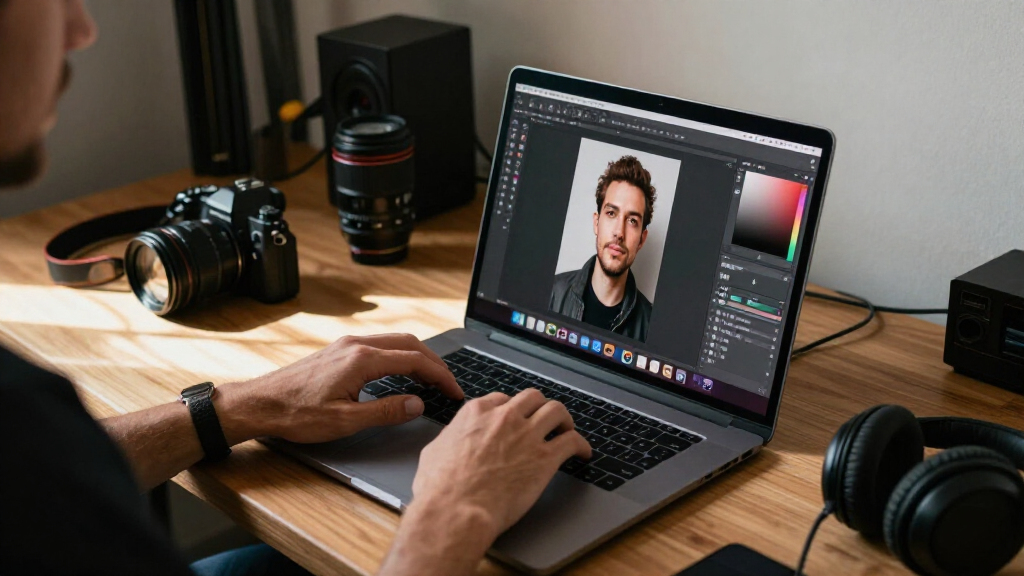
In PhotoCraft, the reviewer tested object selection, text layers, layer effects, clipping masks and cropping. The app supported multiple open documents in tabs, and the reviewer was able to copy content between them without major problems. Its selection tool worked, but the initial selection was less accurate than Photoshop’s, and brushing to refine a selection did not update the displayed selection area in real time.
The review also found familiar adjustment and correction tools, including controls for white balance, color levels, channel mixing, object removal and red-eye removal. PhotoCraft did not offer the same easy access to AI image-generation features that the reviewer associated with Photoshop. The reviewer said that gap may matter to people who rely on generative tools, though it was not important to their own editing routine.
LightCraft supports browsing local folders and editing multiple photos in bulk, features the reviewer valued for working through RAW files. Its automatic adjustments were easy to apply but tended to make contrast too strong and shadows too dark. The app allows users to load a denoising model locally; a model based on RawNIND and Darktable, recommended by a GitHub user, improved results for the reviewer, but did not match Lightroom’s denoising quality. The review also found that LightCraft did not recognize lens data in photos where other software did, leaving distortion for the user to correct manually.
Field Review · Photo Editing · October 29, 2026
Can Free Vibe-Coded Photoshop and Lightroom Clones Challenge Adobe Yet?
Artcraft’s PhotoCraft and LightCraft handle a range of familiar editing tasks in an XDA Developers hands-on review. Selection accuracy, AI tools, lens correction and denoising still leave meaningful gaps.
01 / Where Artcraft Fits
Capable basics, with practical trade-offs
Free tools may suit occasional edits and budget-conscious creators. More demanding work can depend on accuracy, automation and specialist controls.
Familiar layer work
The reviewer tried text layers, effects, clipping masks and cropping. Multiple documents opened in tabs, with content copied between them without major problems.
Refinement needs attention
Selection worked, but the initial result was less accurate than Photoshop’s. Brushing to refine it did not update the displayed selection in real time.
Less direct access
PhotoCraft did not provide the same easy access to AI image-generation features the reviewer associated with Photoshop. That may matter to users who rely on them.
02 / Two Apps, Two Jobs
What the review actually tested
The findings cover the features one reviewer tried, not every possible use or a formal performance benchmark.
Photoshop alternative
PhotoCraft
Tests included object selection, layers, masks, cropping, white balance, color levels, channel mixing, object removal and red-eye removal.
It handled several routine tasks, though selection accuracy and generative AI access were reported as limitations.
Lightroom alternative
LightCraft
Local-folder browsing and bulk photo editing helped the reviewer work through RAW files. Automatic adjustments were easy to apply.
Those adjustments often pushed contrast too high and shadows too dark. Denoising and lens data recognition also fell short.
03 / Lightroom-Style Workflow
Three areas to test with your own files
Results may vary by camera, file type and workflow. The review did not establish broad compatibility.
Check contrast and shadows
One-click adjustments were convenient, but the reviewer found contrast too strong and shadows too dark.
Confirm profile detection
LightCraft missed lens data in photos where other software recognized it, leaving distortion for manual correction.
Compare output quality
A locally loaded model based on RawNIND and Darktable improved results for the reviewer, but did not match Lightroom’s denoising quality.
04 / Evidence & Limits
A useful first look, not a broad verdict
The XDA Developers review is one experienced user’s hands-on assessment, with comparisons informed by Photoshop, Lightroom and some Affinity workflows.
Artcraft’s apps may work well for selected everyday tasks, but the review does not show they can replace Adobe across the board.
Traceability / A Practical Decision Path
Test the work that matters to you
Future development and wider testing will shape whether Artcraft can narrow the gap with Adobe.
Bring your files
Use representative images and RAW files from your own camera.
Try precision tasks
Check selection cleanup, lens profiles and any repeated edits.
Compare the output
Review automatic adjustments and denoising against your usual tools.
Choose by workflow
Keep the apps that save time without adding correction work.
Quick Answers
What readers may want to know
What are PhotoCraft and LightCraft?
Artcraft apps presented as alternatives to Photoshop and Lightroom, respectively. The review describes them as vibe-coded and reports hands-on photo-editing tests.
Can PhotoCraft replace Photoshop?
It handled layers, masks, cropping and basic adjustments in the reviewer’s tests. Less accurate selections and limited easy-to-use AI image generation may be drawbacks.
Can LightCraft replace Lightroom for RAW editing?
It supports folder browsing and batch editing, but reported automatic-adjustment, lens-profile and denoising gaps mean users should test their own files.
Are the apps free?
The story and review describe the Artcraft alternatives as free. The supplied material does not detail pricing terms, paid features or licensing.
Does the review assess video editing?
No complete assessment is available. The excerpt starts to introduce video editing but ends before reporting tests or findings.
What is the measured takeaway?
Potentially useful alternatives for some tasks; not established as full replacements for Adobe’s software across professional workflows.
Where Artcraft Fits in Photo Editing
Artcraft’s early appeal is practical: free tools that cover familiar editing tasks could give casual users and budget-conscious creators a way to work without adopting Adobe’s software. The review found that PhotoCraft and LightCraft can do more than offer a superficial imitation of a photo editor; several routine functions worked well enough for the reviewer’s own needs.
That does not establish that the suite can replace Adobe across professional workflows. Accuracy, automation and specialist features can affect how much time an editor spends correcting results. The reported gaps in selection refinement, lens correction and denoising may matter more to photographers with demanding or repeatable workflows than to people making occasional edits. The review is one user’s hands-on assessment, not a broad benchmark or a test of every feature.
Products Worth Considering

Logitech MX Keys S Wireless Keyboard, Graphite

LG UltraGear 27-Inch QHD OLED Gaming Monitor, 240Hz, 0.03ms, G-SYNC Compatible, FreeSync Premium Pro, HDMI 2.1

Samsung 27-inch Odyssey OLED G6 QD-OLED QHD Gaming Monitor
As an affiliate, we earn on qualifying purchases.
A Vibe-Coded Suite Meets Adobe
The XDA review describes Artcraft as a vibe-coded alternative to Adobe Creative Cloud apps, part of a wider wave of software projects built with AI assistance. PhotoCraft is positioned as a Photoshop alternative, while LightCraft is designed to take on Lightroom’s photo-browsing and RAW-editing role. Their interfaces and feature sets draw clear comparisons with Adobe’s established programs.
The reviewer brought experience with Photoshop and Lightroom, while also comparing some workflows with Affinity. That perspective informs the findings, but the source material does not provide a formal performance test, compatibility survey or detailed account of the apps’ development and maintenance. Its reported results concern the features the reviewer tried, rather than every possible use.
“PhotoCraft holds up better than I thought it might.”
— XDA Developers reviewer
Limits the Review Could Not Settle
The review does not establish how PhotoCraft or LightCraft perform across different computers, camera models, file types or professional workflows. It also does not provide independent benchmarks, a broad user test or a comparison of every feature in the Adobe apps. Results from one reviewer should not be treated as proof that the suite will work equally well for other editors.
The source material gives no detailed information about the project’s long-term maintenance, update schedule, support arrangements or the full terms governing use. It also begins to introduce a discussion of video editing but ends before providing findings, so no conclusion about Artcraft’s video tools can be drawn from the material supplied.
What Users Should Test Next
Readers considering the apps can test them with their own files and workflows, particularly where the review identified possible friction: selection cleanup, lens profiles, automatic adjustments and RAW denoising. Editors who depend on AI image generation or consistent batch processing should check whether the available functions meet their needs before relying on the suite.
The supplied review does not announce a product roadmap or a specific next release. Any judgment about whether Artcraft can narrow the gap with Adobe will depend on future development and testing across more users and use cases. For now, the reported evidence supports a measured conclusion: the apps may be useful alternatives for some tasks, but the review does not show that they can replace Photoshop and Lightroom across the board.
Key Questions
What are PhotoCraft and LightCraft?
PhotoCraft and LightCraft are Artcraft apps presented as alternatives to Photoshop and Lightroom, respectively. The XDA review describes the suite as vibe-coded and reports on hands-on tests of its photo-editing features.
Can PhotoCraft replace Photoshop?
It handled several tasks, including layers, masks, cropping and basic adjustments, in the reviewer’s tests. But less accurate selections and a lack of comparable easy-to-use AI image generation may be drawbacks for users who depend on those functions.
Can LightCraft replace Lightroom for RAW editing?
LightCraft can browse local folders and edit batches of photos, which the reviewer found useful. The review also reported weak automatic adjustments, missing lens-profile recognition and denoising below Lightroom’s quality, so users should test it with their own RAW files.
Are the apps free?
The story topic and review describe the Artcraft alternatives as free. The source material supplied does not give further details about pricing terms, paid features or licensing.
Does the review cover Artcraft’s video-editing app?
No complete assessment is available in the supplied material. It starts to introduce video editing but cuts off before reporting any tests or findings, so the video tools cannot be evaluated from this review excerpt.
Source: XDA Developers